Understanding the Silent Push MCP Server
The Silent Push MCP Server changes what AI agents have access to. It connects Claude, Cursor, and any MCP-compatible client directly to our Context Graph, the engine that continuously discovers, re-resolves, and fingerprints adversary infrastructure while it's still being staged.
See it in action.
Instead of querying stale IOC lists, your AI agents query a live, constantly updating map of attacker infrastructure and get Indicators of Future Attack® (IOFAs) back in return. Here's a short look at querying Silent Push from an AI environment, from the first prompt to a risk-scored result.
Why it matters.
The MCP Server runs natively inside the AI workflows your team already uses, so there's no new interface to learn and no context switching to get an answer.
SOC Analysts
Paste a suspicious IP into the tool you're already in and get a full risk profile plus linked infrastructure back.
Incident Responders
Enrich an alert with upstream attacker context in seconds, without a second tab open.
CTI Teams
Generate a report in natural language, pulling structured Silent Push data as you go.
Threat Hunters
Ask an agent to correlate domains across a campaign using passive DNS and SPQL in the same thread.
Built for agentic investigation.
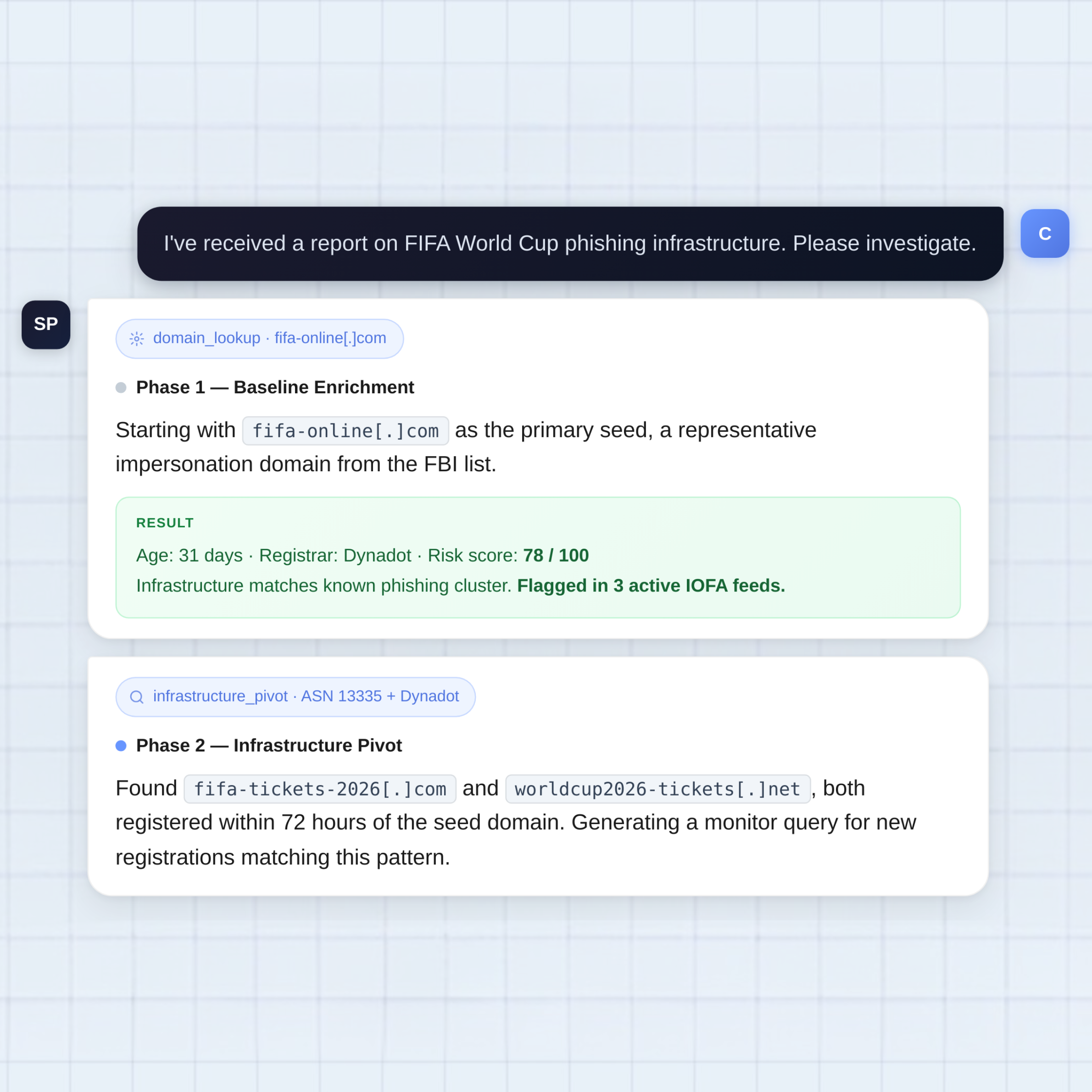
Point an agent at a single seed domain and it keeps going. Each phase runs a real Silent Push query, pivots on what it finds, and hands the next step straight to the model, so a report or a phishing domain turns into a mapped cluster of infrastructure without you touching a console.
Every result carries its own risk score and IOFA status, so the agent knows what to trust and what to chase next.
See the MCP Server running against your own workflow.
We'll walk through the MCP Server live, connect it to an environment like Claude, and query a real domain or IP together.
- A working MCP connection, set up on the call
- Real enrichment, PADNS, and SPQL queries
- A look at how IOFAs show up in your own AI workflow