Silent Push 6.2 lets admins easily select users, usage, and defensive intelligence levels from a single page and deploys the platform within ThreatConnect, Microsoft Sentinel, and Palo Alto Cortex XSOAR.
As adoption of preemptive threat intelligence grows from individual analysts to entire security organizations, it’s essential to monitor who gets access, how much they use, and what areas they can see.
With the release of Silent Push 6.2, admins now get a single page to monitor and decide who can use which modules and how many API calls each person can make. Analysts get our Indicators of Future Attack® (IOFA) and Traffic Origin context inside the platforms where they already investigate and respond.
This means tighter governance without encumbering your team, and faster triage because checking an indicator no longer means switching consoles. Both arrive in Silent Push 6.2.
“As Silent Push becomes part of how entire security organizations use preemptive cyber defense, admins need clear control over access and usage. Our latest platform release delivers the control, and it puts our intelligence directly inside the tools their analysts rely on every day.”
— Ken Bagnall, CEO and Co-Founder, Silent Push.
Govern Access Without Slowing Anyone Down
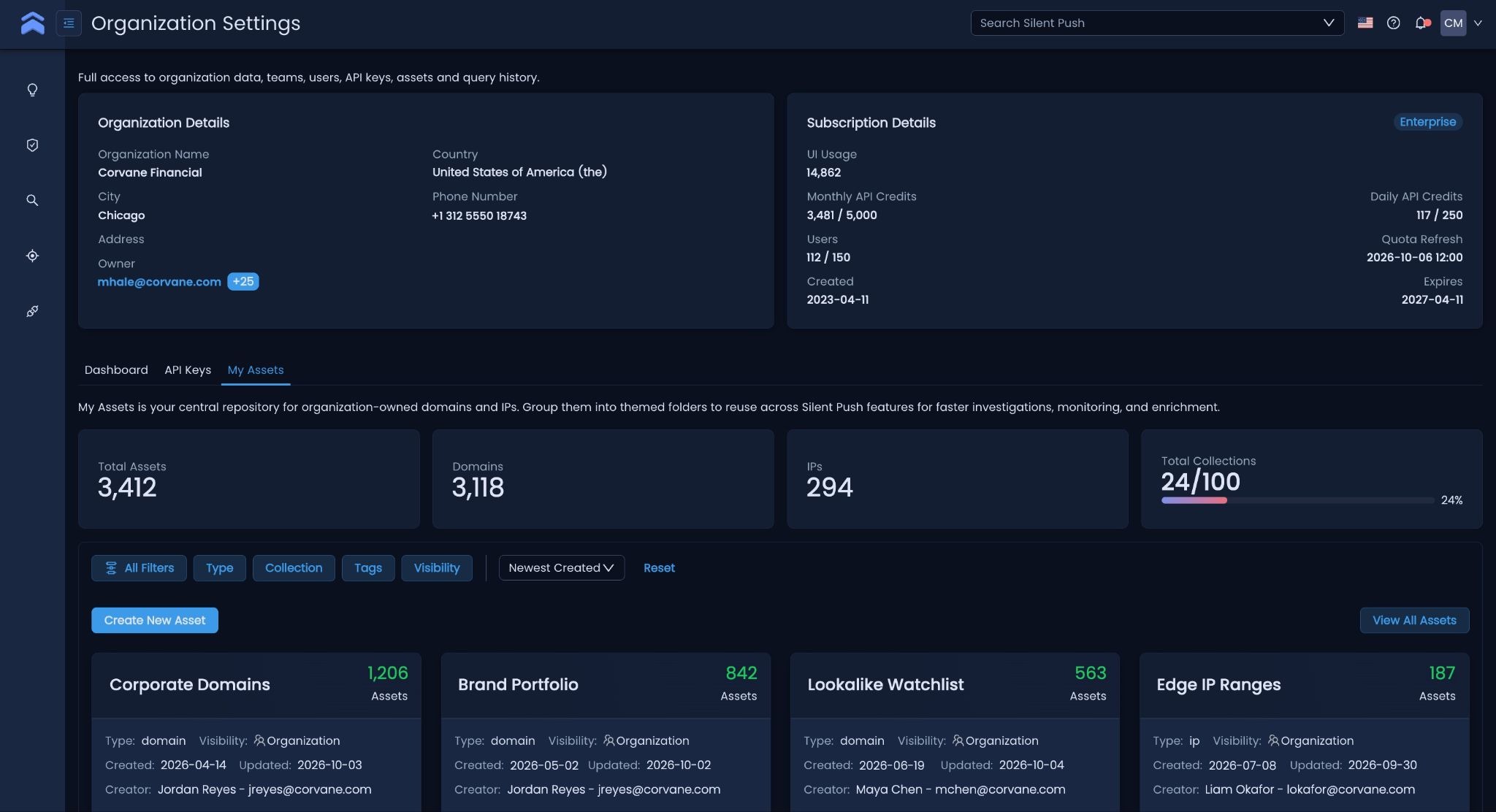
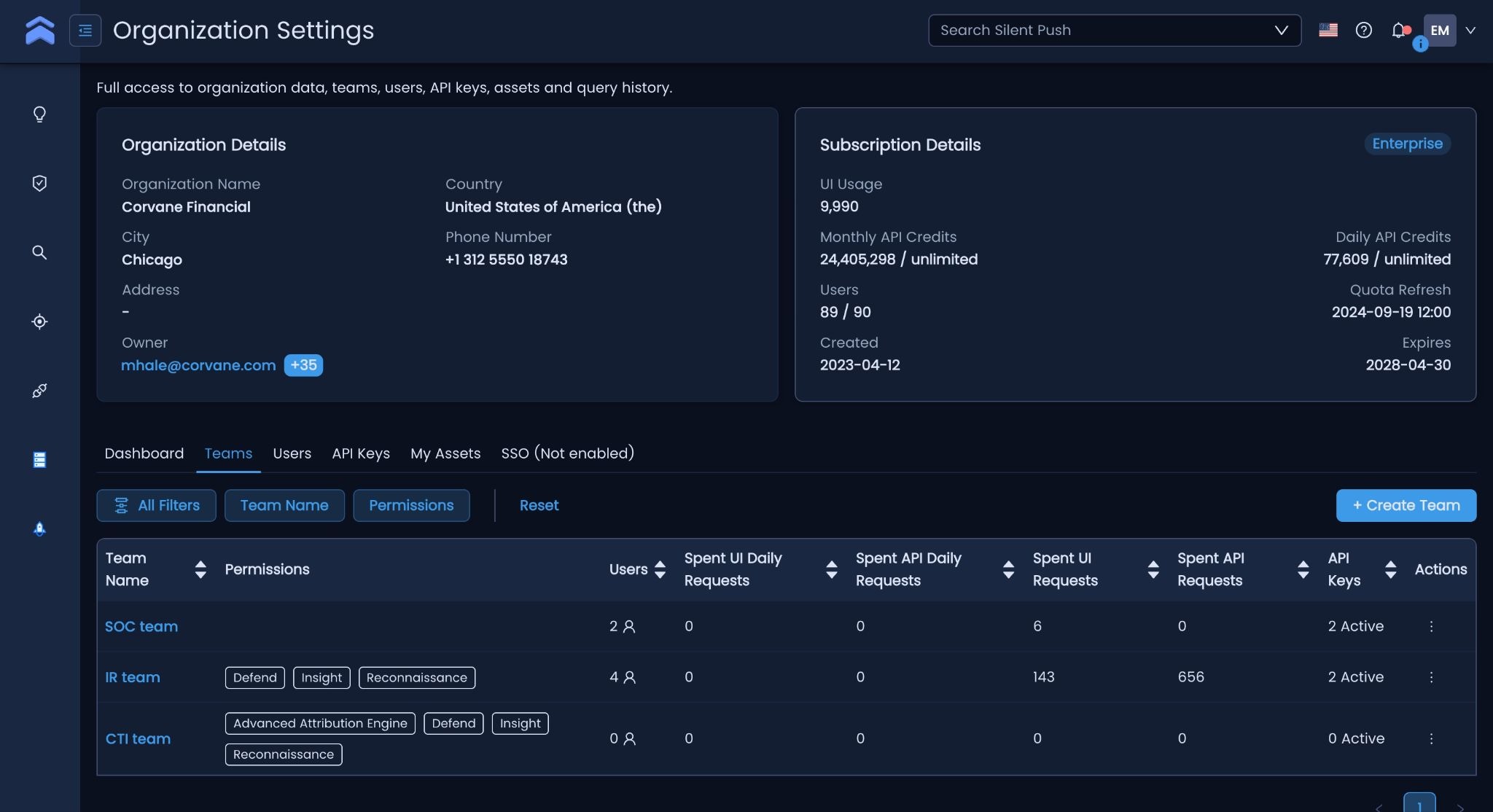
The rebuilt Org Management page gives admins a single place to run it all, organized in three tiers: organization, teams, and roles. Admins maintain full control to create teams, assign users, and set API quotas for each person. Managers oversee one team and see only that team’s users and API keys. Members belong to one team and see only their own keys.
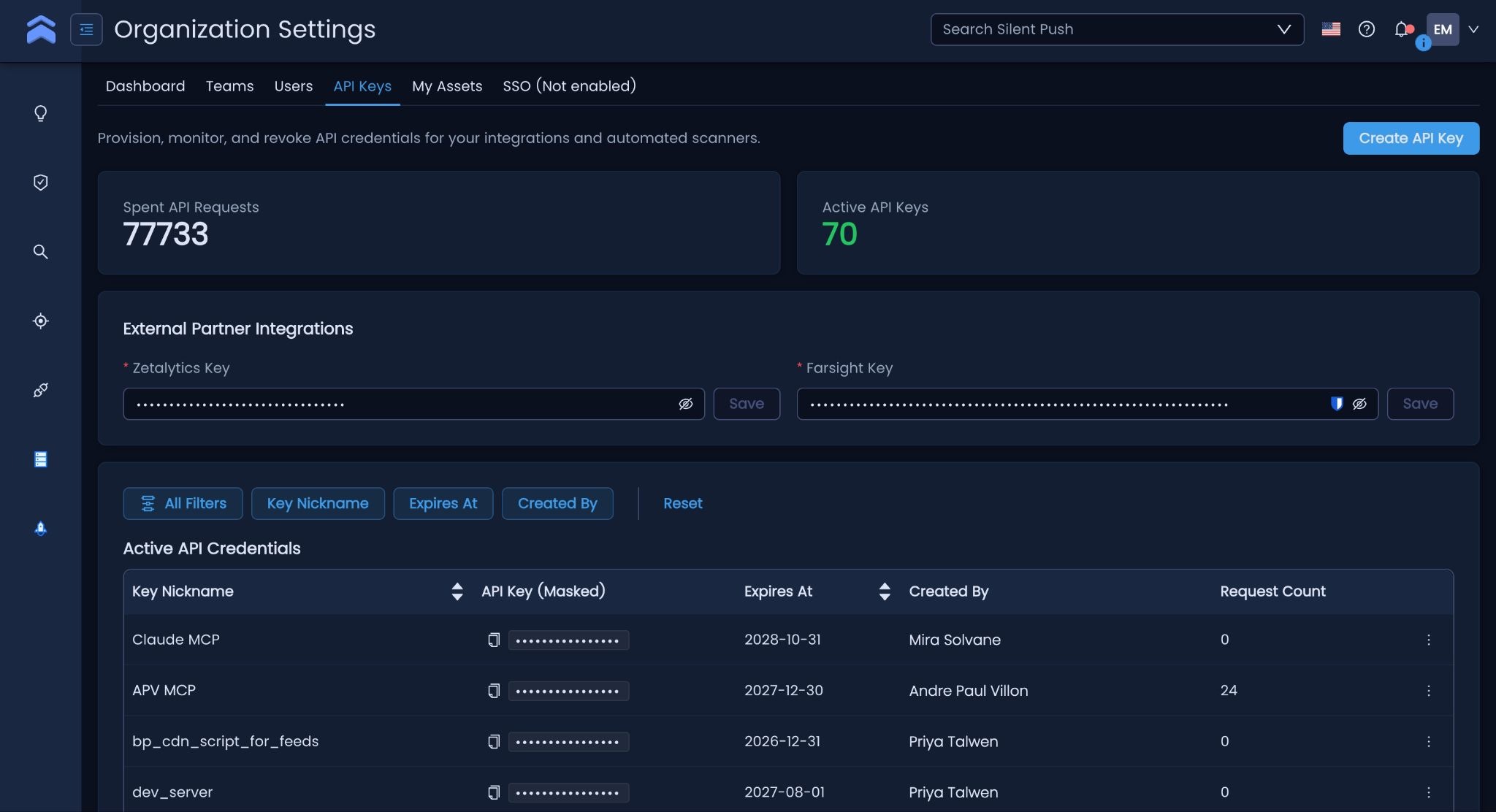
Admins can establish daily and monthly API caps for every user. On limited-tier plans, those caps act as soft limits, and the interface shows each user’s actual usage, compared against their limit. To provide unlimited access, admins can toggle off limit flags in the UI or through the API.
Giving each team the tools they need
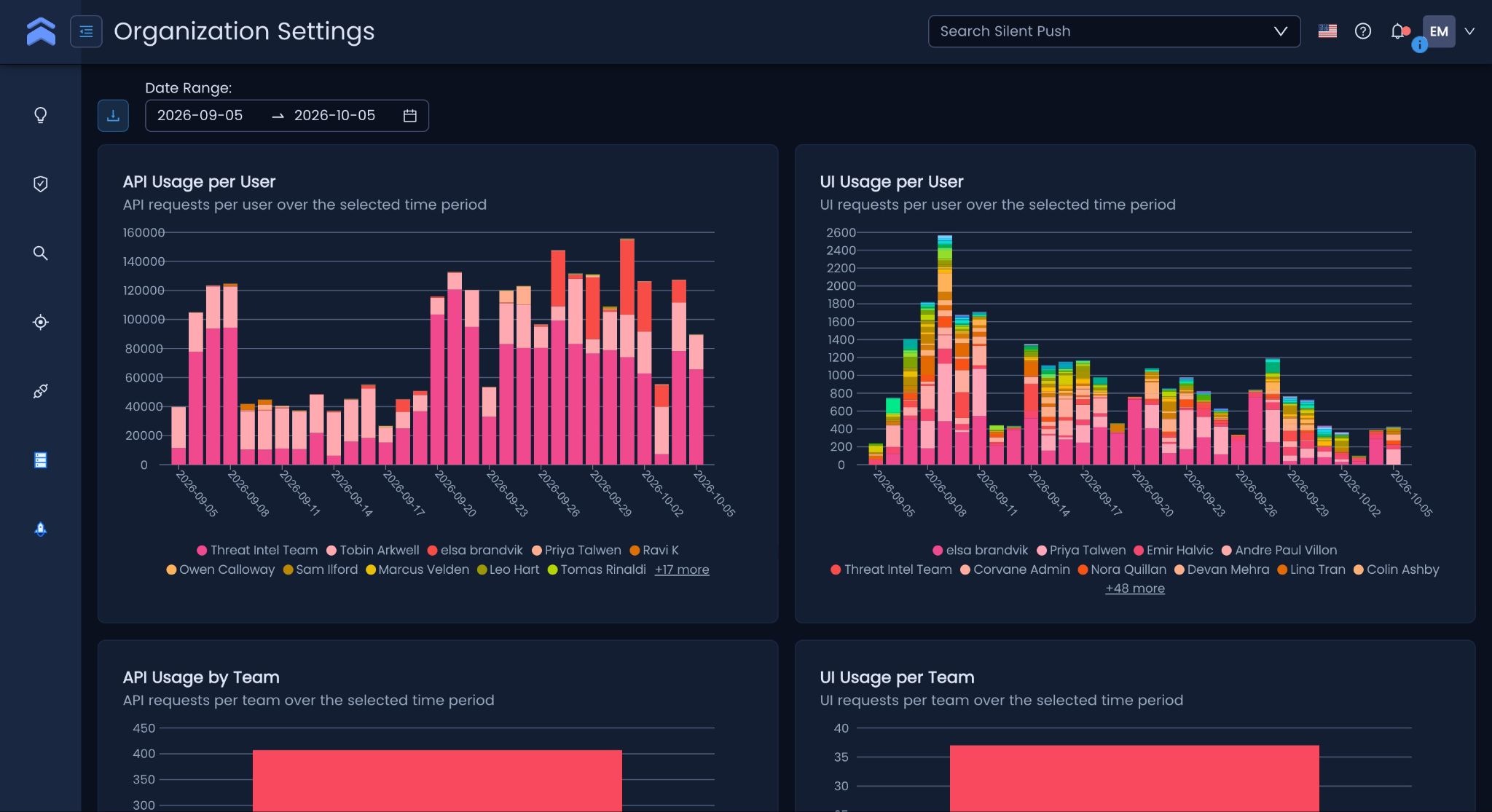
Admins can grant each team access to specific modules, such as Defend, Reconnaissance, or Traffic Origin. Users see only what their team can use, which keeps workspaces focused and access aligned with each team’s responsibilities. Construction of teams is optional. Smaller organizations can manage users directly without building a team structure first.
Change permissions without losing work
When access changes, content becomes unavailable until you restore permissions. But permission changes never delete data. If an admin removes a user who shared content, a transfer-ownership prompt reassigns it so nothing is lost.
Admins can onboard users in bulk with a CSV template that sets per-user API limits in the same step. Dashboard data exports to CSV or PDF.
Investigate Faster Without Switching Consoles
Our platform collects and analyzes first-party data across global internet-facing infrastructure, including IPv4, IPv6, and domains, to track adversary infrastructure before it is weaponized. Your analysts can now tap that intelligence from the platforms they already live in, through two Silent Push Threat Check capabilities:
- IOFA Threat Check shows whether an IP or domain is tied to infrastructure we have flagged as a potential future threat, so analysts can hunt and act earlier in the attack lifecycle.
- Traffic Origin Threat Check adds source IP, geographic, and traffic pattern context around internet-facing infrastructure, exposing relationships the indicator alone won’t reveal.
ThreatConnect
The updated ThreatConnect integration brings our intelligence directly into existing ThreatConnect workflows. Security teams can enrich indicators, investigate suspicious infrastructure, and gain context on emerging threats, now with IOFA and Traffic Origin Threat Check built in.
Microsoft Sentinel and Logic Apps
Silent Push now offers both a connector and an app for Microsoft Sentinel. Through Microsoft Logic Apps, analysts call Silent Push APIs to enrich indicators, speed investigations, and automate security workflows.
When analysts spot a suspicious IP or domain in Sentinel, they can send it to Threat Check and get IOFA and Traffic Origin context back without switching consoles.
Palo Alto Cortex XSOAR
The updated Cortex XSOAR integration taps our latest APIs to bring Silent Push intelligence into existing orchestration and response playbooks. Two additions stand out.
Traffic Origin support gives analysts source IP and geographic context around suspicious infrastructure. The new TLP Amber Reports API lists the TLP Amber reports available from Silent Push, so analysts can see which restricted intelligence their organization can access and pull relevant reports into an investigation.
What It Means for Your Team: More Admin Control, Less Console-Hopping for Analysts
As more of your organization relies on Silent Push, governance and reach get easier in the platform. Admins decide who sees what, set per-user usage limits, and onboard teams in bulk. Meanwhile, analysts can get IOFA Threat Check, Traffic Origin context, and TLP Amber Reports inside the tools they’re already using.
The result is preemptive intelligence that scales across the organization without losing control of access, spend, or workflow.
See It in Action
New to Silent Push?
Talk with one of our experts to learn more about preemptive cyber defense and see how these controls and integrations fit your team. Get started with our free Community Edition, built for defenders.
FAQs
1. Who controls access and API limits in Silent Push?
- Organization administrators create teams, assign users, set daily and monthly API caps per user, and grant module access by team. Managers see only their own team’s users and API keys. Members see only their own keys.
2. Will per-user API limits cut off my analysts mid-investigation?
- Not on unlimited-tier plans. On those plans, limits act as soft controls that show each user’s actual usage against their cap. Owners who want a user to have truly unlimited access can switch off that user’s limit flags in the UI or through the API.
3. What’s the difference between IOFA Threat Check and Traffic Origin Threat Check?
- IOFA Threat Check tells you whether an IP or domain is tied to infrastructure Silent Push has flagged as a potential future threat. Traffic Origin Threat Check adds source IP, geographic, and traffic-pattern context, revealing relationships an indicator alone won’t show. Used together, they answer “is this dangerous?” and “what is it connected to?”
4. Which security platforms can now pull in Silent Push intelligence?
- ThreatConnect, Microsoft Sentinel (a new connector and app, powered by Microsoft Logic Apps), and Palo Alto Cortex XSOAR, which adds Traffic Origin support and the TLP Amber Reports API.