


- Company
Silent Push Inc. ©2025
If you’re an independent security researcher, blogger, or part of a security team conducting initial investigations, Silent Push Community Edition is a free threat hunting tool that gives you the ability to locate and traverse malicious infrastructure across the public internet (“clear web”) and dark web simultaneously, and uncover hidden domains and IPs for further investigation.
In this blog, we’ll take a quick look at how we used Silent Push Web Scanner to scan .onion and public sites for DragonForce infrastructure, and the different ways you can query the Silent Push scan data repository to achieve laser-focused datasets.
Silent Push Community Edition is a free threat hunting and cyber defense tool featuring a range of advanced queries and lookups – built on a powerful first-party database of enriched DNS and web content data – that allows users to locate known and hidden threat infrastructure on the public web and dark web.
Silent Push Web Scanner provides historical insight into how threat actors build, manage and deploy their infrastructure over time, through syntax-based queries built on 200+ parameters, including:
Crucially, our Web Scanner also provides the capability to uncover malicious threat infrastructure across both the clear web and the dark web, all within a single query.
We scan and collect dark web and public web data into separate repositories, but you can combine these data sources into one query and hunt for infrastructure across both, using the same parameters.
Let’s take a look at a quick example of how you can use Web Scanner to conduct dark web and public web scans side by side.
DragonForce is a cybercriminal group that has transitioned from its origins as a Malaysian-based hacktivist collective into a prominent Ransomware-as-a-Service (RaaS) operation.
Initially known for politically motivated attacks, the group has shifted its focus toward financially driven cyber extortion. DragonForce’s RaaS model provides affiliates with customizable ransomware payloads and infrastructure support, facilitated by access infrastructure across the public and dark web.
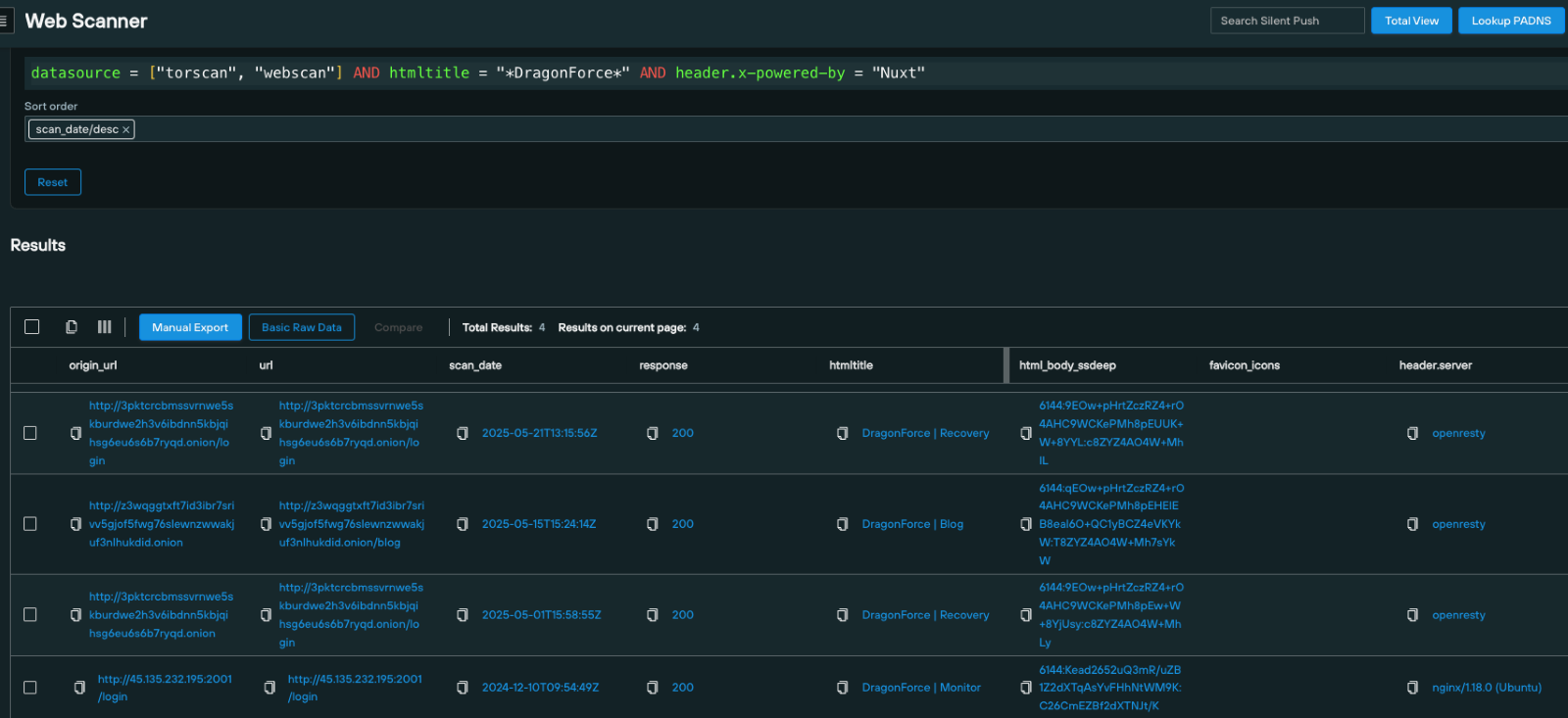
We can use Web Scanner to execute a query using the datasource and htmltitle parameters, that returns .onion sites with matching content that contains “*DragonForce*” in the page title.

From the dataset, we know that certain components of DragonForce utilizes the Nuxt.js application.
We can take this intel and use the header.x-powered-by parameter to search for infrastructure using Nuxt across both the public and dark web:
Join our Community Edition workshop on June 10: Scanning Dark Web Infrastructure to Detect Hidden Threats with Silent Push. Register today.
Web Scanner isn’t limited to public and dark web ransomware scanning. Here’s a few other key use cases that can be fulfilled with scanning via a free Community Edition account:
Cybercriminals often set up domains that mimic legitimate brands to deceive users. Web Scanner allows analysts to identify these malicious domains by analyzing patterns in SSL certificates, favicon usage, and HTML structures.
By detecting these behavioral patterns, organizations can take swift action to protect their brand reputation and customers.
Web Scanner provides historical datasets that reveal how threat actors evolve their infrastructure over time, helping analysts to anticipate future threats and adapt their defense strategies accordingly.
You can use Web Scanner to assess the security posture of a public DNS presence or supply chain operation.
By scanning for exposed services, outdated software, or misconfigurations, organizations can identify and mitigate potential vulnerabilities that could be exploited by attackers.
Ready for deeper intel, IOFA feeds, TLP:Amber reporting, seamless integration capabilities and more? See the power of the Silent Push Enterprise Edition — book a demo today.
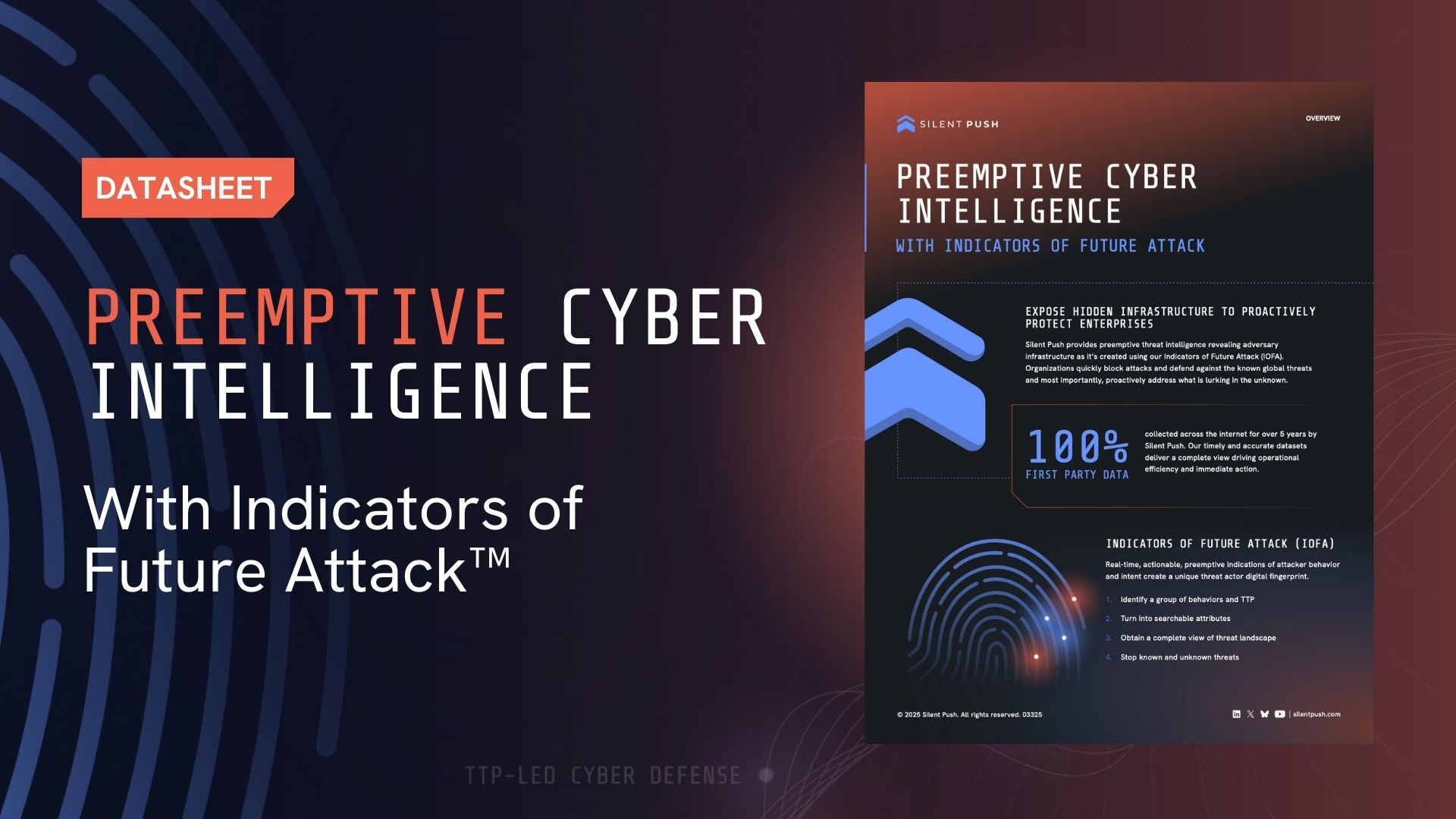
This datasheet outlines how Silent Push provides preemptive cyber threat intelligence through our proprietary Indicators of Future Attack™ (IOFA™), enabling organizations to detect and stop malicious infrastructure before attacks occur. By leveraging IOFA™, TTP-led analysis, and real-time data enrichment, Silent Push empowers proactive threat hunting, brand protection, and early threat detection.
Ready to dive deeper into the world of preemptive threat intelligence? Begin your journey with the Silent Push free Community Edition today.
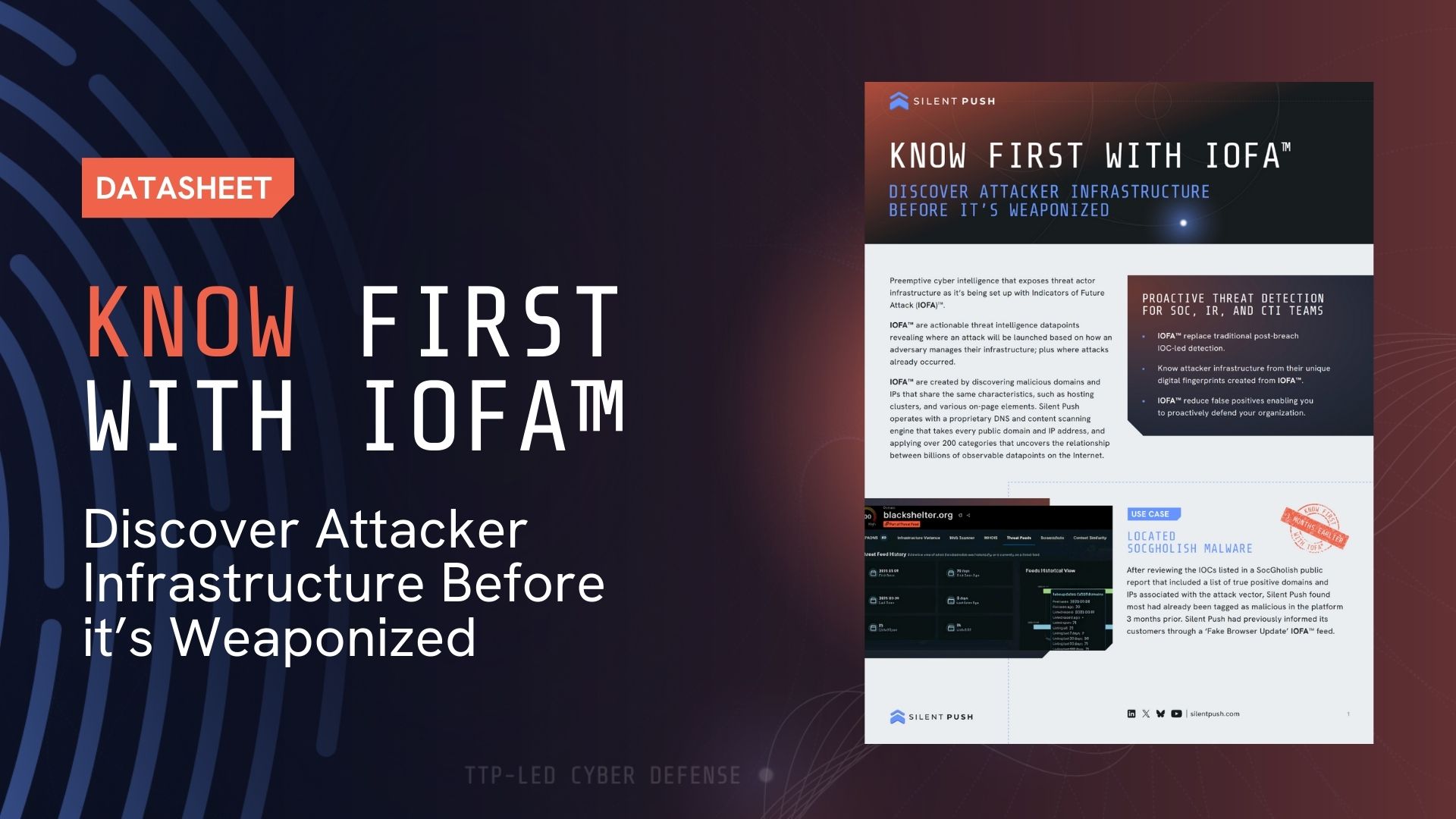
This document highlights how Silent Push empowers SOC, IR, and CTI teams with preemptive threat intelligence using Indicators of Future Attack™ (IOFA™) to detect attacker infrastructure before it’s weaponized. It includes real-world use case examples demonstrating how IOFA™ enables early detection of threats from groups like Lazarus and TA569, helping organizations proactively defend against advanced malware and reduce false positives.
Ready to dive deeper into the world of preemptive threat intelligence? Begin your journey with the Silent Push free Community Edition today.
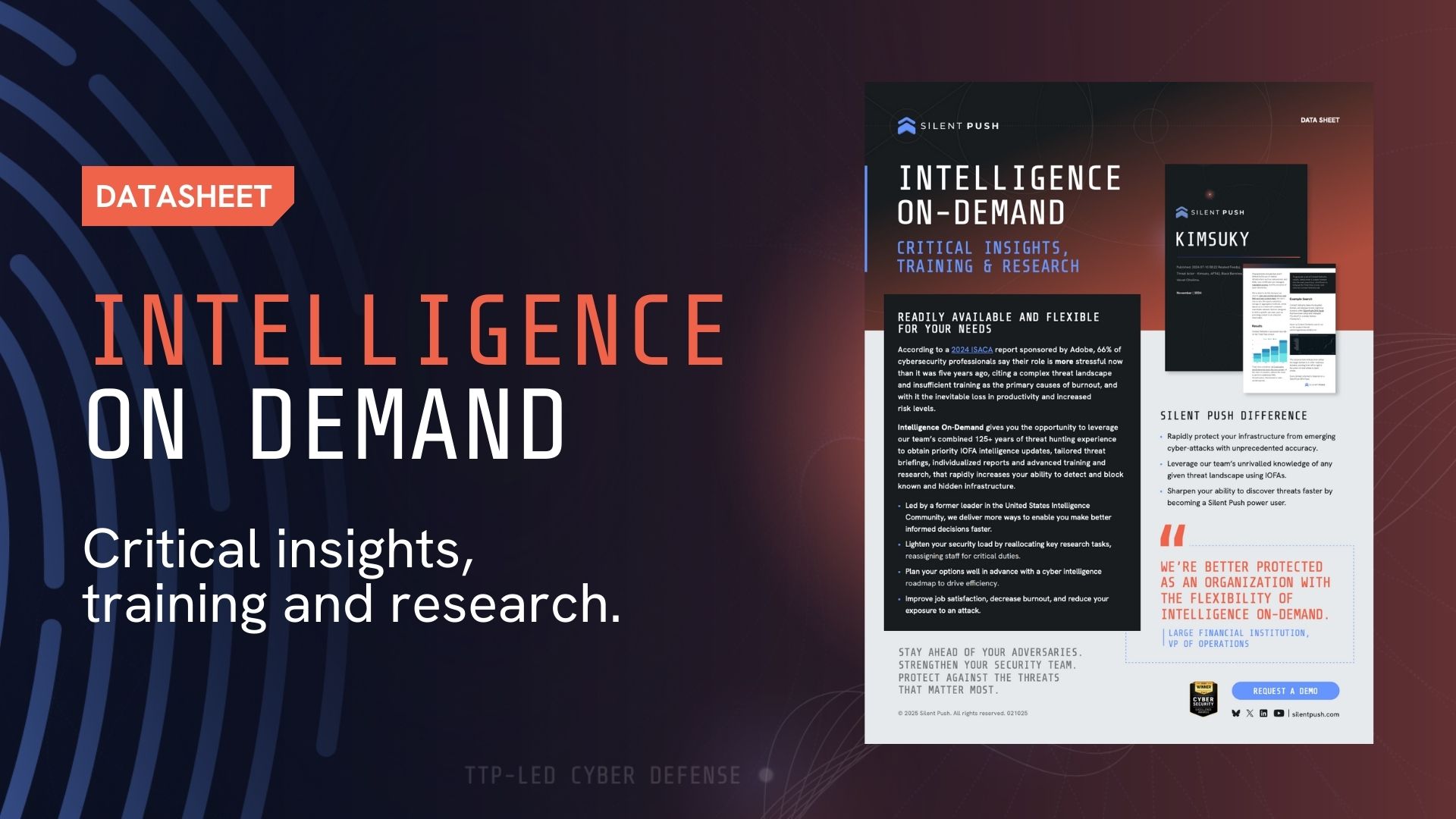
This document presents Silent Push’s Intelligence On-Demand service, which provides tailored threat intelligence, IOFA™ updates, and expert-led training to help organizations strengthen security posture and reduce analyst burnout. Featuring flexible support options and insights from seasoned threat hunters, it equips teams with the tools and knowledge to detect and block threats faster—supported by real-world impact and customer testimonials.
Ready to dive deeper into the world of preemptive threat intelligence? Begin your journey by booking a demo with our platform experts.
You’ll explore:
Ready to dive deeper into the world of preemptive threat intelligence? Begin your journey with the Silent Push free Community Edition today.
Ready to dive deeper into the world of preemptive threat intelligence? Begin your journey with the Silent Push free Community Edition today.
Reston, VA., May 21, 2025 – Silent Push, a leading preemptive cybersecurity intelligence company, announced today the launch of its new Google Chrome Extension, providing immediate access to information about indicators discovered through a user’s browser and new controls to action on them.
As part of the company’s continuing efforts to level up security teams’ cyber defenses, Silent Push introduces new integration partner Filigran – the developer of OpenCTI. Silent Push partnerships, including ThreatConnect continue to improve the customer experience and enhance company-wide security stacks with enriched data from the Silent Push platform.
“The Silent Push Chrome Extension makes it a lot easier to access actionable, and high-quality threat intelligence. It’s easy to use and improves our ability to detect and respond to threats including quick pivots into the Silent Push platform for a deep dive into adversary infrastructure.” — Simone Filiaggi, Sr. Threat Intelligence Analyst, box
Ken Bagnall, CEO and Co-Founder of Silent Push said “We are committed to providing our customers with the solutions and resources they need to protect themselves from an attack and maintain business resilience,”
“Our Chrome Extension is bidirectional and makes it easier and faster to action. It acts as an integration into any of your SaaS platforms. By working directly in your browser through our extension, security teams now have the power to pivot control anywhere on the Internet. Through our integration partnerships and upcoming Abuse Reporting service, we are strengthening our capabilities and commitment so that security teams have the resources they need to identify adversary infrastructure before an attack is launched”, Ken Bagnall said.
“As a new integration partner, our joint customers will benefit from our better together offering of leading threat intelligence from Silent Push leveraged through our OpenCTI platform featuring comprehensive visualizations and analytic tools. This is the best of both worlds to fully enable security teams to protect their organization.” — Jan Johansen, SVP Global Alliances, Filigran, the developer of OpenCTI

“Our long-standing integration partnership with Silent Push enables our joint customers to further their journey towards a fully threat and risk-informed cyber defense. The new Chrome Extension, which offers defenders a far faster time to detect emerging threats, is a great example of the innovation the industry has come to expect from Silent Push.” — Andrew Pendargast, Chief Product Officer, ThreatConnect
Traditional IOC-based security models are such a reactive approach that limit security teams from proactively stopping an attack that is yet to launch. Attackers are faster, more automated and increasingly leverage modern techniques to evade detection. A more modern approach is needed.
Indicators of Future Attack (IOFA)™–only available from Silent Push–replace the traditional model providing an cyber early warning system. And, now with its Chrome Extension, Silent Push empowers Incident Response, Threat Intelligence and SOC teams to swiftly act and protect their organization with preemptive technology accessible with a simple click.
Currently, the Silent Push Chrome Extension is available to enterprise customers only and downloaded here within the Chrome Web Store.
The Silent Push Chrome Extension is available to Enterprise users with an API key. Book a quick demo to see how upgrading can help you uncover attacker infrastructure smarter, faster, and with more confidence.
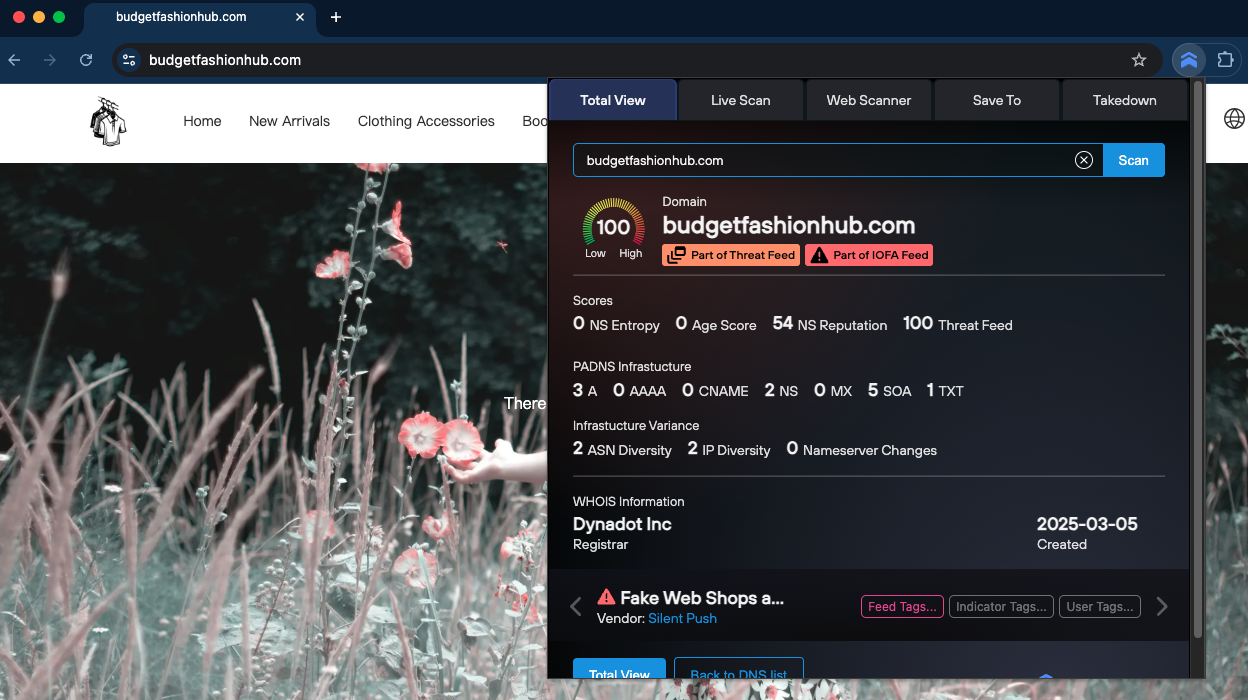
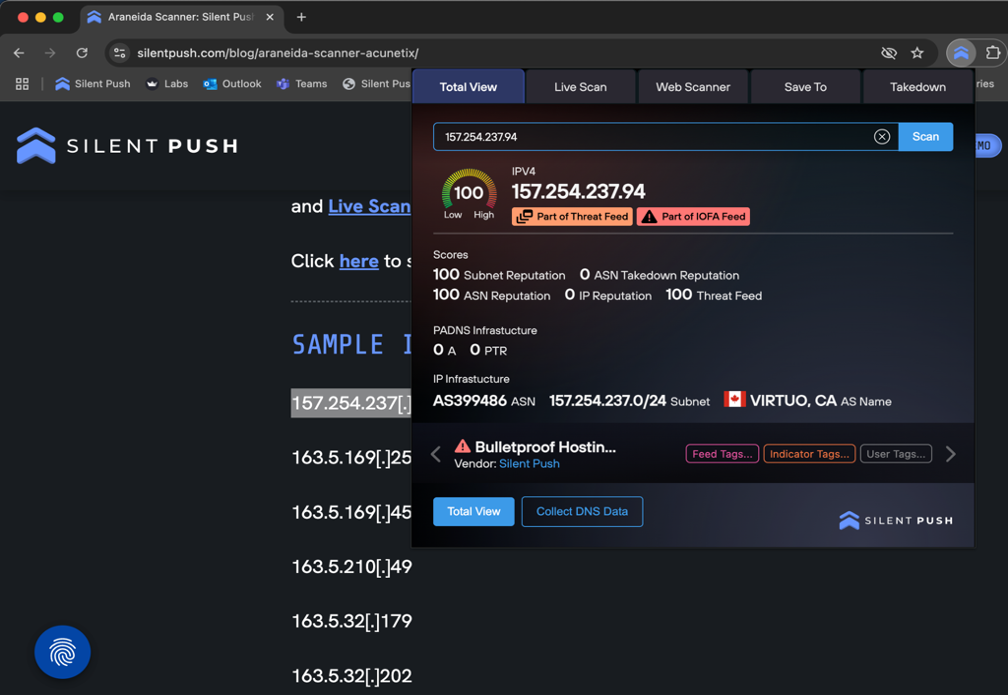
The Silent Push Chrome Extension allows you to scan, extract, save, and analyse DNS and web content data in Silent Push Enterprise direct from a Chrome window, without switching between tools or tabs.
Security teams and researchers can use the extension to gather Indicators of Future Attack™ (IOFA™) intelligence from a browser, and connect the dots between what they see in Chrome, and what Silent Push knows about any given threat landscape (hint: a lot).
Whether you’re investigating an unknown threat, reviewing security alerts in a SaaS platform, or reading a piece of threat research, our Chrome extension provides instant and actionable insight into any domains, IPs, and URLs you encounter online.
Install now from the Chrome Web Store
Our extension transforms your browser into a real-time proactive threat intelligence console. Once installed and connected using your Silent Push API key, you’ll be able to:
Installation is simple. Once you’ve downloaded the extension, add it to Chrome and input your Silent Push API key to connect it to your Enterprise account.
From there, you can begin scanning indicators immediately, using the following methods:
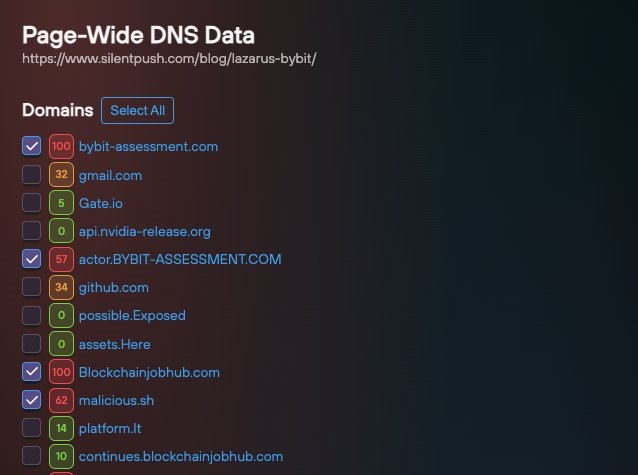
Our extension is designed to make actionable intelligence discovery as fast and intuitive as possible. Instead of copying data from emails, internal tools, or browser windows into another system, you can act immediately to validate any indicators you encounter.
It’s all about speed, context and ease of use.
For example, if you’re reviewing a suspicious link in your email client, highlight it and right-click to ascertain its risk level. Browsing a complex and lengthy threat intelligence report that analyzes output from multiple pivot points? Scrape all on-page DNS data in one click. SOC teams can also use the extension to get instant insight on unknown indicators across any number of SaaS platforms they use (and we know it’s a lot!).
Once you’ve scanned an indicator, you can use the “Save To” feature to retain and act on what you’ve found.
Indicators can be added to an existing feed for active monitoring and correlation, or new feeds that create TTP-specific watchlists of fresh intelligence, and early investigations.
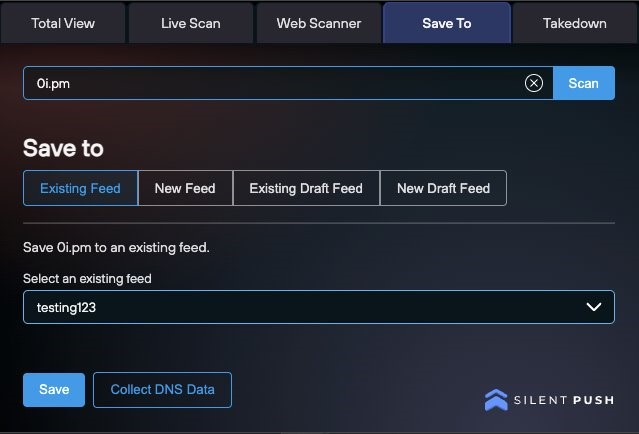
All of this allows analysts to turn passive browsing into meaningful intelligence gathering. Instead of letting key indicators slip through the cracks, you can preserve and escalate them for ongoing visibility and collaboration across your team.
The main piece of functionality is being able to gain instant DNS insight into an indicator, using Silent Push Total View – a CTI “landing page” for investigations into unknown infrastructure.
The main summary panel provides immediate visibility into active DNS resolutions, risk level, and the context surrounding any scanned indicator, including:
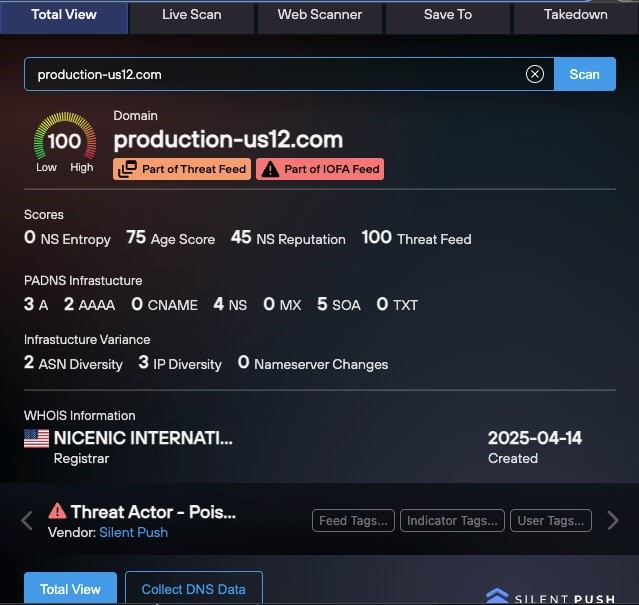
One click away from the extension, from any data point, takes you into the full Silent Push platform for advanced investigations.
To evade detection, threat actors recycle through DNS infrastructure at a rapid rate. When time is of the essence, knowing what a domain is doing right now is crucial.
That’s where Live Scan comes in. The Live Scan tab provides a real-time look at how a piece of infrastructure is configured, how it’s presented to the public, and what content it’s hosting.
When you initiate a Live Scan in the extension, you receive:
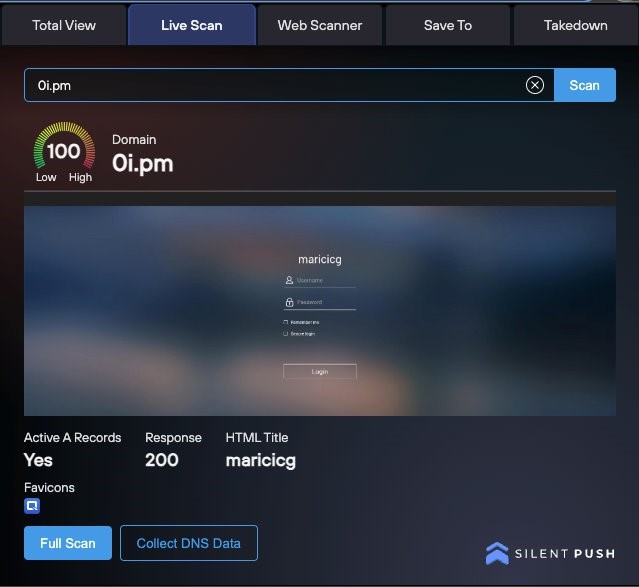
You can even input a domain or URL manually, without browsing to the website itself, allowing you quickly identify active threats without having to navigate to a potentially dangerous site.
Web Scanner allows you to track the automated management and deployment of attacker domains and IPs, by executing searches using 150+ parameters per webpage, that reveal traceable behavioral fingerprints linked to specific adversaries and attack vectors.
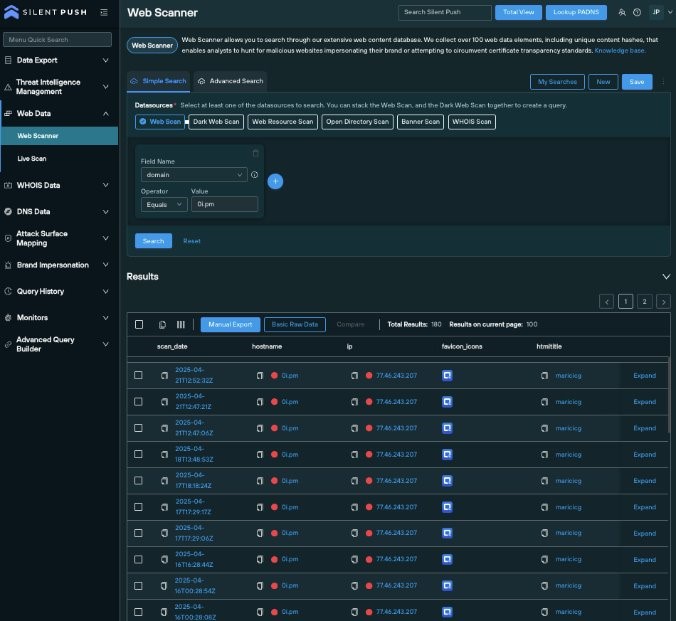
This is especially useful for campaign attribution, threat actor tracking, uncovering shared hosting infrastructure, and revealing how a threat actor has adjusted their TTPs over time to evade detection.
Using powerful syntax-based content and DNS queries, built on a proprietary query language, you can discover deployment patterns, identify related infrastructure, and establish a behavioral fingerprint that follows an attacker across the Internet.
Most threat intelligence workflows involve copying and pasting indicators across separate system for cross-team analysis. That process creates delays, breaks concentration, and sometimes results in missed opportunities.
The Silent Push Chrome Extension changes that. By embedding proactive DNS and web content intelligence functionality into your browser, it allows analysts to:
It’s not just about convenience – it’s about enabling earlier (and more effective) detection, and faster response.
Here’s just a few ways analysts are using the extension:
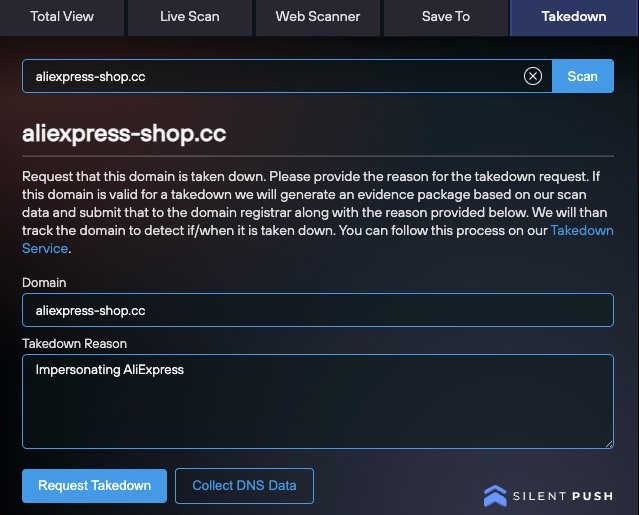
The Silent Push Chrome Extension is currently available to Enterprise users only.
Find out how Silent Push helps you to locate hidden and known threat infrastructure, and stop digital assaults at the source before they occur with Indicators Of Future Attack (IOFA)™ data.
Contact us here for more information.