


- Company
Silent Push Inc. ©2025
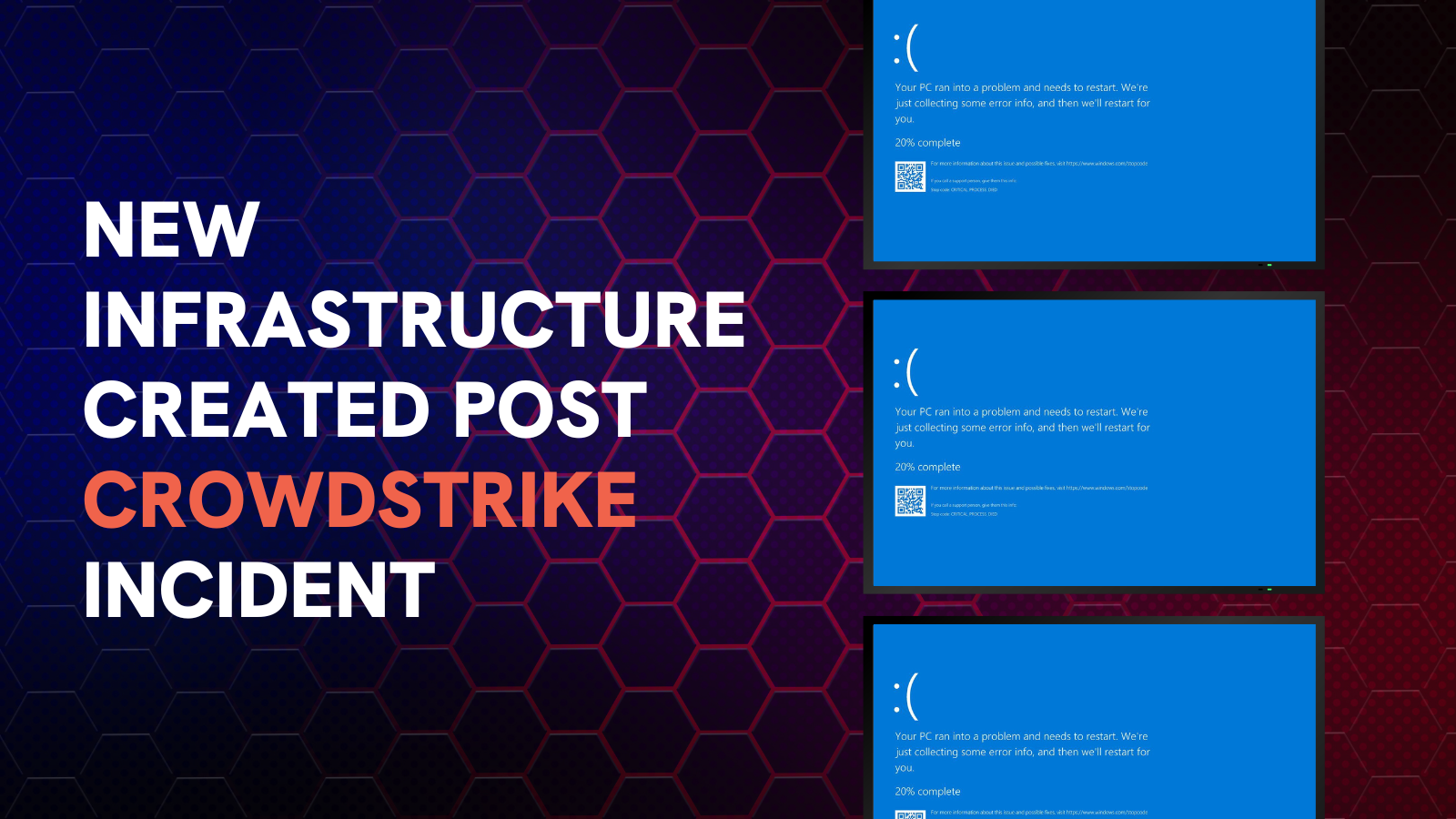
A high volume of domains that reference ‘CrowdStrike’ have been registered since the BSOD incident weeks ago.
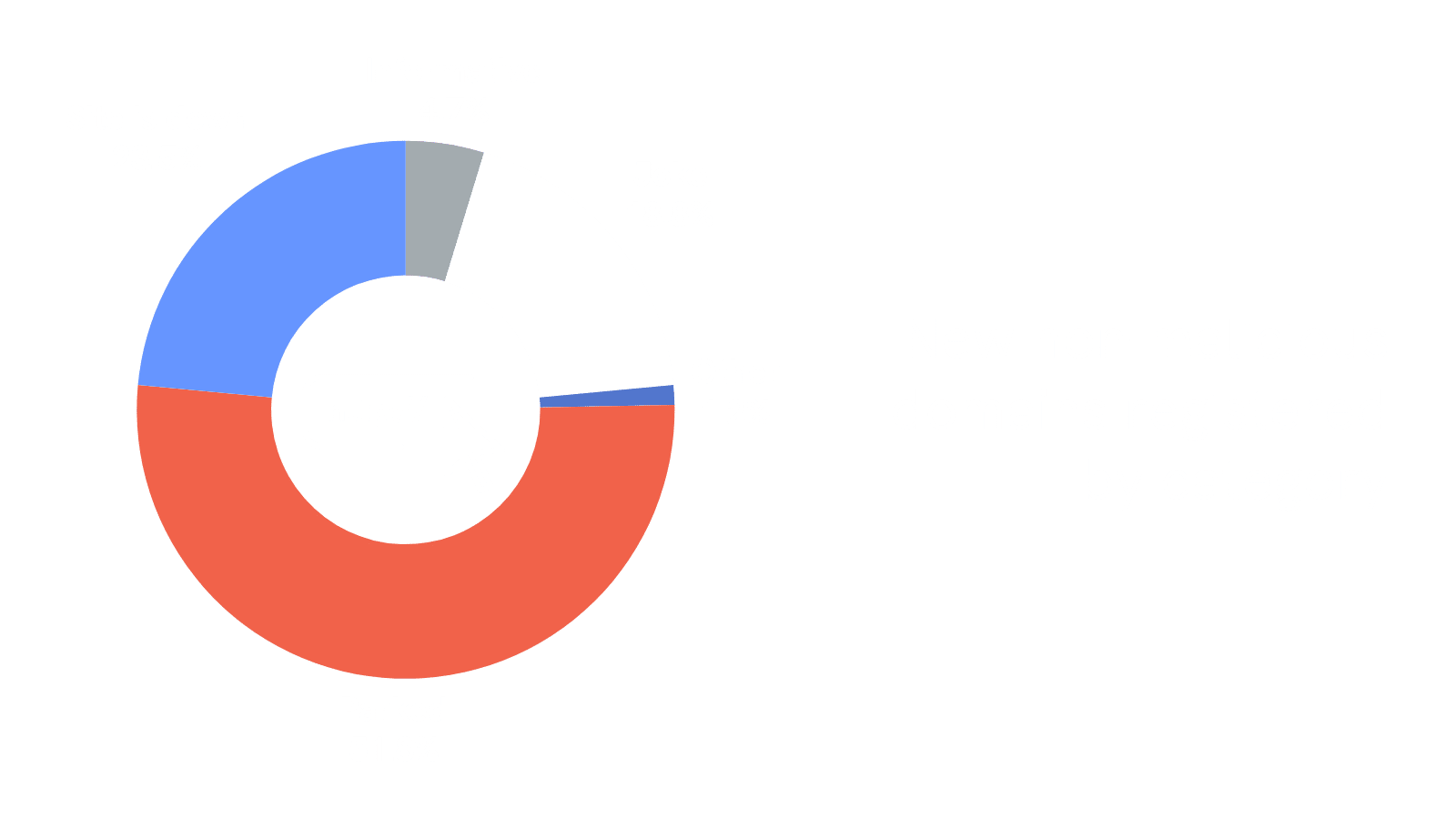
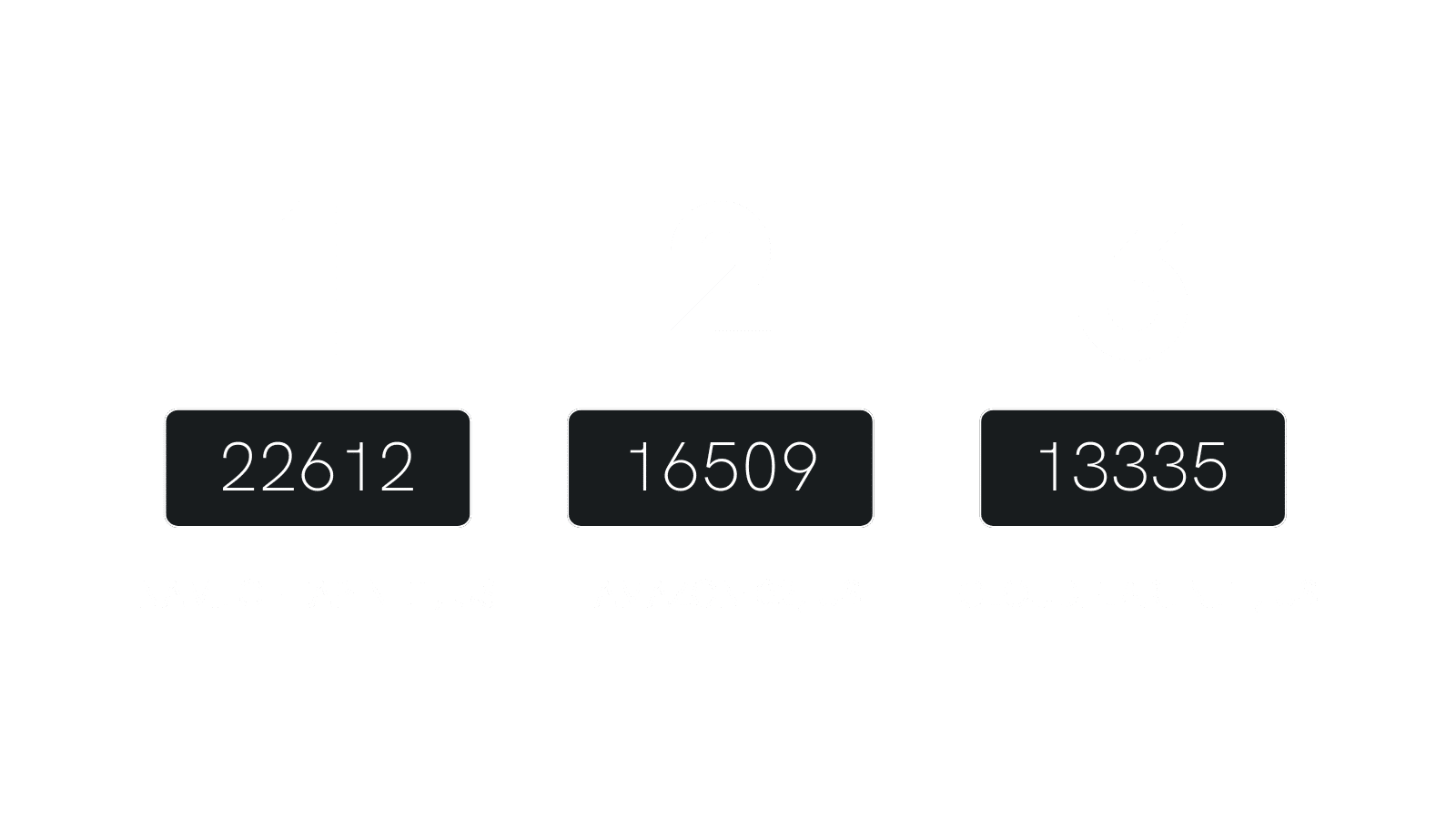
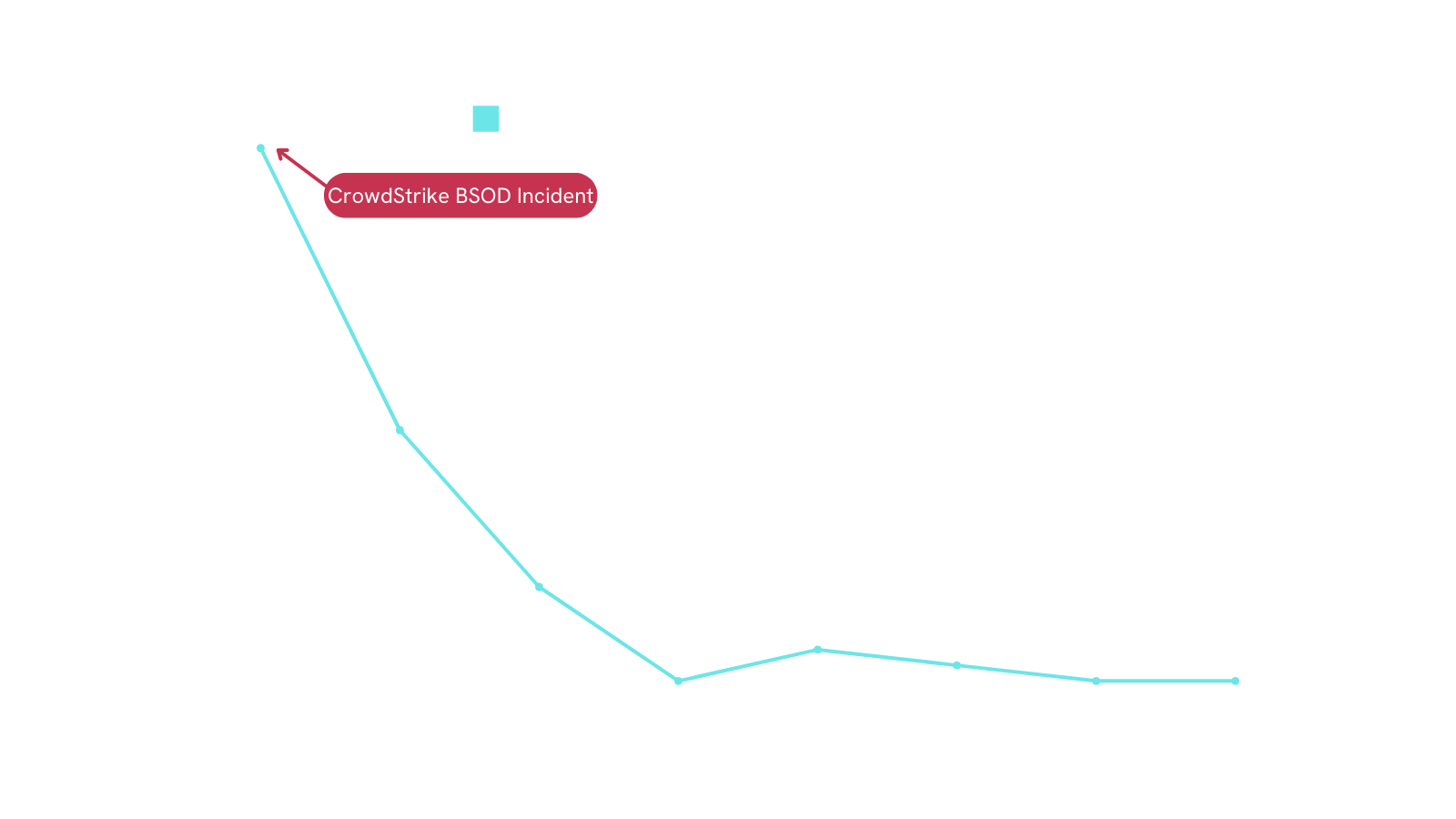
Many of these domains are likely benign, but whether their purpose is phishing, funny jokes or something else entirely, corporate defenders should consider blocking these domains to prevent unexpected incidents in the future.
crowdstrike-office365[.]com
crowdstrikemedaddy[.]com
crowdstrike[.]fail
crowdstrikefail[.]com
crowdstrikeoopsie[.]com
crowdstrikeday[.]com
crowdstrikefixes[.]com
crowdstrikebsod[.]com
crowdstrikedown[.]site
crowdstrikereport[.]com
crowdstrikewatch[.]com
crowdstrikeclaim[.]com
fix-crowdstrike[.]com
howtofixcrowdstrikeissue[.]com
iscrowdstrikefixed[.]com
crowdstrike-out[.]com
crowdstrike[.]ee
crowdstrikebluescreen[.]com
crowdstrikeclaims[.]com
crowdstrikecure[.]com
crowdstrikehelp[.]com
crowdstrikehelp[.]info
crowdstrikeold[.]com
crowdstrikeout[.]com
rowdstrikeplatform[.]com
crowdstrikeplatform[.]info
crowdstrikerecovery[.]com
crowdstrikesuporte[.]com
crowdstrikingit[.]com
iscrowdstrikestilldown[.]com
crowdstrikesupport[.]info
crowdstrike-solutions[.]nl
areyouaffectedbycrowdstrike[.]info
crowdstrikebug[.]info
crowdstrikefix[.]blog
crowdstrikefix[.]info
crowdstrikerecovery[.]info
crowdstrikerecovery[.]live
crowdstrike[.]bot
crowdstrike[.]cam
crowdstrike[.]ws
crowdstriked[.]net
crowdstrikeoops[.]com
crowdstrikeoopsies[.]com
crowdstrikeoutage[.]com
fixcrowdstrike[.]com
crowdstrike-fix[.]zip
crowdstrikedown[.]com
crowdstrikefix[.]com
crowdstrikeyou[.]xyz
fuckcrowdstrike[.]com
crowdstrikezeroday[.]com
crowdstrikerecovery[.]lol
crowdstrikerecovery[.]pro
crowdstrike-giftcard[.]com
crowdstrikegiftcard[.]com
fix-crowdstrike-apocalypse[.]com
iscrowdstrikedown[.]com
crowdstrikeoutage[.]info
crowdstrikedoomsday[.]com
crowdstrike[.]blue
crowdstrike[.]es
crowdstrikepatch[.]com
crowdstrikesettlement[.]com
crowdstrike0day[.]com
crowdstrikefix[.]zip
crowdstrike-helpdesk[.]com
crowdstrikeubereats[.]com
crowdstrike-bsod[.]com
fix-crowdstrike-bsod[.]com
crowdstriketoken[.]com
fixmycrowdstrike[.]com
crowdstrikeclassaction[.]com
crowdstrikeglitch[.]com
crowdstrikekernelcar[.]com
crowdstrikeupdate[.]com
crowdstrikkernelcare[.]com
crowdstrikelawsuit[.]com
crowdstrikebsod[.]co
crowdstrikeclassactionlawsuit[.]com
crowdstrikefix[.]co
crowdstrike-bsod[.]co
crowdstrikebug[.]com
isitcrowdstrike[.]com
crowdstrikefix[.]in
You can access all the Brand Impersonation features and threat hunting tools used to discover this infrastructure using Silent Push Community Edition – a free threat hunting and cyber defense platform used by security teams, researchers and threat hunters across the globe, in a variety of sectors.
Community Edition also features access to Silent Push Web Scanner and Live Scan, along with a variety of powerful DNS lookups, and offensive/defensive tooling.
Sign-up free here.

Silent Push threat analysts are currently tracking a campaign that uses fake websites and social engineering to serve a copy of the AnyDesk remote access software to Windows and macOS users, that is then being used to steal data and money once installed on a victim’s machine.
Brands targeted include UK banks HSBC, Natwest, Lloyds, Santander, and Virgin Money, as well as the antivirus company Avast, cryptocurrency wallet provider Ledger, and online bank Wise.
AnyDesk is a Remote Monitoring & Management (RMM) package that provides a connection between two devices, with 1-to-1 screen sharing that allows a remote user to view and control offsite computers and mobile devices.
Legitimate remote access software has a history of being exploited by tech support scammers to propagate a range of digital fraud.
Two years ago, our analysts discovered a network of threat activity masquerading as numerous global brand names, and infecting machines with a malicious file disguised as the popular remote monitoring tool, WinDesk.Client.exe.
In the campaign, threat actors use social engineering, spoofed websites and phishing tactics to trick users into downloading a version of AnyDesk via a generic online help link:
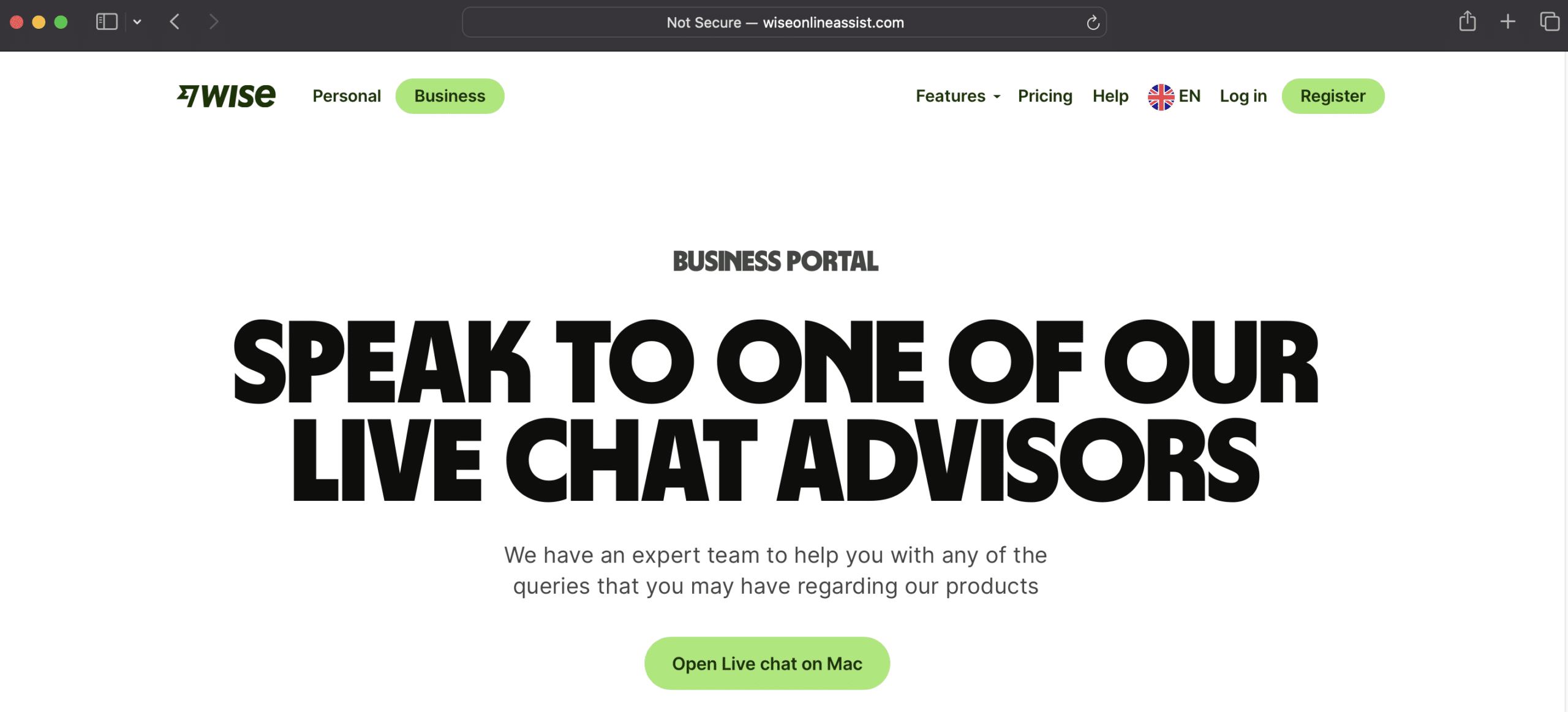
Once the threat actor has remote control of a victims machine, they are able to propagate all manner of attacks, from data theft to financial fraud, including accessing the victim’s bank account.
Previously covered by Threatdown in May 2024, our research indicates that linked activity by an unknown threat group is ongoing, with new domains being registered every week.
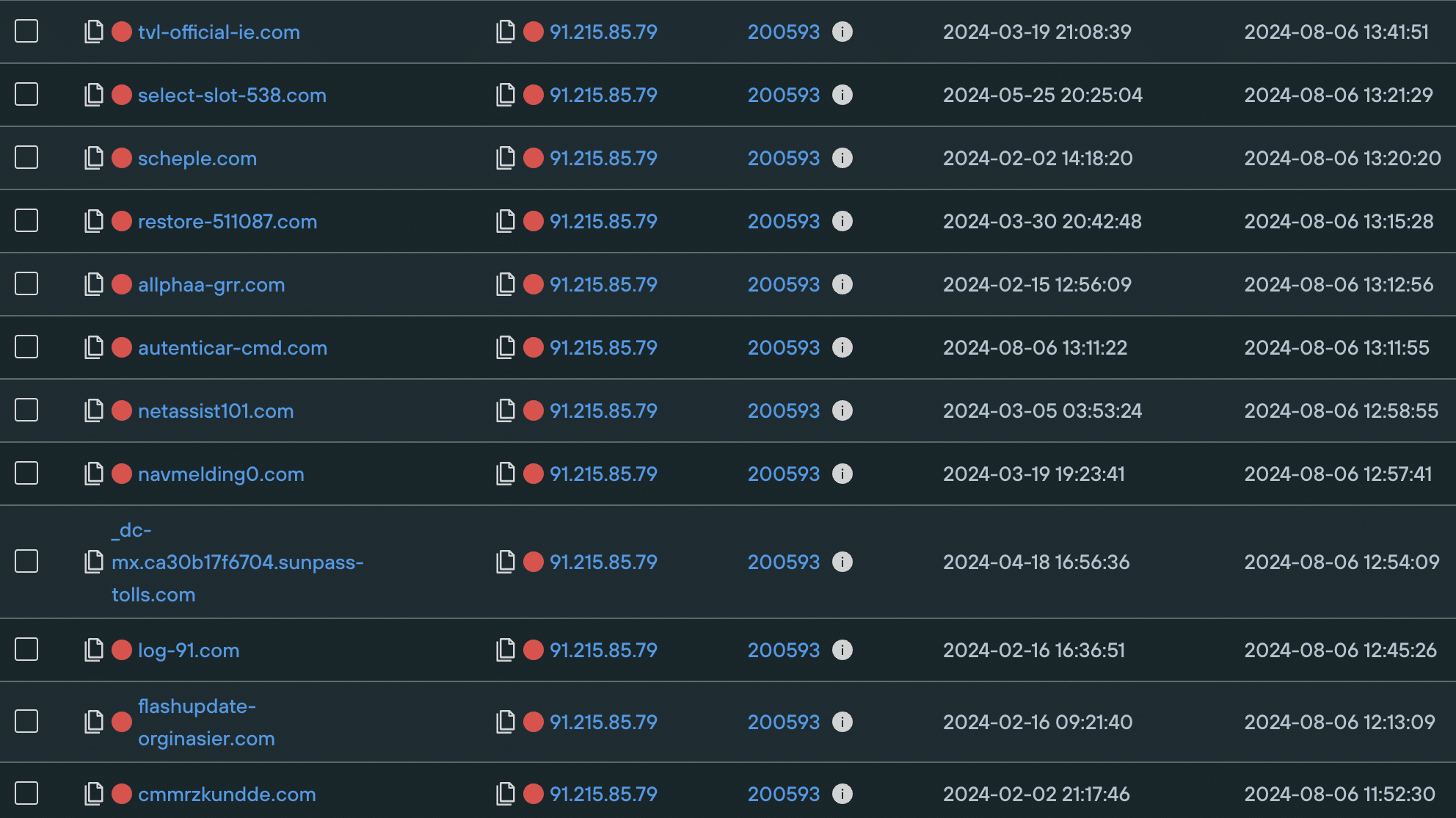
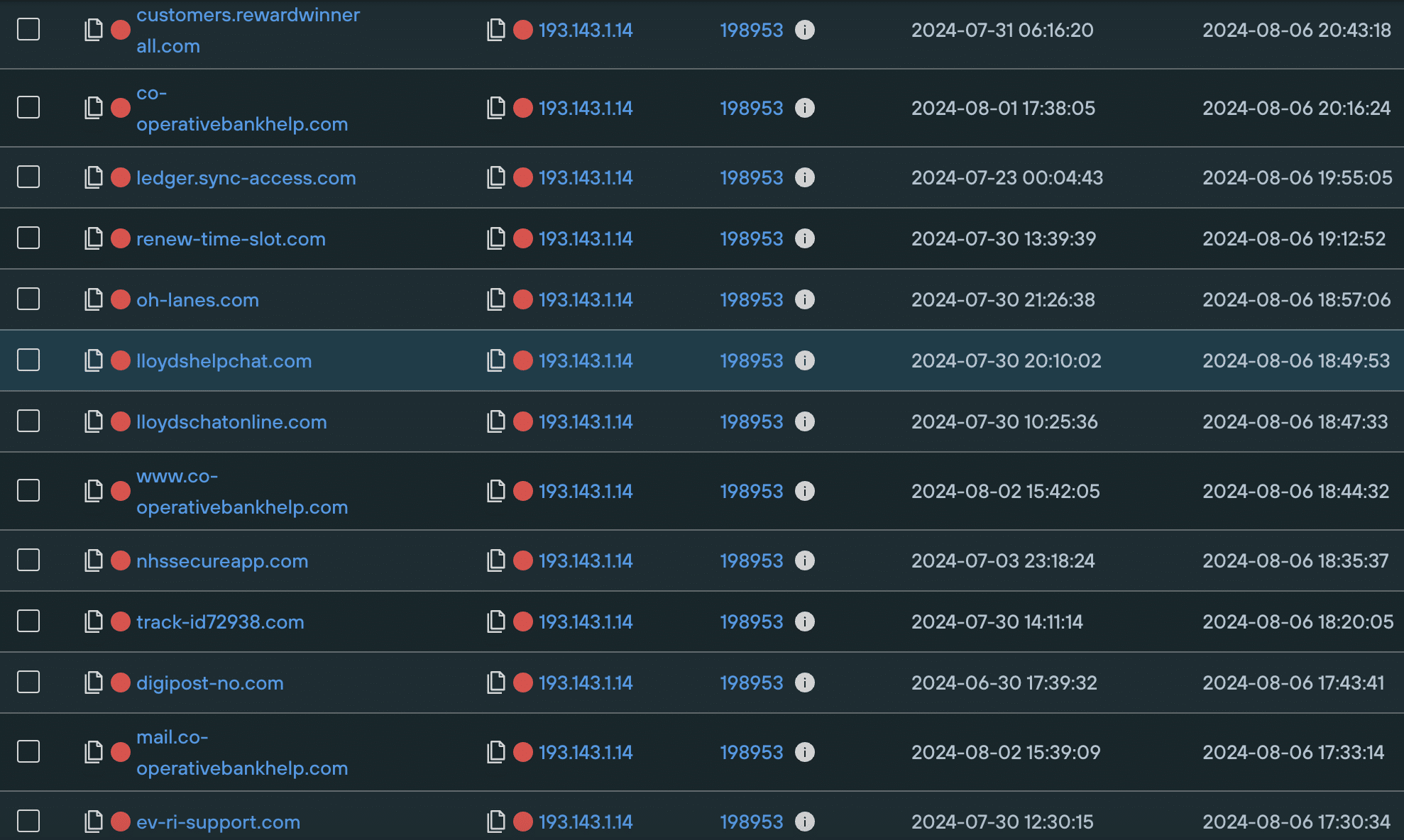
We discovered that most of the domains involved in the campaign are hosted on 91.215.85[.]79 and 193.143.1[.]14, both of which are in Russia and have a long history of malicious activity, with a large number of suspect domains hosted on each.
Executing a Domains Hosted On IP query proves that both IPs are involved in large-scale fake online help activity, going back months.
Here’s a sample of domains hosted on each, with their associated risk score:
The attacker-controlled websites we discovered impersonate different companies by closely mimicking the legitimate brand websites.
We were able to use Silent Push Web Scanner to execute granular content scans that identified groups of domains targeting the same brand, by applying proprietary fuzzy hash values that identified linked infrastructure through on-page content.
Our analysts were also able to map out associated infrastructure by analyzing the way that AnyDesk.exe is served as a file to the user. Our scans identified naming conventions contained within the file metadata, that linked the executable to a particular brand, and generated a traceable hash value.
By combining these two factors – on-page fuzzy hash values and executable metadata – we were able to create a unified Silent Push Web Scanner query that maps out AnyDesk phishing infrastructure across all the brands involved.*
After running the query, we noticed that all of the true positive results were hosted on two Russian ASNs:
This provided us with additional parameters to further narrow our Web Scanner search, and create a single behavioral fingerprint that only returns true positive domains engaged in past and present AnyDesk phishing activity.
*Please note that we are unable to share the specifics of each query in a public blog, for operational security reasons. For exact details of the Web Scanner parameters used, please contact [email protected]
Silent Push Community Edition is a free threat hunting and cyber defense platform featuring a range of advanced offensive and defensive lookups, web content queries, and enriched data types, that we used to track AnyDesk phishing activity, along with all the other threat campaigns covered in our other research blogs.
Click here to sign-up for a free account.
FIN7 (also known as Sangria Tempest, ATK32, Carbon Spider, Coreid, ELBRUS, G0008, G0046, and GOLD NIAGARA) are a financially-motivated threat group with links to Russia that has been operating since at least 2013, who were previously thought to have been eliminated by the DOJ following a series of high-profile federal convictions.
FIN7 primarily targets US-based retail, hospitality, tech, consulting, financial services, medical equipment, media, transportation, and utilities industries.
For more information, read our recent FIN7 research report.
In the webinar, our team will provide a detailed overview of how – from a single origin point – they executed a variety of platform queries, scans and lookups to uncover 4000+ FIN7 Indicators of Future Attack (IOFAs), and built a traceable behavioral fingerprint of attacker activity by using FIN7’s own TTPs against them.
Active infrastructure discovered includes phishing, spoofing, shell and malware delivery domains and IPs targeting a broad range of big name brands.
The webinar will cover the following topics:
Following the presentation, there will be a 5 minute Q&A session for attendees to gather intelligence specific to their organization.
Due to operational security reasons, we manually approve each individual who requests access to view this webinar. This means you may have to wait up to 24 hours to receive your personal login code. Thank you for your understanding!
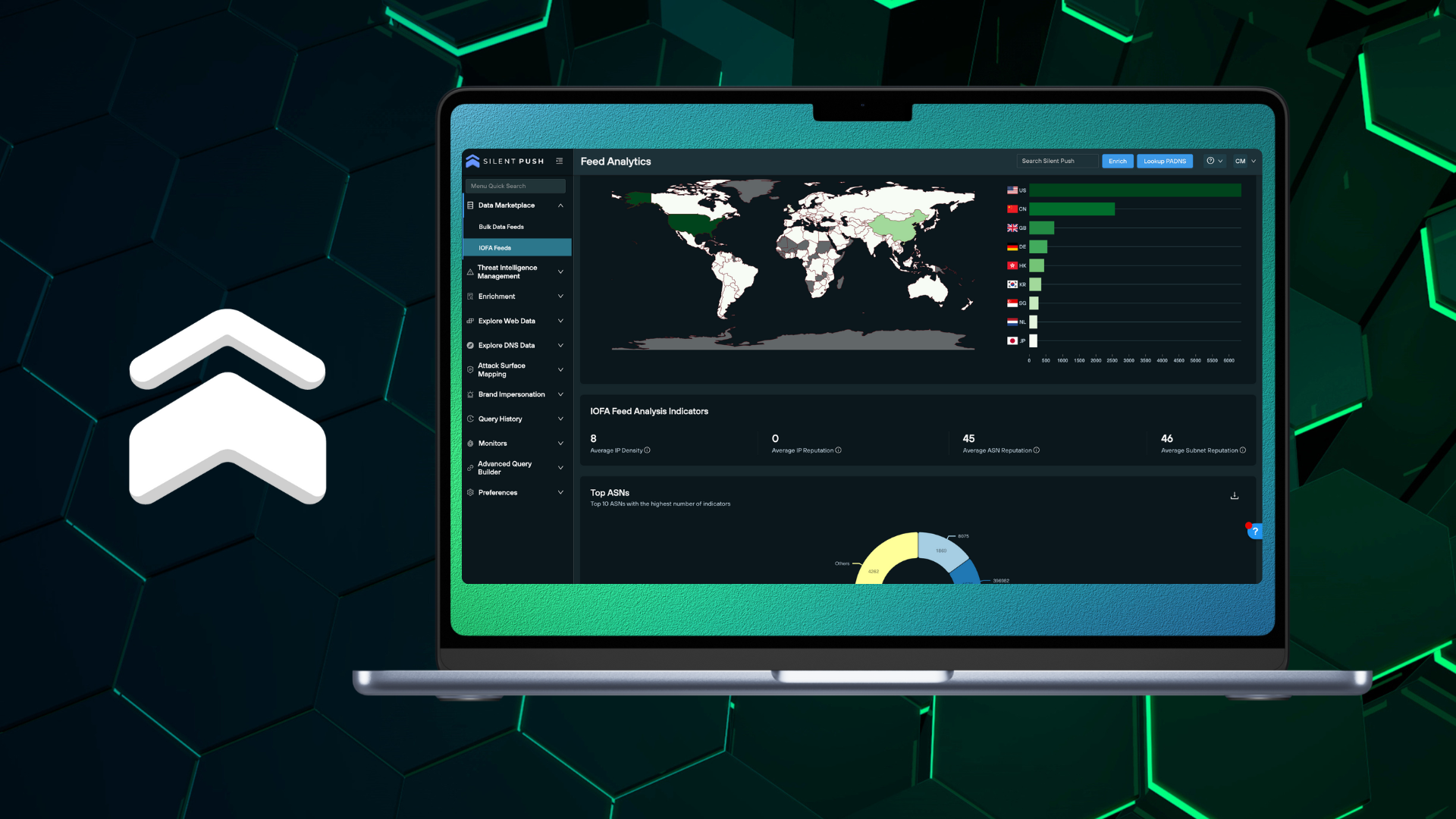
Threat feeds provide security teams with an transferable list of domains, IPs and URLs, that can be used to automatically counteract cyber threats, and improve an organization’s situational understanding of an evolving threat landscape.
Think of threat feeds as a live weather reporting system, offering up new information that can help you prepare for a storm that is coming your way, or alerting you to one that is already circling overhead.
Feeds are typically created via open source intelligence streams (often referred to as OSINT), internally by security teams using targeted intelligence, or packaged and sold to organizations by threat intelligence vendors.
This blog explains the problems faced by security teams when using feed data to detect and counteract threats, before outlining the various feed types on offer as part of a Silent Push Enterprise subscription, and how to use the data to produce actionable intelligence.
To help you understand how we collect and correlate threat data, take a quick look at our blogs on data independence and data enrichment.
Threat feeds are the bread and butter of most security operations, but they come with a series of operational hurdles that need to be overcome before they can be relied upon as accurate and timely sources of intelligence.
Feed data sometimes suffers from a lack of real-time updates, incorrect information or false positives provided by unknown contributors, that creates noise and consumes resource to convert into actionable intelligence.
This is particularly true of open source intelligence (OSINT) feed data.
Threat feeds that are solely populated with post-breach data are often over valued, and aren’t equipped to provide organizations with a reliable account of pre-weaponized infrastructure.
Just like the punch that a boxer doesn’t see coming, an unknown cyber attack has the potential to cause significantly more damage to an organization than an attack vector that’s already been identified in the wild, and is therefore easier to counteract.
Quality of data is king.
It’s possible to have too much threat data, too much context and too many domains and IPs to sift through, using a finite set of analyst resources that’s often stretched across multiple security workflows.
The most effective threat feeds are populated with timely, accurate and reliable indicators that cut through the noise and provide immediately actionable intelligence, without the need for endless pivots to confirm a set of true positives.
Data Independence is the concept of a threat intelligence provider collecting and owning 100% of the data that it delivers to is customers.
Silent Push is wholly data independent, meaning that we are able to add an infinite amount of context to each observable data point contained within the platform.
We don’t rely on third-party collection methods, telco hardware or other security vendors. The DNS and content data that we deliver to our customers is collected, aggregated and scored by us, and us alone, using a proprietary scanning and aggregation engine, and our own query language – SPQL.
We create self-contained searchable spaces across the IPv4, IPv6 and dark web spaces that reduces time to discovery, increases query and scanning flexibility, and doesn’t rely on poorly aggregated OSINT data that isn’t designed to work in harmony with a given UI or API surface.
If you want to make sure that your threat feeds are effective in detecting and protecting against cyber threats, then it’s essential for your security teams to diversify their data sources to improve detection capabilities, and ensure quality of data to be able to preemptively detect attacks before they cause damage.
At Silent Push, we provide this functionality via the console and API, using three feed types:
Here’s a run-down of each feed type…
Traditional IOC feeds are legacy intelligence sources that serve to inform security teams of where an attack has been, rather than where it’s coming from.
Indicators of Future Attack (IOFAs) act as preemptive indications of attacker behavior (domain, IP and URL data) and intent, including pre-weaponized infrastructure.
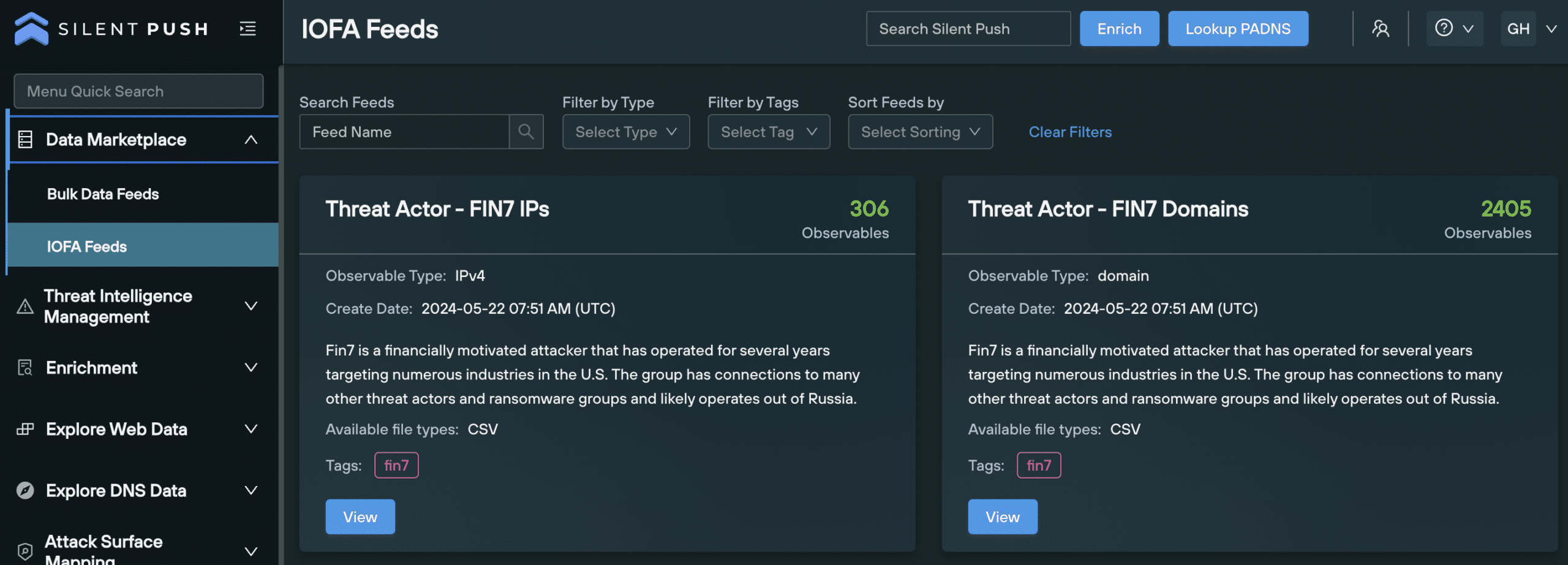
IOFA feeds are created and maintained by our team of Threat Analysts, meaning they are free of false positives, and only include relevant indicators gathered from research into threat actors, threat campaigns and attack vectors.
The majority of our IOFA feeds are linked to a TLP Amber report: finished intelligence reports containing sequential information on how we conducted our research, the queries, pivots and scans we used, and sensitive data points that we aren’t able to disclose publicly for OPSEC reasons.
Bulk Data Feeds are slightly different to named threat feeds.
Rather than focusing on a specific threat or attack vector, they contain information on important DNS changes and additions across the global IPv4/6 range, that organizations can use to inform their cyber defense operations.
For example, if your organization is being targeted by a threat actor using a specific apex domain string, followed by the same country code top level domain (ccTLD), you can track any additions to that specific ccTLD DNS space, and react accordingly.
Bulk Data Feeds are available for the following DNS data types:
| FEED NAME | DESCRIPTION |
| Newly Registered Domains | A list of new domains, collected from daily ICANN zone file updates |
| New ccTLD Domains | New domains hosted on country code top level domains (ccTLDS), first seen within the last 24 hours |
| New Mail Servers | New mail servers, seen within the last 24 hours |
| New Name Servers | A list of new name servers, first seen within the last 24 hours |
| New Self-Named Name Servers | A list of new self-named name servers, first seen within the last 24 hours |
| All Name Server Changes | A list of domains that have changed name servers within the last 24 hours |
| Name Server Changes to a Self-Named Name Server | Domains that have changed to a self-named name server within the last 24 hours |
| IPv4s from Least Reputable Subnets | IPv4 addresses collected from the top 100 subnets with the worst Silent Push subnet reputation scores, within the last 24 hours |
| IPv4s from Least Reputable ASNs | IPv4 addresses collected from the top 100 ASNs with the worst Silent Push ASN Takedown scores, within the last 24 hours |
| IPFS Nodes IPv4 | IPv4 addresses that have acted as IPFS nodes within the last 7 days |
| IPFS Nodes IPv6 | IPv6 addresses that have acted as IPFS nodes within the last 7 days |
Enterprise users can access Bulk Data Feeds by navigating to Data Marketplace → Bulk Data Feeds.
Use the menu bar to search for an existing feed, filter feeds by type or sort them by newest or oldest:
You can export all the data contained in a Bulk Data Feed as a .txt file by clicking the Download File or Automate Export buttons.
Enterprise users are able to create Custom Feeds from organization-specific IOFAs, in three ways:
Feeds created from a file can be assigned a vendor name, if applicable, along with a source score that assigns a risk level to the data contained within it.
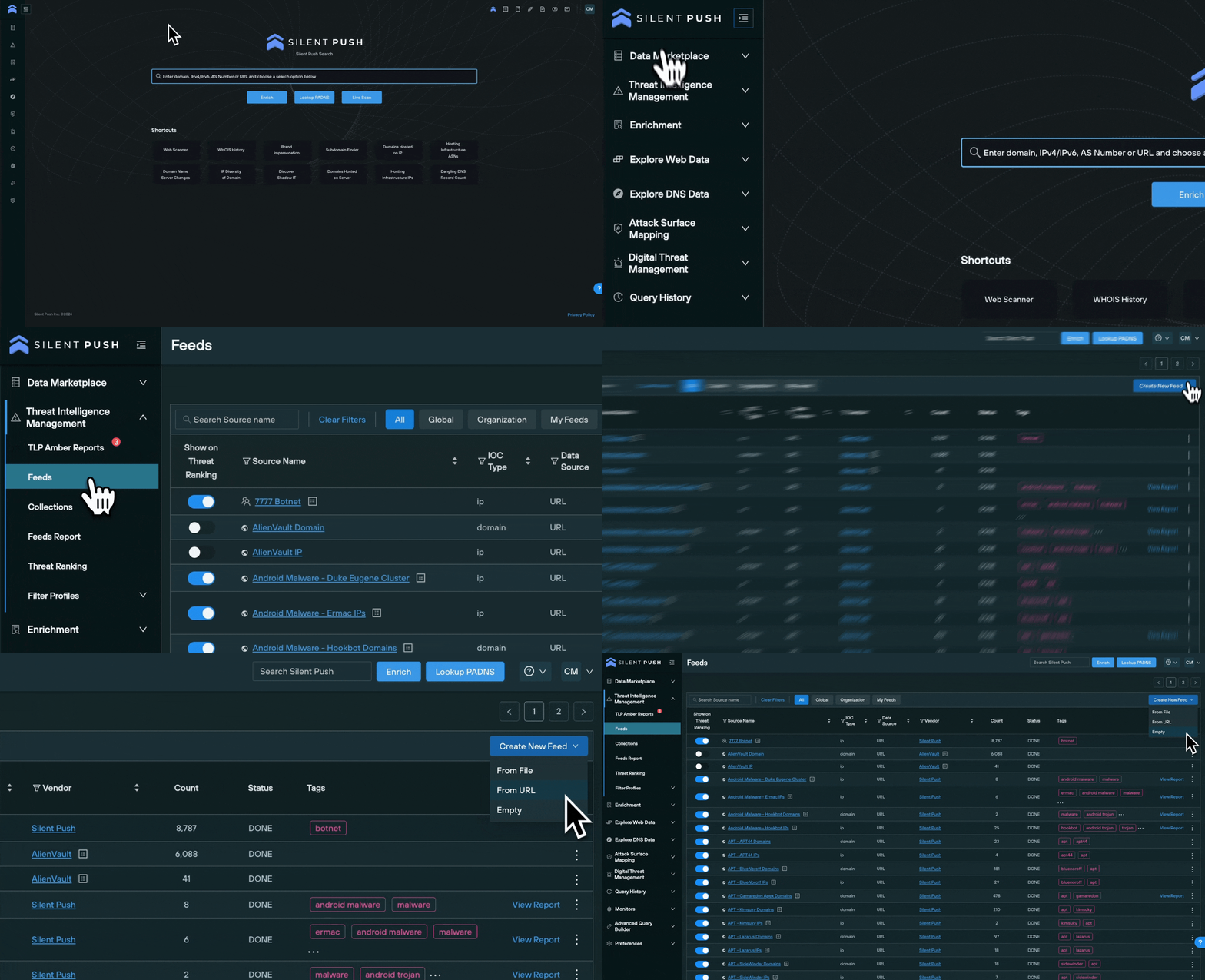
New IOFAs can be added to a Custom Feed from various parts of the platform, including:
For each of the above options, navigate to the top right of the screen where you will find the Save To button. Select it, and add the indicator to a new or existing feed.
The Threat Intelligence Management menu is designed to allow users to access and manage feeds from one central console.
From the Threat Intelligence Management → Feeds menu you’re able to view:

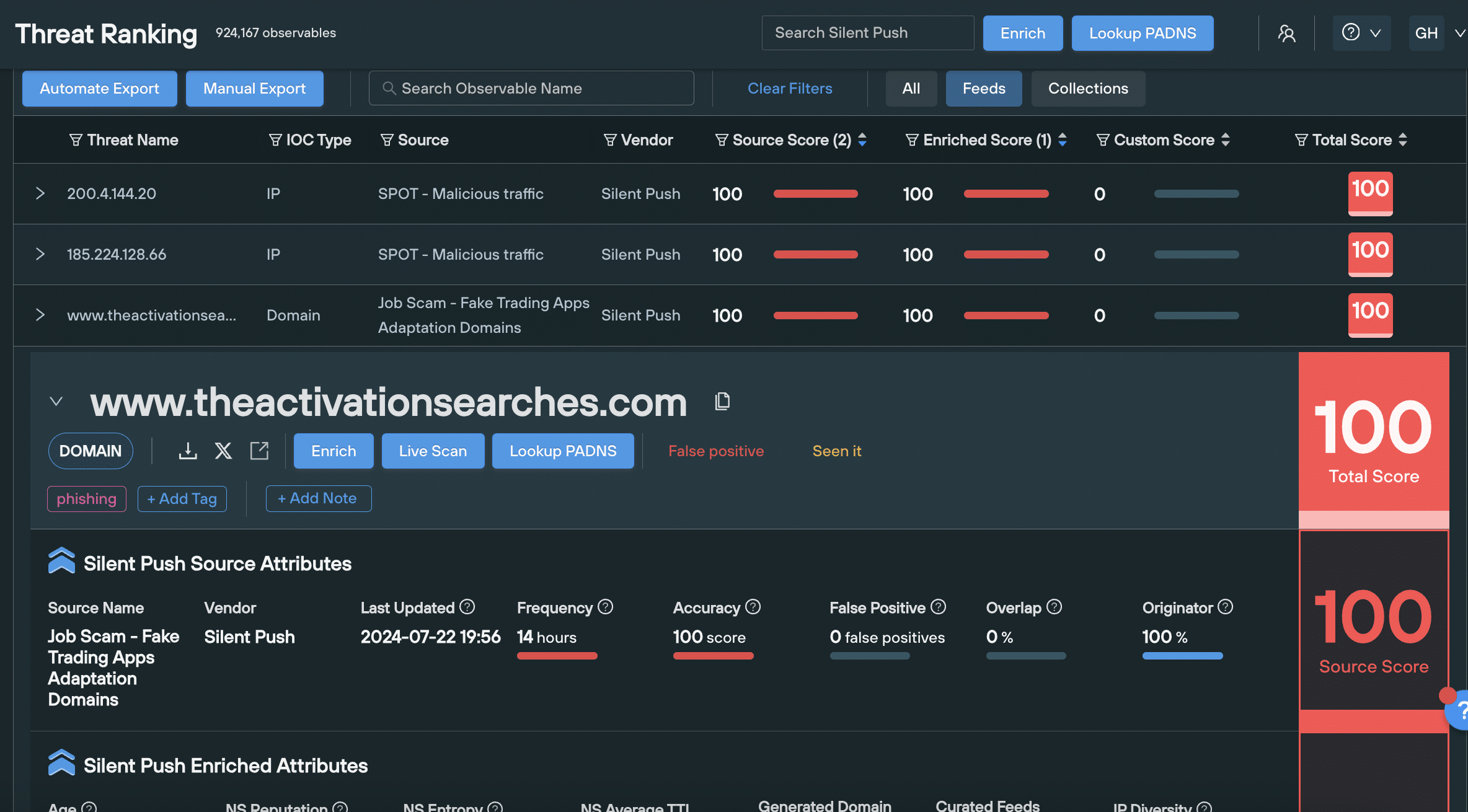
To display feed data in Threat Ranking, click the Show on Threat Ranking button.
The Threat Ranking screen contains a list of all feed data that you’ve chosen to display, including enriched data for the displayed domain, or IP address, and risk scores.
Understanding the quality and value of your feeds, is important in ensuring you’re making the most out of your intelligence gathering operation.
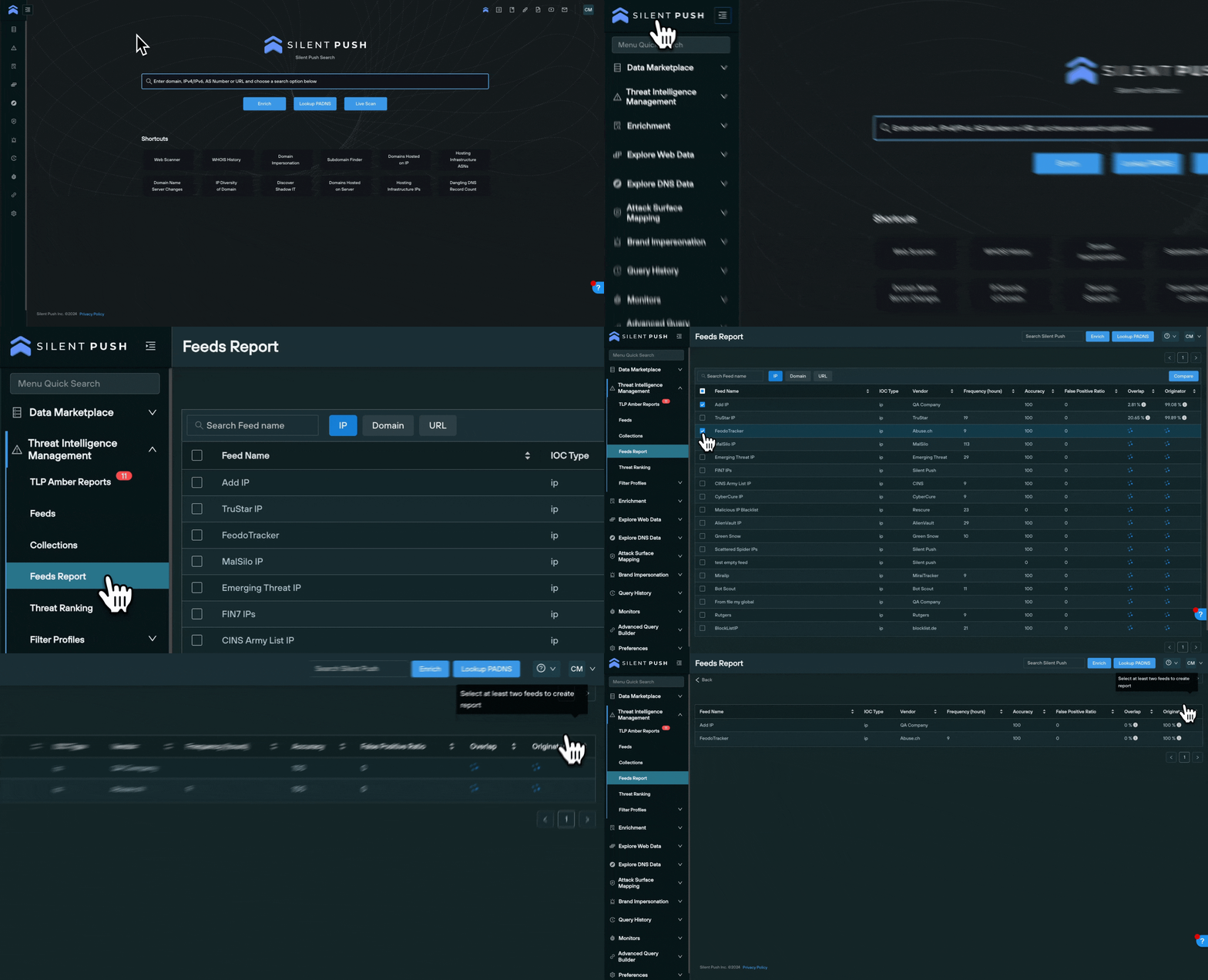
Navigate to Threat Intelligence Management → Feeds Reports to execute a side-by-side analysis of two or more feeds, including the following categories:
To compare feeds side-by-side, select the check box located on the left of the feed name and click the Compare button, on the top right.
You can use feed data to perform a number of actions, that provide additional context, and convert IOFAs into additional intelligence streams that can be shared among team members.
Feed data can be accessed and expanded in Threat Intelligence Management → Threat Ranking screen.
Left click on a feed name in Feeds, and the data will be displayed on the Threat Ranking screen.

From here, you can expand any indicator by clicking the dropdown arrow to the left of the indicator, and view enriched data across numerous categories, including all associated risk scores, and perform three key pivots:
Feed data can be exported and ingested in several ways, depending on your use case:
Downloading feed data via the Manual Export button allows you to export feed data as a CSV, JSON, TXT, RPZ or STIX file, for offline analysis or upload into another security product.
Left-click your chosen feed in the Feeds screen, select Download File, and choose your export format.
You can download feed data via a static API URL.
Select Automate Export, choose your required file type and click the Copy API Endpoint button. This endpoint retrieves a time-limited (3 hours) URL, that you can use to access the data.
Feed data can also be externally fed into your security stack via Python, curl, and PHP.
Click the Automate Export button, and select the cURL, Python or pHp tabs to copy code samples and call it from your desired security tool.
Ready to take a step further and enhance your security operations with preemptive threat intelligence? Request a demo, and get complete access to Silent Push feed data, including all the functionality mentioned in this blog.
You can also access data enrichment and risk scoring by signing up for a Silent Push Community Edition account – a free threat hunting and cyber defense platform that features a range of queries and lookups, including Silent Push Web Scanner and Live Scan.