


- Company
Silent Push Inc. ©2025
Join us on Thursday 14 November at 11 AM EST for Community Corner session, designed exclusively for our free Community users.
In this session, Director of Sales Engineering Maulik Limbachiya will walk you through the upcoming release, showcasing the latest platform developments and providing expert tips and tricks to enhance your knowledge.
Community Corners are more than just a typical Q&A — they’re an opportunity to connect directly with our experts, share insights, and deepen your understanding of preemptive threat intelligence and the Silent Push platform.
Following the talk, we’ll host a live Q&A, giving you the chance to ask any questions you have about the platform, editions or specific features.
Why Join Us?
Knowledge is power – especially in the ever-evolving world of cybersecurity. Whether you’re fine-tuning your threat hunting strategies, exploring advanced threat intelligence methods, or just getting started with our platform, this session is designed to help maximize your potential.
Haven’t registered for Silent Push Community Edition yet? Don’t worry, you can sign-up here for free and take advantage of our powerful scanning engine and range of offensive/defensive threat intelligence tools:

Silent Push Threat Analysts have developed a method for locating and tracking the deployment of SMS phishing domains – a.k.a. “smishing” – from a previously unknown threat actor, who we are designating IMP-1G.
The domains involved target users of US and Canadian regional and national public services, along with a quantity of standard financial phishing domains.
Services targeted include toll roads, mass transit systems, postal services, court payments, municipal payments, and state-owned utility companies.
US states targeted include San Francisco, Massachusetts, Florida, Georgia, Illinois, Indiana, Washington, North Carolina, New York, Ohio, Pennsylvania, Texas, Kansas, South Carolina, and Tennessee.
Canadian provinces and cities targeted include Montreal, Alberta, British Colombia, Edmonton, and Ontario.
From a single origin domain, our Analysts used the Silent Push Web Scanner to expose 100+ Indicator of Future Attack (IOFA) domains, 66 of which are involved in the aforementioned government smishing activity, with only 10% known to national law enforcement in the form of seizure notices.
This blog contains a public overview of how we located, traversed and tracked the deployment of IMP-1G’s US and Canadian government services smishing domains, and associated phishing infrastructure.
Certain key Silent Push Web Scanner data types have been omitted for OPSEC reasons. Interested parties can email [email protected] with any queries.
Silent Push Web Scanner is available as part of a free Community Edition subscription. Sign-up here.
Smishing involves a threat actor sending an unsolicited SMS message to a victim’s cell phone, usually containing a malicious link to a spoofed domain that’s then used to exfiltrate data, such as identity documents or payment card information.
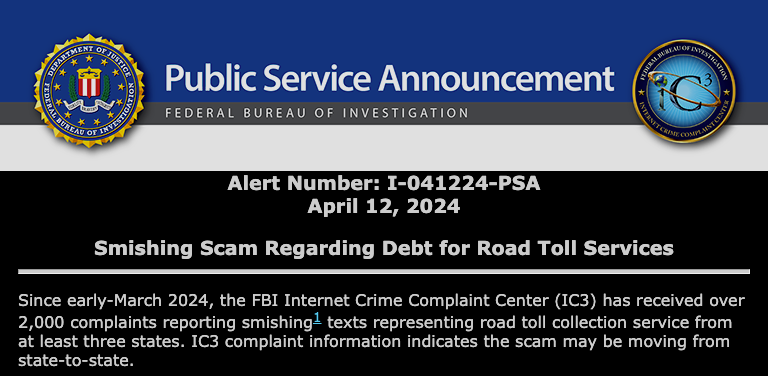
In April 2024, the DOJ issued a public service announcement warning the public about smishing scams targeting toll road users, following a large amount of IC3 reports:
In June 2024, the US Postal Service issued an advisory on fake package tracking messages being sent to citizens’ devices.
In May 2024, the FTC published a consumer alert detailing scam SMS messages asking users to pay an overdue toll fine.
SMS toll fraud – which features heavily in our research – involves a range of attack vectors, including the use of short codes or premium-rate phone numbers to extract money via the victim’s phone bill, and identity theft.
SMS phishing isn’t limited to users of government services. In July of last year, we published research outlining a complex brand impersonation smishing scam, targeting customers of US banks and financial institutions.
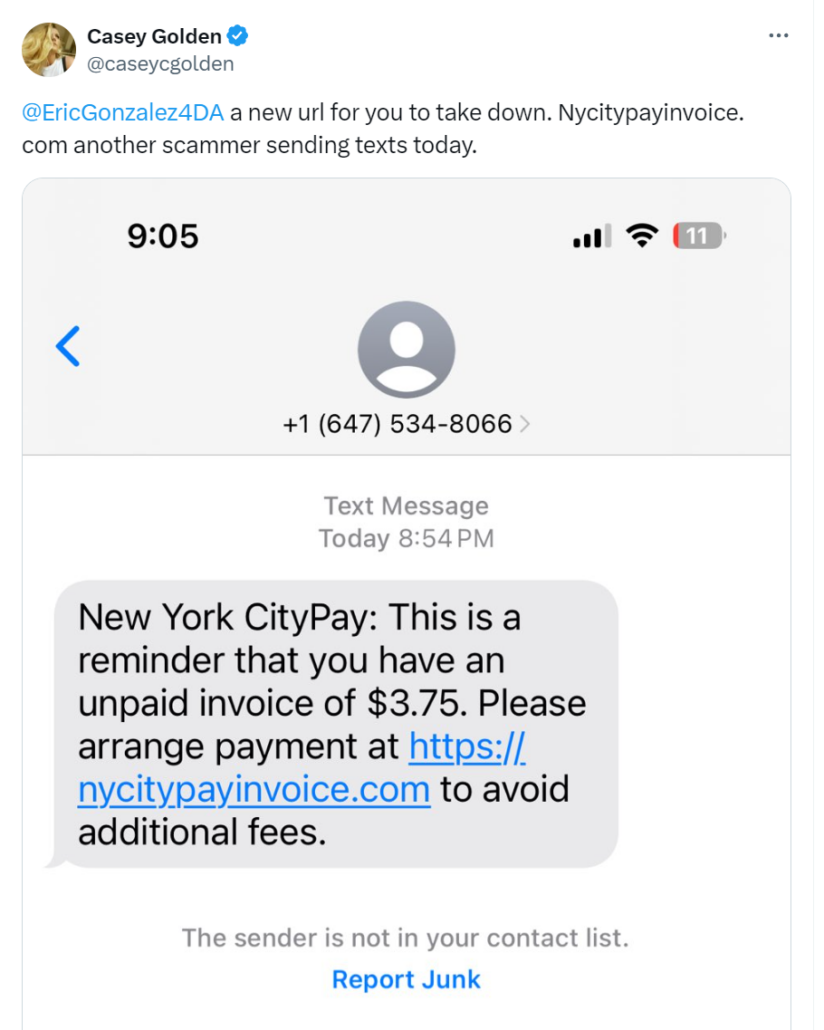
Recent reports on X linked the domain nycitypayinvoice[.]com to an SMS phishing campaign that attempted to steal users’ credit card information, via a fake NYC payment order:
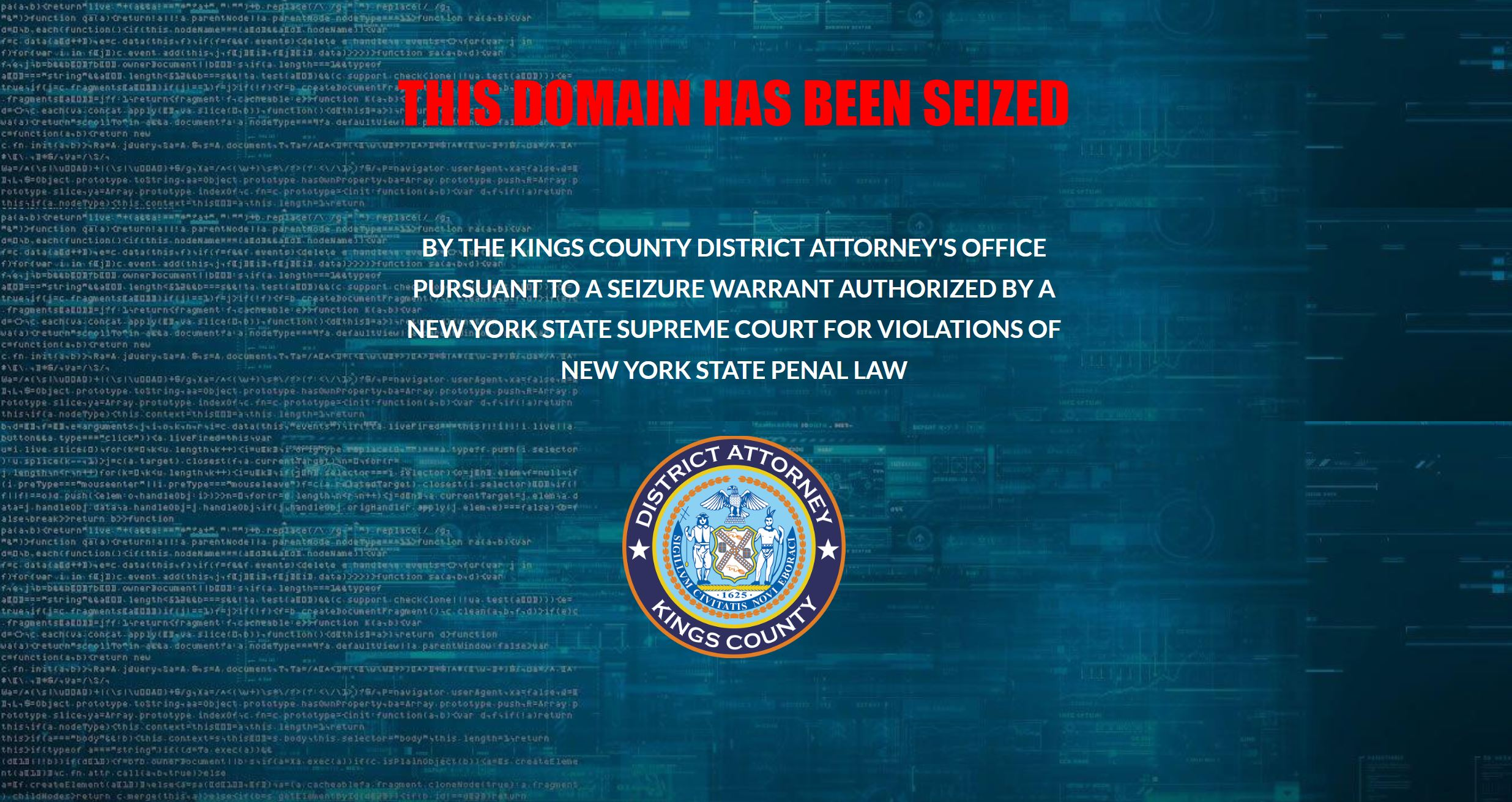
The domain was subsequently seized by the Kings County District Attorney’s office:
To traverse associated infrastructure, our analysts constructed a custom Silent Push Web Scanner query, using a proprietary hash value, that tracked nycitypayinvoice[.]com metadata and on-page content.
This led us to a further cluster of domains, all with shared data characteristics (that we aren’t able to divulge in a public blog), engaged in the same government payment fraud activity, including:
To produce regional datasets of active domains, we amended our query to focus on state-specific infrastructure, and excluded any domains that returned a 404 error.
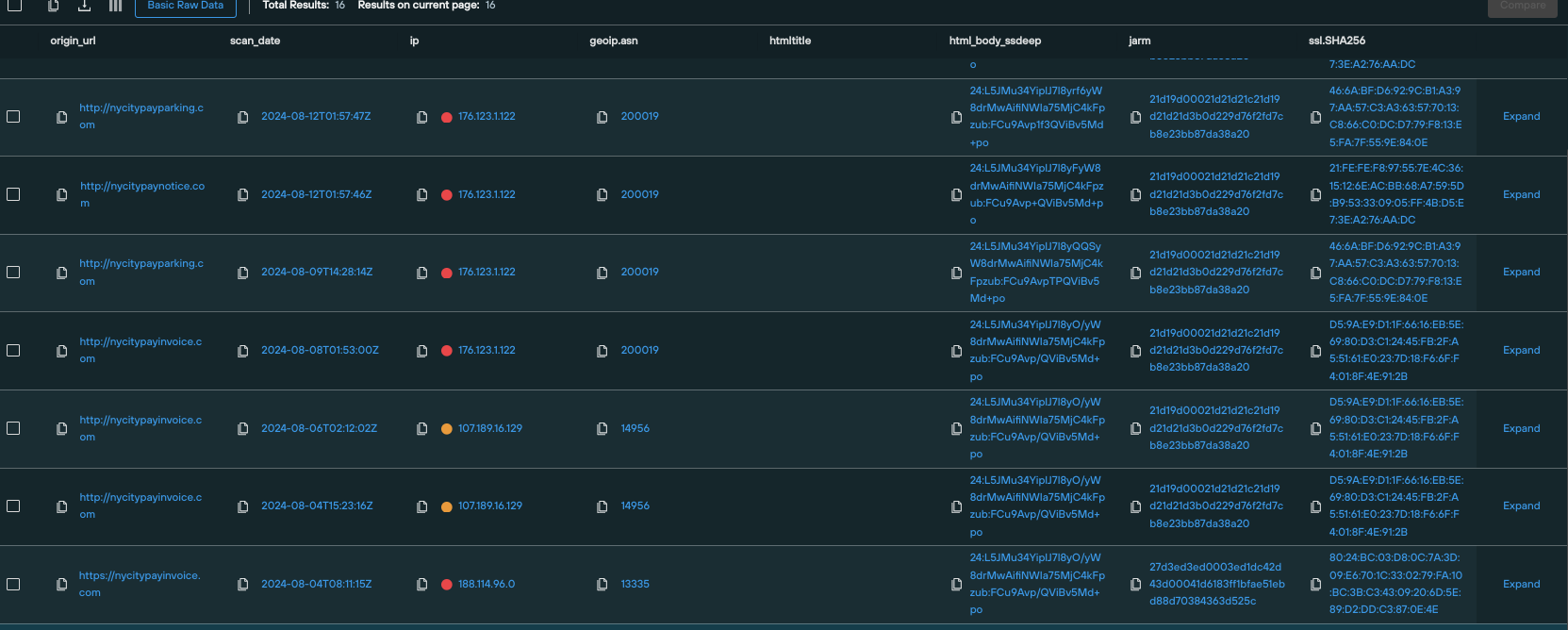
Here’s a results set featuring active domains targeting service users in NYC:
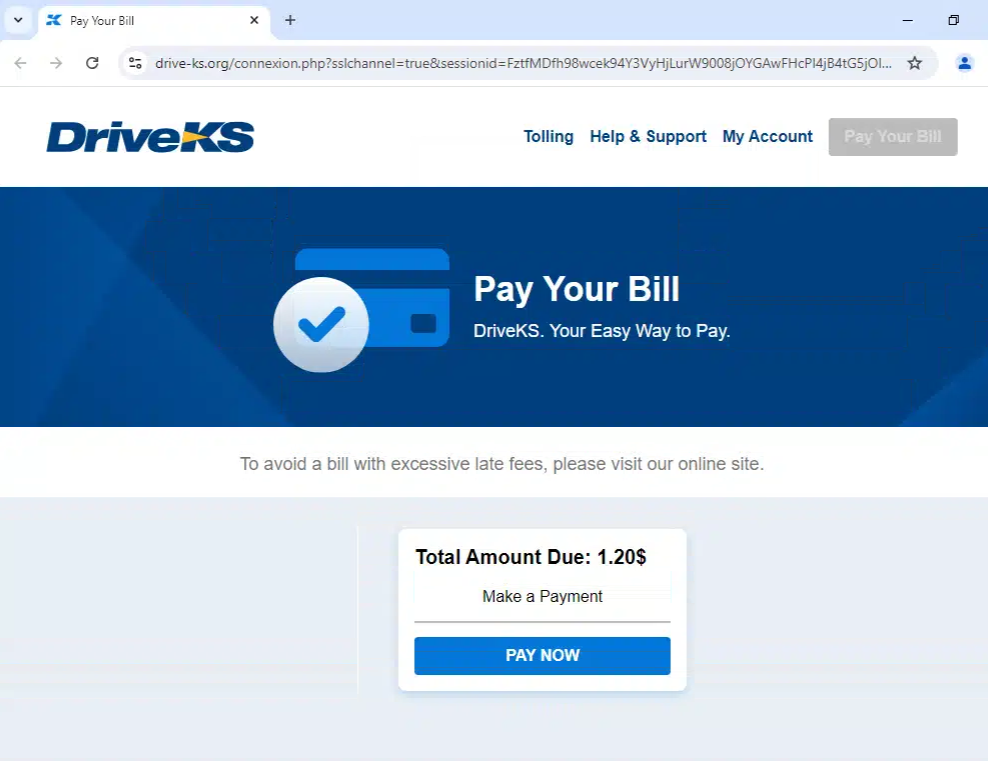
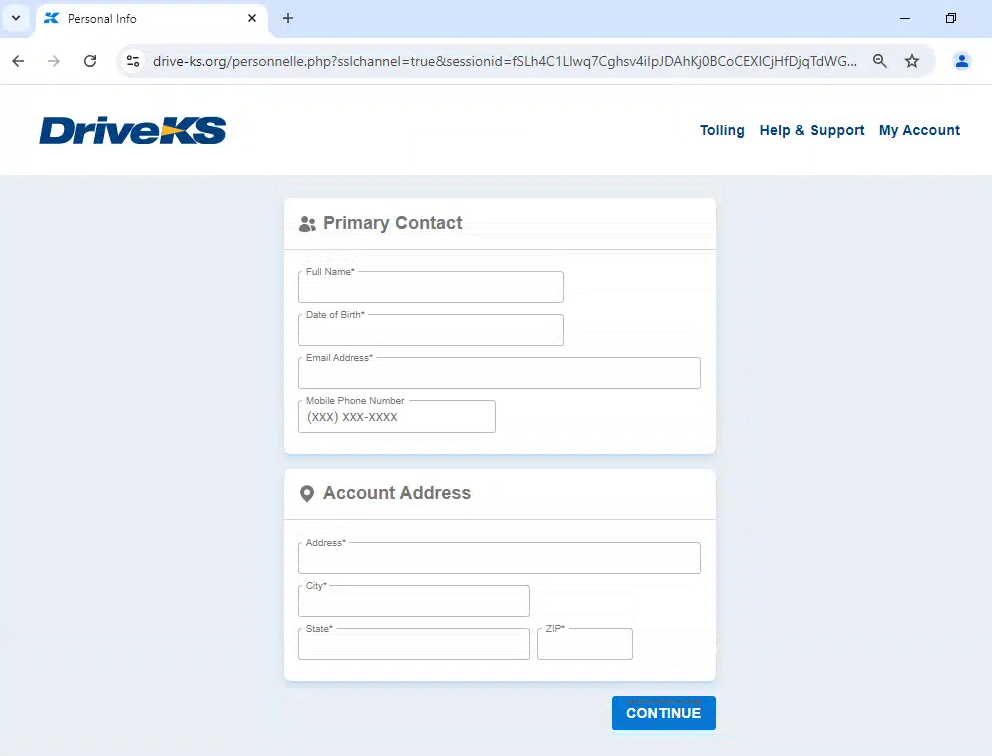
Here’s another example domain, this time targeting toll users in Kansas (drive-ks[.]org). It starts with a landing page sent from an SMS message, which then progresses to data harvesting, including payment card information:
We’ve constructed an IOFA Feed built from the various query and scan parameters our Analysts used to track the deployment of IMP-1G’s infrastructure across the Internet.
As of this writing, our feed contains 101 active threat domains, 66 of which are involved in US and Canadian government services phishing, with the remainder (35) involved in generic financial and crypto phishing activity (see below section).
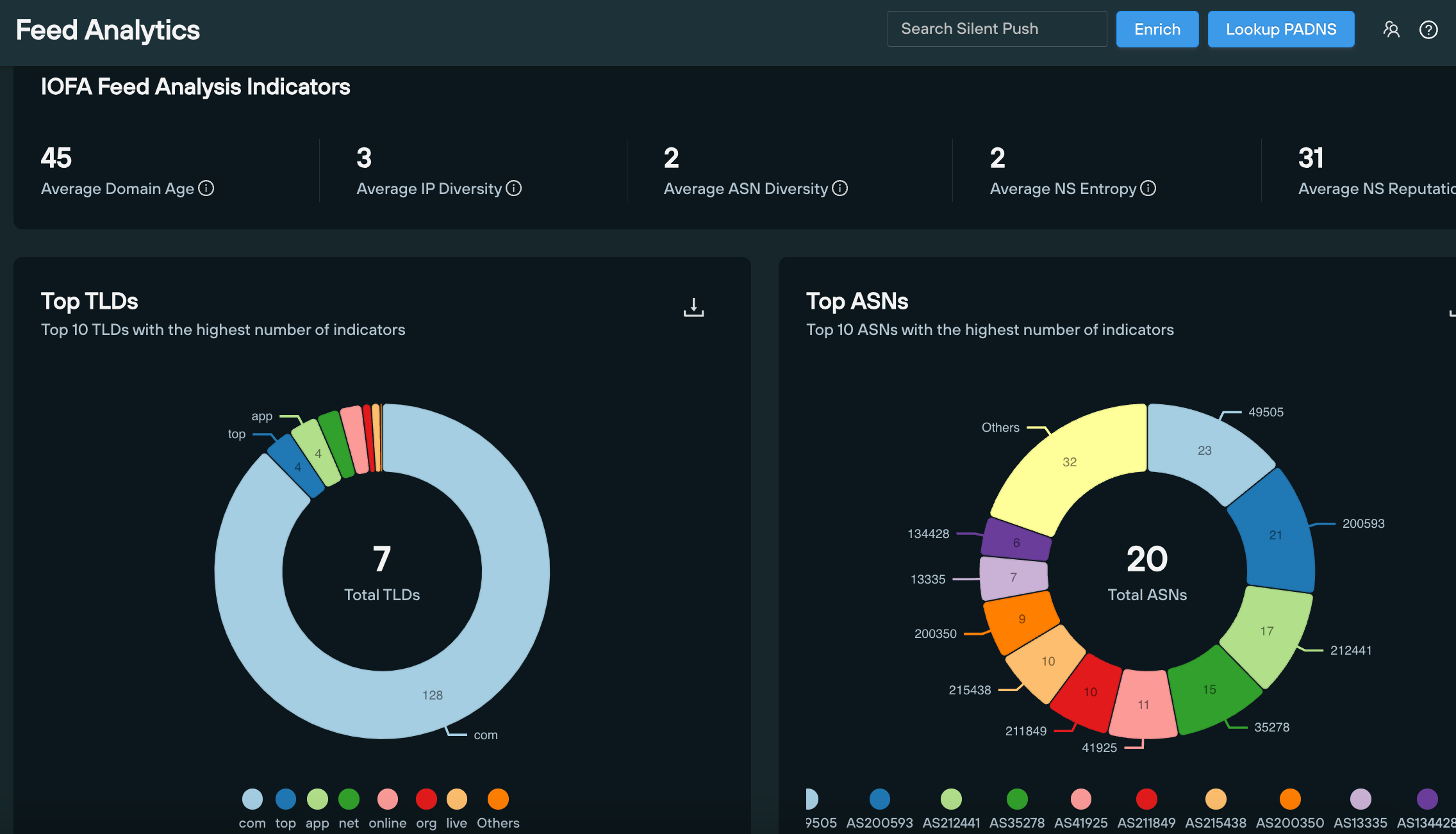
43 of the 66 government services domains target toll road and mass transit users, with the remainder dedicated to various regional and national government revenue services, including court payments, city fines and postal services.
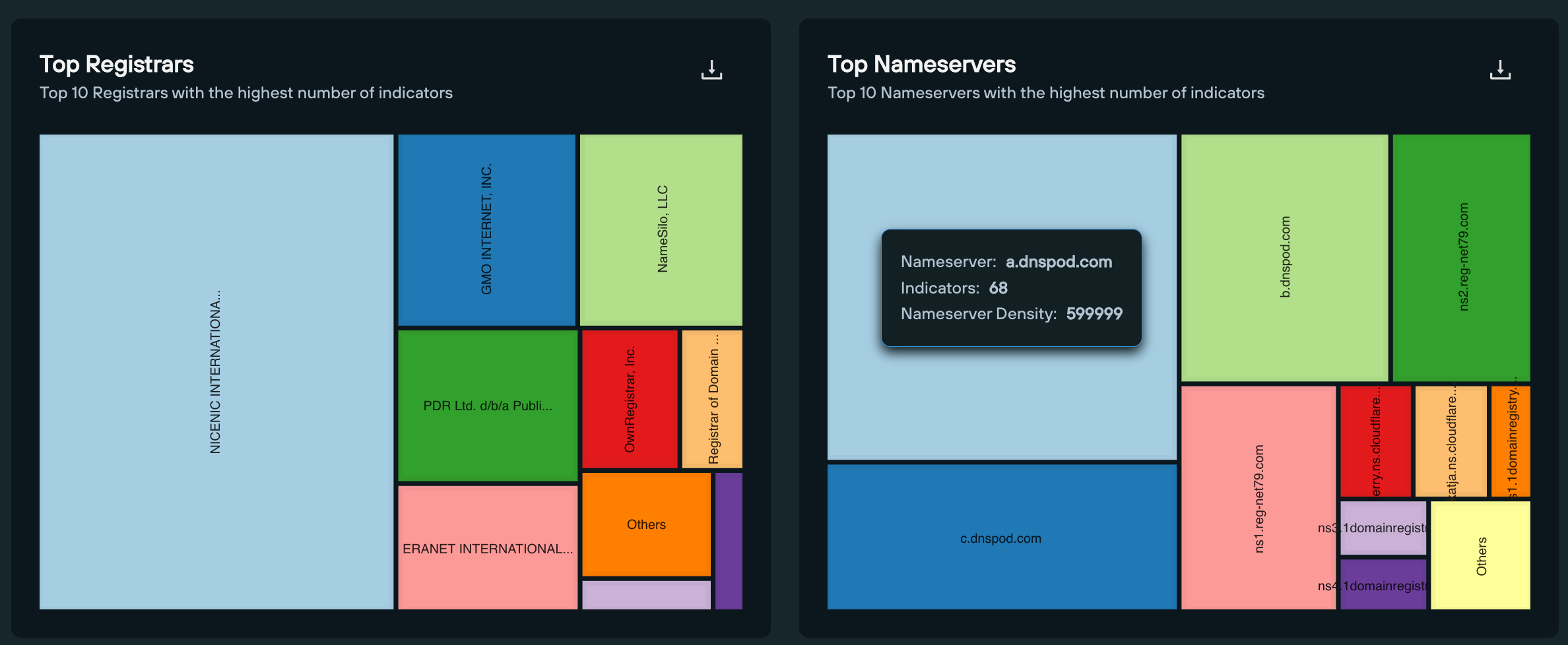
Exactly two thirds (44) of domains target US users, with 20 domains directed at Canadian services.
As of writing, only 6 of the 66 domains feature seizure notices. Meaning only 10% of IMP-1G infrastructure is known by national law enforcement agencies.
Here’s the full list of known and unknown government phishing domains, as per our research:
| Domain | Region | Service |
| a25-bridgepayment[.]com | Montreal | Transit |
| alberta-accounts[.]com | Alberta | Regional government |
| alberta-infractions[.]com | Alberta | Regional government |
| alberta-traffictickets[.]com | Alberta | Transit |
| bayareafastrak-fees[.]com | San Francisco | Transit |
| bayareafastrakexpresslane[.]com | San Francisco | Transit |
| bayareafastrakinvoice[.]com | San Francisco | Transit |
| bayareafastrakinvoices[.]com | San Francisco | Transit |
| bayareafastrakstolls[.]com | San Francisco | Transit |
| bayareasf-fastrak[.]com | San Francisco | Transit |
| bc-fine[.]com | British Columbia | Regional government |
| bc-infractions[.]com | British Columbia | Regional government |
| bcpay-accounts[.]com | British Columbia | Regional government |
| bcpay-infraction[.]com | British Columbia | Regional government |
| canadapost-packagecenter[.]com | Canadian Government | Postal |
| depositetransfercanada[.]com | Canadian Government | National government |
| epcor-account[.]com | Edmonton | Utilities |
| expresstollinvoice[.]com | N/A | Transit |
| ezdrivemas[.]com | Massachusetts | Transit |
| ezdrivematoll[.]com | Massachusetts | Transit |
| ezdrivematolls[.]com | Massachusetts | Transit |
| fastrak-payment[.]com | San Francisco | Transit |
| floridasunpassinvoice[.]com | Florida | Transit |
| flpayheresunpass[.]com | Florida | Transit |
| flsunpasspayhere[.]com | Florida | Transit |
| gapeachpasstolls[.]com | Georgia | Transit |
| illinoistollwayinvoice[.]com | Illinois | Transit |
| indianatollroads[.]com | Indiana | Transit |
| invoicesezdrivematolls[.]com | Massachusetts | Transit |
| mygoodtogoinvoice[.]com | Washington State | Transit |
| mysunpassinvoices[.]com | Florida | Transit |
| mysunpasstollsinvoices[.]com | Florida | Transit |
| ncquickpassinvoice[.]com | North Carolina | Transit |
| nycitypaynotice[.]com | New York City | Regional government |
| nycitypayparking[.]com | New York City | Transit |
| oh-lanes[.]com | Ohio | Transit |
| ohioturnpiketolls[.]org | Ohio | Transit |
| ontario-courtspayment[.]com | Ontario | Regional government |
| ontariocanadacourt[.]com | Ontario | Regional government |
| ontariocourts-setfines-ca[.]com | Ontario | Regional government |
| ontariocourts-webpayment[.]com | Ontario | Regional government |
| ontariowebcourt-ca[.]com | Ontario | Regional government |
| paturnpikeinvoices[.]com | Pennsylvania | Transit |
| paturnpikestolls[.]com | Pennsylvania | Transit |
| paturnpiketollsinvoices[.]com | Pennsylvania | Transit |
| pay-directnow[.]app | N/A | N/A |
| paybc-account[.]com | British Columbia | Regional government |
| paybc-fine[.]com | British Columbia | Regional government |
| paybc-infraction[.]com | British Columbia | Regional government |
| peachpasstolls[.]com | Georgia | Transit |
| peachpasstollservices[.]com | Georgia | Transit |
| revenuecanadadeposit[.]com | Canadian Government | National government |
| rmatollservices[.]com | Texas | Transit |
| service-courtus[.]com | US Government | National government |
| southernconnectortolls[.]com | South Carolina | Transit |
| sunpassinvoice[.]com | Florida | Transit |
| sunpassinvoices[.]com | Florida | Transit |
| sunpassinvoicestolls[.]com | Florida | Transit |
| sunpasstollcheckout[.]com | Florida | Transit |
| sunpasstollinvoices[.]com | Florida | Transit |
| tennessetollinvoices[.]com | Tennesse | Transit |
| texasrmatoll[.]com | Texas | Transit |
| tollon407-etr[.]com | Ontario | Transit |
| tollservicesma[.]com | Texas | Transit |
| us-courtweb[.]com | US Government | National government |
| uscourt-ticket[.]com | US Government | National government |
| Domain | Service | Seizure authority |
| nycitypay[.]com | Regional government | Kings County District Attorney |
| nycitypayinvoice[.]com | Regional government | Kings County District Attorney |
| sunpasstollsbill[.]com | Transit | Florida Department of Law Enforcement |
| tollbymailsnyinvoice[.]com | Transit | Kings County District Attorney |
| tollsbymailnyinvoice[.]com | Transit | Kings County District Attorney |
| tollsbymailsinvoices[.]com | Transit | Kings County District Attorney |
As is usually the case with threat actors engaged in phishing activities, IMP-1G aren’t limiting themselves to public services.
Using proprietary content hashing, our researchers tracked numerous private IPs hosting IMPG-1G phishing domains with the following characteristics spread across different domain clusters:
| IP host | Number of domains |
|---|---|
| 176.123.1[.]122 | ~100 |
| 107.189.16[.]129 | ~60 |
| 185.12.14.83 | ~80 |
| 80.249.144[.]196 | ~100 |
| 77.232.41[.]192 | ~20 |
| 91.142.78[.]221 | 6 |
| 195.133.48[.]87 | 12 |
| 62.106.66[.]180 | 38 |
| 194.36.188[.]32 | 89 |
Our researchers were able to track IMP-1G crypto phishing infrastructure using a Silent Push hash value that identified matching content across all associated crypto sites.
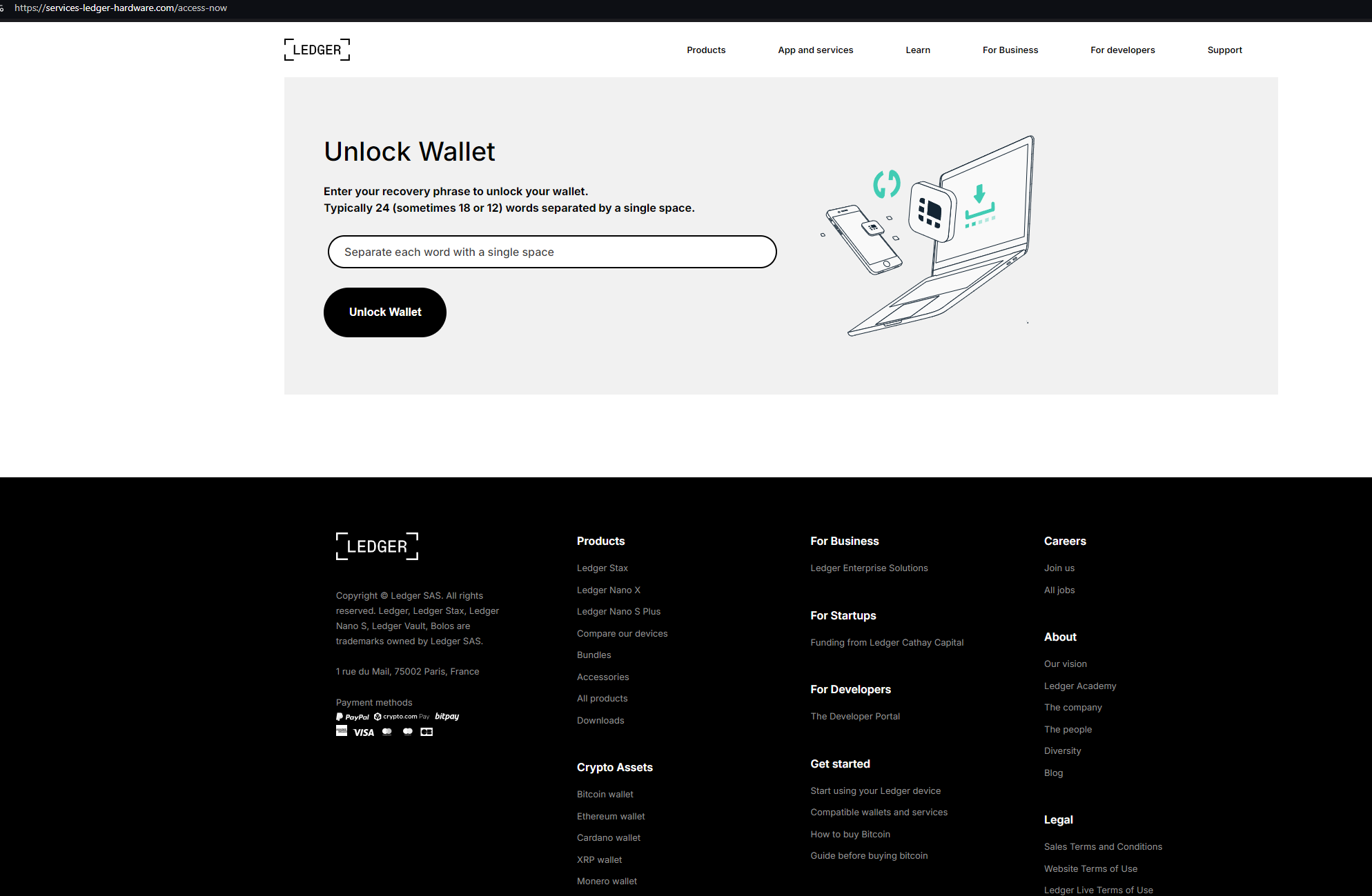
services-ledger-hardware[.]com hosts a login page attempting to phish Ledger recovery phrases and wallet data:
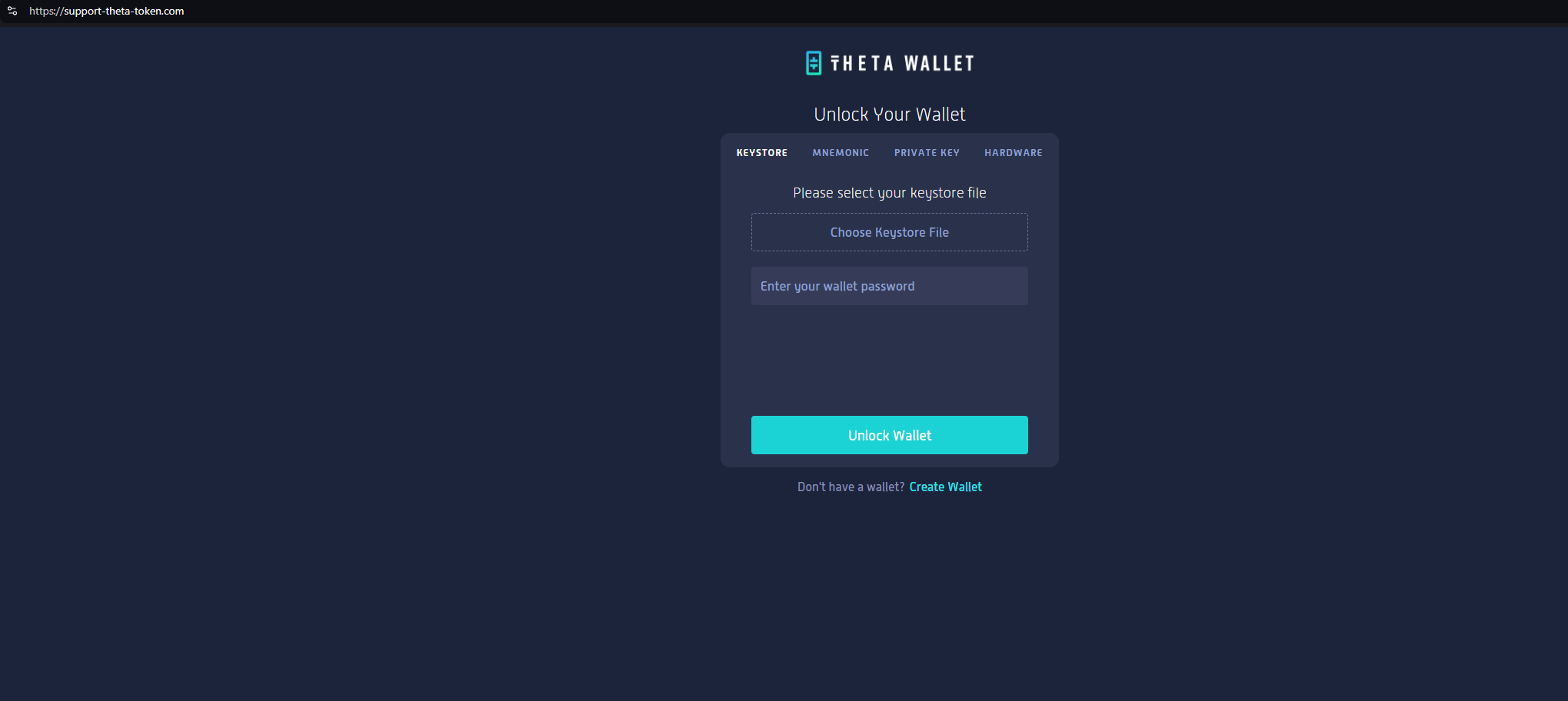
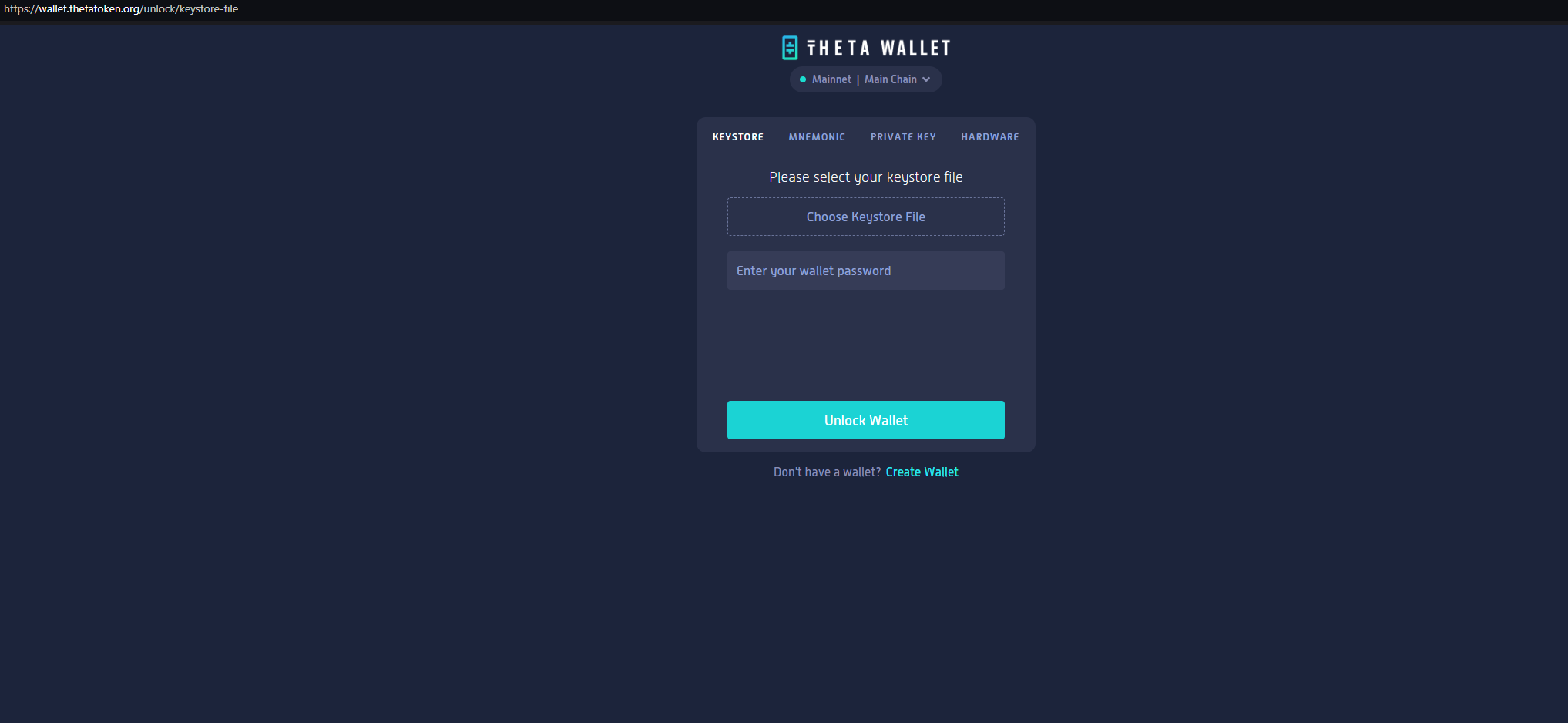
support-theta-token[.]com is attempting to phish users of Theta Wallet, with a pixel perfect copy of the legitimate website.
Here’s a side-by-side analysis of the two domains:
All of the queries, lookups and scans we used to locate, track and monitor IMP-1G infrastructure are available as part of Silent Push Community Edition – a free threat-hunting and cyber defense platform featuring a range of advanced offensive and defensive tools.
Click here to sign up for a free account.
Enterprise users also have access to a dedicated IMP-1G IOFA Feed that contains a real time list of indicators from our research into the group.
Please reach out to us at [email protected] with any additional queries.
We’ve included the below indicators of public service smishing to aid law enforcement in their duties.
Silent Push Enterprise users have access to a dedicated IMP-1G IOFA Feed, updated in real-time with the full extent of IMP-1G indicators.

Silent Push Threat Analysts have discovered that Envato – one of the largest digital asset marketplaces in the world – are selling suspect e-banking templates under the name of ViserBank.
The templates are being used to spoof big-name banks including Capital One, Wells Fargo, Bank of America, JPMorgan Chase, Santander Bank, and Virgin Money, among others.
Most of the websites built using the templates are extremely low quality, and are engaged in active phishing campaigns attempting to harvest sensitive information, including identity documents and users’ banking information.
Silent Push are tracking ViserBank-related activity via proprietary content scans using Silent Push Web Scanner. Actionable ViserBank intelligence is being provided to Silent Push Enterprise customers via two dedicated IOFA feeds.
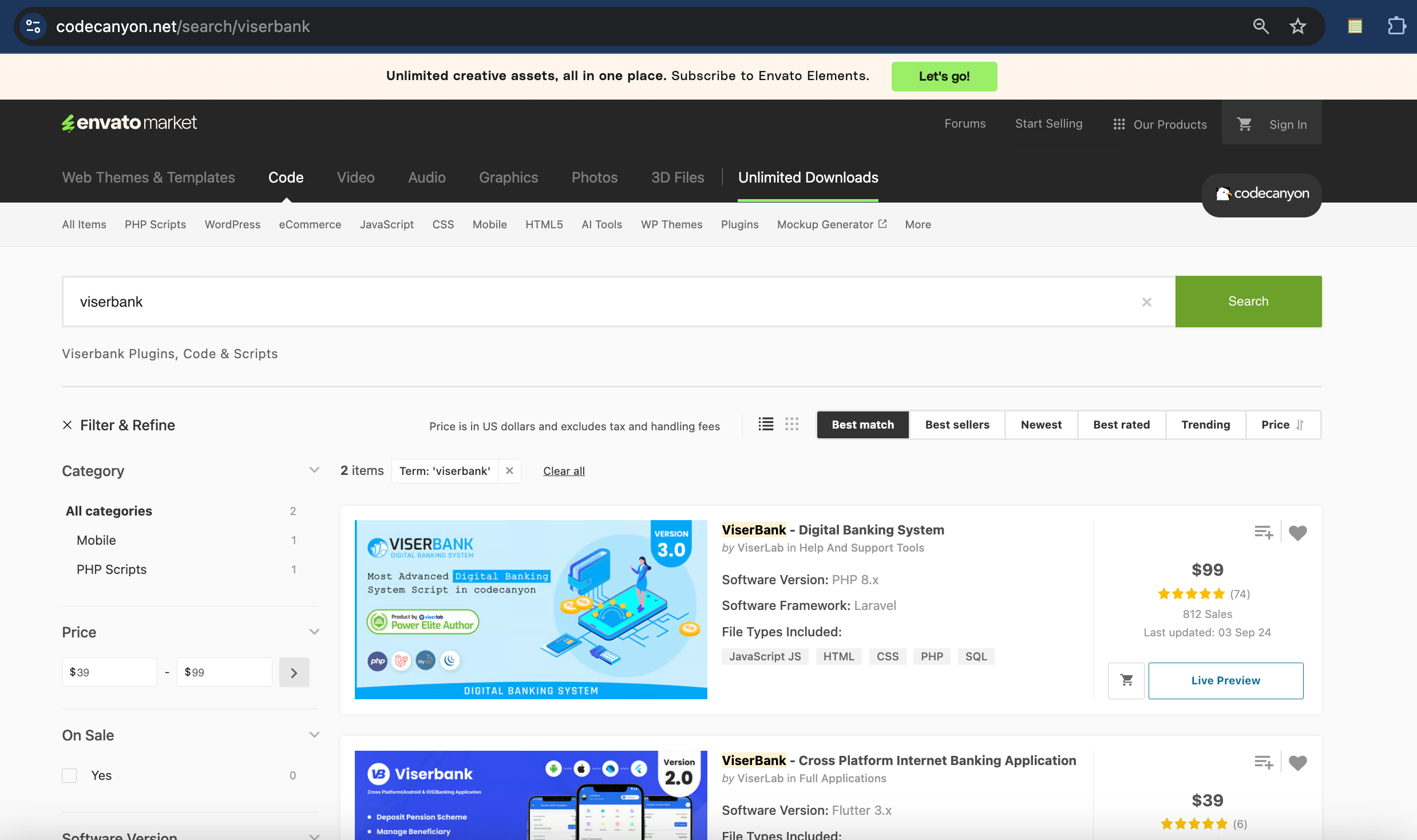
“ViserBank” website templates are marketed on Envato’s CodeCanyon marketplace as a $99 solution for building “cross-platform digital banking systems”:
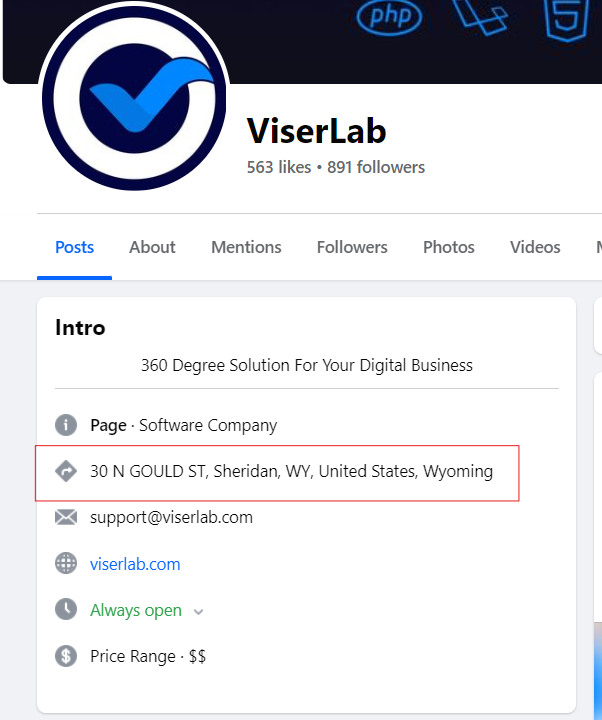
Last year, Reuters published an investigation on how cybercriminals are using Wyoming shell companies for global hacks. ViserLab – the development company behind ViserBank – claims to be headquartered in Wyoming.
This blog contains a public overview of how we located and tracked the deployment of ViserBank templates, and the corresponding fake banking websites.
Certain key data types and threat-hunting techniques have been omitted for operational security reasons.
Register for our free Community Edition to use all of the tools and queries mentioned in this blog.
We recently noticed several websites, including onecapitalschoicebank[.]com, santender[.]net, and eastwestpremeircorp[.]com shared similar content traits, even though the domains themselves and the corresponding websites were unrelated.
![Phishing site @ onecapitalschoicebank[.]com](https://www.silentpush.com/wp-content/uploads/image-120.png)
After analyzing this domain grouping, we found a specific phrase being reused across all domains. We then used a proprietary Silent Push hash value to search the internet for related sites sharing the same language.
One of the domains we uncovered was vinancebk[.]com, which references “Viser bank” within the HTML:
![vinancebk[.]com](https://www.silentpush.com/wp-content/uploads/image-121.png)
We identified a series of alphanumeric phrases that we used to track links to dozens of low-quality banking websites by constructing a custom scraping algorithm in the Silent Push Web Scanner, that identified new domains.
All of the returned domains featured a bank or financial service, with some names that appeared to have been made up.
While checking the source code of a few of the URLs, we noticed several references to “viserbank”:
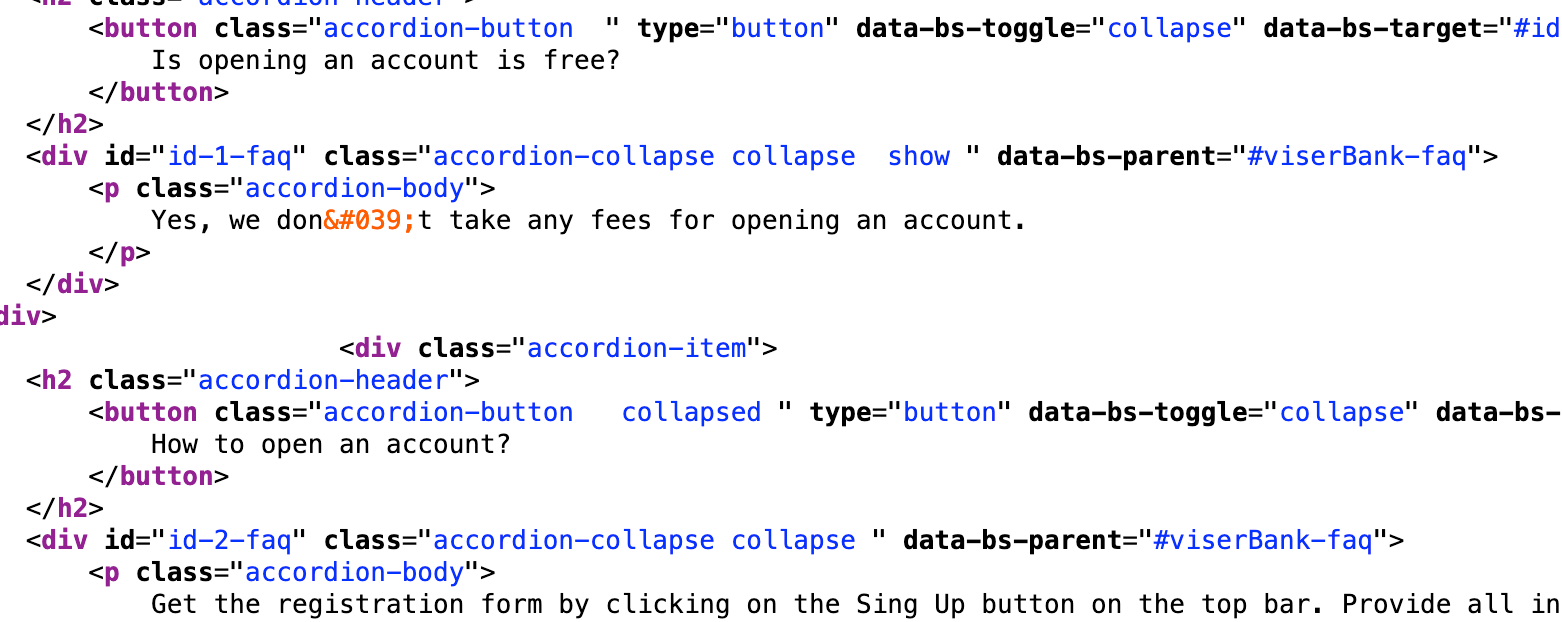
Further investigation revealed that different sites built using ViserBank use slightly different libraries.
Combining several more ViserBank Web Scanner parameters, we discovered more than 2,000 unique domains and IPs, all using the same questionable platform, with many of them impersonating major brands.
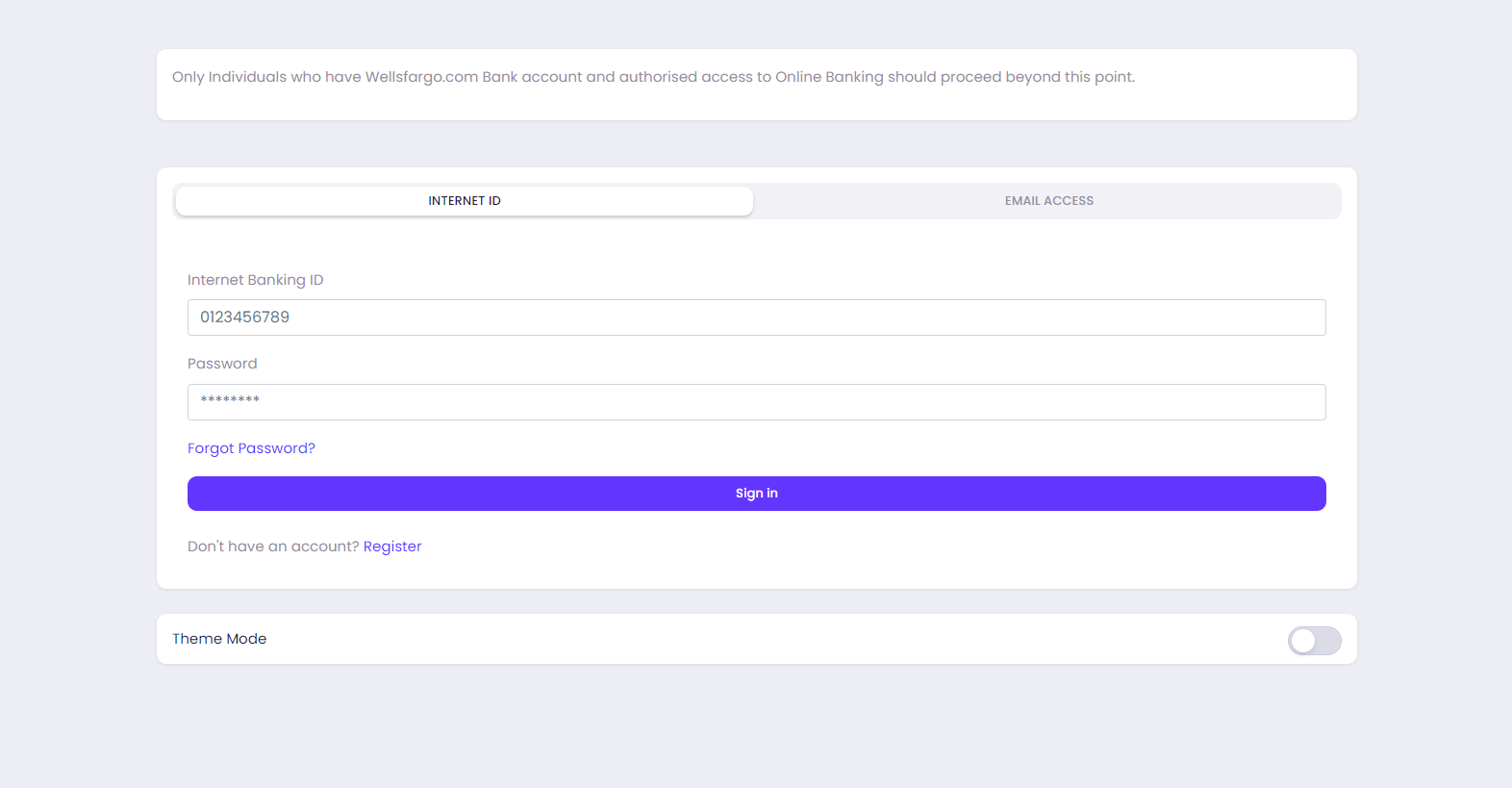
Here’s a few examples. The phishing domain wellsfargo-inc[.]com attempts to steal Wells Fargo banking credentials:
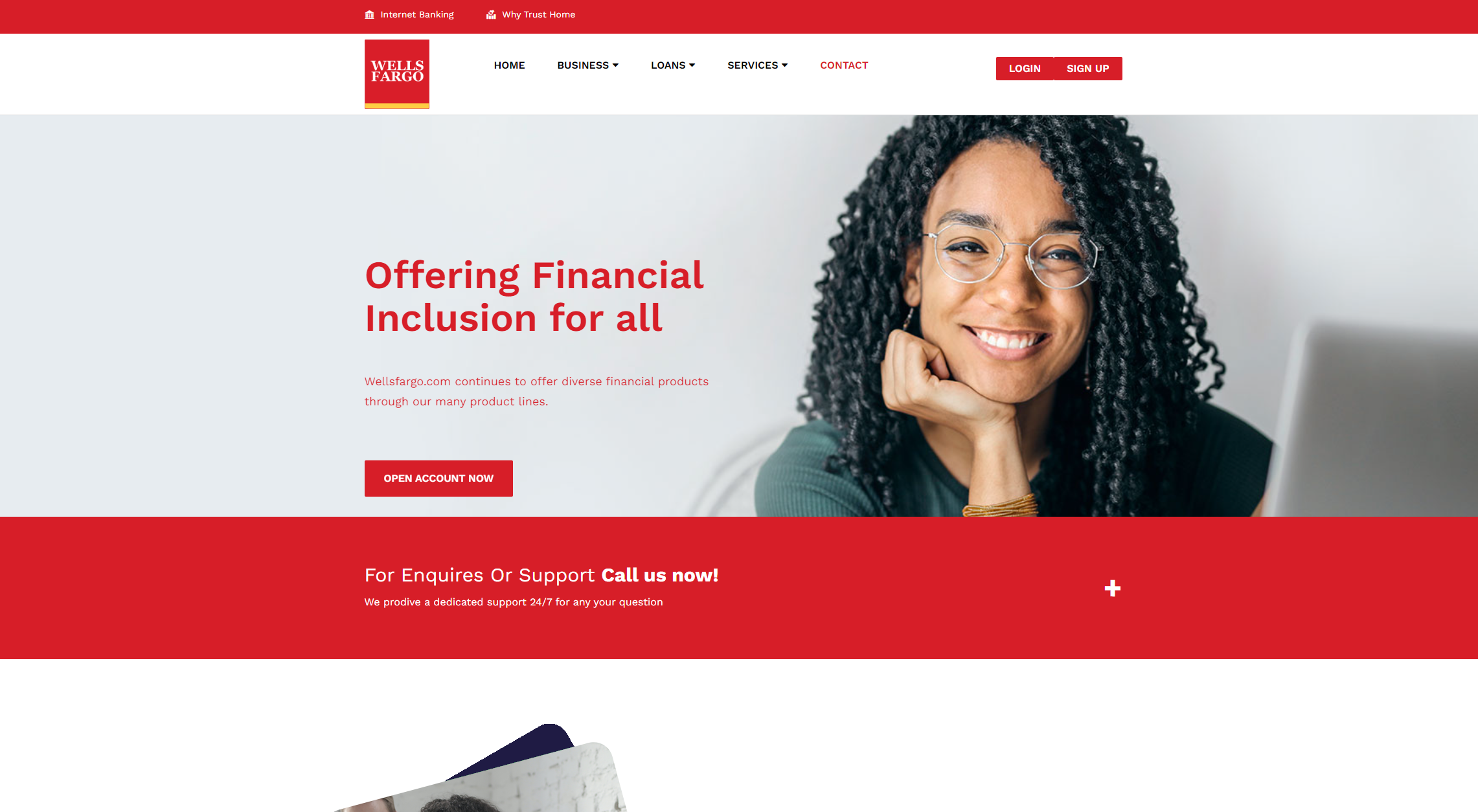
The domain features a form that asks for a “Wells Fargo Banking ID”, and the user’s password:
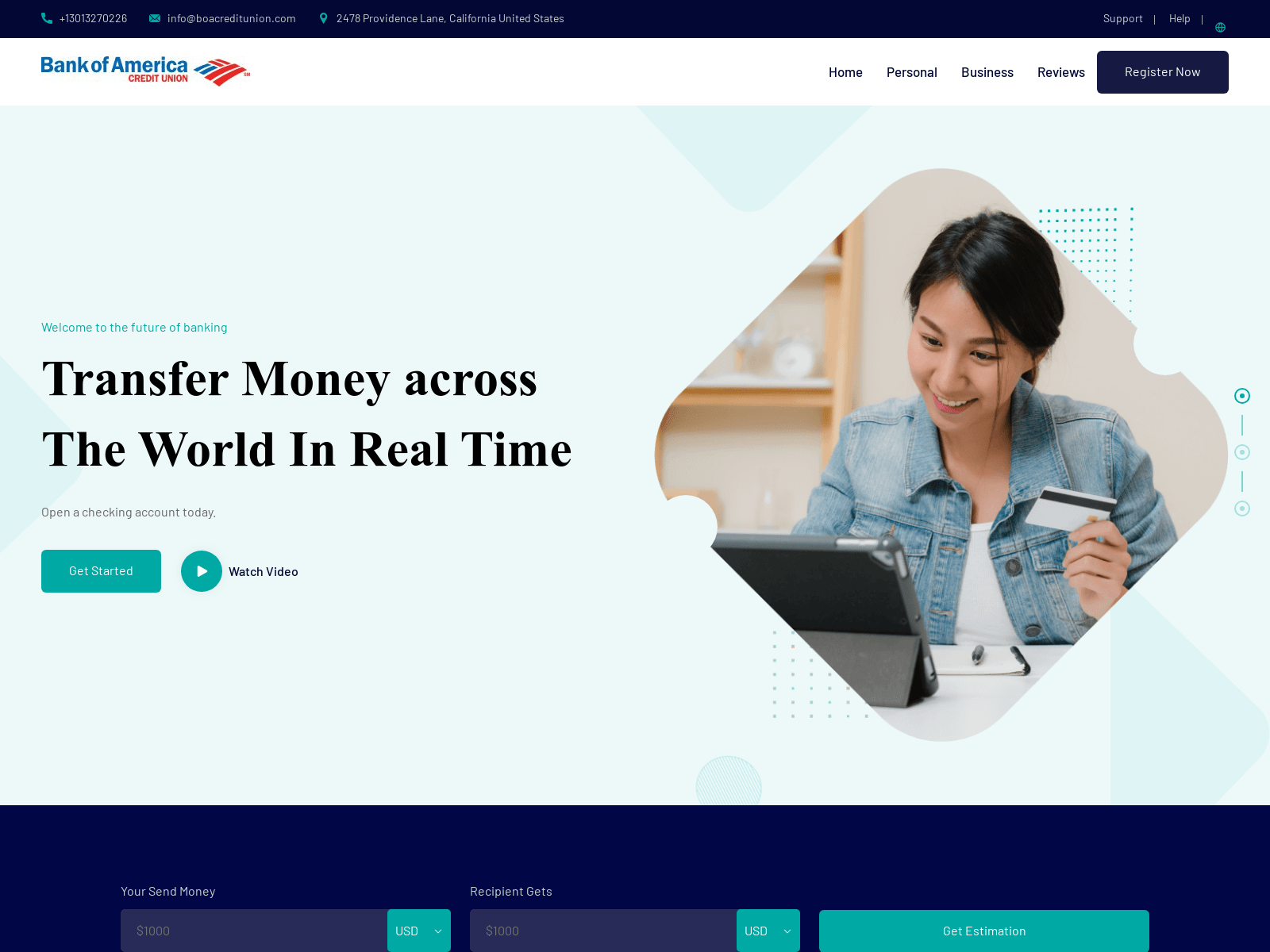
Here’s another phishing domain, boacreditunion[.]com, targeting Bank of America customers:
As well as spoofing legitimate brands, threat actors are using ViserBank templates to trick users into signing up for obscure banking services, and handing over private data at point of registration.
An “XBANK” registration form hosted on one such phishing domain – xactverse[.]com – includes a prompt to include the user’s name, address, phone number, social security number, and passport photo:
![Phishing page @ xactverse[.]com](https://www.silentpush.com/wp-content/uploads/image-129.png)
!["Registration form" @ xactverse[.]com](https://www.silentpush.com/wp-content/uploads/image-130.png)
We’ve constructed two Silent Push IOFA Feeds containing all the scam ViserBank domains and IP addresses gathered during our investigation, available to Silent Push Enterprise users.
Silent Push Community and Enterprise users can also use proprietary Web Scanner fields to track ViserBank content, and pinpoint pre-weaponized infrastructure.
Silent Push Community Edition is a free threat-hunting and cyber defense platform featuring a range of advanced offensive and defensive lookups, web content queries, and enriched data types.
Click here to sign up for a free account.