


- Company
Silent Push Inc. ©2025

The Silent Push Total View screen provides end-to-end analysis of a domain or IPv4 address in a single screen, at the click of a button, without the need to perform additional DNS (dangling records, subdomains etc.), infrastructure (associated ASNs and nameservers), feed-based or web content pivots.
Total View enhances the enrichment function by displaying 100+ pivotable IOFA data points related to a single domain or IP, and presenting key DNS datasets alongside Live Scan and Web Scanner data to provide all the context security teams need to quickly establish the origin, function and risk level of a piece of infrastructure – be it known or unknown.
The Total View screen is available free of charge through a Silent Push Community Edition subscription (as well as a Professional and Enterprise subscription).
The Total View screen consolidates 10 different Silent Push queries, scans and proprietary features into one screen, providing a central command console that acts as the first port of call for offensive and defensive operations, across a range of CTI job roles.
Total View doesn’t limit output to realtime intelligence data. When you enrich a domain or an IPv4 address, you’re also receiving a wealth of historical data related not just to your chosen observable, but the infrastructure it’s hosted on, including risk scores, the likelihood of an ASN, nameserver, or associated domain being involved in malicious activity, and where that activity is occurring.
All of this data is delivered via an intuitive UI, that reveals the biographical story behind a piece of observable data, allowing teams to make highly-evidential CTI decisions, and adjust their detection/blocking mechanisms and IR activities accordingly.
To access Total View, enter a domain or IPv4 address into the top search bar and click Enrich. You’ll then be presented with the main Total View screen.
Total View has two key sections – Highlights, and Contextual Data. Let’s take a look at each one in turn.
The Highlight section is just that… an at-a-glance run down of key data types that we think you’d like to know about.
For demonstration purposes, we’ve used pokerpalacehotel[.]com – a malicious domain associated with the FIN7 group.
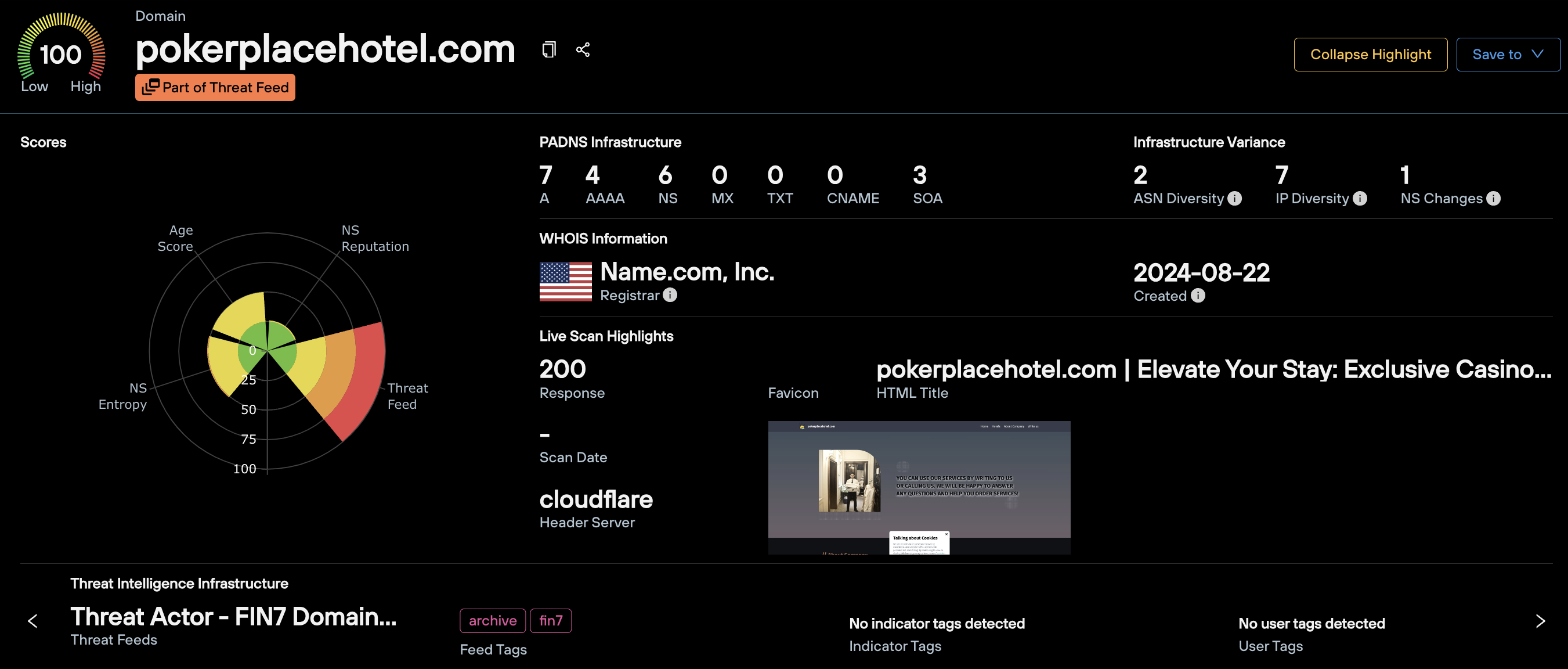
In this section, you will find:
You can also use Total View to enrich an IPv4 address, and be presented with data categories relevant to an IP, rather than a domain.
In the Highlight section, this means you get all of the above data minus the WHOIS highlights, given that WHOIS data only relates to domains, not IP addresses.
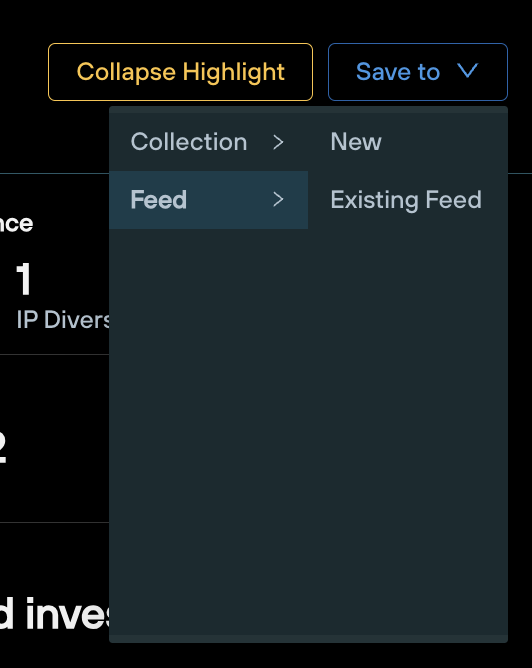
From the Highlight section, you can save the observable to a new or existing feed, using the drop-down menu on the top right.
Below the Highlight section, you’ll find a table containing comprehensive contextual datasets that fulfil the main use cases of the Total View screen, comprised of 10 distinct queries and scans found elsewhere on the Silent Push platform.
To centralize intelligence gathering, each function is accessed as a tab from a single static table, preventing the need to navigate away from the page to gain additional context.
Let’s use the same FIN7 domain – pokerpalacehotel[.]com, and see what’s on offer from the tabbed menus above the main table.
Note: Any piece of data displayed in blue on the Total View screen can be pivoted on. Left-click the data point to bring up a contextual menu that allows you to perform forward and reverse lookups, based on the data type in question.
Query: Domains and IPv4 addresses

The PADNS menu displays all the passive DNS data Silent Push holds on your chosen domain or IP address, including SOA records.
Results are broke down by record type, with a range of forward and reverse lookups available for hostnames, IPs, ASNs and associated DNS records, including reverse lookups on nameserver hashes.
Query: Domains only
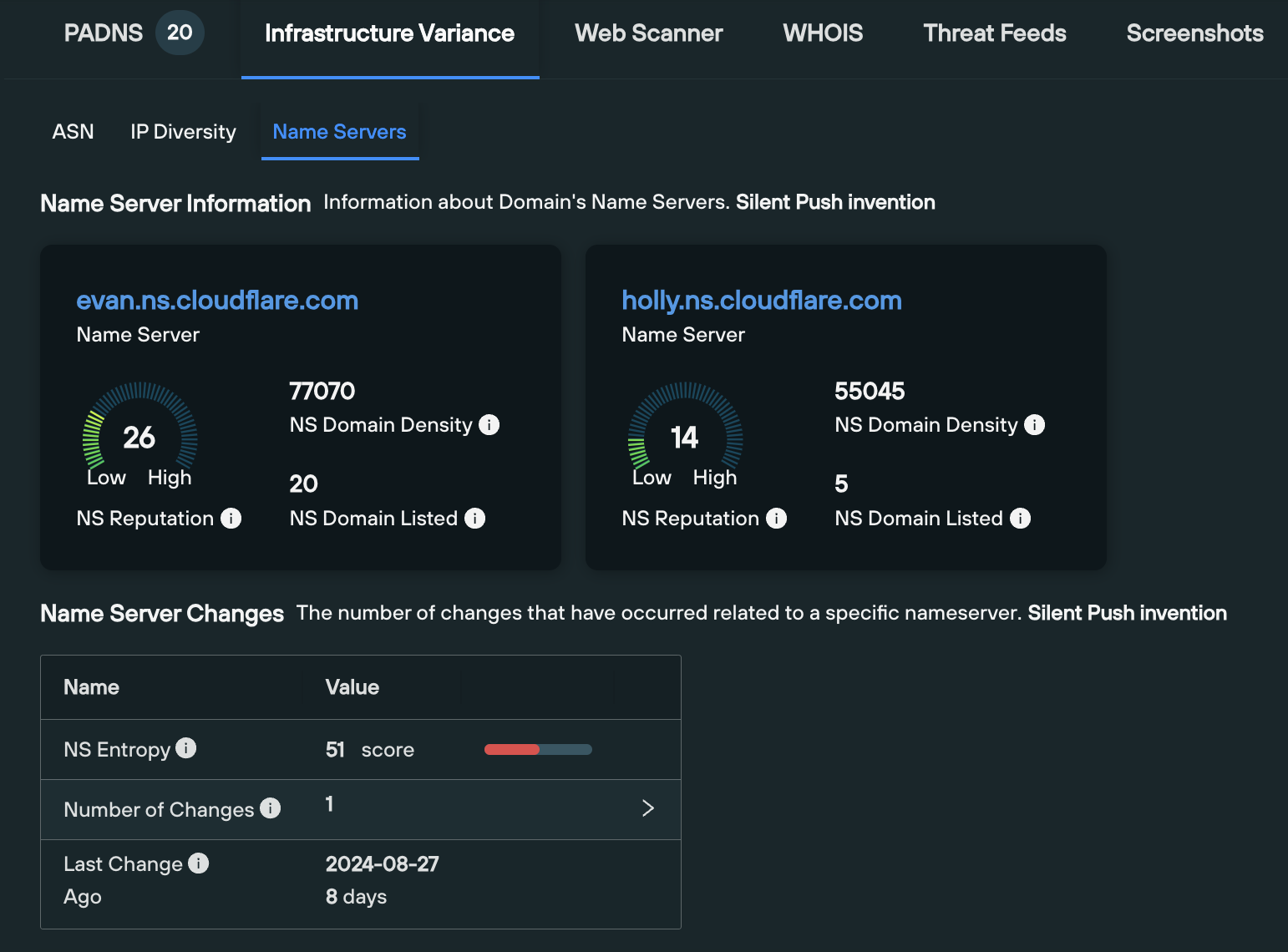
The Infrastructure Variance tab allows you to gain a top-down view of how a domain has moved across different infrastructure sets (ASNs, hosting IPs and nameservers) over time, including the trustworthiness of those infrastructure sets, and the frequency of any hops.
The ASN tab contains a list of historical ASNs associated with the domain, and ability to enrich each ASN with a one-click pivot, to gain additional intelligence including associated subnets and the ASN’s takedown reputation
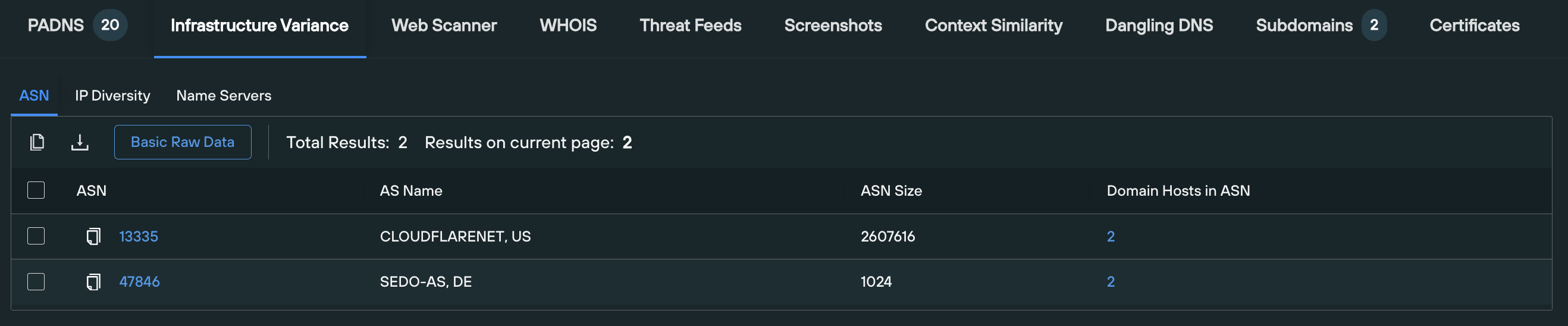
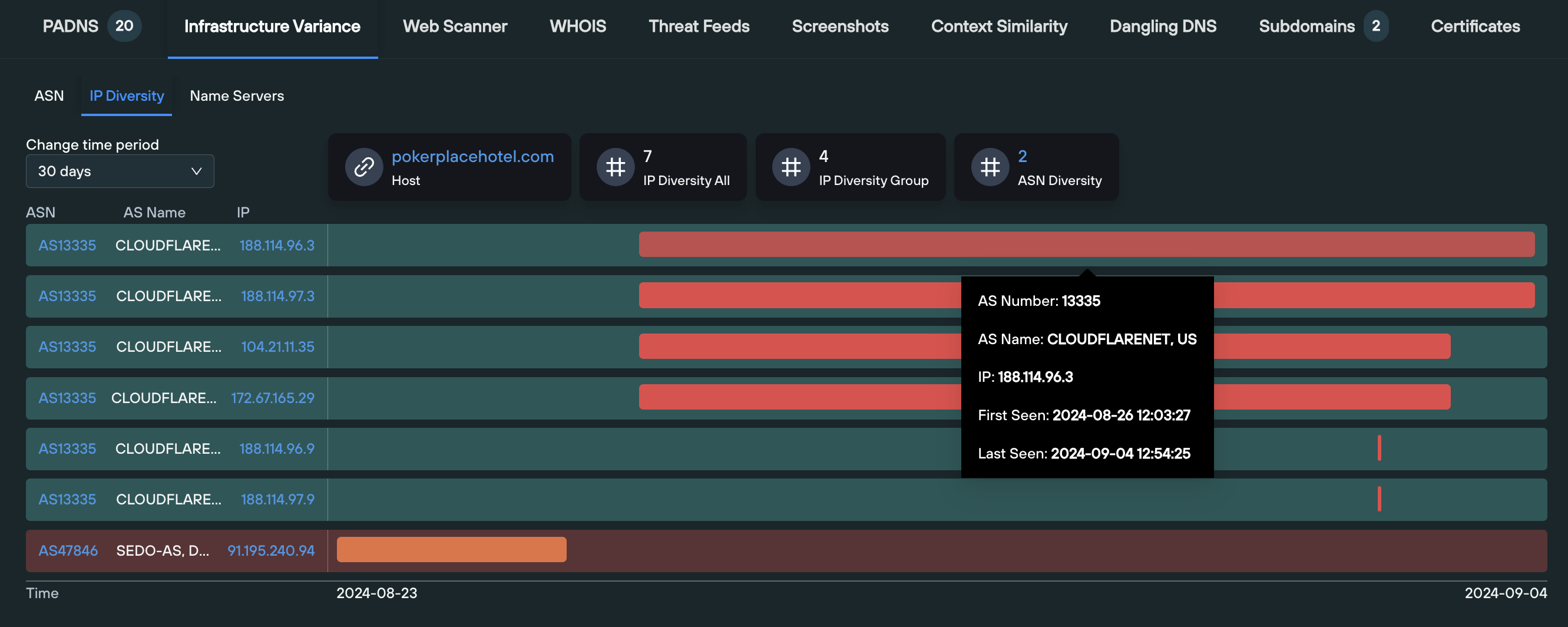
The IP Diversity tab displays both a visual and numerical representation of how the domain has moved between IP hosts over time, including the ASNs that a given IP operates on. This section is particularly useful for locating “outlier ASNs” within an organization’s public DNS presence – infrastructure hosted on an ASN which isn’t to be expected.
The final tab displays a wealth of information relating to each nameserver associated with the domain, including:
Query: Domains and IPv4 addresses
The Web Scanner tab automatically executes a Web Scanner query on the given domain, using the following syntax, that displays all the historic web content data that we hold on a given domain, across 100+ searchable fields:
origin_hostname = [domain] AND hostname = [domain]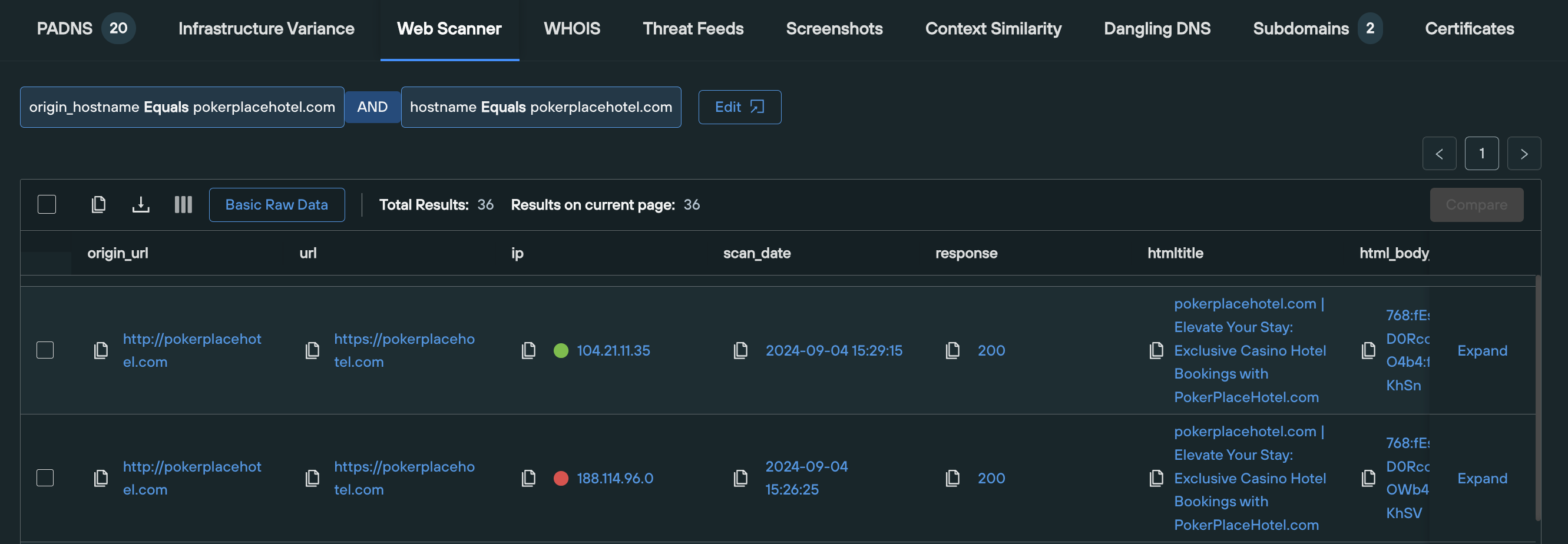
Results are displayed across the following field names:
All of these fields are able to be pivoted on individually, or used to execute additional Web Scanner queries that produces a narrower set of results.
Query: Domains only
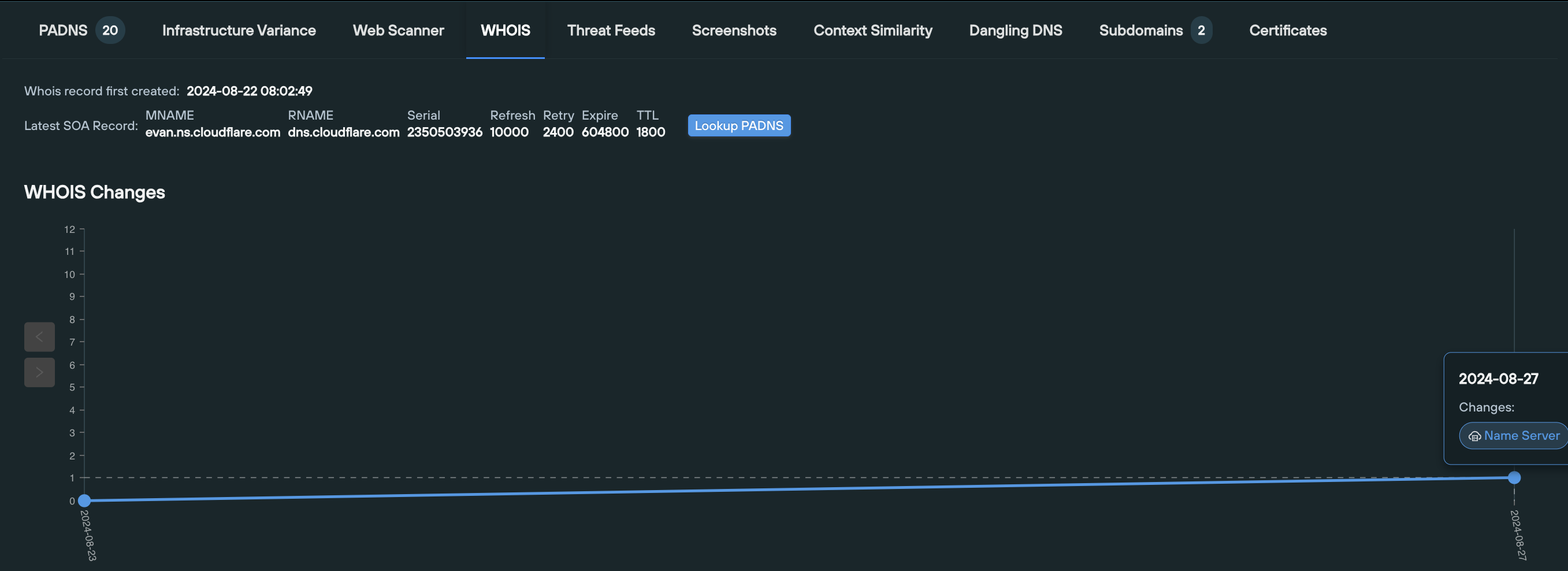
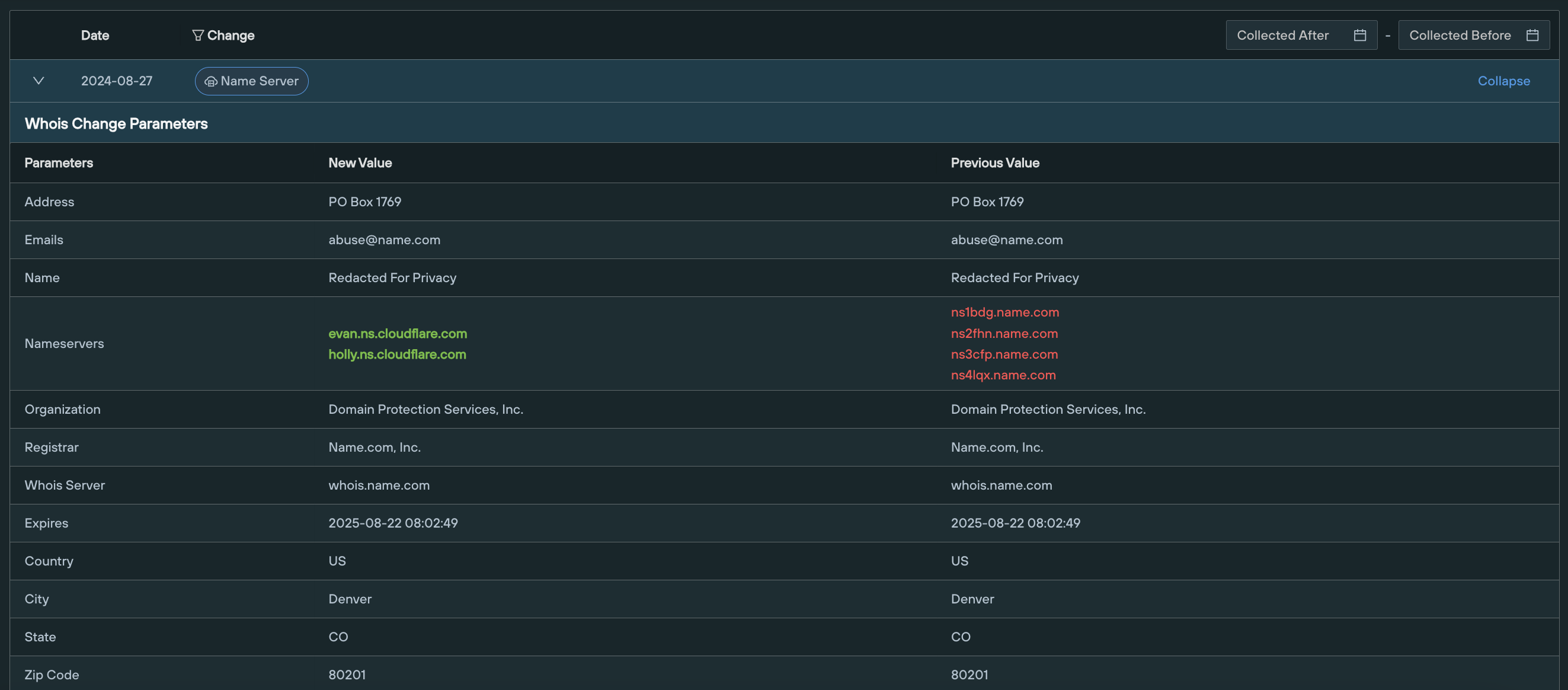
The WHOIS tab displays the history of WHOIS data related to the given domain, including a visual timeline and a tabulated view of timestamped differential changes, side-by-side.
Query: Domains and IPv4 addresses
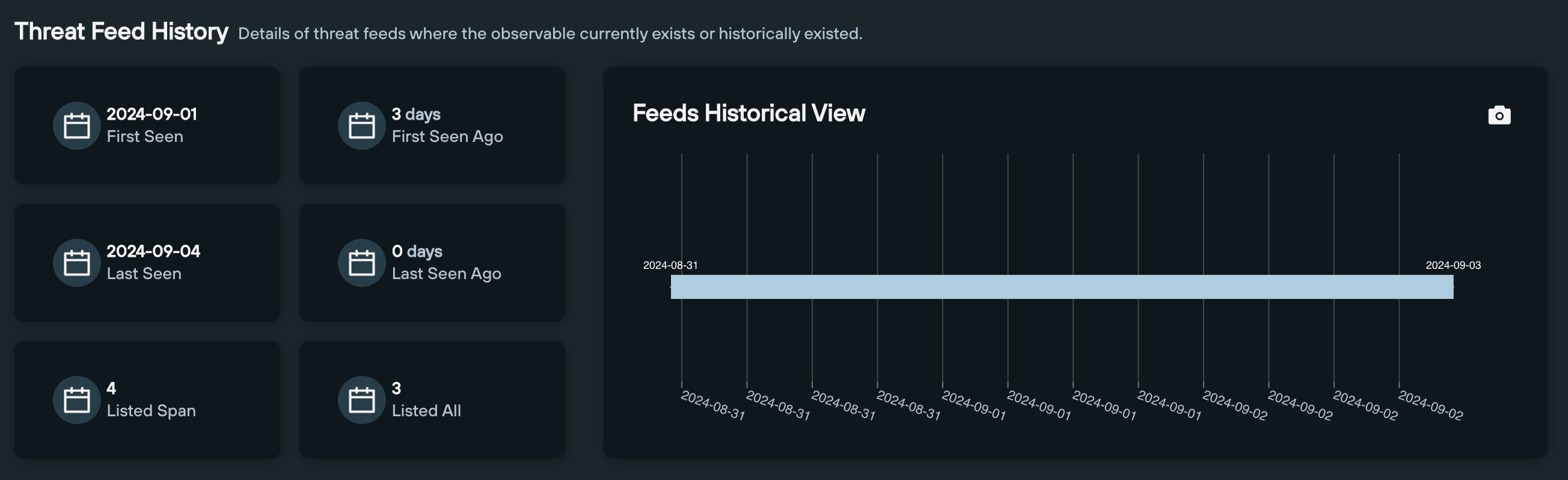
The Threat Feeds tab contains two sections that display metrics relating to an observable’s existence within an IOFA Feed.
The first section – Threat Feed History – displays various data points that allows you to track a domain or IP’s presence within a given threat feed over time.
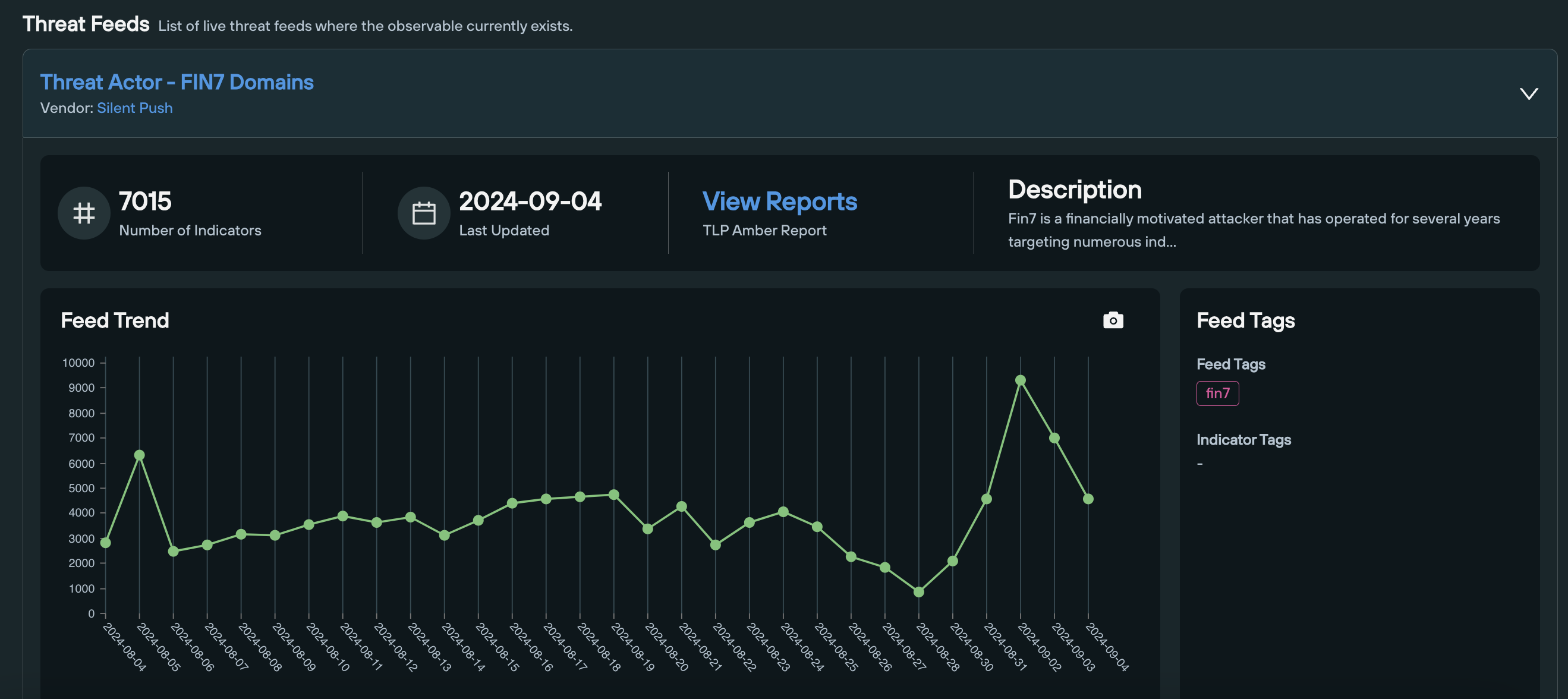
The second section provides live data on any feeds in which the observable currently exists, including a timeline of the amount of indicators, and a link to the feed’s TLP Amber report (available to Enterprise users only),
Query: Domains and IPv4 addresses
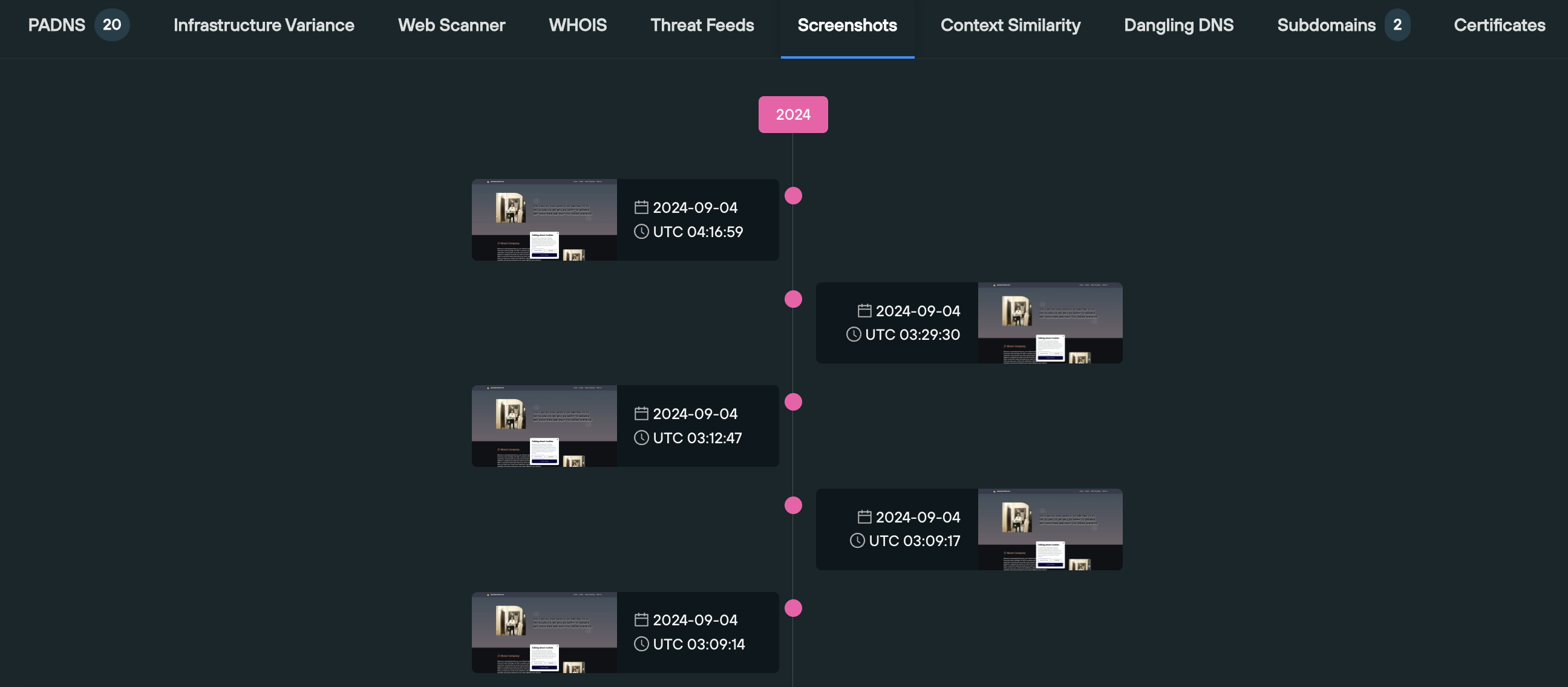
The Screenshots section is particularly useful when attempting to understand how a threat actor is recycling their infrastructure to host different pieces of content on a single domain over time, as well as establishing what’s currently being displayed to users visiting the domain or IP.
Screenshots are displayed on a visual timeline, in descending order.
Query: Domains only
A dangling DNS record is a DNS entry that points to a resource that no longer exists or is no longer in use. This can happen when a service is decommissioned, a domain name expires, or a DNS record is misconfigured.
Attackers exploit dangling DNS records to redirect traffic to malicious websites or services, or perform a subdomain takeover.
The Dangling DNS tab scans your organization’s domain infrastructure, and displays both a list and a count (based on your subscription level) of any records that are dangling, so that they can be dealt with immediately.
Query: Domains only
The Subdomains tab displays a list of all the subdomains associate with the enriched apex domain, allowing you to establish all the visible secondary infrastructure associated with your given domain name.
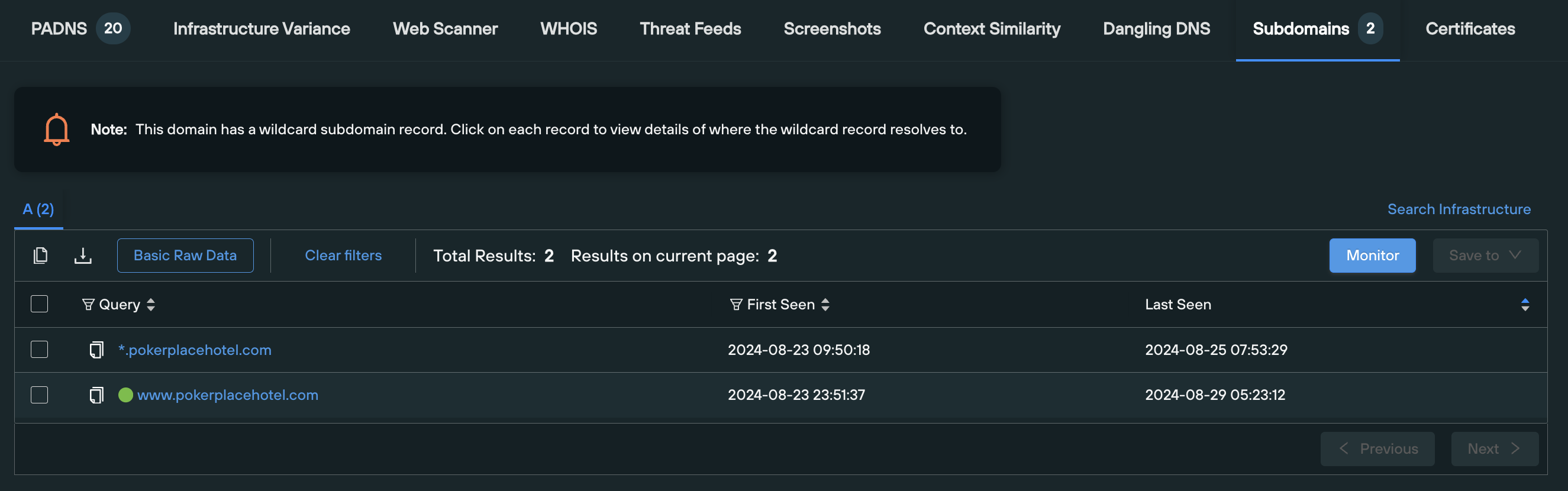
If the domain has a wildcard A record in place, you’re able to click on each record to view details of where the wildcard A record resolves to.
Results are populated on an Explore table, allowing you to set up automated monitoring that alerts you to changes in the dataset every 24 hours.
Query: Domains and IPv4 addresses
The Certificates tab performs two functions – it displays a visual count of realtime certificate data (more specifically, any certificates that are due to expire, and who the certificate issuers currently are), and runs a Web Scanner query that returns data on any active certificates, across the following field names:
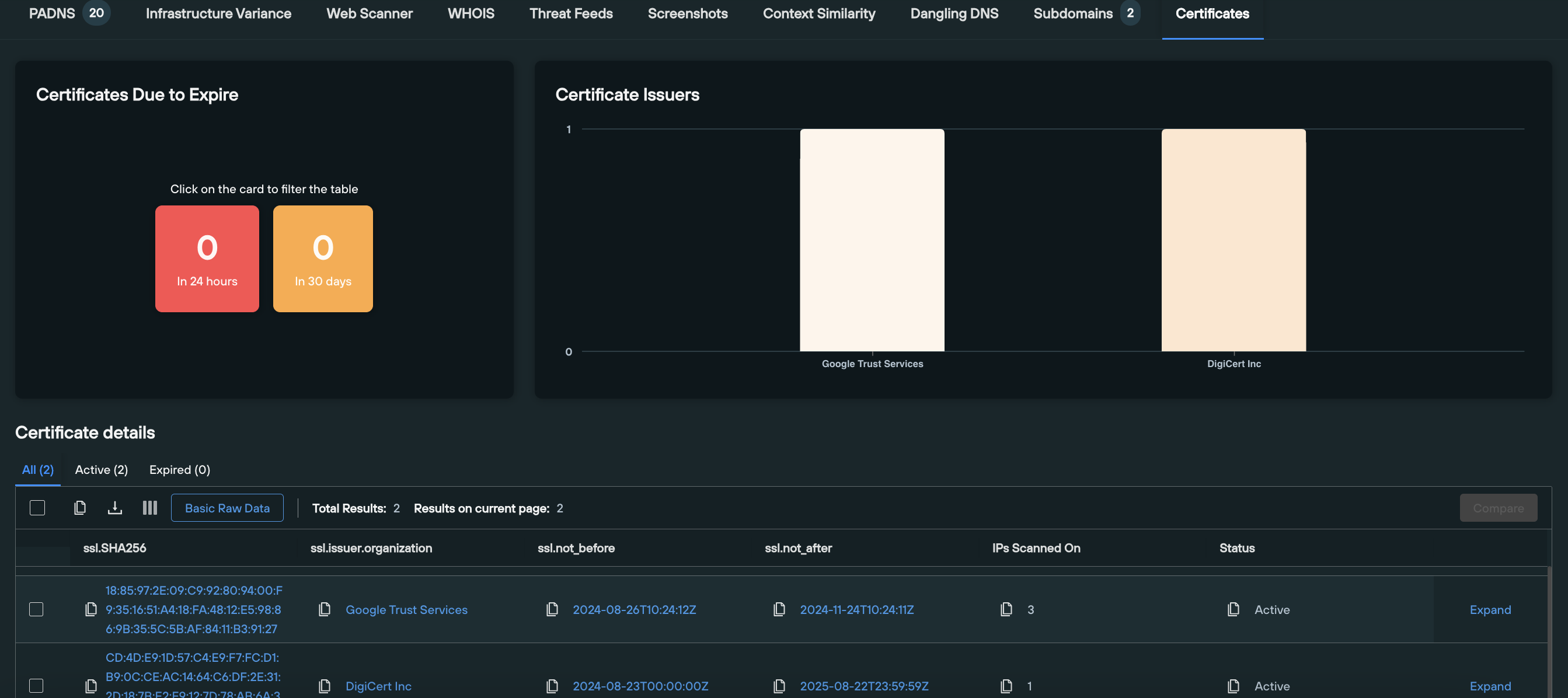
This allows defenders to obtain a real-time appraisal of how certificates are being applied across their attack surface, and gives offensive team members the ability to perform a deep dive into an observables certificate infrastructure, and locate domains or IPs that are circumventing global certificate standards to legitimize malicious infrastructure.
Silent Push Community Edition is a free threat hunting and cyber defense platform used by researchers, defenders and threat hunters, featuring a range of advanced offensive and defensive lookups, web content queries, and enriched data types, including Silent Push Total View.
Sign-up for a free account here.
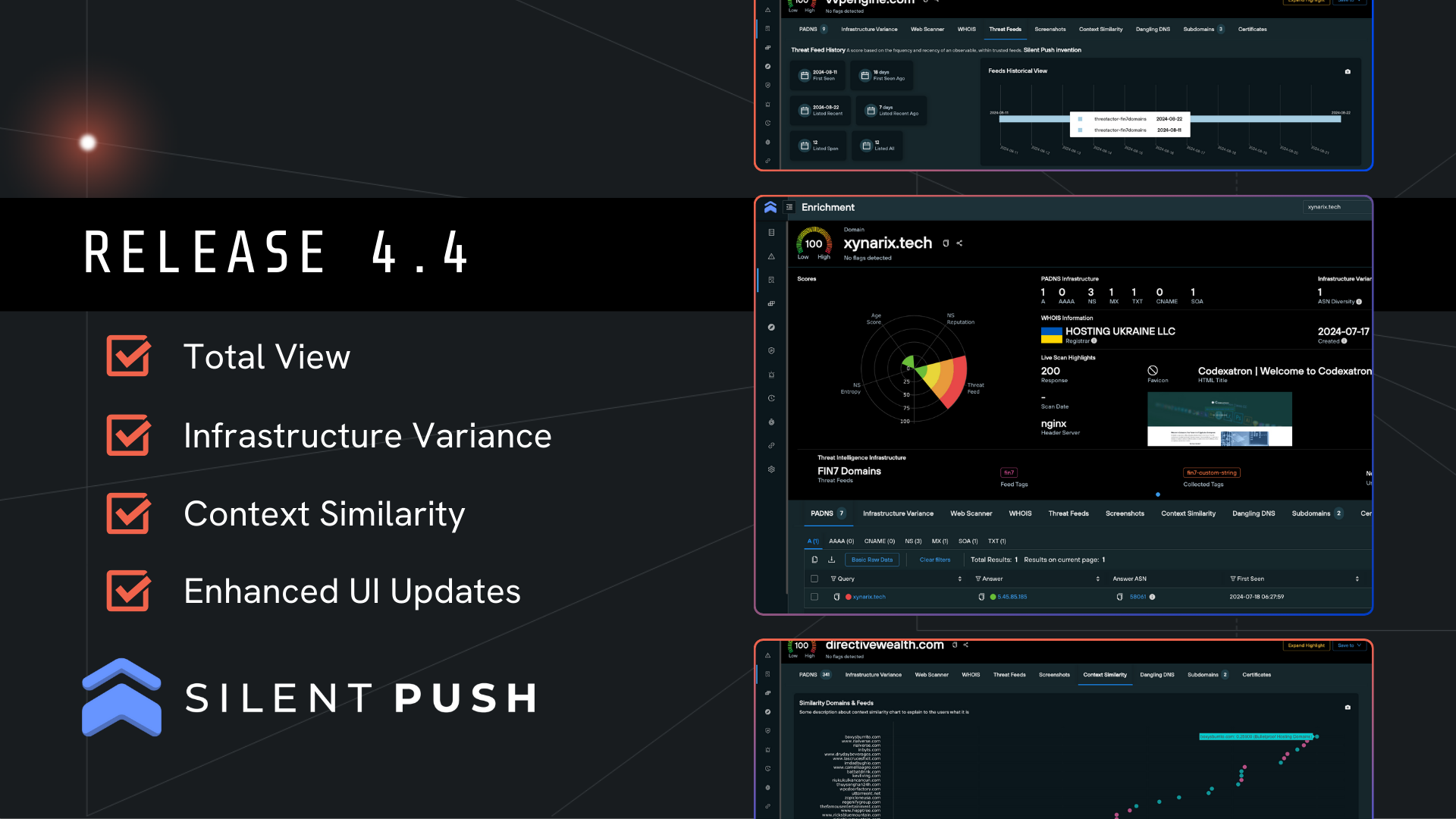
Release 4.4 is here and it’s our biggest yet! Check out the new features and changes below.
We’ve implemented a major restructuring of the IPv4 and domain Enrichment screens. Enriching either of these data types now presents the ‘Total View’ screen.
‘Total View’ populates data relating to an IPv4 address or domain across the following queries and functions, from one screen:
This allows users to quickly pivot within a single page, and view a range of new data visualizations to interpret data more effectively.

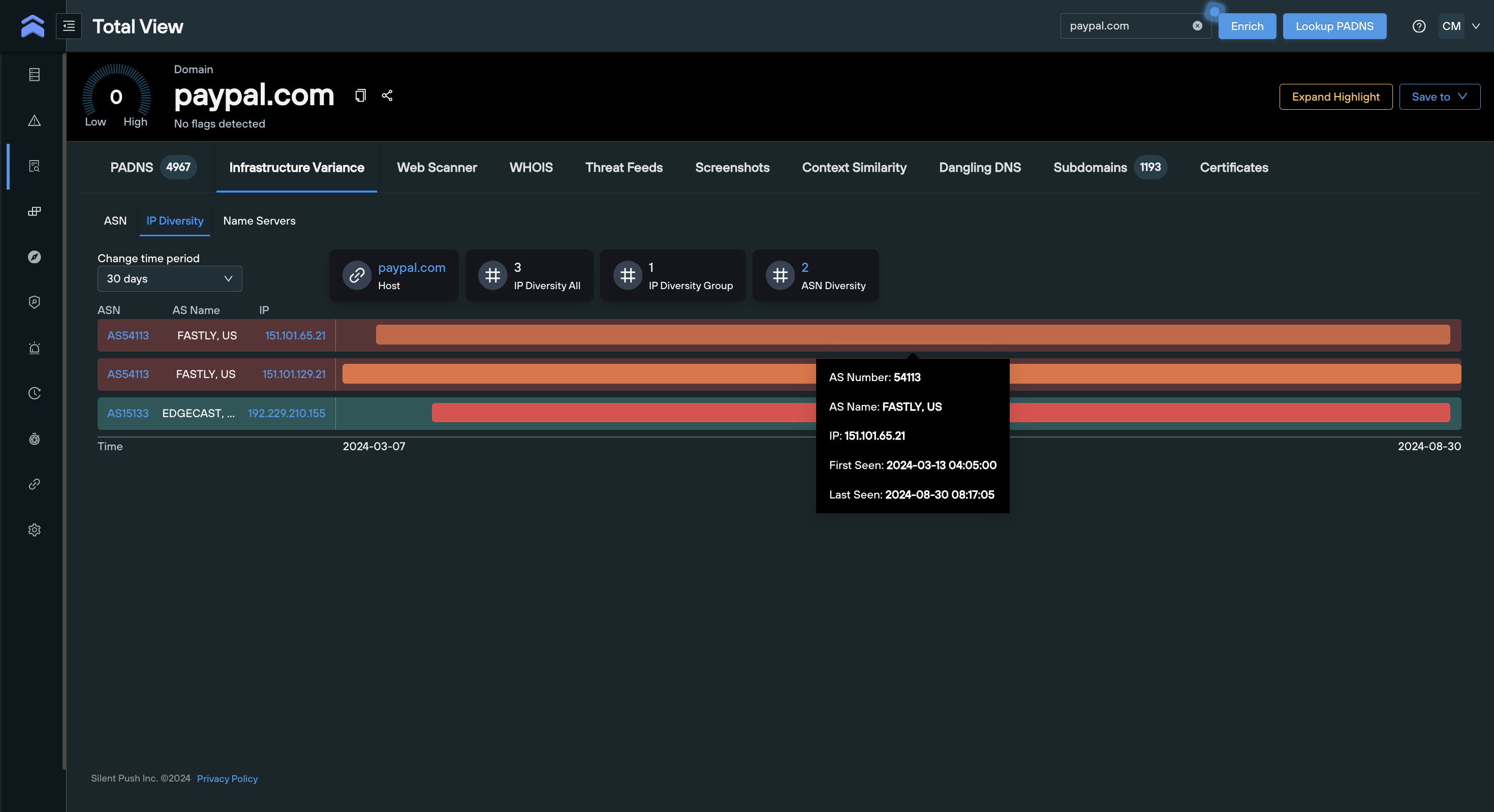
Under the Total View menu, there is a new tab for ‘Infrastructure Variance’ – a data element unique to Silent Push. This tab hosts variance data for ‘ASN Diversity’, ‘IP Diversity’ and ‘NS Changes’ relating to any enriched domain:
You are now able to track these variances in one place, supporting the identification of patterns to stop attacks before they escalate.
Also unique to Silent Push is a new ‘Context Similarity’ tab under Total View. This tool visualizes domain similarity and compares enriched attributes of your domain with others on your Silent Push threat intel feeds.
You are also able to compare any two of the results side-by-side, and unearth new pivots to enhance your threat hunting.

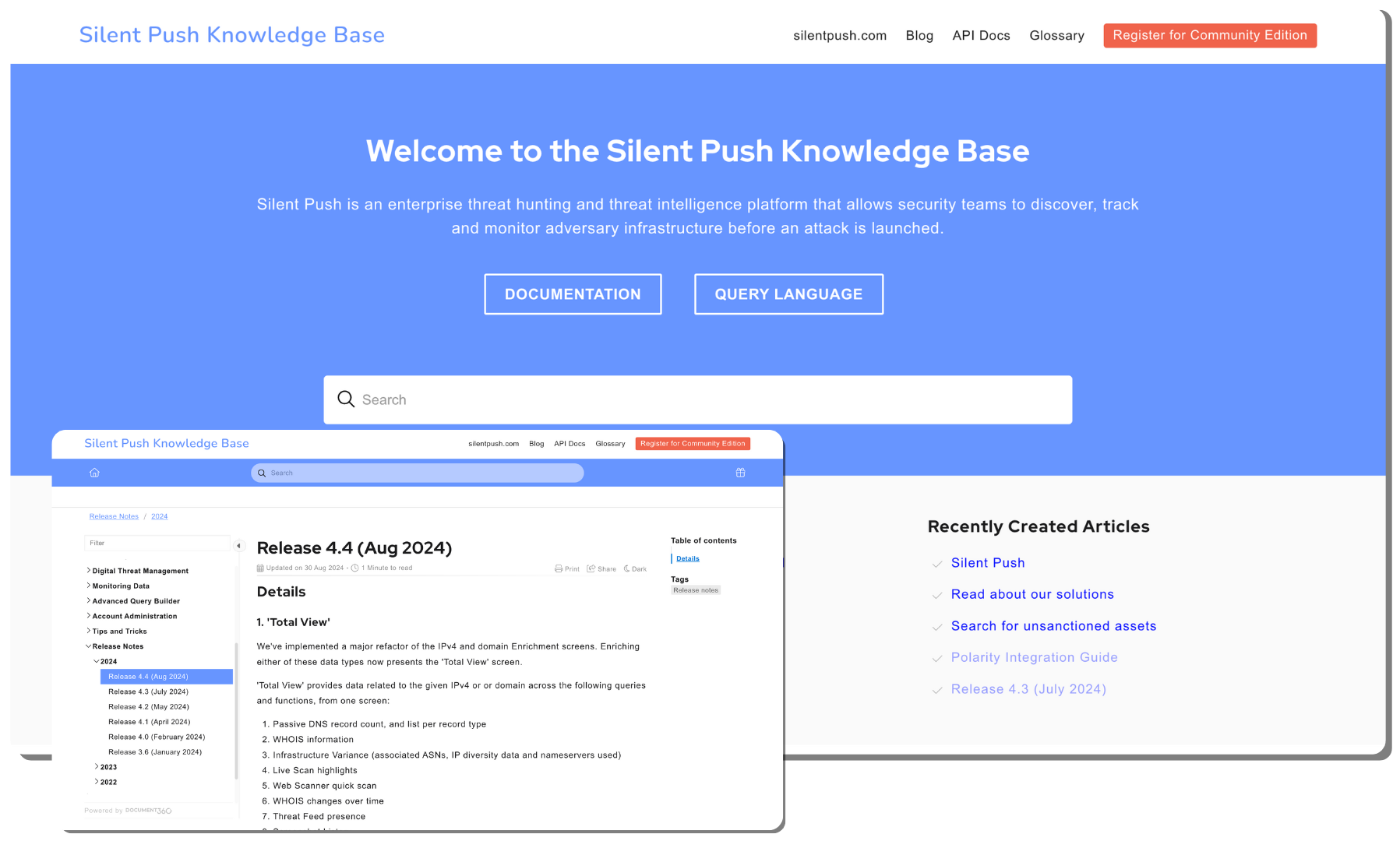
The Silent Push Knowledge Base comprises more than 200 articles that provide simple guidance on every aspect of the platform. It caters to both Community and Enterprise subscribers, and it’s constantly updated with new features and functionality.
Have any questions about the new release, or would like to learn more about our Community and Enterprise Editions? Get in touch today and we’ll get back to you shortly.
Join Silent Push Head of Product Colm Diver for our Silent Push Community Corner webinar, where we’ll be discussing the recent 4.4 Release and the new features available to you in the Silent Push free Community Edition. We’ll also be answering any questions you have about the platform.
The webinar will cover the following topics:
Feel free to submit your questions before any of our monthly Community Corner sessions in our Q&A box here.
Haven’t registered for Silent Push Community Edition yet? Don’t worry, you can sign-up here for free and take advantage of our powerful scanning engine and range of offensive/defensive tools including Web Scanner and Live Scan:

In this blog, we’ll explain how you can achieve ISO 27001:2022 Annex A Control 5.7 certification using a Silent Push Enterprise subscription, by receiving pre-scored, pre-enriched and pre-aggregated domain, IP and web content data at source.
Our platform is designed to fulfil each of the stipulations listed in ISO 27001:2022 Annex A Control 5.7, and provide you with compliant threat intelligence data out-of-the-box, that’s ingestible across your entire security stack, with no additional resource required to achieve full ISO adherence.
To access some of the features mentioned in this blog for free, register for our Community Edition here.
To safeguard information security, organizations need to proactively identify and assess potential cyber threats that are both specific and non-specific to their operation.
In practice, this involves gathering, analyzing, and interpreting data on cyber risks, via a practice known as threat intelligence.
ISO 27001:2022 Annex A Control 5.7 provides a structured framework that helps organizations understand their specific threat landscape and attack surface, enabling them to implement appropriate security measures and mitigate any potential damage that can be caused by a security incident, including:
Effective information security management involves obtaining a clear understanding of the threat landscape. ISO 27001 provides a strategic framework for mitigating risks by helping organizations identify and mitigate potential and realized attacks.
By leveraging ISO 27001 Annex A control 5.7, organizations can accurately assess their vulnerabilities and implement appropriate safeguards.
This allows security teams to develop robust DNS defenses, and incident response and recovery plans, while ensuring their overall security posture aligns with evolving threats.
Satisfying the conditions set out in ISO 27001:2022 Annex A Control 5.7 means obtaining an informed, real-time view of your intelligence streams, so that your organization’s security posture is as robust as it can be at any given point in time, and the impact of any incoming threats is minimized or negated entirely.
Silent Push Enterprise provides organizations with enriched domain, IP and content-based IOFAs that reveal where an attack is coming from, rather than legacy intellgence sources that rely on point-in-time indicators of where an attack has been.
Powered by the world’s most expansive, accurate and timely DNS and web content scanning and aggregation engine, Silent Push allows you to achieve ISO 27001:2022 Annex A Control 5.7 objectives at source, by providing threat intelligence that is relevant, insightful, contextual and immediately actionable with zero manual intervention required.
Silent Push data is instantly transferable into your organization’s security risk management processes as finished, ISO 27001-compliant threat intelligence data, either as a raw data source or as a preventative measure that bolsters the automated defense capabilities of traditional security controls such as firewalls, anti-malware solutions, and intrusion detection systems.
ISO 27001:2022 Annex A Control 5.7 compatibility extends to the suite of SOAR, SIEM and IR tools that an organization uses to run their day-to-day security operation.
Our IOFA data can be ingested using an API surface that facilitates a range of native integrations – including Splunk SOAR, Tines, Torq and ThreatConnect – that maintain ISO compliance throughout your security stack, wherever Silent Push data is utilized.
ISO 27001:2022 Annex A Control 5.7 places an emphasis on organizations performing “informed” actions on threat intelligence data, in order to minimize risk.
On a basic level, this requires threat intelligence data to be delivered with sufficient context, so that security automation processes are able to act instantly, and with greater accuracy, in order to prevent emerging attacks.
You can use Silent Push to automate data collection and analysis across different toolsets, and access pre-enriched threat intelligence that requires zero additional resources to convert threat intelligence into ISO compliant, actionable data.
Silent Push applies 100+ enrichment categories to each individual domain and IPv4/6 address we scan.
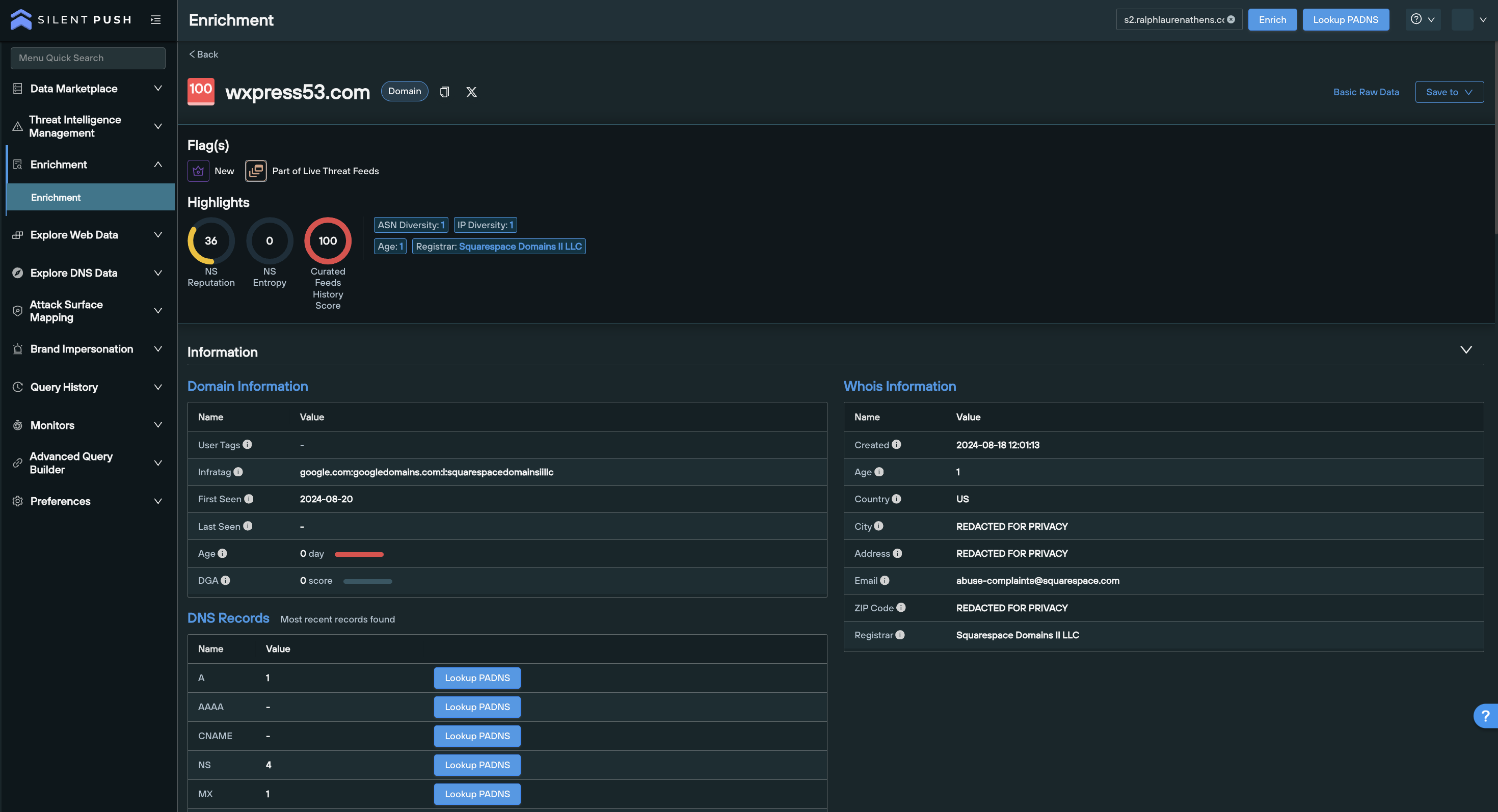
Websites, ASNs, nameservers and infrastructure clusters are scored, tagged, categorized and delivered into your stack with a wealth of supporting information that removes the need for security teams to spend countless hours turning intelligence data into compliant lists of domains and IPs.
This constant automated cycle of scanning, aggregation and delivery allows for instant detection of linked infrastructure related to your organizational attack surface and supply chain operation, without the need for extensive secondary analysis.
ISO 27001:2022 Annex A Control 5.7 asks organizations to categorize intelligence into three distinct layers, all of which should be considered when forming an information security posture.
“Strategic” threat intelligence provides a broad overview of emerging threats, including the types of adversaries, region-specific factors, and attacks they employ.
Silent Push Enterprise subscribers have access to threat-specific TLP Amber reports, compiled by Silent Push Threat Analysts, that outline the characteristics of APT-related attacks, and how different attacker motives can be counteracted using targeted queries and scans, including links to relevant datasets.
IOFAs are tagged at source with characteristics that immediately identify a piece of infrastructure – or groups of related infrastructure – as belonging to a particular adversary, campaign, or geographic region (including state-sponsored activities).
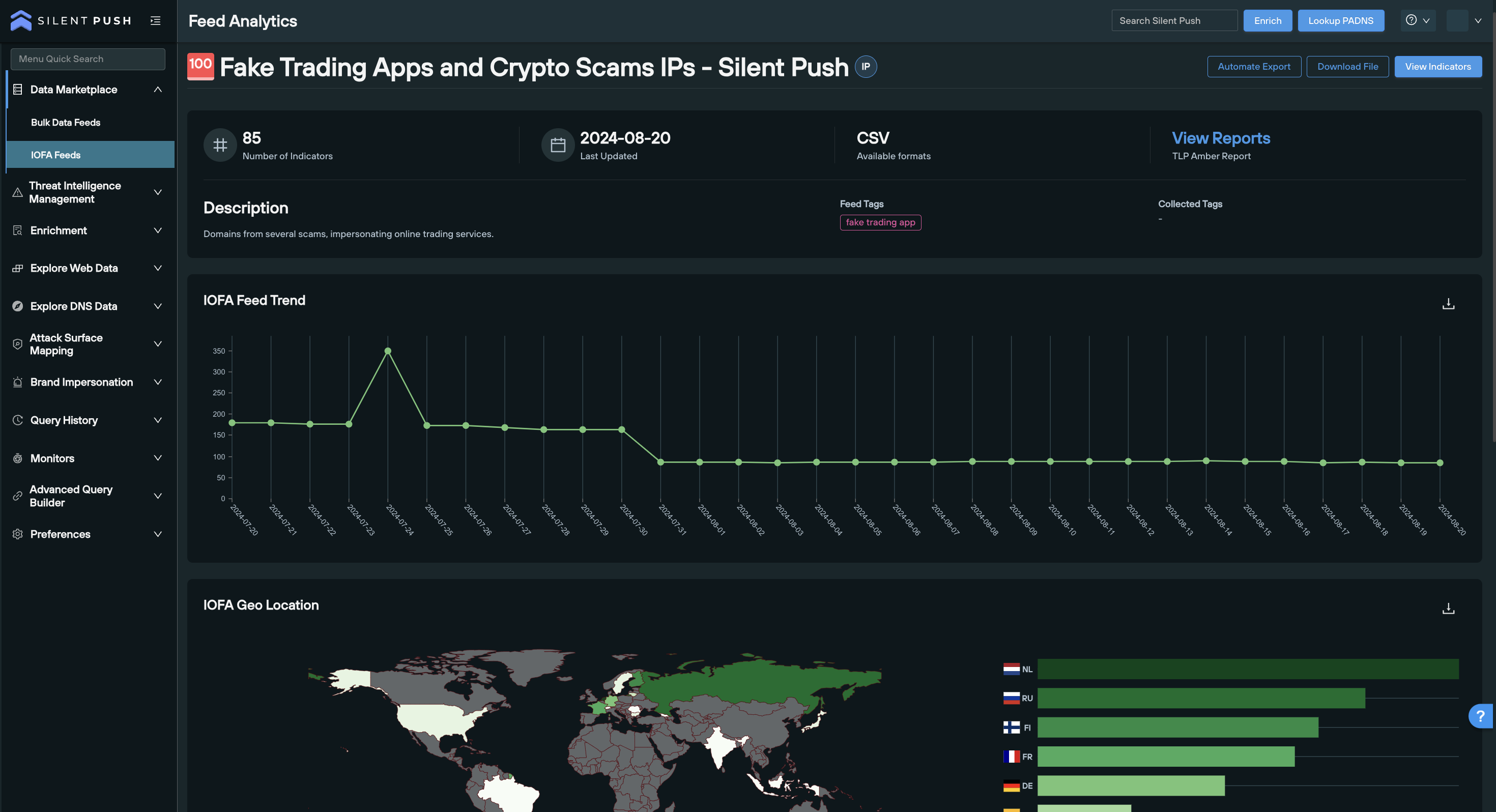
This information is identified on the back-end of the platform before it’s delivered into your security stack, providing you with an instantly compliant, automated, actionable intelligence stream delivered out-of-the-box.
“Tactical” threat intelligence delves deeper into the specific techniques, tools and procedures (TTPs) used by attackers.
Silent Push provides timely, accurate and complete threat intelligence datasets that are uniquely designed to identify, track and monitor emerging TTPs and pre-weaponized infrastructure using a combination of threat-specific Early Detection Feeds, ranked domain and IP data,
Threat actors assemble their infrastructure using a series of traceable patterns. Owning and controlling our own data allows us to add an infinite amount of context to each observable that we collect, and where there are patterns to be found, make those links across the global IP space and darkweb, to produce actionable intelligence.
“Operational” threat intelligence offers granular insight into ongoing attacks,
ISO 27001:2022 Annex A Control 5.7 requires threat intelligence to be delivered in the form of actionable technical indicators that aid in detection and response.
We conduct billions of daily DNS and on-page lookups across the IPv4 and IPv6 spaces, and darkweb, and feed this data into the platform within self-contained spaces that are designed to work in harmony with one another, to produce instant, automated results.
The UI features a range of one-click pivot points that gives your teams access to all the intelligence they require to map out attacker infrastructure, regardless of how it’s being obfuscated, where it’s hosted, or what form it’s taking.
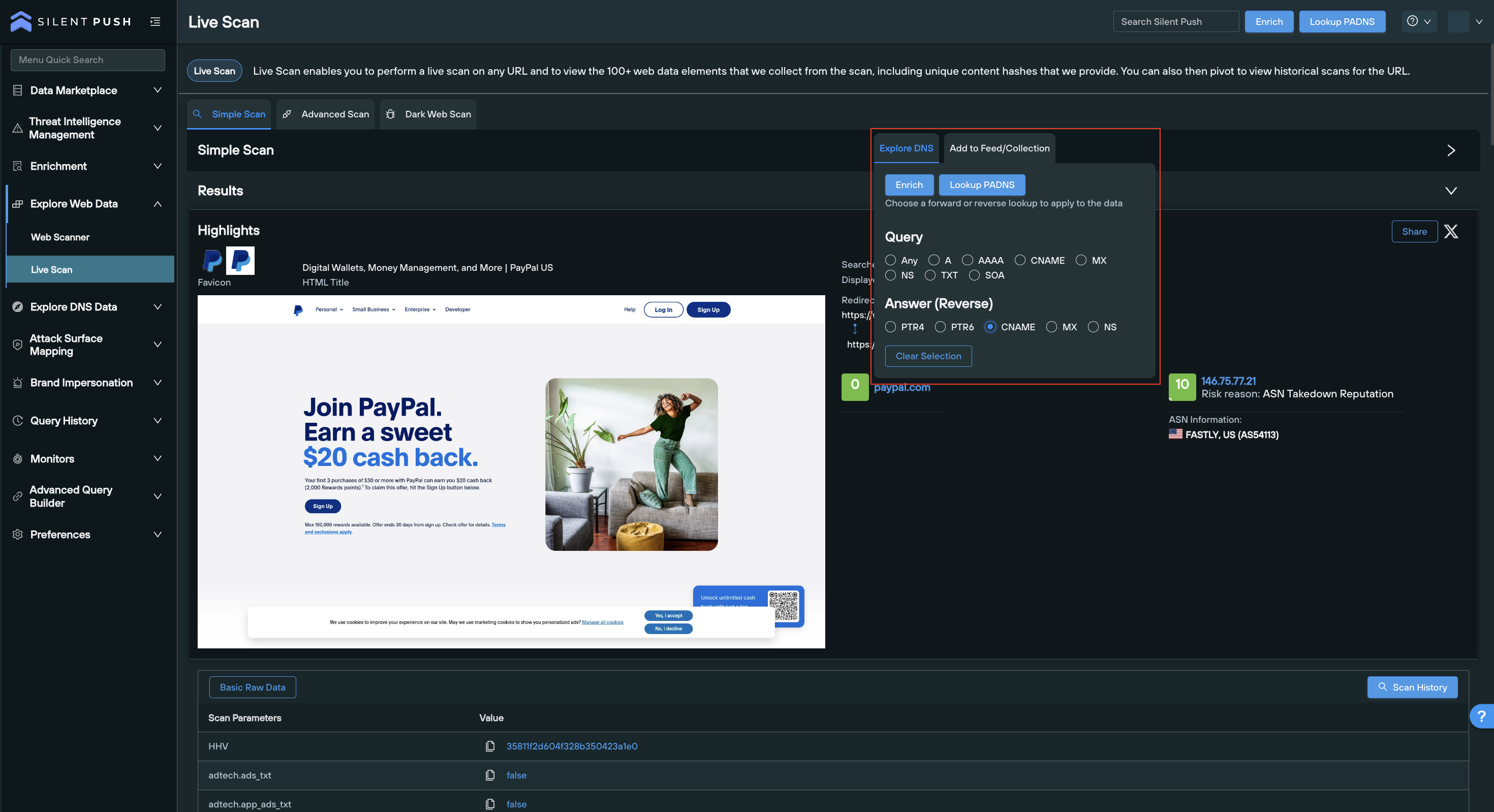
ISO 27001:2022 Annex A Control 5.7 stipulates that threat intelligence should be:
Threat intelligence maintains “relevancy” when it’s uniquely tailored to protect the organization that’s using it.
Silent Push Enterprise allows you to execute highly-detailed, granular scans and queries which cut out the noise, eliminate false positives at source, and satisfy ISO compliance protocols by only delivering intelligence that is relevant to your organization, or threat hunting activities.
Proprietary features such as Filter Profiles, scanning emulation, custom threat feeds, and organizational asset lists deliver pre-filtered, compliant datasets at the click of a button, that cater to a multitude of internal job roles.
Insightful intelligence provides an organization with an accurate and detailed understanding of any given threat landscape.
To map out attacker infrastructure, Silent Push collects and delivers information across 100+ domain and IP enrichment categories, that satisfy the compliance need for insightful intelligence, and offers additional insight into an observable’s presence on the Internet, including:
Threat intelligence benefits from context when the information provided is based on when events occurred, where they occured, and how they relate to previous events.
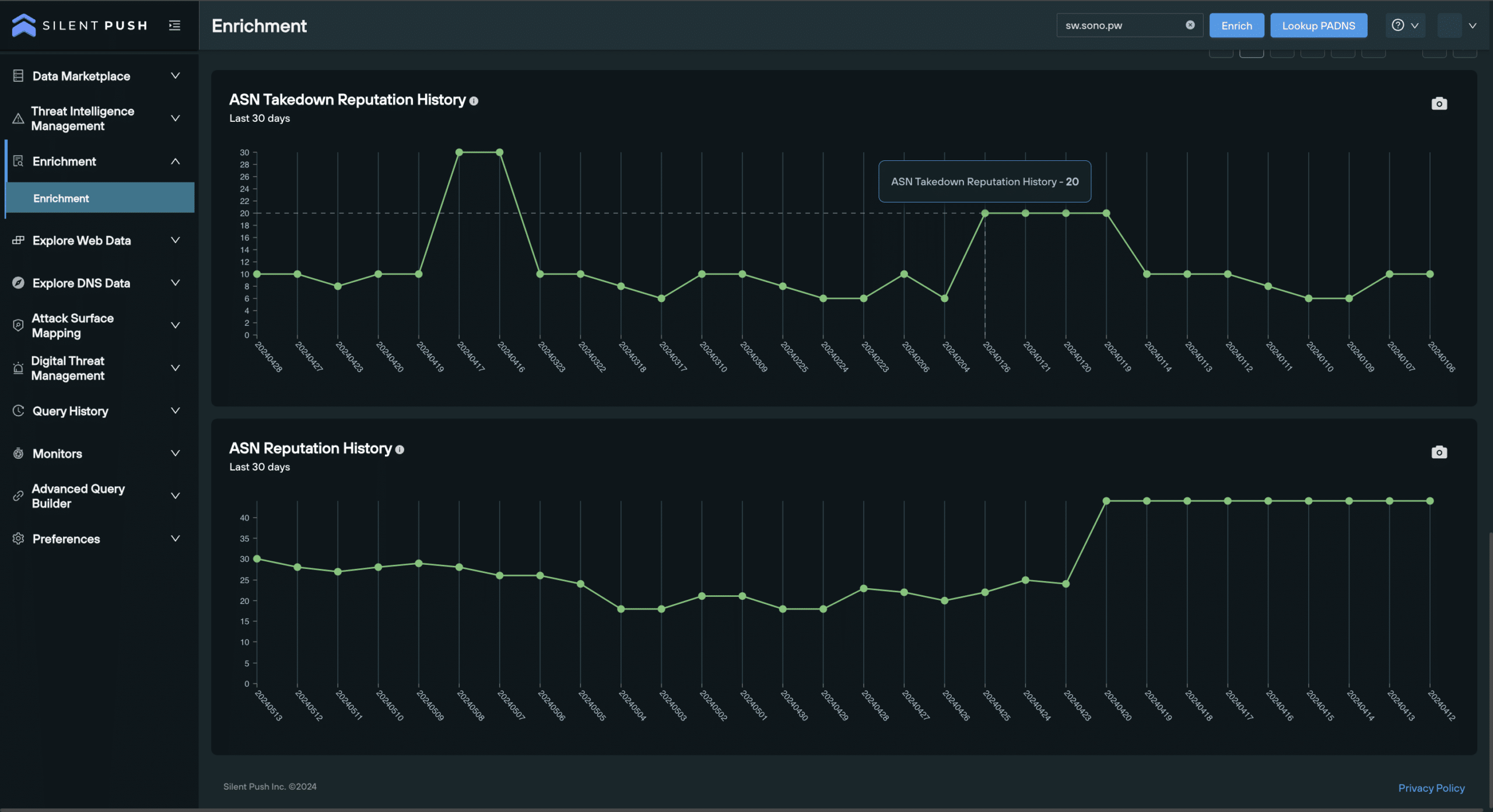
All of our data is delivered timestamped, with the underlying infrastructure associated with a single piece of data – e.g. nameservers, ASNs, and hosting providers – clearly accessible, so that security teams are able to track a domain or IP’s journey across the clearnet and darkweb, including all associated reputation scores.
A piece of intelligence data is considered actionable if it can be acted upon quickly, and efficiently, by the individuals tasked with analyzing it.
Silent Push is “data independent”, meaning that we don’t rely on other vendors or third parties to provide us with DNS or web content data.
This enables us to deliver compliant intelligence with a range of variables built-in, in such a way that makes any one data point pivotable from another across multiple distinct threat intelligence datasets.
Get in touch today, and let us show you how we can help your organization achieve ISO 27001:2022 Annex A Control 5.7 compliance using a Silent Push Enterprise subscription.
Silent Push Community Edition is a free threat hunting and cyber defense platform used by researchers, defenders and threat hunters, featuring a range of advanced offensive and defensive lookups, web content queries, and enriched data types.
