Data enrichment

Data enrichment with Silent Push

Data enrichment is a threat intelligence mechanism that allows security teams to pinpoint the origin, function and risk level of a domain or IP address, by applying multiple categories and sub-categories that provide up to 10x more context than standard DNS lookups and queries are able to provide.

Enrichment is less about volume, and more about creating meaningful relationships between billions of disparate data points. Each enrichment category is designed to help defenders and threat hunters track attacker infrastructure across the IPv4 and IPv6 space.

Stale, unenriched DNS data cannot be truly relied upon as an actionable intelligence source. Security teams who don’t perform data enrichment as part of their threat analysis procedures are working with incomplete datasets, which can lead to flawed decision making and a higher risk of intrusion.

Data enrichment using Silent Push

To map out attacker infrastructure, Silent Push collects information across 100+ domain and IP enrichment categories that contextualize an observable’s presence on the Internet, including risk level, web content (headers, hash values, on-page data), certificates, geographic location, passive DNS data, and the reputation of associated infrastructure.
Data enrichment outputs Indicators of Future Attack (IOFAs) – intelligence data that tells security teams where an attack is coming FROM, rather than where it’s BEEN.

Defenders and threat hunters are able to use enriched data to join the dots across the global IPv4 and IPv6 space, and track the underlying infrastructure behind an attack, rather than relying on publicly available post-breach IOCs that rely on a single point in time.

Summary

In this blog, we’ll show you how to enrich a domain or IP, what each enrichment category means, and how to use enriched data in a live environment.

Data independence

We’re often asked how we are able to provide so much categorization for each piece of observable data. We achieve this by collecting and owning our own first-party data, via a concept we call ‘data independence’.

Controlling our own data allows us to add a near-infinite amount of context, and produce operationalized intelligence that’s adaptable to a range of workflows.

Security teams typically have to use somewhere in the region of three to four vendor platforms to gather intelligence. Data enrichment outputs self-contained searchable spaces relating to specific attack vectors, that require zero third-party intervention to turn into useable intelligence.

How to perform data enrichment using Silent Push

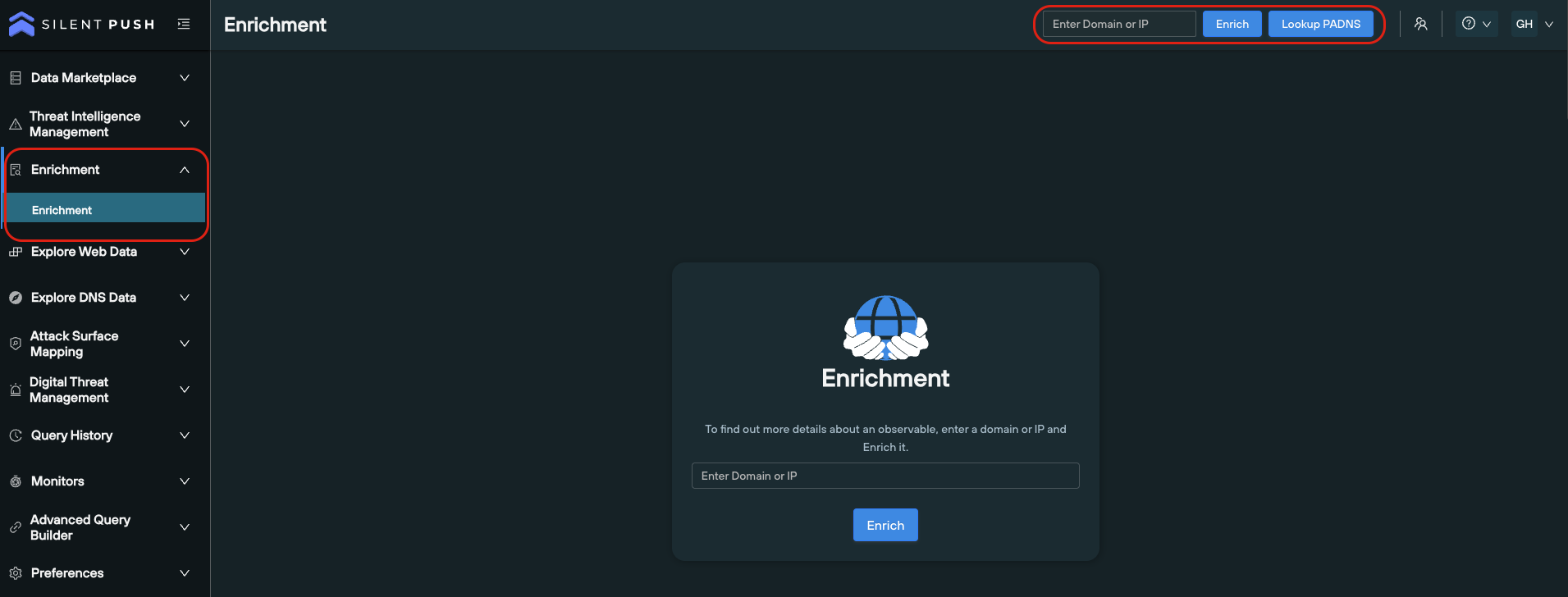
Data enrichment can be done in two ways, and is available for both Community and Enterprise users:

  1. From the search bar on the top right of the platform
  2. Via the Enrichment menu

Here’s a short YouTube video that covers the basics of how to enrich an observable, and how to interpret the data.

Data enrichment categories

We spread out data enrichment across six bitesize categories, each with its own part to play in telling a story about a domain or IP:

  1. ‘Enrichment Highlights’
  2. ‘Basic Information’
  3. ‘Enriched Attributes’
  4. ‘Custom Attributes’
  5. ‘Live Threat Feeds’
  6. ‘Scan Data’

Each category contains both standardized data, and categorization that is unique to Silent Push. Most of our data enrichment categories aren’t available anywhere else, without performing a considerable amount of supplementary analysis

Let’s take a look at each Enrichment category in turn…

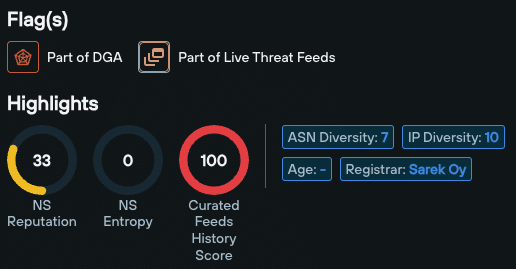
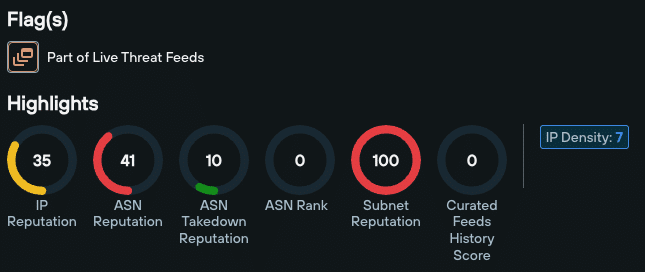
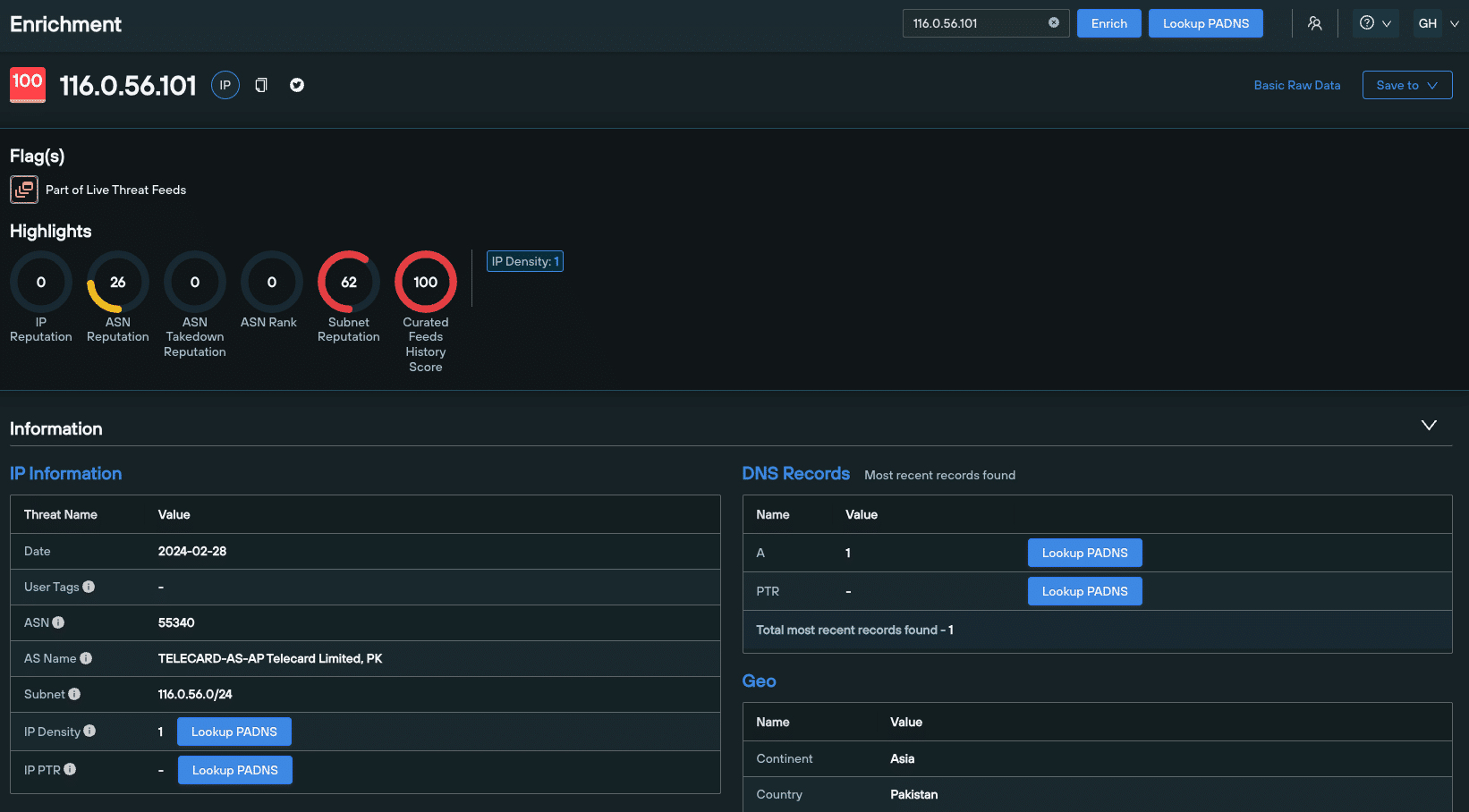
Enrichment Highlights appear at the very top of the Enrichment page. These are a family of scores and numerical values tailored to the enriched data type, that act as reliable indicators of an observable’s risk level.

Data enrichment highlights differ based on the type of observable you’re working with – i.e. a domain or an IPv4/v6 address.

Domain data enrichment highlights include:

IP data enrichment highlights include:

  • NS Reputation
  • NS Entropy
  • Curated Feeds History Score
  • ASN Diversity
  • IP Diversity
  • Age
  • Registrar
  • Open S3 buckets

The Domain/IP Information data enrichment sub-category does what it says on the tin – it tells you when a domain or IP was first seen, last seen, its age, and an infratag that summarizes key information.

For domains, WHOIS Information provides standard WHOIS data, related to age, ownership and geographic location.
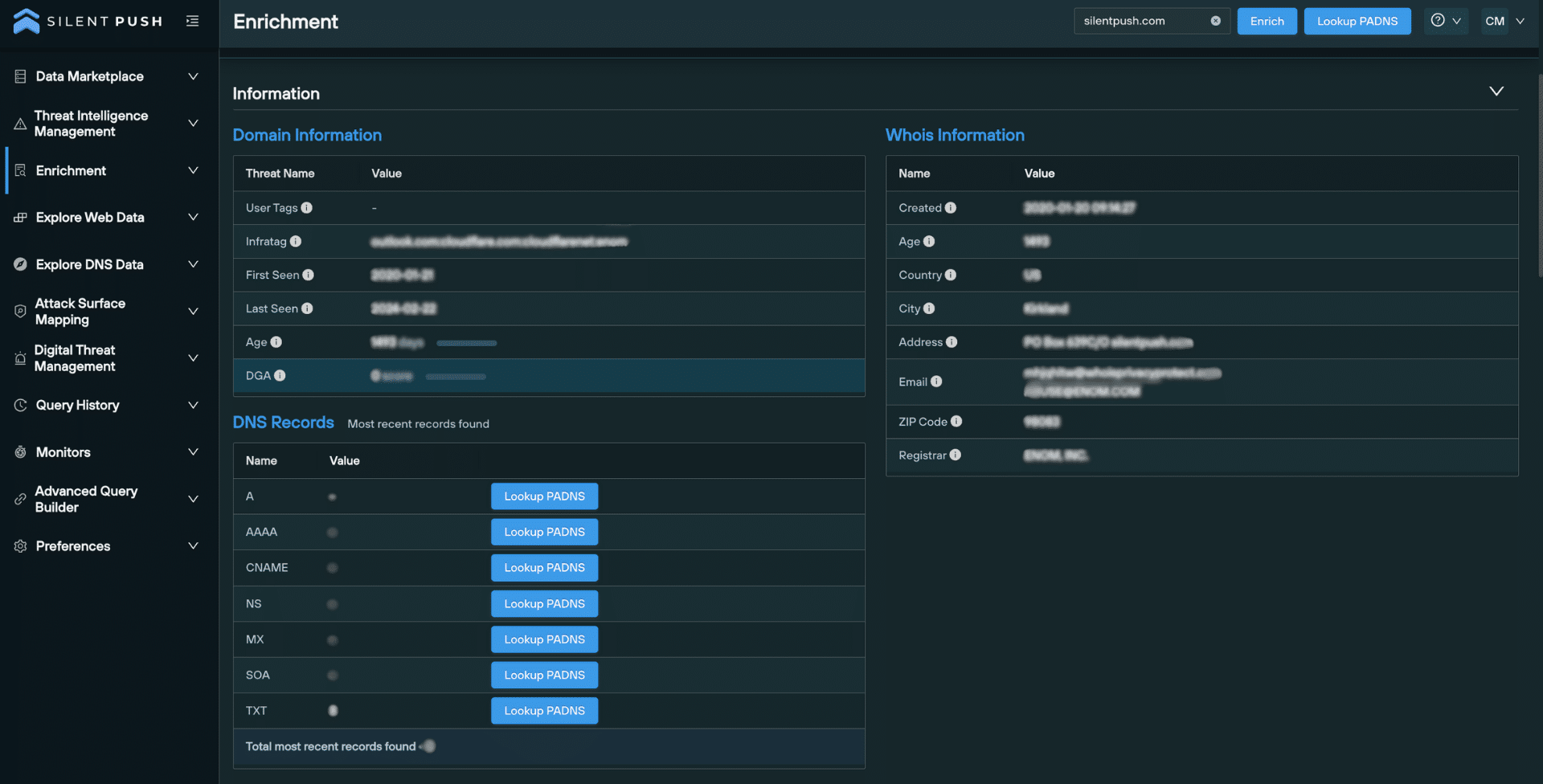
For IP addresses, the Geo sub-category lists the continent, country, and country code.

The DNS Records category details displays a numerical count of visible DNS records per type, and allows you to perform additional passive DNS lookups with one click.

Enriched Attributes outlines a domain or IP’s relationship with the rest of the Internet, including the hosting infrastructure its used over time, its appearance in threat feeds, and how often it’s jumped between nameservers:
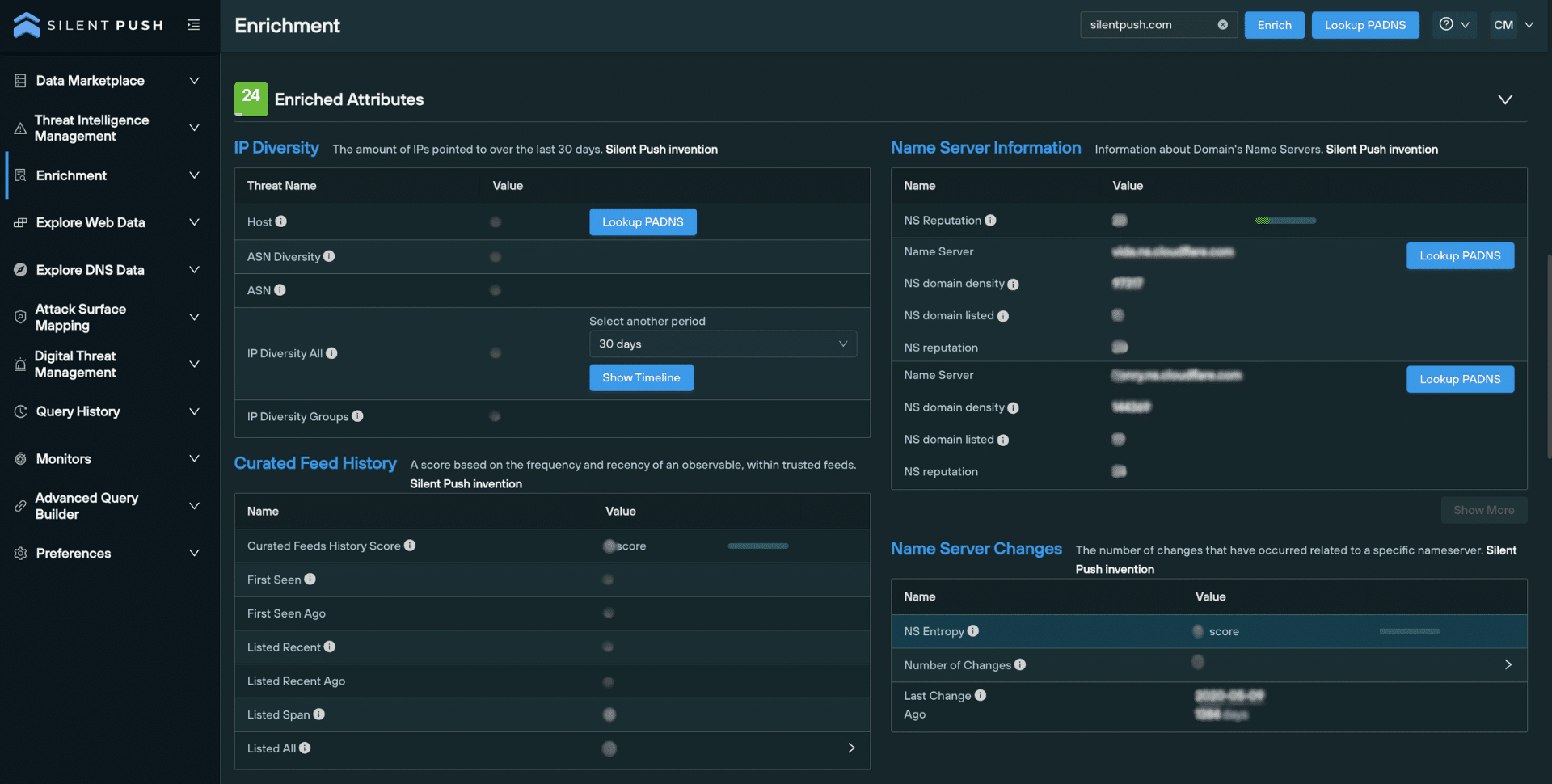
IP Diversity lists the number of unique IP addresses associated with a domain, over a period of time.

Nameserver Information provides info specific to each nameserver used by a domain, including reputation and the number of domains it hosts.

The Nameserver Changes section contains data that shows how often a domain has hopped between nameservers.

Curated Feed History allows you to establish the frequency and recency of an observable’s presence within trusted threat feeds.

The Custom Attributes section allows you to specify custom scores that reflect an observable’s risk level, relative to your organization or supply chain’s operation and assets.

This category provides a list of feeds that feature a given domain or IP, including any associated TLP Amber reports. This helps security teams validate the risk level of an observable across the IPv4 and IPv6 space, particularly if it appears within multiple feeds.

Scan Data enrichment pulls intelligence from Silent Push’s passive web content database, including certificates, HTML body and title data, favicon hash values and header information.

You can use this data to perform additional pivots that instantly detect matching infrastructure, and hunt for domains that are attempting to circumvent global certificate standards.
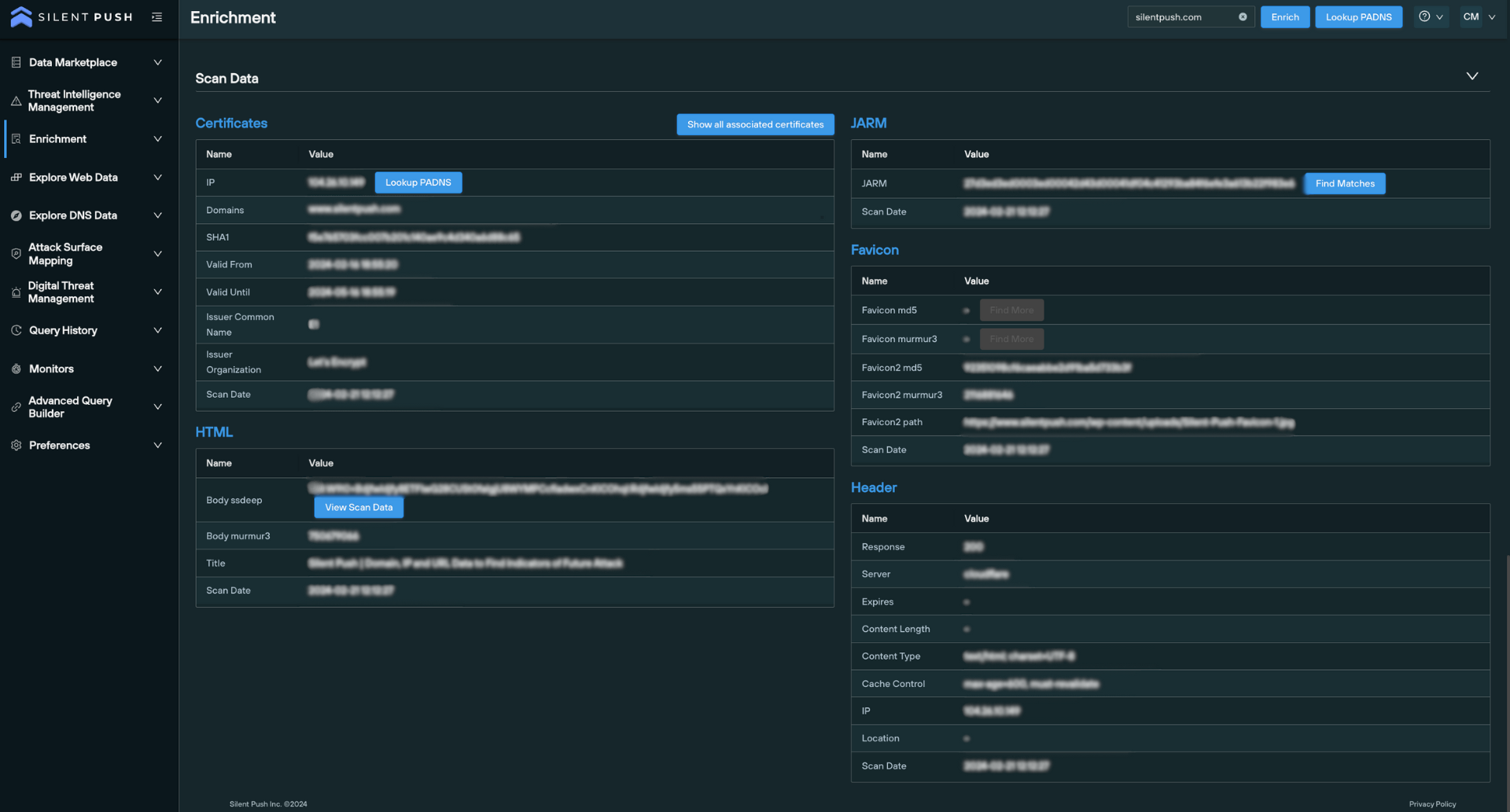
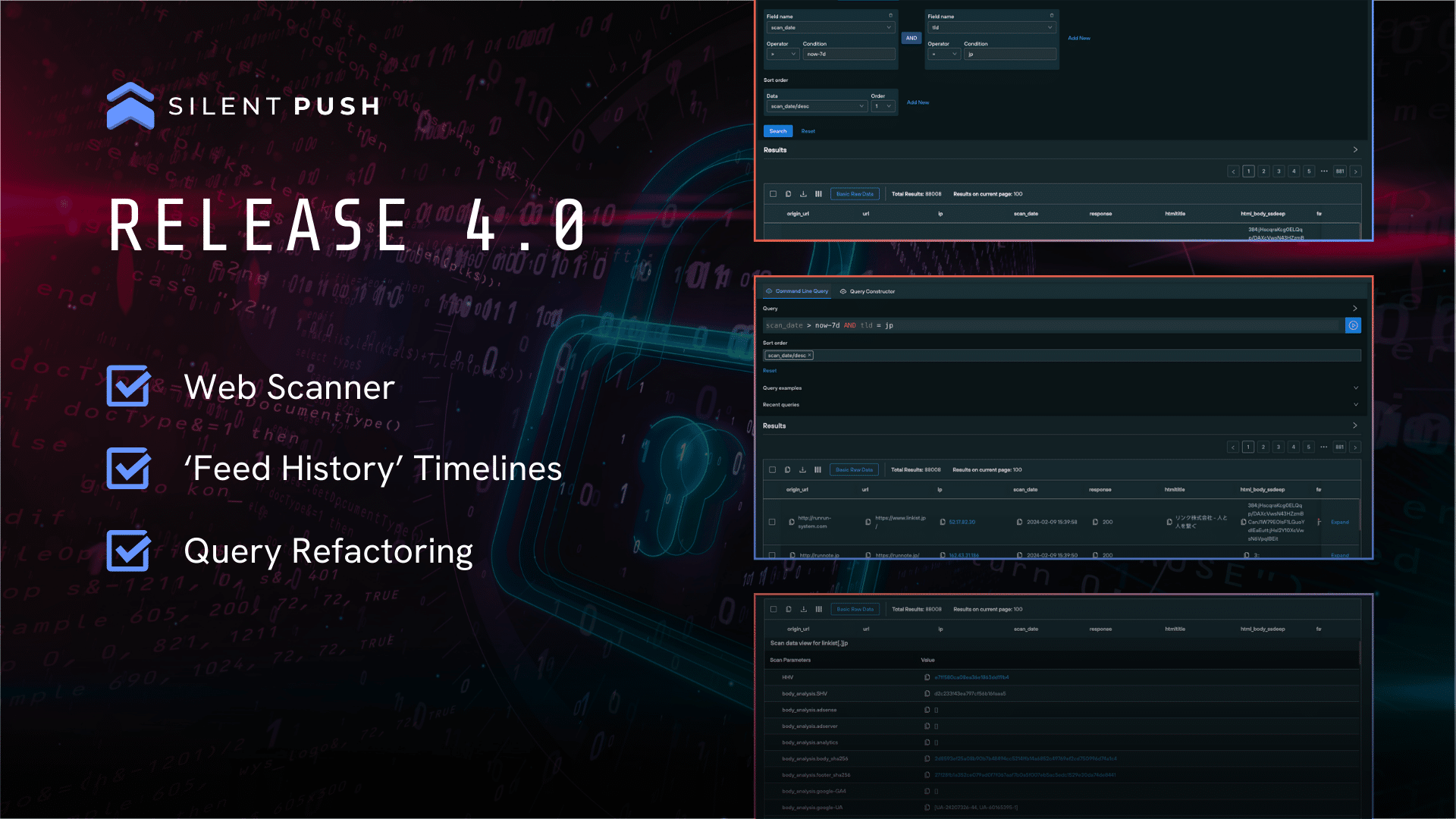
Scan data is an integral part of not only the Enrichment feature, but our entire first-party dataset. The Silent Push Web Scanner uses scan data to return query results across 100+ field names, including header values, body data and favicon hash values, and SSL data.

Data enrichment as operationalized intelligence

While there’s no doubt that data enrichment provides a number of benefits in and of itself, it’s just as important to ensure the enrichment process fits into your existing workflows.

You can use our API and custom query language to integrate any of the above enriched data types with your existing security stack, providing a near-infinite level of context for billions of observable domains and IPs across the IPv4 and IPv6 range.

Similar to Silent Push passive DNS lookups, you can pivot across, share, save and monitor enriched data, all from a single screen.

Register for Silent Push Community Edition

Data enrichment is available as part of Silent Push Community Edition – a free threat hunting and cyber defense tool used by security teams, threat analysts, and researchers that features 100+ data enrichment categories that you can use to track and monitor attacker activity across the global IPv4 and IPv6 space.

Click the button below to sign-up for a free account.

ScreenConnect exploit

'SlashAndGrab' ScreenConnect exploit: 50+ attacker IPs published from Silent Push honeypot.

In October 2022, we published research that detailed how threat actors were using a ScreenConnect exploit to inject malware onto users’ machines.

ScreenConnect is back in the news again, with a widely-publicized authentication vulnerability first confirmed by ConnectWise on February 19th. Prominent security vendors (led by Huntress) subsequently published numerous reports on how simple it was to replicate and weaponize the exploit.

Since then, Mandiant has released a post-incident remediation and hardening guide for on-premise mitigation.

Summary

In this blog, we’ll explore how Silent Push analysts captured 60+ IP addresses linked to ScreenConnect threat activity, how we constructed a map of global servers, and a timeline of events starting with the initial discovery.

For a free snapshot of 50+ IPs to plumb into your security stack, scroll to the end of this blog.

ScreenConnect exploit honeypot

To help minimize the global impact of what could well turn into the largest security vulnerability event of the year, Silent Push threat analysts have successfully implemented a honeypot server that’s actively collecting the IP addresses of would-be attackers every hour, and gathering them together into a feed for our Enterprise users.

Note: An IP address is only placed in our ScreenConnect feed if an attacker attempts to trigger the vulnerability.

As of writing, we’ve collected 60+ IPv4 Indicators of Future Attack (IOFA). With threat groups leveraging the exploit to deploy ransomware, cryptocoin miners and infostealers on infected systems (most notably LockBit), we expect this number to increase dramatically over the coming weeks.

Mapping vulnerable ScreenConnect exploit servers

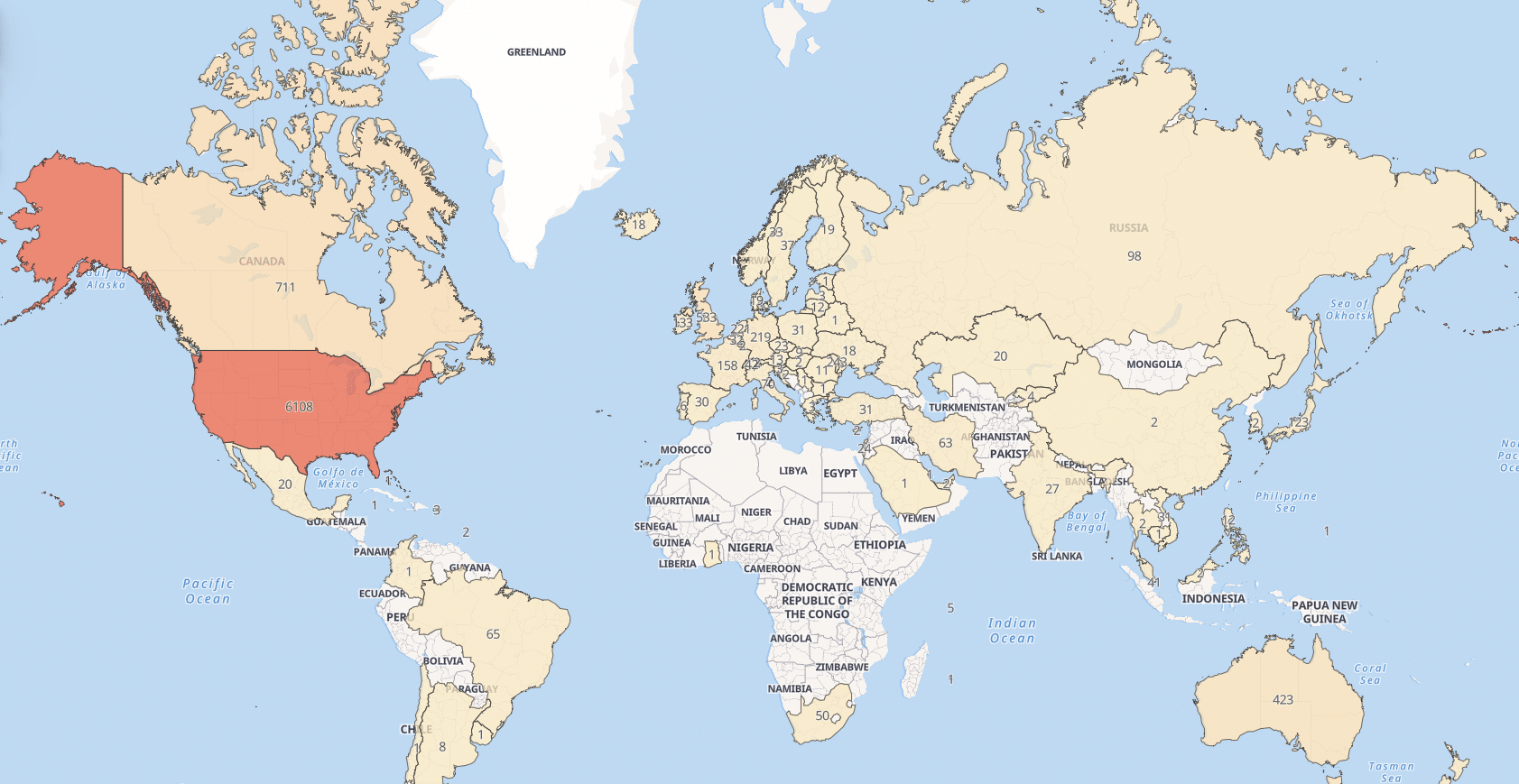
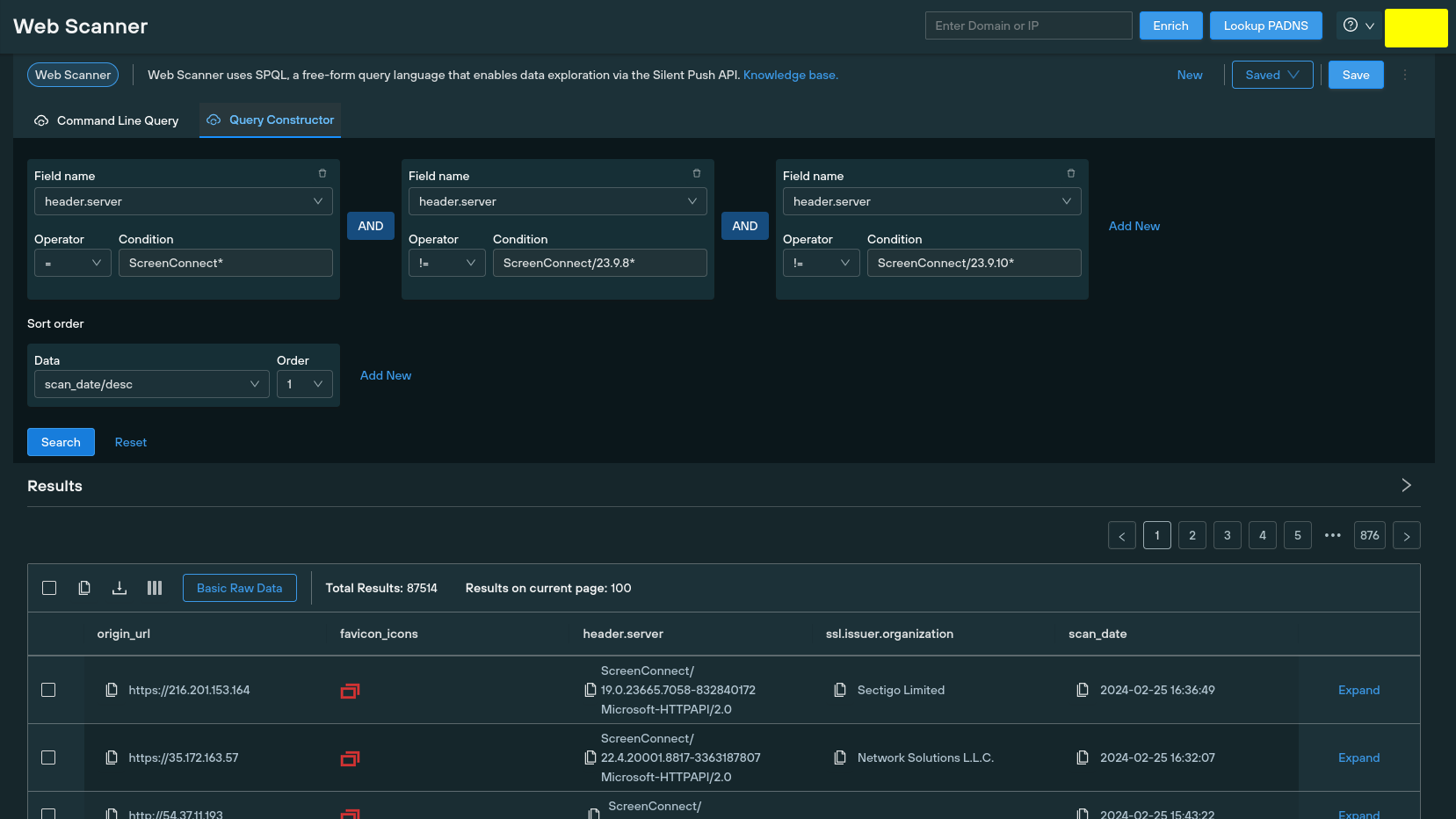
Silent Push Web Scanner allows you to search through a passive database of web content, including on-page data, HTML titles and server headers. ScreenConnect servers return the version number in their header data. Our analysts used a Web Scanner query to conduct a global search of servers running version 23.9.7* or previous, to obtain a global dataset that we mapped to each region:

Query syntax: header.server = "ScreenConnect*" AND header.server != "ScreenConnect/23.9.8*" AND header.server != "ScreenConnect/23.9.10*"

All Web Scanner queries can be executed using a ‘Constructor’ feature, along with the standard command line syntax. Here’s the ScreenConnect query in action:

ScreenConnect exploit timeline

February 13

  • ConnectWise starts to receive reports (via the ConnectWise Trust Center) of an authentication vulnerability related to ScreenConnect, within on-premise servers running version 23.9.7 and prior.
  • ConnectWise declares that they found no evidence of the vulnerabilities being actively exploited in the wild.

February 13/14

  • ConnectWise validates the vulnerability, which was reported to them by an independent security researcher.

February 15

  • ConnectWise applies manual mitigation to cloud-hosted ScreenConnect instances, and urges all on-premise partners to immediately update their servers to version 23.9.8 to apply a patch.
  • ConnectWise suspends outdated ScreenConnect instances, while organizations apply the patch.

February 19

  • ConnectWise officially announce the vulnerability in a security bulletin, with a severity of “Critical” and a priority of “1 – High”:, including remedial actions required and two corresponding NIST Common Vulnerabilities and Exposures (CVE) entries:
CWE IDCVE IDDescriptionBase score
CWE-288CVE-2024-1708Authentication bypass using an alternate path or channel 10
CWE-22CVE-2024-1709Improper limitation of a pathname to a restricted directory (“path traversal”)8.4
  • ConnectWise provides updated versions of releases 22.4 through 23.9.7 for remediation.
  • ConnectWise are yet to acknowledge instances of exploitation in the wild.
  • Huntress publish a blog stating that their researchers have “successfully created and validated a proof-of-concept exploit” for both CWEs, and claim that over 8,800 servers are running vulnerable ScreenConnect instances.

February 20

  • ConnectWise receive notification of active threat campaigns targeting unpatches instances, and release three IP addresses known to be engaging in malicious activity:
    • 155.133.5[.]15
    • 155.133.5[.]14
    • 118.69.65[.]60
  • Huntress publish a blog confirming that they have reproduced and weaponized the attack chain for CWE-288 (“Authentication bypass using an alternate path of channel”) with “ease and minimal technical knowledge and resources”. In the blog, Huntress provide a detailed explanation of how to detect the exploit, including XML file contents, event data and disk activity.

February 21

  • Multiple security vendors begin sharing a proof-of-concept exploit.
  • Huntress publish a blog that includes forensic examination of the attack chain. The authentication bypass and remote code execution element are demonstrated via a series of Linux shell commands that take all of the 30 seconds to complete.
  • ScreenConnect 23.9.10.8817 is released.
  • ConnectWise removes license restrictions, enabling customers no longer covered by a maintenance agreement to upgrade to ScreenConnect 23.9.10.8817 as an “interim step”.

February 22

  • ConnectWise suspends ScreenConnect instances that are not running version 23.9.8 or later. Affected users are sent alerts on login with instructions on how to upgrade, with the following upgrade path:
    • 2.1 → 2.5 → 3.1 → 4.4 → 5.4 → 19.2 → 22.8 → 23.3 → 23.9.
  • Silent Push begins scanning the IPv4 range for server headers that identify affected servers below version 23.9.8*.
  • Silent Push creates a “honeypot” IP, mimicking a ScreenConnect server header with a fake front page as bait, and begins populating an Early Detection Feed with attacker IPs.

February 23

ScreenConnect exploit IOFAs

Here’s a list of IP addresses that have initiated attacks on our honeypot server, as of 26 Feb.

Enterprise customers have access to a realtime list of adversary IPs.

  • 155.133.5[.]14
  • 116.0.56[.]101
  • 64.31.63[.]240
  • 118.69.65[.]60
  • 185.220.101[.]109
  • 206.189.150[.]171
  • 36.19.230[.]138
  • 47.243.72[.]174
  • 79.137.204[.]241
  • 185.196.8[.]220
  • 185.174.137[.]26
  • 85.192.41[.]211
  • 38.180.54[.]210
  • 45.9.249[.]238
  • 149.28.197[.]45
  • 207.180.217[.]230
  • 139.227.34[.]124
  • 20.210.105[.]88
  • 191.96.36[.]99
  • 191.101.217[.]122
  • 154.57.3[.]32
  • 135.181.175[.]26
  • 126.108.60[.]57
  • 123.252.45[.]246
  • 185.231.205[.]31
  • 94.131.101[.]37
  • 213.230.93[.]76
  • 24.251.120[.]147
  • 46.249.38[.]211
  • 194.156.98[.]18
  • 193.252.215[.]164
  • 89.39.107[.]191
  • 169.150.202[.]67
  • 194.116.217[.]176
  • 91.92.248[.]164
  • 91.92.247[.]58
  • 173.239.232[.]10
  • 173.239.232[.]3
  • 173.239.232[.]33
  • 91.92.254[.]160
  • 173.239.232[.]30
  • 104.28.222[.]75
  • 176.160.145[.]191
  • 176.130.45[.]168
  • 172.58.109[.]243
  • 46.232.121[.]61
  • 88.209.197[.]8
  • 38.181.70[.]150
  • 103.170.154[.]83
  • 209.127.228[.]186
  • 38.207.173[.]102
  • 223.26.103[.]16
  • 195.26.87[.]209
  • 185.56.83[.]82
  • 103.166.86[.]29
  • 172.56.201[.]183
  • 155.133.5[.]15

ScreenConnect exploit assistance

If you’ve been affected by the recent ScreenConnect exploit, or you’d like to learn more about how Silent Push can help your organization stop attacks before they become a problem, get in touch today.

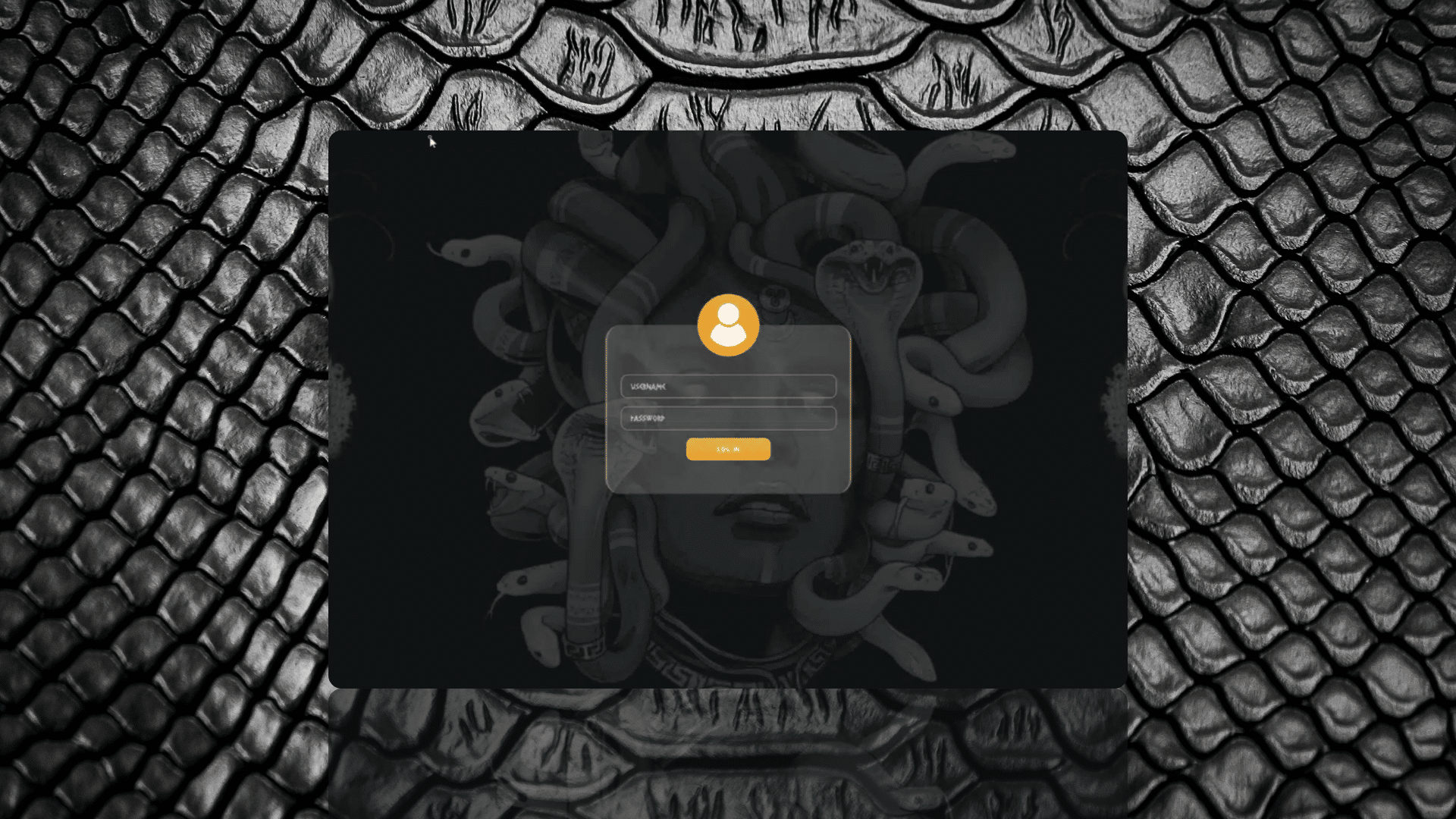
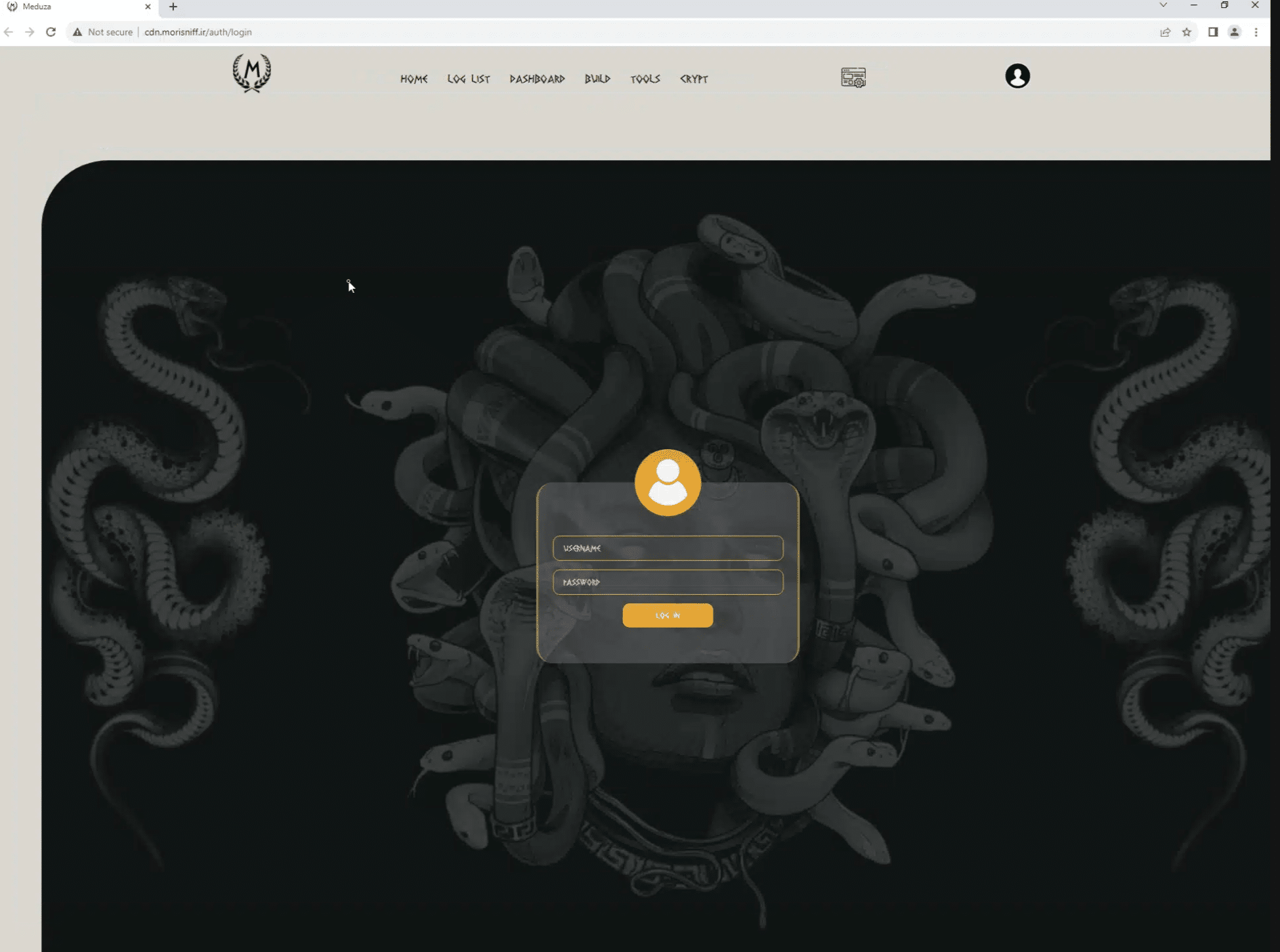
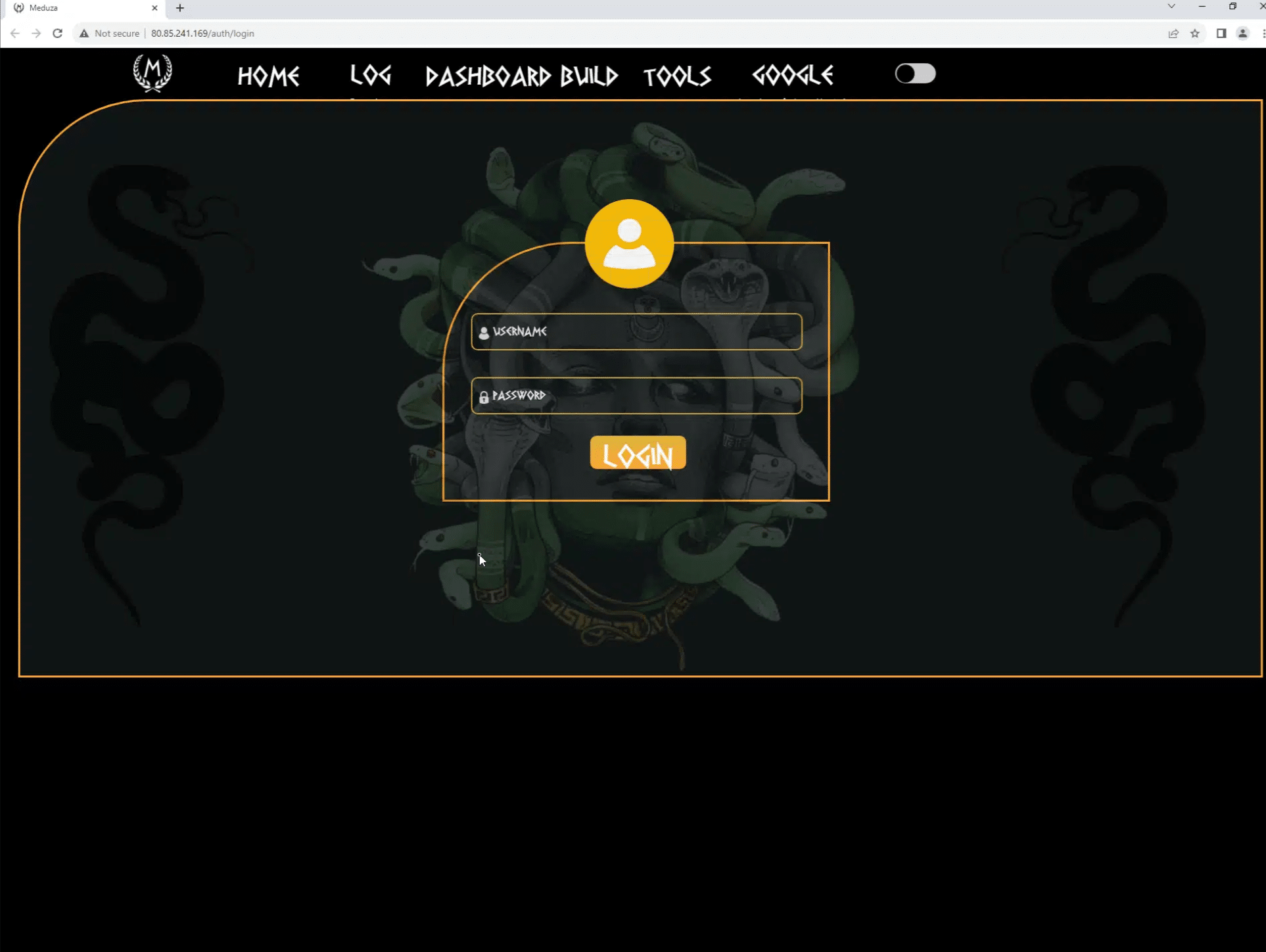
Screenshot of Meduza C2 control panel with snakeskin background

'Hunting the Gorgon': Silent Push uses web panel data, Telegram, and ASN info to map out Meduza Stealer C2 infrastructure.

Key points

  • Silent Push Threat Analysts uncover 100+ Meduza Stealer MaaS web panels.
  • Web content data targeted to map out active C2 infrastructure.
  • ASN analysis validates dual operating model across hosting providers.
  • Meduza Telegram channel used to map releases to IOFAs.

In December 2023, whilst researching an unrelated threat campaign, Silent Push analysts discovered numerous domains and IP addresses linked to the Meduza infostealer network, which is reportedly being used by the hacker collective Scattered Spider.

In this blog, we’ll explore how our analysts took a single piece of page data, and used the Silent Push Web Scanner and the group’s own Telegram account to map out 100+ Indicators of Future Attack (IOFA) in the form of Meduza Stealer MaaS control panels, over a dozen of which are still active.

Background

The Meduza Stealer first appeared for purchase on a Russian-speaking darkweb forum in June 2023. Written in C++ and around 600kb in size, the malware quickly gained popularity in among cybercriminals for its originality, adaptability and competitive pricing model compared to other infostealers.

Named after its creator’s handle – “Meduza” – the malware infects Windows system files and steals sensitive information, including cookies, login credentials, and data from browser extensions such as password managers, 2FA services and cryptocurrency wallets.

Meduza Stealer reads the geolocation of the host machine and terminates if the machine is located in any of the following countries:

  • Armenia
  • Belarus
  • Georgia
  • Kazakhstan
  • Kyrgyzstan
  • Moldova
  • Russia
  • Tajikistan
  • Turkmenistan
  • Uzbekistan

Once it’s decided to proceed with an attack, the executable establishes a connection with an active C2 server, and proceeds with data exfiltration. Data is packaged and sent to the C2 server, before terminating on the host machine.

Meduza possesses a unique ability to evade standard AV detection protocols. Most popular antivirus suites aren’t able to detect the malware using dynamic or static analysis – either within a sandbox environment, or by interrogating its file structure, code or metadata.

Malware-as-a-Service

Meduza’s operators understand the importance of differentiating their “product” from the competition. The malware contains numerous features that set it apart from other executables available for purchase on the darkweb, under the Malware-as-a-Service (MaaS) model – including binary editing, an enhanced web-based GUI, and frictionless access to exfiltrated data.

In addition to underground forums, Meduza’s administrators also run a Russian language Telegram channel that they use to promote the malware, which reads like standard SaaS marketing material. More on this later on.

Gone are the days of “one and done” malware executables that act in isolation, without the benefit of a dedicated team to develop new iterations. Meduza’s operators have their finger on the pulse of the burgeoning MaaS market – a criminal enterprise model that is only a few years old, but is without a doubt here to stay. They know what their users want, they’re willing to interact with them, and they deliver improvements.

Meduza Stealer web hosting

So…. you’re a cybercriminal. Meduza’s operators have convinced you to part with your not-so-hard-earned cryptocurrency for access to their shiny new infostealer.

What happens now?

Upon subscribing, the “end criminal” can either host a Meduza web control panel using their own infrastructure, or rent a server from the malware’s operators.

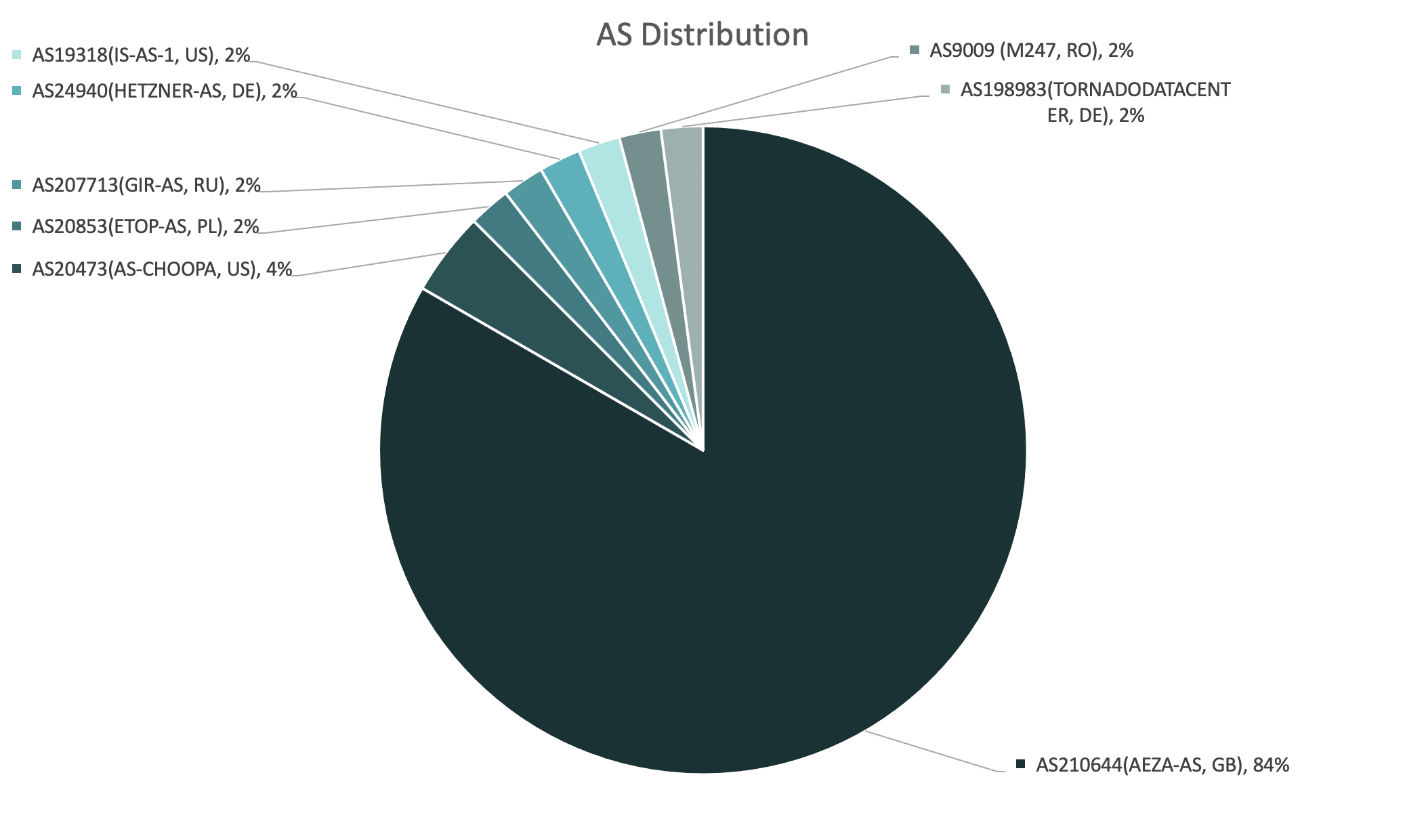
This dual operating model helps us to understand patterns in ASN distribution, when analyzing the geographic spread of Meduza control panels:

Meduza ASN distribution

The majority of web panels are hosted via the Russian hosting provider, Aéza, recently cited by Spamhaus for their involvement with C2 botnets. It’s safe to assume that Aéza is the preferred hosting provider among Meduza’s administrators – either for their own exploits, or as an out-of-the-box option for their MaaS customers.

Here’s a list of other ASN providers that we’ve tagged to Meduza infrastructure:

  • AS20473 (AS-CHOOPA, US)
  • AS20853 (ETOP-AS, PL)
  • AS207713 (GIR-AS, RU)
  • AS24940 (HETZNER-AS, DE)
  • AS19318 (IS-AS-1, US)
  • AS9009 (M247, RO)
  • AS198983 (TORNADODATACENTER, DE)

Hunting Meduza Stealer web infrastructure

N.B: For security reasons, throughout this report specific query parameters and result sets have been redacted. Silent Push Enterprise users are able to access a TLP Amber report within the platform that contains links to granular queries and the relevant data fields that facilitate discovery of Meduza infrastructure.

During the 2023 Christmas period our scans started to pick up IPv4 addresses and domains linked to Meduza Stealer, through various content elements.

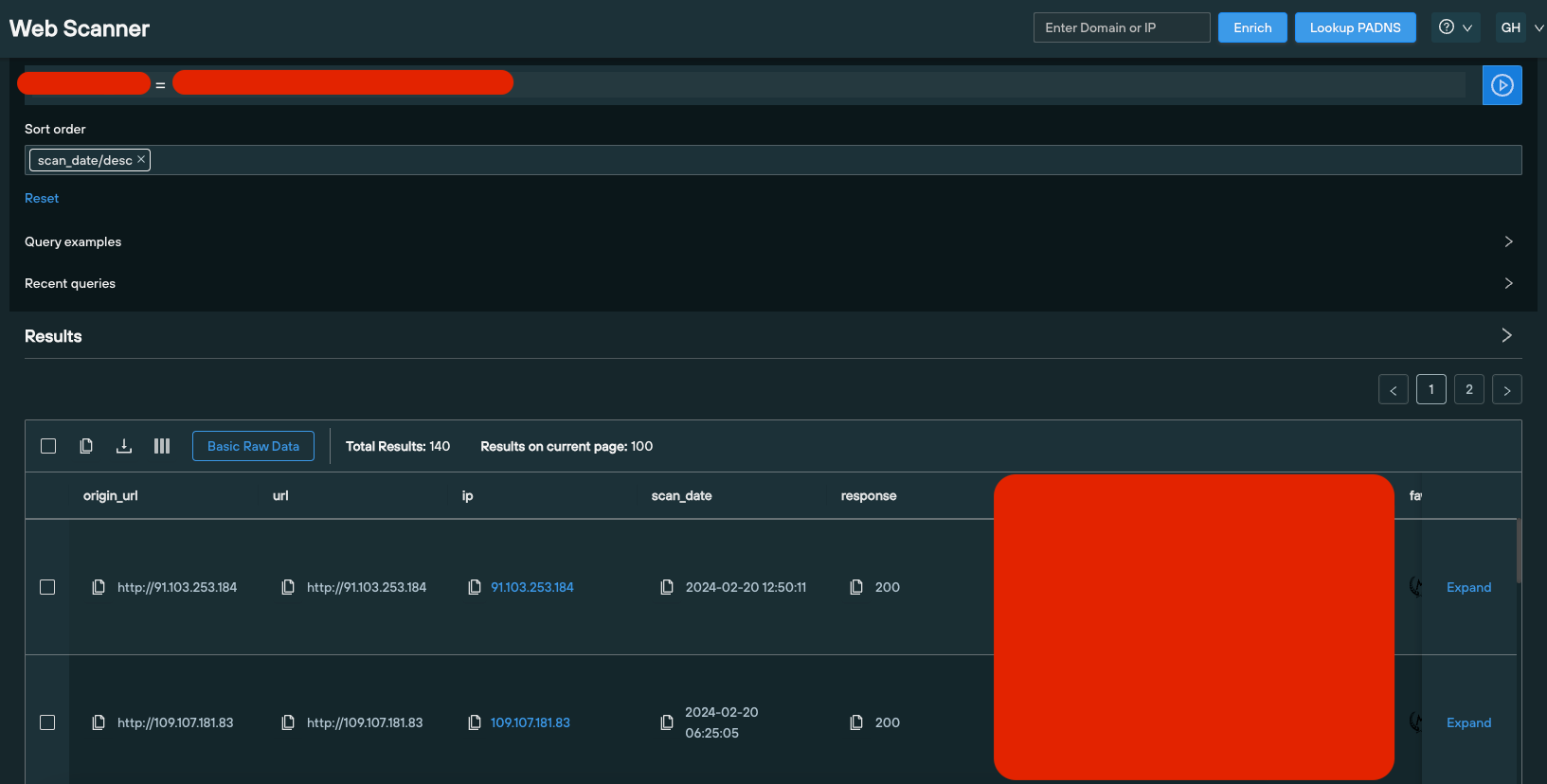
We followed-up by executing a query using the Silent Push Web Scanner that revealed additional domains with matching content.

Domain/IP addressFirst SeenLast Seen
5.182.86.322023-12-302023-12-31
77.105.146.1522023-12-302023-12-31
79.137.194.1882023-12-282023-12-30
ii.nggg.fun2023-12-252023-12-25

Pivoting on web content data

After analyzing the full set of content scanning results, we noticed that all the domains and IPs in the dataset shared a common denominator in the source code of the page.

We executed a content similarity check and uncovered 20 domains and IPs hosting a Meduza control panel, all of them first seen on or after the 23 December 2023:

Web Scanner query
Web Scanner query results

Corroborating Meduza Stealer datasets

Our analysts also noticed that, from the initial dataset, two IOFAs – 5.182.86[.]32 and ii.nggg[.]fun – both featured matching web content which had changed into a different value.

Further scans on separate elements of the page unearthed 70 domains and IPs hosting Meduza content, scanned since August 8th 2023, with content values that matched the above control panels.

Using Telegram to correlate results

Meduza’s operators use Telegram to communicate malware updates to their user base. This presents an additional layer of intelligence for threat hunters who are able to corroborate announcements with changes in key data types.

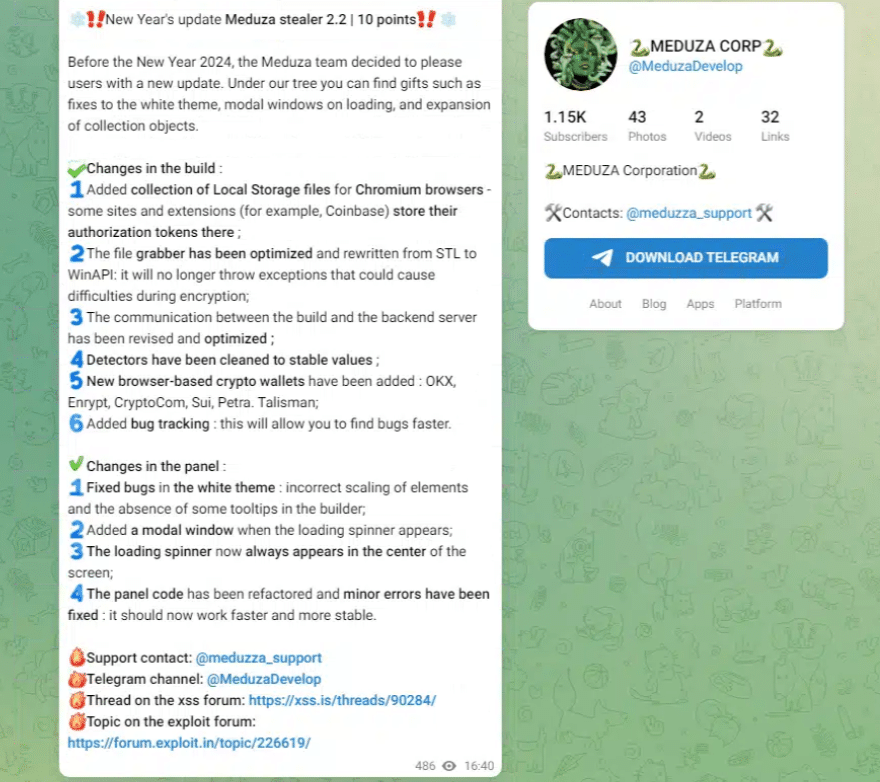
While browsing through Meduza’s Telegram channel, we noticed a message from the operators, sent to the group on Christmas Day 2023, announcing a new version of the stealer with a range of bug fixes and updates to Meduza’s build and control panel, including:

  • Support for targeting browser-based cryptowallets
  • Bug tracking
  • Expanded local storage exfiltration
Telegram channel
Meduza Telegram channel

By comparing Silent Push Web Scanner results with Meduza’s release timeline, and analyzing different versions of Meduza’s GUI side-by-side, our analysts quickly established that key content values changed in accordance with updates to the web panel communicated in version 2.x.

Meduza v1 control panel
Control panel version 2
Meduza v2 control panel
Control panel version 1

Hunting for active Meduza Stealer infrastructure

Our scans have uncovered over a hundred IP addresses and domains that have hosted a Meduza web panel, dating back to August 2023. Of these, a dozen are still active, suggesting that the group purposefully discard elements of their infrastructure to evade detection.

With this in mind, security teams need to target the group’s TTPs and use of web infrastructure, rather than relying on legacy IOCs that are rendered useless after a short space of time.

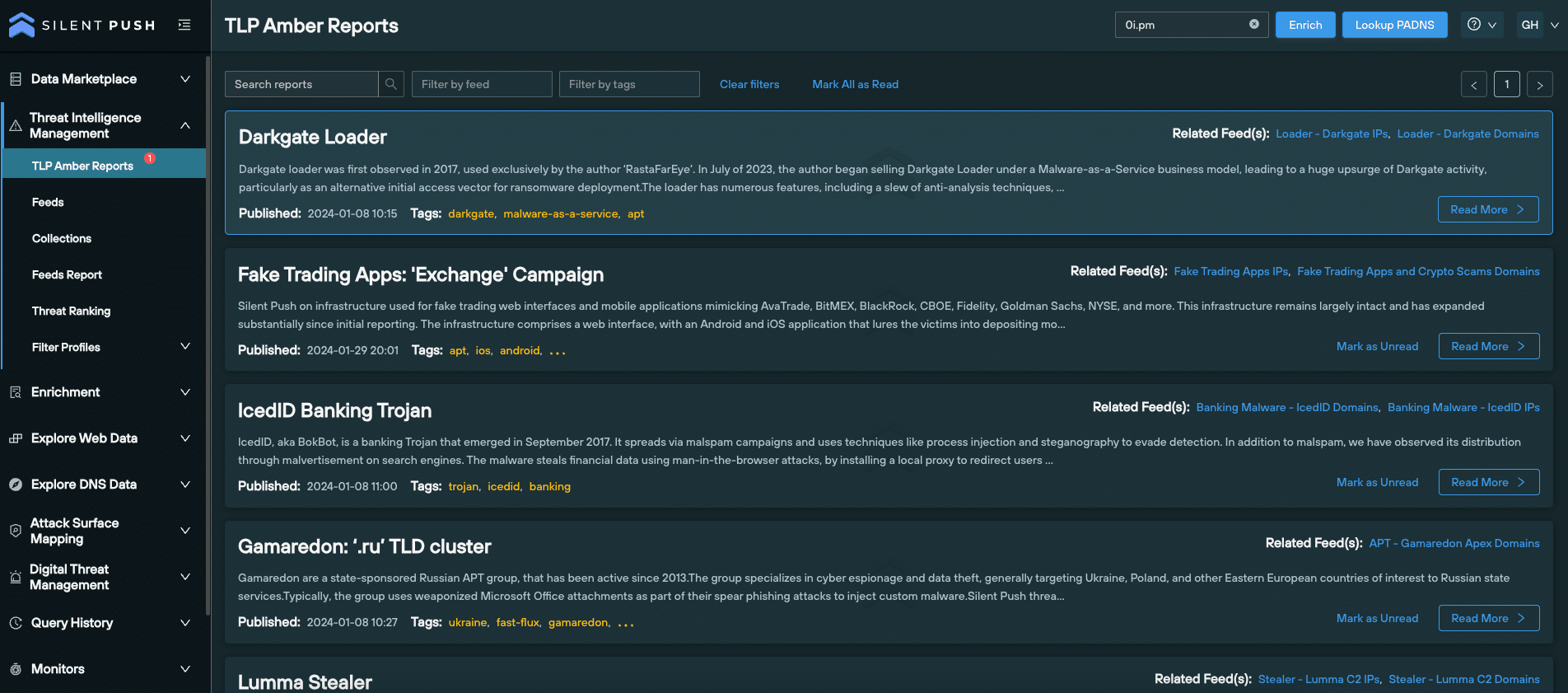
Silent Push Enterprise users benefit from two curated Early Detection Feeds containing historic and active Meduza control panels:

Enterprise users also have access to a TLP Amber report that explains how to uncover Meduza infrastructure, with links to Web Scanner queries, the content data fields we’ve targeted and mitigation actions that instruct security teams on the actions required to counteract Meduza TTPs.

TLP Amber reports
TLP Amber reports

Register for Community Edition

All of the queries and lookups we used to map out Meduza’s C2 infrastructure, including Web Scanner, are available as part of a Silent Push Community Edition – a free threat hunting and cyber defense platform featuring a huge range of advanced offensive and defensive lookups, web content queries, and enriched data types.

A full list of domains, IPs, ASNs and content values are available to Enterprise users in the above Early Detection Feeds and TLP Amber report.

Click the button below to sign-up for a free Community Edition account.

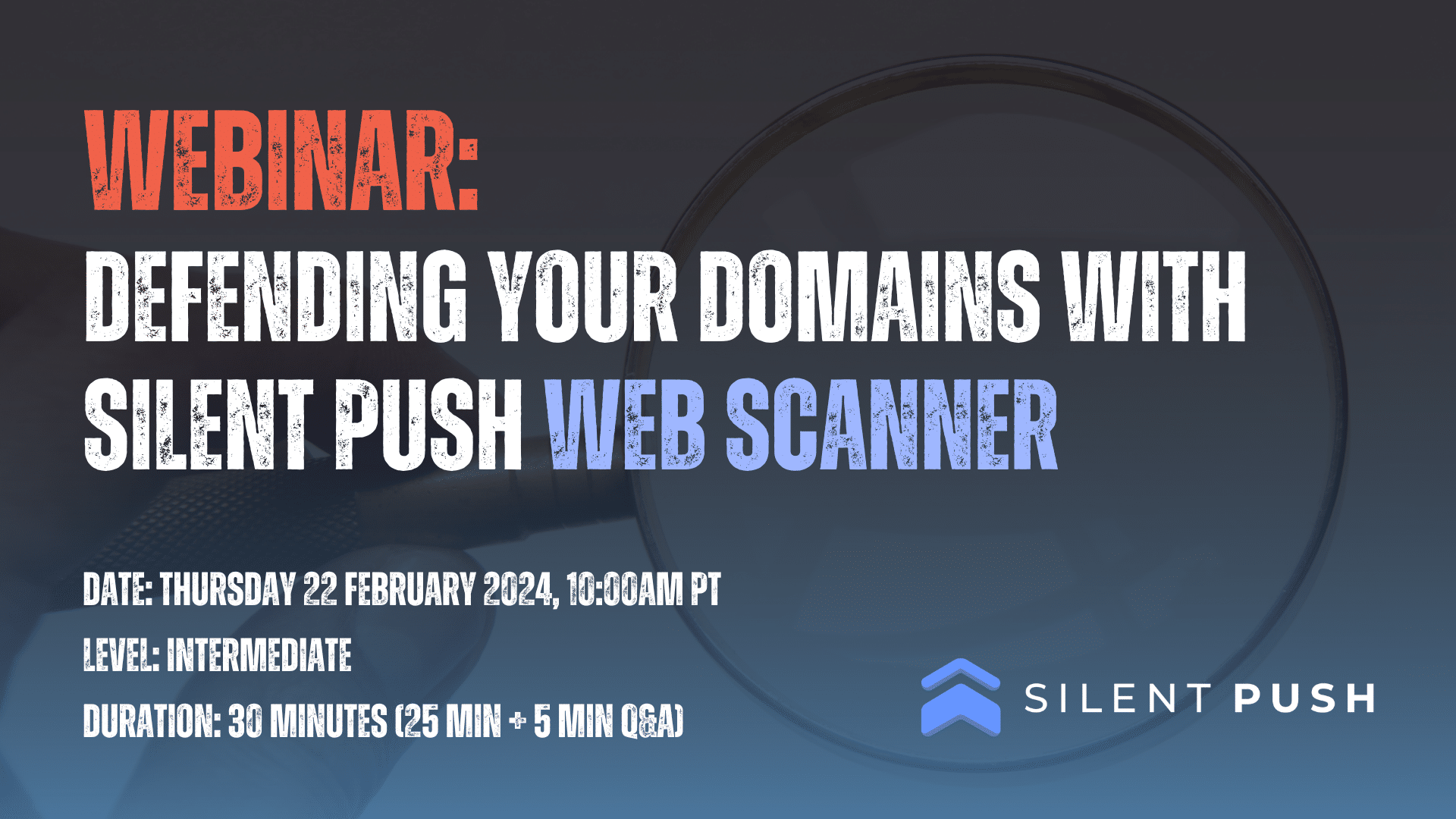
WEBINAR defending your domains with silent push web scanner

Webinar: Defending Your Domains With Silent Push Web Scanner

Details

  • Date: Thursday 22 February 2024, 10:00am PT (1:00pm ET, 6:00pm GMT)
  • Level: Intermediate
  • Duration: 30 mins (25 mins + 5 mins Q&A)

In this webinar, Product Manager Jonathan Peyster showcases the Silent Push Web Scanner – a new feature that allows users to execute command line or constructor queries that interrogate the Silent Push web content database, and hunt for websites impersonating their brand or attempting to circumvent certificate transparency standards.

Jonathan starts off by taking you through the UI, before explaining where the data comes from and how we offer unique categorizations. We then demonstrate Web Scanner in a live environment to hunt for spoofing sites using favicon and murmur3 hash data, and show you how to perform DNS defense functions by getting a list of SSL certificates set to expire within 24 hours.

You’ll then learn how to work with outputted data, including domain and IP pivots, expanding on results and adding fields to a query.

Registration

This webinar can be accessed by filling out the form below. Due to the contents of this webinar, we manually approve each individual who requests access. This means you may have to wait up to 24 hours to receive your personal login code. Thank you for your understanding. 

Silent Push free passive dns lookup tool

Using Silent Push to perform a passive DNS lookup


Performing a passive DNS lookup (PADNS) allows security teams to collect, analyze and share historical DNS data. Unlike traditional DNS which actively queries servers to translate domain names into IP addresses, passive DNS stores this information over time, creating a searchable historical record of how domains and IP addresses are associated with each other across the global IP space.

A ‘forward’ passive DNS lookup uses a domain or server name as the input parameter and returns an IP address as the ‘answer’, whereas a ‘reverse’ lookup uses an IP address to return a domain or server address.

Passive DNS lookups are the bread and butter of most threat hunting and cyber defense activities. There are, however, several challenges that security teams need to overcome when dealing with DNS records as pieces of digital infrastructure. These range from an over-reliance on incomplete and outdated datasets, to sorting through mountains of DNS records – particularly within enterprise organizations – to produce actionable intelligence.

Silent Push’s passive DNS lookup functionality allows you to perform a deep dive into enriched intelligence datasets, bolstering your cyber defenses, and uncovering emerging threats before they become a problem using a first-party dataset that’s uniquely designed to create searchable spaces related to specific DNS attack vectors.

Summary

In this blog, we’ll delve into different DNS record types, the role they play in the world of cyber threat intelligence, and how to maximise the Silent Push ‘Explore DNS Data’ feature to generate proactive threat intelligence. We’ll then discuss the outcome-focused tools available to you that make the most out of your organization’s passive DNS lookups, including pivoting on datapoints, monitoring results and more advanced query sets.

Understanding DNS record types

Attackers target different DNS record types using a variety of techniques to silently slip past an organization’s security measures. This makes it all the more important for security teams to diversify their defence mechanisms across multiple record types, encompassing their entire attack surface.

Let’s take a look at a selection of common DNS record types, and how attackers seek to exploit them…

A records

A records map a domain name to an IPv4 address. Passive A record lookups help analysts detail any IP addresses associated with a given domain name, detect changes in DNS activity, and associate domains and IPs with a specific threat campaign.

A records play a central role in the cat and mouse game of cyber attack and defense. Adversaries view A records as low hanging fruit, using them to propagate all manner of assaults on a public DNS presence, from domain hijacking, to typosquatting and email spoofing.

CNAME record

A Canonical Name (CNAME) record acts as an alias for another domain name, in lieu of a subdomain. You can’t use a CNAME record to point directly to an IP address – they’re used to map subdomains (such as www.) to apex domains (silentpush.com).

Attackers often use CNAME records when attempting a subdomain takeover – a DNS hijacking technique that can end up with an adversary obtaining access to an organization’s entire public DNS presence.

MX records

Mail Exchanger (MX) records identify which server is responsible for handling emails for a particular domain. Threat actors exploit MX records when propagating DMARC and email spoofing attacks, which involve an attacker making it appear as though an email has originated from a trusted source, when it’s actually been sent by the threat actor themselves.

Nameserver records

Nameserver (NS) records identify the authoritative DNS servers for a domain. NS records are particularly useful when an analyst wants to identify and monitor changes to registrars, hosts, or organizations associated with a particular domain.

Threat actors create searchable patterns by using the same set of nameservers to carry out attacks. By querying NS records via a passive DNS lookup, security teams are able to ascertain the risk level of a domain name, evaluate the reputation score of the NS associated with it, and view how many times a domain has jumped between different NS.

TXT records

TXT records contain any textual information that the domain owner wants to include, such as email addresses, contact information, or security-related information. By manipulating TXT records associated with specific email authentication protocols such as SPF, DKIM, and DMARC, attackers can make fraudulent emails appear legitimate.

SOA records

Start of Authority (SOA) records provide information about the DNS zone in which a particular domain is located, and hold administrative information about the domain. When a change is made to a DNS zone, the SOA serial number is incremented, indicating that an amendment has occurred.

This allows other DNS servers to detect and propagate the change, ensuring that all DNS information is consistent and up-to-date. Subsequently, security teams are able to detect changes to DNS information that may indicate malicious activity, such as the creation of new subdomains or changes to the IP addresses associated with a domain.

Executing a passive DNS lookup

Silent Push allows you to perform powerful passive DNS lookups across a range of record types. Security teams are able to use the console to establish links between disparate records, uncover attacker infrastructure, and obtain granular information on a given domain or IP.

Passive DNS lookup interface

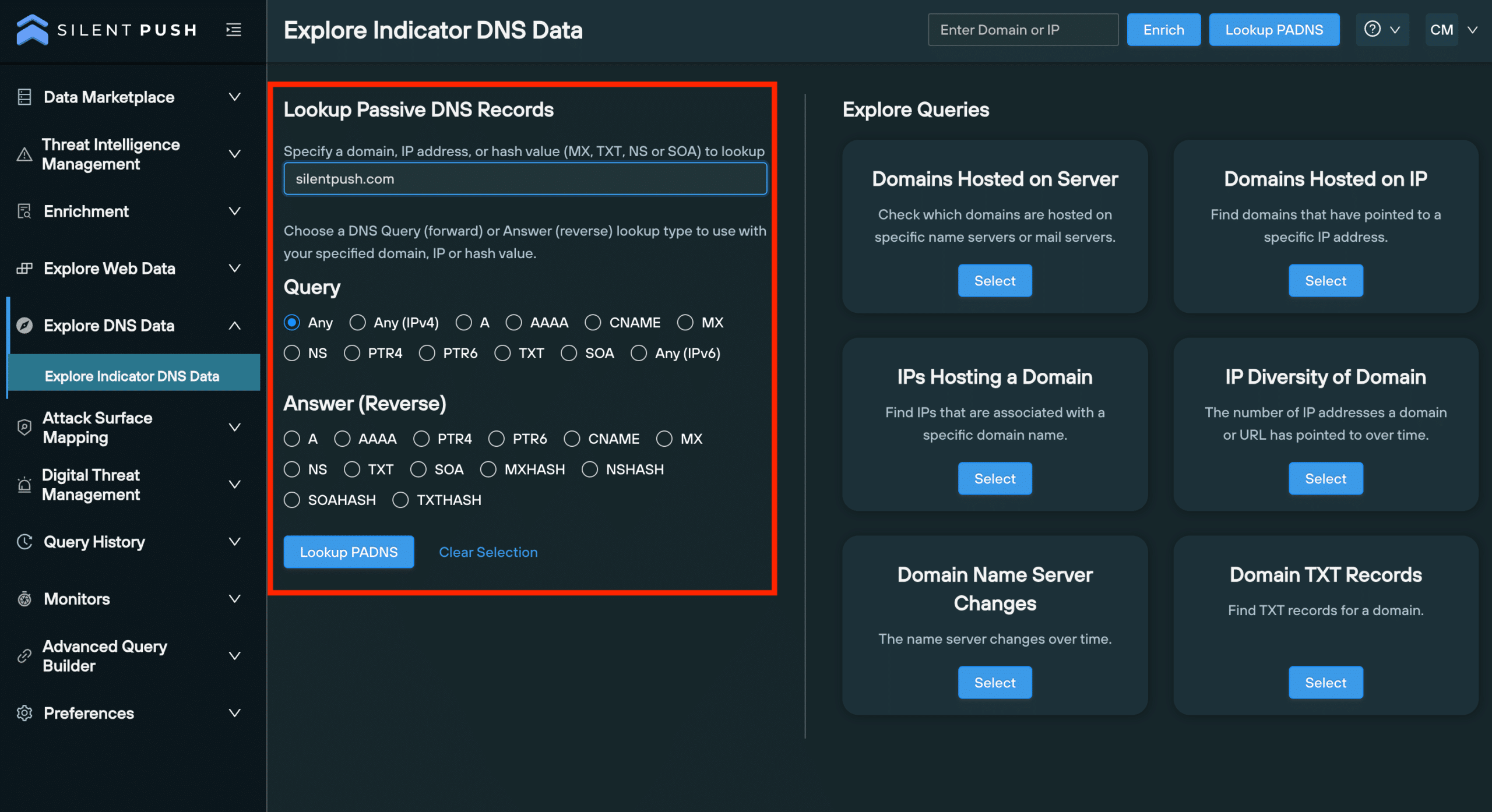
The ‘Explore Indicator DNS Data’ page allows you to perform forward and reverse PADNS lookups, and execute advanced queries, all within a single screen. 

Forward and reverse lookups are performed on the ‘Explore Indicator DNS Data’ page, available to both Community and Enterprise users, for the following record types:

  • A/AAAA
  • CNAME
  • MX
  • NS
  • PTR4/6
  • SOA
the explore indicator dns data page allows you to enrich data and execute advanced queries

‘Explore’ table

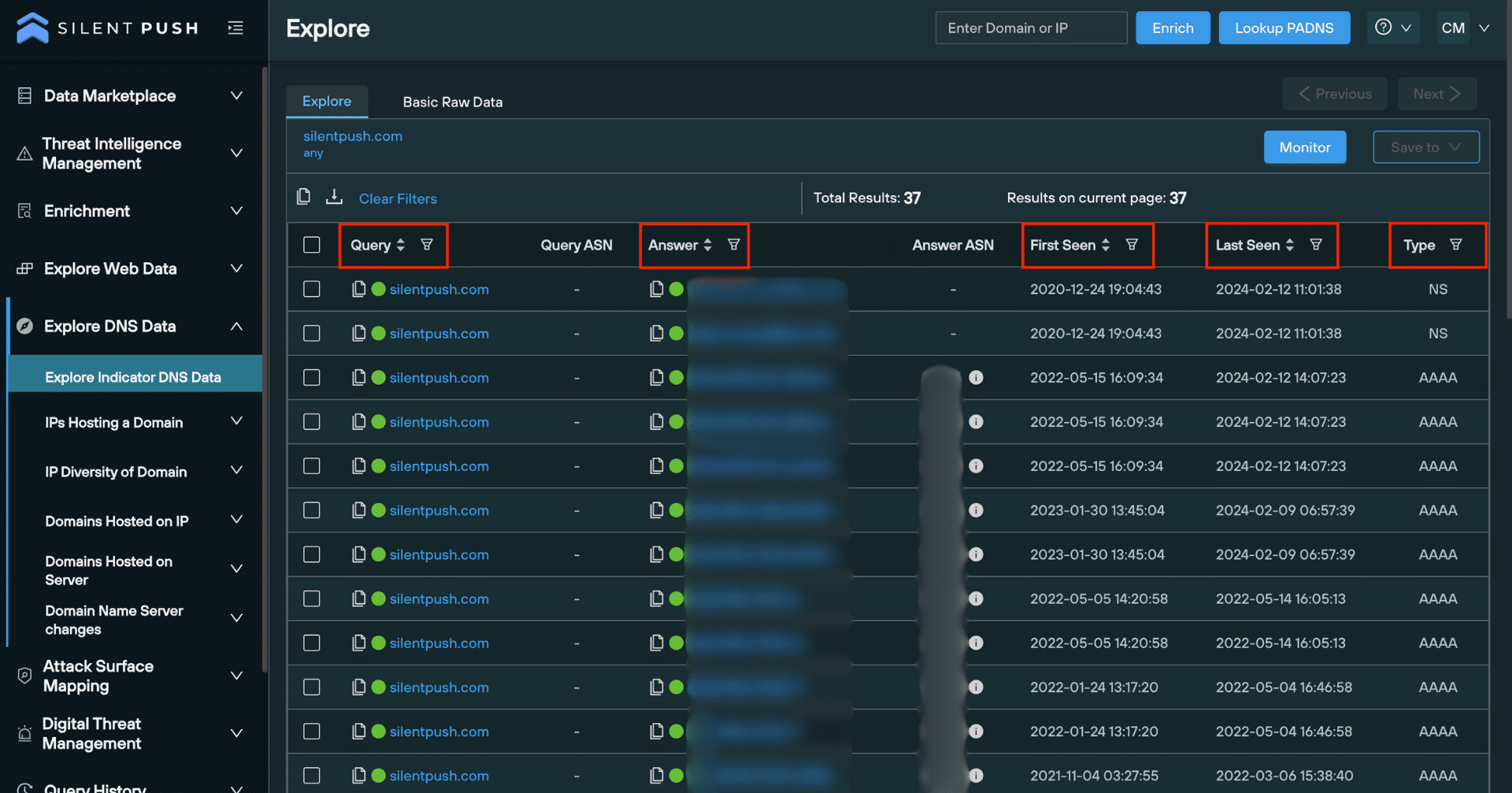
Once you’ve executed a lookup, the Explore table populates results drawn from our first-party database that’s collected, clustered, scored and delivered without third-party intervention.

From here you can monitor and save observables to a feed, perform additional lookups on individual pieces of data, export raw data, obtain risk scores and enrich observables to gather further intelligence across 90+ categories, most of which are unique to Silent Push:

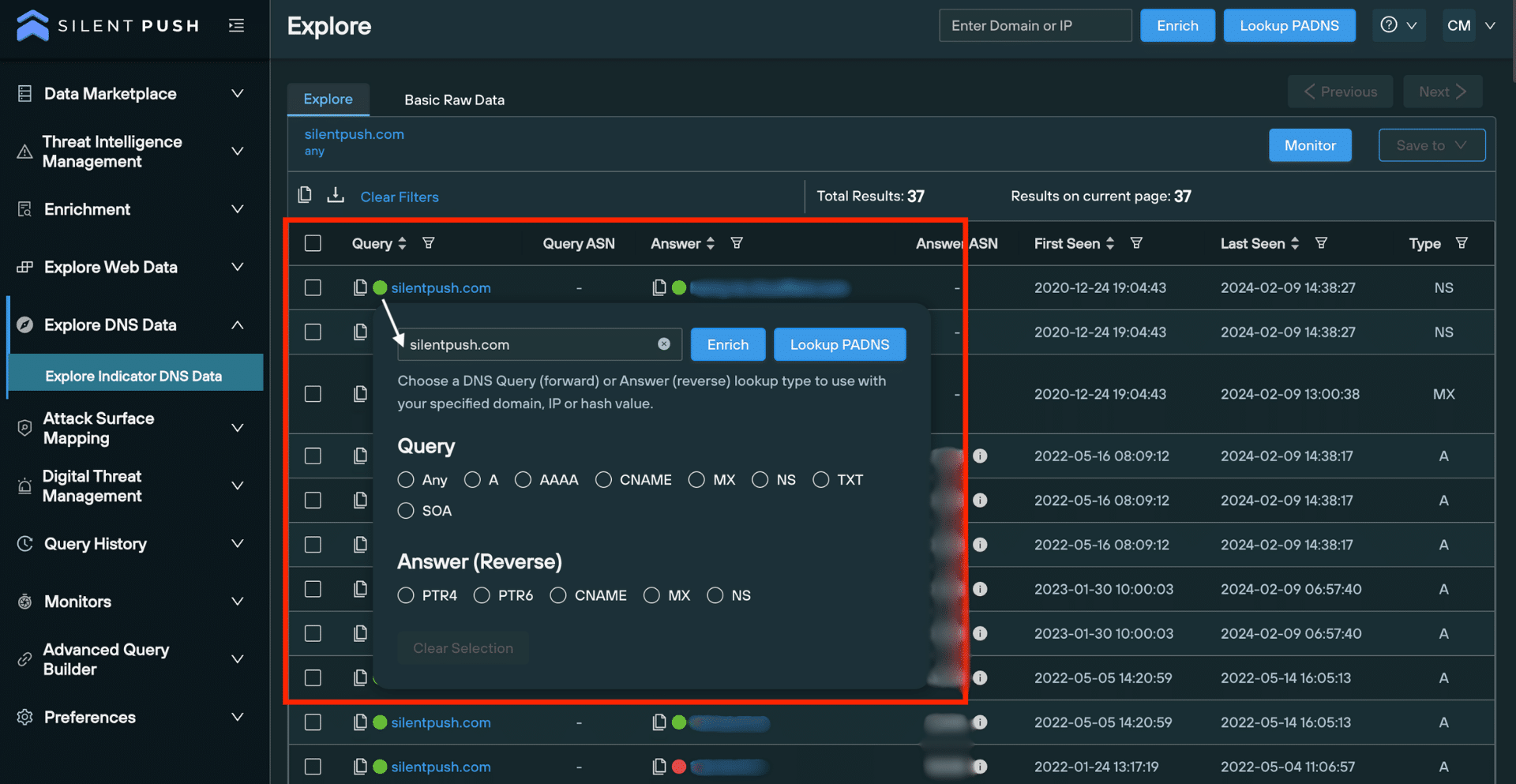
Passive DNS Lookup in Silent Push shows the explore screen and populated results

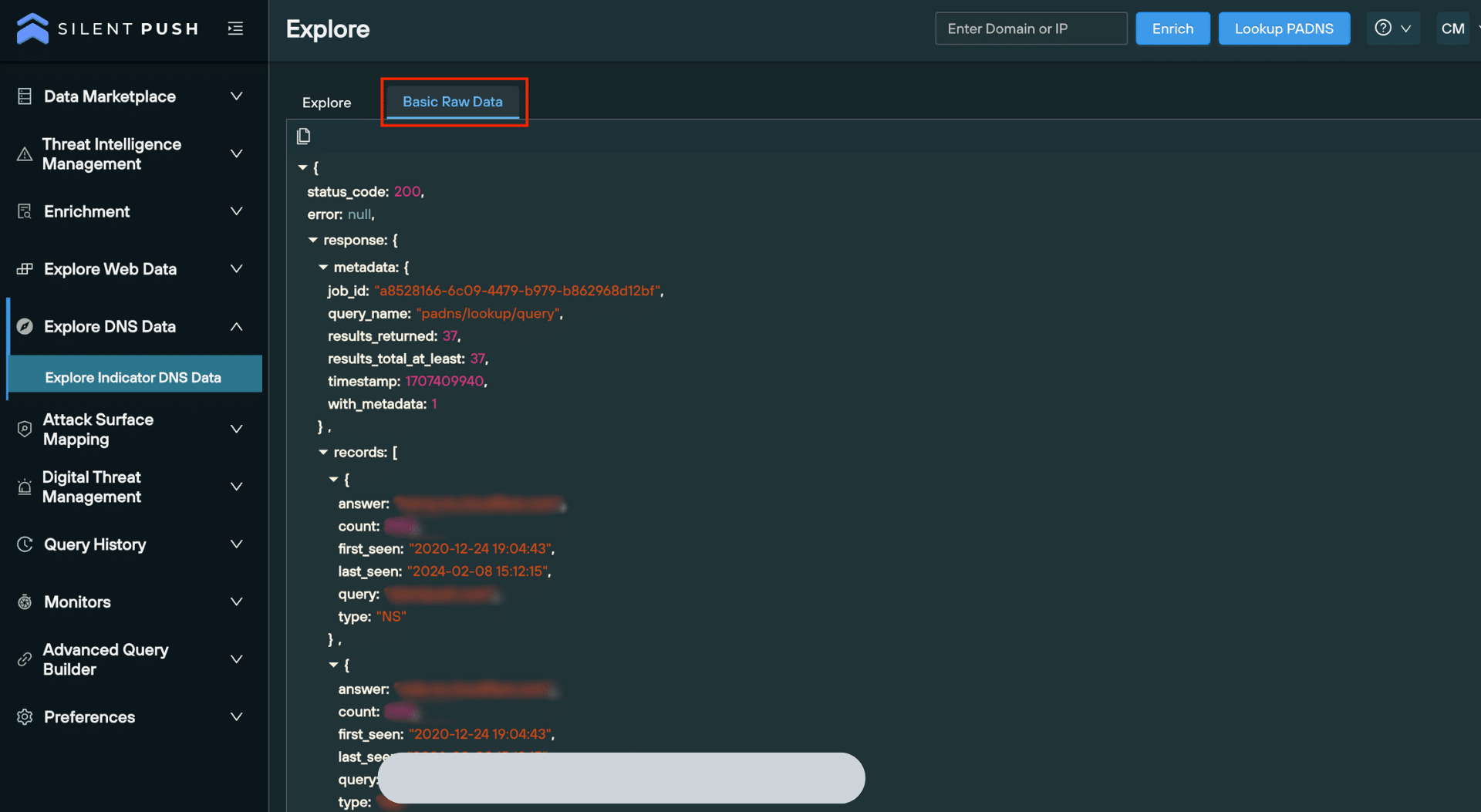
A secondary tab on the Explore screen allows you to view and copy the raw data, either for offline analysis or to facilitate integration with your security stack:

Silent Push shows the Basic Raw Data view in the Explore screen

Utilizing results from a passive DNS lookup

Unlike other passive DNS lookup platforms that provide queries in isolation, Silent Push features outcome-focused screens that enable security teams to gather intelligence that can be accessed, saved, and shared in just a few clicks. 

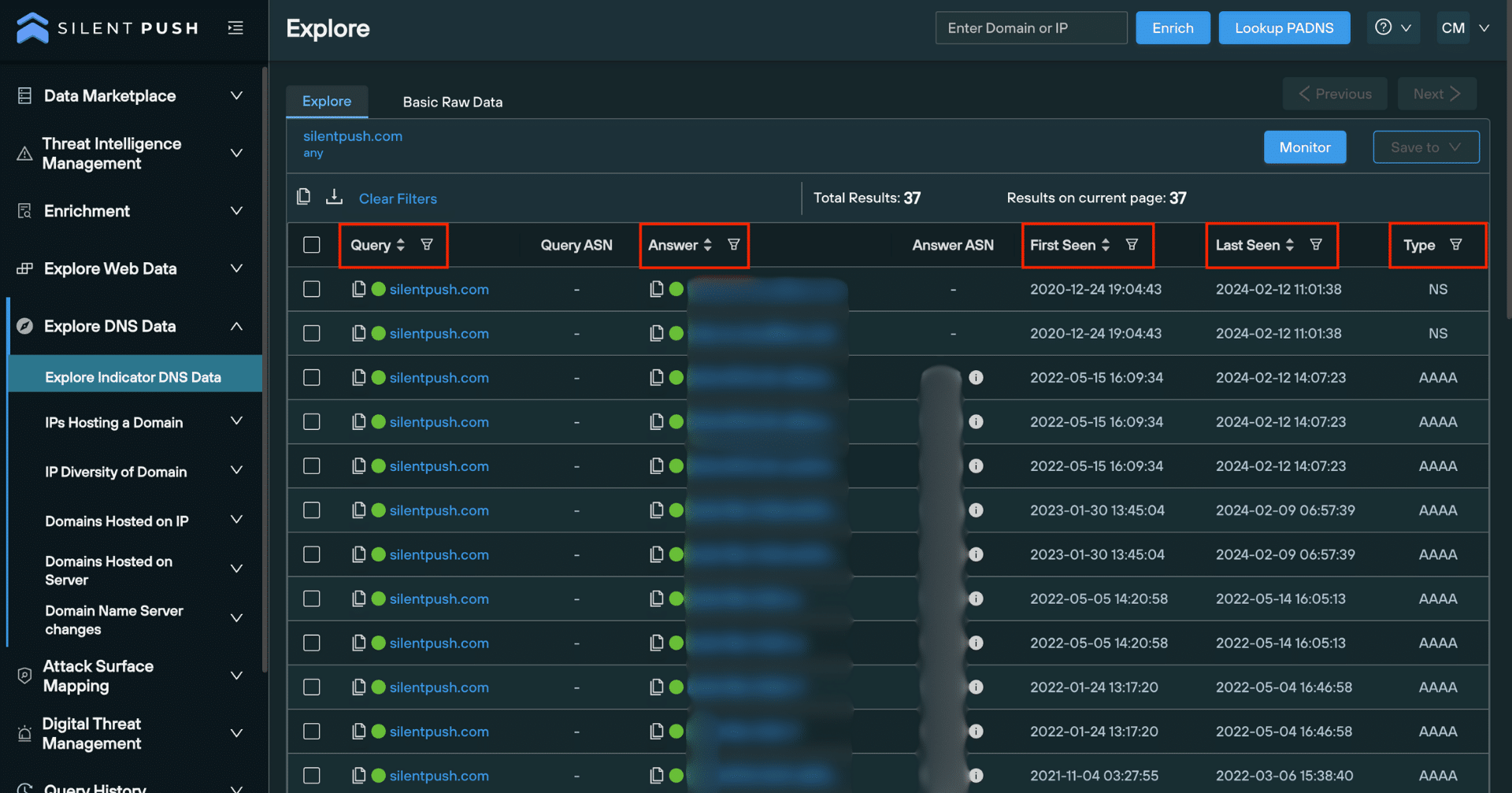
Filtering and searching through results

Filters help you sort data using a range of parameters, including:

  • Domain
  • IPv4 address
  • First seen date (When an observable was first seen in the dataset).
  • Last seen date (when an observable was last seen in the dataset).
  • DNS record type 

Filters can be accessed at the top of the Explore screen. You can also search through individual columns for specific pieces of data:

Passive DNS Lookup on Silent Push shows the Explore screen with different dataset filtering options.

Pivoting on passive DNS data

‘Pivoting’ involves performing additional queries on a single piece of data, including forward and reverse lookups, and domain or IP Enrichment queries.

Pivoting allows you to unearth intelligence that reveals the origin, function and risk level of a piece of data across a range of categories and sub-categories.

Clicking on an observable opens a pop-up window, featuring a bank of lookups relevant to the data type:

Silent Push shows the Explore screen with option to perform additional forward and reverse lookups.

Monitoring a passive DNS lookup

Once you’ve used a lookup to generate a set of results, you can enable ongoing monitoring that alerts you to changes in the dataset every 24 hours. By automating key queries across a range of internal workflows, security teams can save valuable time and resources, and eliminate repetitive tasks to focus on more pressing matters.

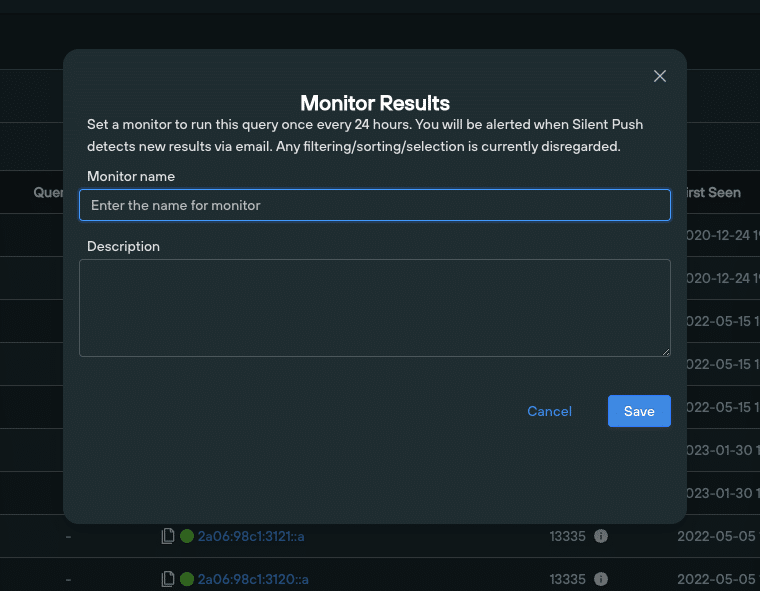
Clicking the ‘Monitor’ button on the top right of the Explore screen lets you assign a monitor to a set of results:

Passive DNS lookup monitoring on the Explore screen.

Saving and exporting passive DNS data

Critical to any security operation is the ability to share information amongst team members. You can save any piece of data – or even entire datasets – obtained from a passive DNS lookup either to an existing feed, or to a new feed, using a simple drop-down menu.

Feeds can be shared globally throughout your organization:

Passive DNS lookup saving on the Explore screen.

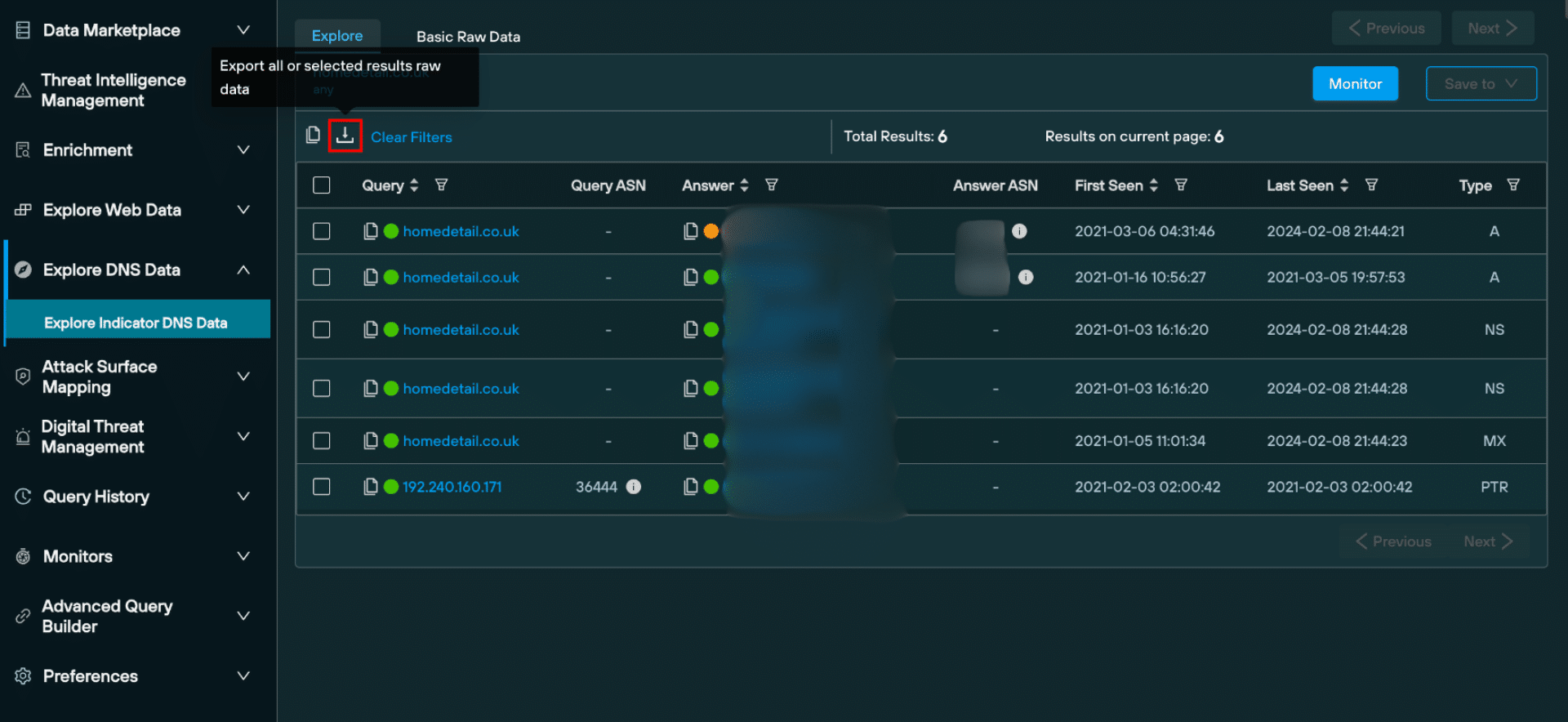
Passive DNS data can also be exported in raw format, as a JSON, or as a CSV:

Silent Push passive DNS lookup download feature on the Explore screen.

Advanced queries

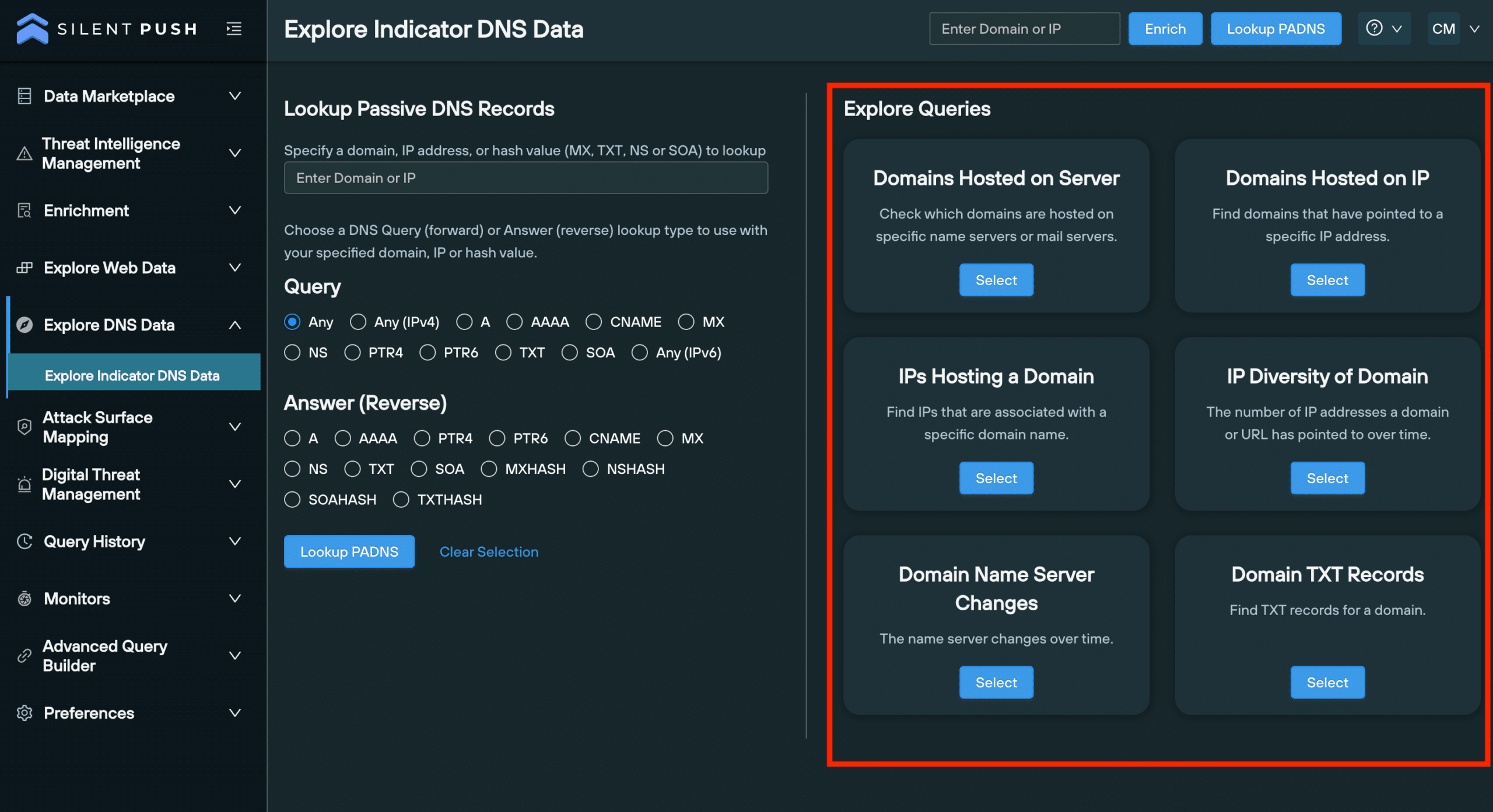
The ’Explore Queries’ menu features a range of advanced DNS queries that allow you to analyze the historical characteristics of a piece of data, including the relationship it has with other data types, and build a behavioural fingerprint of attacker TTPS, including:

  • All domains hosted on specific server.
  • All domains hosted on an IP address.
  • IPs hosting a domain.
  • The IP ‘diversity’ of domain (the number of unique IP addresses associated with a particular domain).
  • Any nameserver changes.
  • All TXT records associated with a domain.
Passive DNS lookup on Silent Push shows the explore queries menu with advanced query options.

Register for Silent Push Community Edition

Silent Push passive DNS lookups allow you to explore your organization’s and supply chain’s DNS presence in a more timely, accurate and detailed way, and hunt for malicious infrastructure before it’s weaponized.

Silent Push Community Edition is a free threat hunting and cyber defense tool used by security teams, threat analysts, and researchers that features a range of basic and advanced DNS queries which interrogate the Silent Push database, built from our daily scans of the Internet’s global IP range.

Click the button below to sign-up for a free account.
Cyber padlock in tron colours

‘Data independence’: The new standard in global threat intelligence.

The questionable quality of most threat intelligence data is an open secret within the cyber threat intelligence industry.

Security teams are tasked with ingesting and analyzing domain, IP and website data that’s been collected from numerous disparate sources, and forced through multiple aggregation layers without a concerted effort along the way to arrange it in the form of actionable intelligence.

For CISOs, attempting to pin down the ROI of an unquantifiable and subjective element of their security operation can be a daunting task. Feed data is inherently difficult to evaluate, and it’s often impossible to establish precisely where intelligence data has originated from. It’s no wonder that 46% of CISOs do not regularly read threat intelligence reports, when most of their intelligence data isn’t easily operationalized and their teams are starting on the back foot.

Summary

In this blog, we’ll explain why ‘data independence’ – the concept of a threat intelligence provider collecting and owning 100% of their own data – is set to change the way organizations perceive and use cyber threat intelligence by affecting a paradigm shift in intelligence methodologies from reactive to proactive, and some of the inherent problems seen in current methods of distributing and using intelligence data.

Issues with legacy threat intelligence

Most threat intelligence platforms are content with relying on public IOCs, OSINT data, crowdsourced intelligence and passive DNS sensors to gather intelligence – only a smattering of which is collected in realtime to produce actionable intelligence, if at all.

This approach leads to numerous problems.

There’s often significant overlap across data streams, with a considerable amount of false positives for SOC teams to sift through. Operational efficiency is also affected. Data drawn from multiple sources that isn’t designed to work together is inherently slower to search across, and lacks a unifying set of characteristics that allow teams to organize it quickly and efficiently into pre-arranged searchable spaces, to combat specific attack vectors.

The number one barrier to achieving data independence is the sheer amount of effort it takes from a standing start. Building an all-encompassing collection, aggregation and enrichment engine from scratch, with zero precedent, and delivering it at scale to produce timely, accurate and complete intelligence is no mean feat. It takes a great deal of ingenuity and innovation, and a hell of a lot of work.

Data independence as a threat intelligence solution

Silent Push is on a mission to defragment organizational security operations by providing our customers with first-party threat intelligence data that’s collected, clustered, scored and delivered without third-party intervention, and with specific use cases in mind.

We provide timely, accurate and complete cyber threat intelligence datasets that allow security teams to track emerging TTPs and pre-weaponized infrastructure. Threat actors assemble their infrastructure using a series of traceable patterns. Owning and controlling our own data allows us to add an infinite amount of context to each observable that we collect, and where there are patterns to be found, make those links across the global IPv4 space to produce actionable intelligence.

There’s no rigidity to worry about. We’re not beholden to third-party collection and storage methods. We pass the data through to our console and API as a searchable space designed to output Indicators of Future Attack (IOFA) – a global early warning system that promotes situational awareness amongst the C-Suite, and directs security teams to where an attack is coming from, not where it’s been.

Let’s take a look at some of the problems with legacy threat intelligence, and how data independence can help to solve them:

Multiple tools required to extract any kind of value

Silent Push is a self-contained and self-reliant threat hunting and threat intelligence platform. Our UI and API is designed with our data in mind, and caters to a range of use cases. Ingesting and analyzing first-party data at source is inherently more resource and cost efficient.

Data is collected at specific points in time

OSINT data dumps and legacy IOCs are inflexible and mostly relevant to a single point in time. Silent Push data collection features far lower intervals, allowing teams to respond to emerging threats as they develop. This enables teams to prioritize the most dangerous threat types and focus their efforts on attack vectors that are unique to their organization. 

Data isn’t easily arranged based on threat type

Threat intelligence that’s gathered from multiple disconnected sources needs a lot of work before it can be considered actionable. First-party data is automatically sorted into searchable, self-contained, threat-specific spaces that require minimal intervention. 

The myth that more data equals a more efficient threat intelligence posture

Data independence is less about volume, and more about creating and controlling the relationship between billions of disparate domains, IPs, DNS records and content hashes. This is impossible to achieve unless ownership resides within the platform itself, and categorization is considered alongside delivery.

Lack of provenance = a lack of trust

If SOC teams and security analysts aren’t entirely sure of where data has originated from, this makes it inherently less trustworthy, regardless of the reputation of the platform or vendor that’s delivering it – especially true for OSINT and crowdsourced intelligence. Increased trust derived from first-party data gives teams more peace of mind.

Multiple aggregation layers

Legacy threat intelligence often passes through multiple platforms and aggregation layers before it’s presented to the end user for ingestion and analysis. Silent Push’s first-party data is original, unadulterated and categorized in real-time.

Mass data streams are not outcome focused

First-party data is agile, allowing us to innovate and counteract emerging TTPs with new categorizations, and with a higher degree of accuracy. All too often, legacy intelligence hampers a security team’s ability to generate meaningful insights quickly and with a high degree of accuracy.

Get in touch

Silent Push Community Edition is a free threat hunting and cyber defense platform that features a huge range of advanced offensive and defensive lookups, web content queries, and enriched data types.

Silent Push Enterprise exposes Indicators of Future Attack (IoFA) by applying unique behavioral fingerprints to attacker activity and searching our dataset. Security teams can identify impending attacks, rather than relying upon out of date IOCs delivered by legacy cyber threat intelligence platforms.

Webinar: How to locate the new scattered spider phishing infrastructure

Webinar: How to Locate the New Scattered Spider Phishing Infrastructure

Webinar details

Date released: Friday 22 December 2023

Level: Advanced

Duration: 30 mins (25 mins + 5 mins Q&A)

In this webinar, CEO, Ken Bagnall, explores how to track and monitor Scattered Spider’s Okta phishing infrastructure, using the Silent Push platform, including:

Scattered Spider’s deployment methods feature identifiable patterns and commonalities that allow Silent Push users to discover associated infrastructure and enumerate the threat actor’s online presence, using an array of lookups that can be tailored to a unique set of requirements.

The webinar demonstrates how to track the underlying infrastructure that accommodates a Scattered Spider phishing attack – apex domains, ASNs, registrars etc. – and extrapolate correlative datasets that allow security teams to identify patterns in attacker behaviour, including ASN data, naming conventions etc.

Access the webinar

This webinar is no longer available.

Background

Scattered Spider are a financially motivated threat group who has been active since the second quarter of 2022.

The group is known for launching sophisticated social engineering attacks designed to obtain login credentials and MFA tokens from employees.

Scattered Spider have been responsible for hundreds of incidents in the past year, two of which generated a large amount of media interested and caused significant financial and reputational harm for the organizations involved: the Twilio/Okta breach of August 2022 and the MGM breach of September 2023.

Webinar: Reverse engineering Gamaredon's infrastructure

Webinar: Reverse Engineering Gamaredon’s Infrastructure

Webinar details

Date released: Monday 6 November 2023

Level: Intermediate

Duration: 30 mins (25 mins + 5 mins Q&A)

In this webinar, lead Threat Analyst, Inês Véstia, will be exploring Gamaredon’s use of wildcard A records, ASN providers and name servers to evade conventional detection methods that rely on IOCs linked to a single point in time.

The webinar will demonstrate how to track the underlying infrastructure that accommodates an attack – apex domains, ASNs, registrars, authoritative name servers etc. – and extrapolate correlative datasets that allow security teams to identify patterns in attacker behaviour – ASN and IP diversity data, naming conventions etc.

Access the webinar

This webinar can be accessed by filling out the form below. Due to the contents of this webinar, we manually approve each individual who requests access. This means you may have to wait up to 24 hours to receive your personal login code. Thank you for your understanding. 

Background

Gamaredon – also known as Primitive Bear, Actinium or Shuckworm – are a Russian Advanced Persistent Threat (APT) group that has been active since at least 2013, historically across the US and the Indian Subcontinent, and more recently in Ukraine, including reported attacks on Western government entities.

Gamaredon are a highly-belligerent threat group who deviate from the standard-hit and-run tactics used by other APT groups, by propagating sustained attacks that are both heavily obfuscated and uniquely aggressive.